1. 안전 정보
Please read and understand all instructions before beginning assembly and use. Failure to follow these instructions may result in serious injury.
- Always assemble the loft bed according to the provided instructions.
- Keep the area around the bed clear to prevent tripping hazards.
- Do not allow children to play on or around the bed unsupervised.
- 사용 전에 모든 연결 부분이 단단히 조여져 있는지 확인하고 주기적으로 조여져 있는지 점검하세요.
- Use only mattresses that comply with the recommended dimensions and thickness for twin-size beds.
- Do not use the bed if any parts are missing, damaged, or broken. Contact customer support for replacement parts.
2. 제품 사양
- 상표: 메락스
- 모델 번호: FFCALoftBedFrame26012101
- 크기: 쌍
- 재료: MDF, 금속
- 색상: 검은색
- 제품 크기: 239.78 cm (L) x 104.39 cm (W) x 182.12 cm (H) (approximately 94.4 x 41.1 x 71.7 inches)
- 무게: 29kg(약 63.9파운드)
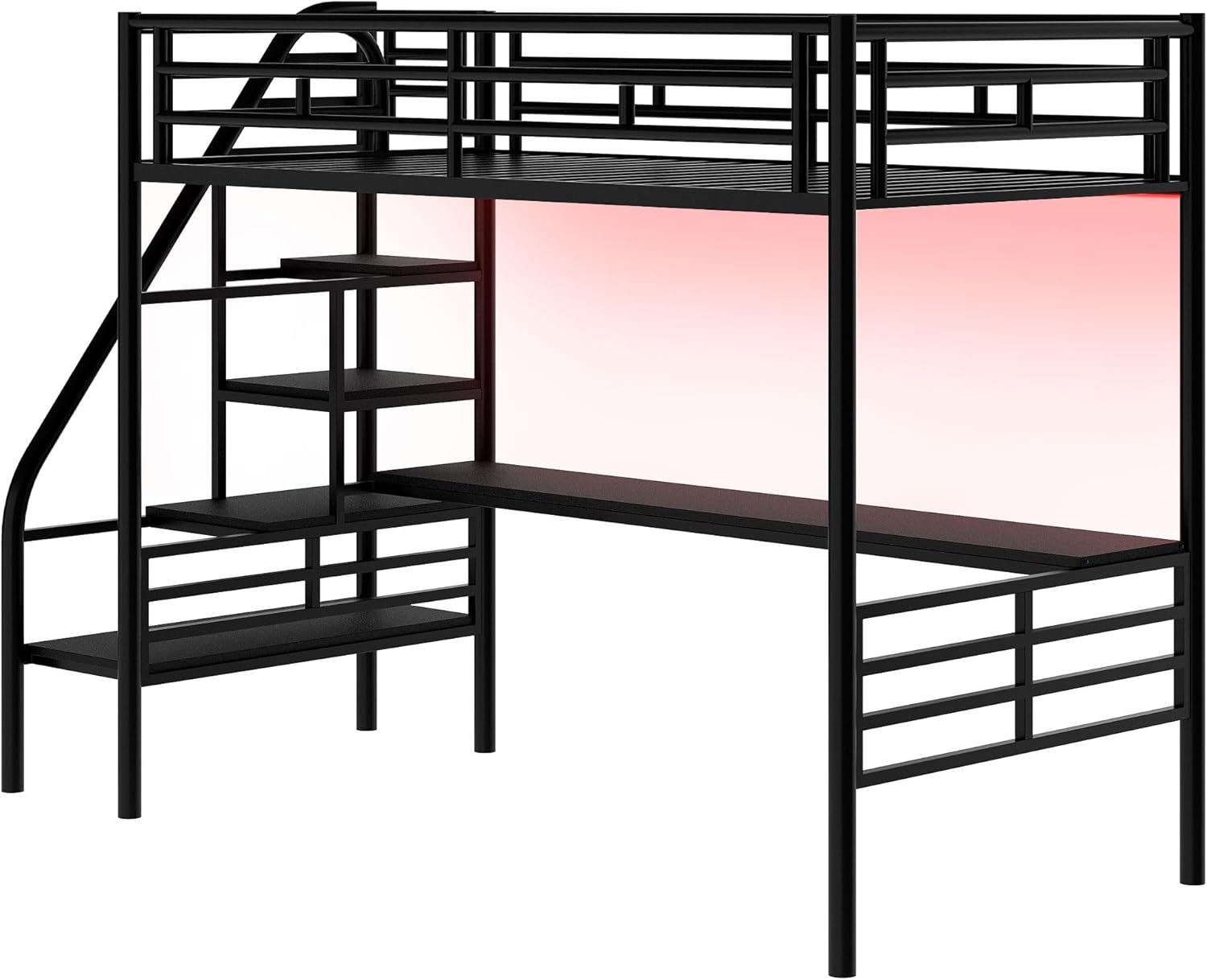
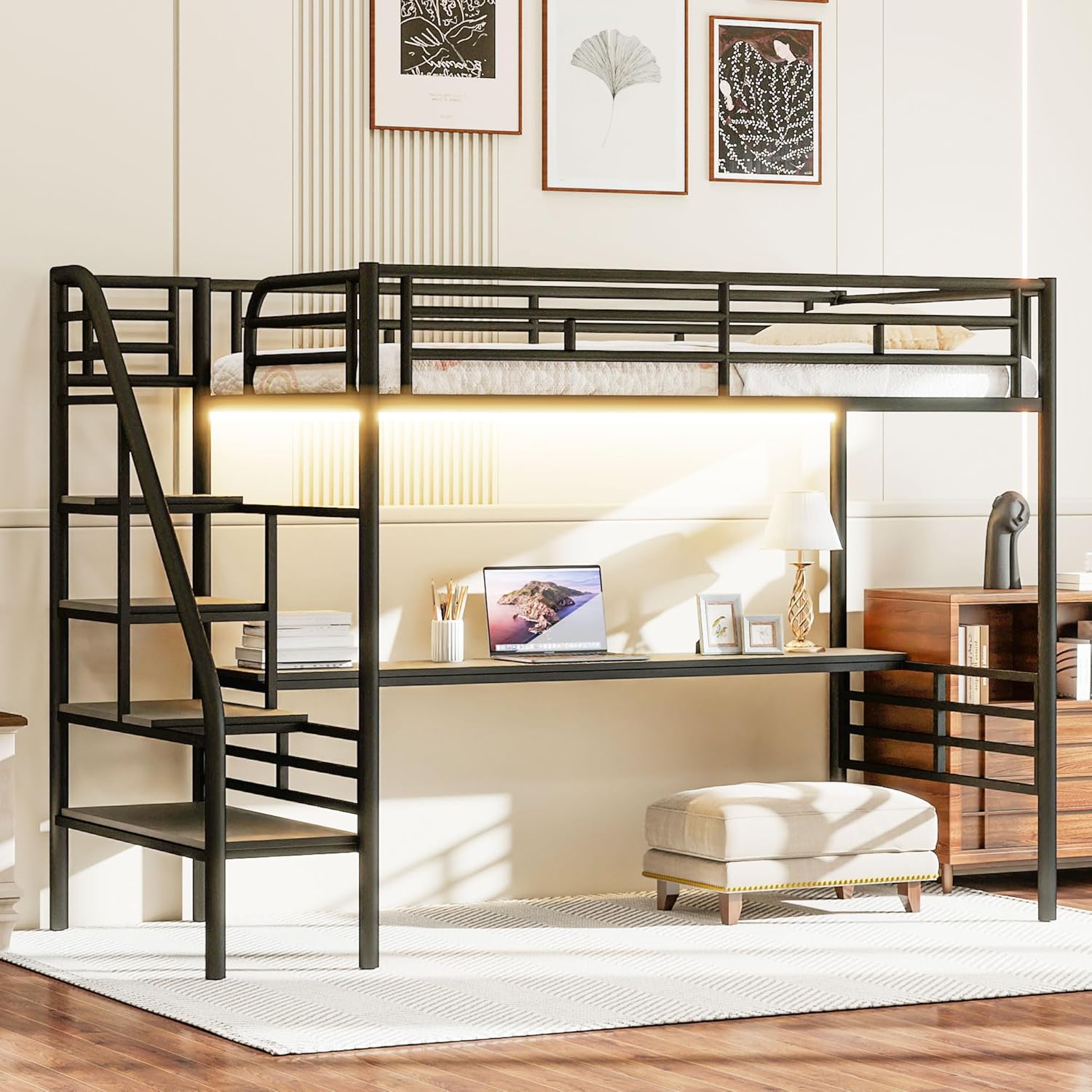
- 특별 기능: LED Lighting, Integrated Desk, Easy-Climb Stairs, No Box Spring Needed, Space Saving, USB & Type-C Charging Station
- 호환 매트리스 크기: 쌍

3. 설치 및 조립
Assembly requires two adults. Please ensure all parts are present before beginning. Refer to the included hardware pack for specific screws and tools.
3.1 조립 비디오 가이드
자세한 조립 과정을 보려면 공식 조립 영상을 시청하세요.
3.2 주요 조립 단계
- 부품 풀기 및 식별: Lay out all components and hardware. Refer to the parts list in your physical manual to ensure everything is accounted for.
- 보관 서랍 조립: Attach the wheels to the drawer frames and then secure the fabric sides and bottom.
- Construct Desk Shelf: Assemble the desk shelf components, including the LED strip and dividers, ensuring all screws are tightened.
- Build Bed Frame Base: Connect the main metal frame components, including the vertical supports and horizontal bars.
- Attach Desk Shelf: Secure the assembled desk shelf to the main bed frame structure.
- 침대 프레임 설치: Place and secure the metal bed slats onto the frame.
- 연결형 충전 스테이션: Integrate the USB and Type-C charging station into the designated slot on the bed frame.
- 최종 점검: 모든 나사가 단단히 조여져 있고 구조물이 안정적인지 확인하십시오.
4. 사용 설명서
4.1 LED 조명
The loft bed features integrated LED lighting for ambiance and illumination. The LED strip is typically controlled via a remote or a mobile application, allowing for color changes and brightness adjustments.

4.2 USB & Type-C Charging Station
The bed includes a built-in charging station. Connect your devices to the USB or Type-C ports for convenient charging while using the desk or resting in bed.
4.3개의 보관 서랍
Utilize the two sliding storage drawers located beneath the bed for organizing clothes, books, or other personal items. These drawers are designed for easy access and mobility.
5. 유지관리
Regular maintenance will help prolong the life and appearance of your Merax Loft Bed.
- 청소: 금속 및 MDF 표면은 부드러운 천으로 닦아주세요.amp 천으로 닦으세요. 마감재를 손상시킬 수 있는 강한 화학 물질이나 연마성 세제는 사용하지 마세요.
- 하드웨어 검사: 모든 볼트, 나사 및 연결부가 단단히 조여져 있는지 주기적으로 점검하십시오. 안정성을 유지하기 위해 필요에 따라 다시 조이십시오.
- LED 조명: If the LED lights malfunction, check the power connection. If issues persist, contact customer support.
- 칸막이: Ensure bed slats are properly seated and not damaged. Damaged slats should be replaced immediately.

6. 문제 해결
If you encounter any issues with your Merax Loft Bed, please refer to the following common solutions:
- 삐걱거리는 소리: 모든 볼트와 나사를 점검하십시오. 느슨한 연결부는 조이십시오. 침대가 수평인 표면에 놓여 있는지 확인하십시오.
- LED 조명이 작동하지 않음: Verify the power adapter is securely plugged into both the wall outlet and the LED strip. Check for any visible damage to the LED strip or remote.
- 불안정: Ensure the bed is assembled correctly and all structural components are properly aligned and tightened.
- 잃어버린 부분들: If you find any parts missing during assembly, do not proceed. Contact customer support immediately.
7. 보증 및 지원
Merax products are designed for quality and durability. For any product-related issues, warranty claims, or support, please contact us directly.
- Web대지: 메락스닷컴
- 이메일: csr@merax.com
- 핸드폰: 626-912-8886
Please have your model number (FFCALoftBedFrame26012101) and purchase information ready when contacting support.


