1. 서론
This manual provides detailed instructions for the installation, operation, and maintenance of your SONOFF CAM-B1P Outdoor Security Camera. Please read this manual thoroughly before using the device to ensure proper functionality and safety. The SONOFF CAM-B1P is designed for outdoor surveillance, offering 2K HD resolution, color night vision, 180-degree panoramic view, AI human detection, smart tracking, IP65 weatherproofing, and two-way audio communication.

2. 제품 오버view
2.1 패키지 내용
- SONOFF CAM-B1P Outdoor Security Camera
- 장착 스탠드
- 장착 나사 및 벽면 플러그
- 사용자 설명서
- 핀 재설정
2.2 카메라 구성 요소


The camera features a durable housing, a high-definition lens, and an integrated mounting bracket. The rear of the camera includes the USB Type-A power input, a reset button, and an SD card slot (located behind a protective rubber flap).
3. 설치 및 설정
3.1 앱 설치
To control and monitor your SONOFF CAM-B1P, download the eWeLink app on your smartphone or tablet. The app is available on both the Google Play Store and Apple App Store.
- 검색 "eWeLink" in your device's app store.
- Download and install the eWeLink app.
- 새 계정을 등록하거나 기존 계정으로 로그인하세요.
3.2 장치 페어링
Follow these steps to pair your camera with the eWeLink app:
- Power on the SONOFF CAM-B1P camera by connecting it to a 5V/2A power source using the provided USB cable.
- 스마트폰에서 eWeLink 앱을 엽니다.
- Tap the "+" icon or "Add Device" button within the app.
- 카메라나 패키지에 있는 QR 코드를 스캔하세요.
- Follow the on-screen instructions in the eWeLink app to complete the network configuration and device pairing process. Ensure your Wi-Fi network is 2.4GHz.

3.3 물리적 설치
The SONOFF CAM-B1P is designed for wall mounting. Choose a suitable outdoor location that provides the desired viewing angle and is within range of your Wi-Fi network. Ensure the mounting surface is stable and can support the camera's weight.
- Attach the mounting stand to the camera.
- Mark the drilling points on the wall using the mounting stand as a template.
- 필요한 경우 구멍을 뚫고 벽면 플러그를 삽입하세요.
- Secure the mounting stand to the wall using the provided screws.
- 필요에 따라 카메라 각도를 조정하세요.
4. Operating Your SONOFF CAM-B1P
4.1 비디오 품질 및 야간 시야
The camera provides 2K HD resolution for clear and detailed images. It supports multiple night vision modes to ensure visibility in low-light conditions.
- 풀컬러 야간 투시경: Provides vivid color images even in darkness.
- 적외선 나이트 비전: Offers a discreet black and white view using infrared LEDs.
- 스마트 나이트 비전: 감지된 활동에 따라 적외선 야간 투시 모드와 컬러 야간 투시 모드 사이를 자동으로 전환합니다.


4.2 파노라마 View 및 추적
The camera features a 180-degree rotating lens, allowing for a wide monitoring area and reduced blind spots. Combined with AI human detection, it can automatically track detected human movements.
- 180° 회전: Adjust the camera's horizontal view through the eWeLink app to cover a broader area.
- AI 인간 감지: 이 카메라는 사람의 형체를 다른 움직이는 물체와 구별할 수 있어 오경보를 줄여줍니다.
- 스마트 추적: When a human is detected, the camera will automatically follow their movement within its field of view.
- Preset Point Setting: Define specific points of interest for quick viewing in the app.


4.3 양방향 오디오
The integrated microphone and speaker allow for real-time two-way audio communication. This feature enables you to speak to visitors or deter intruders directly through the camera via the eWeLink app.

4.4 스마트 홈 통합
The SONOFF CAM-B1P is compatible with various smart home platforms, including Amazon Alexa and Google Home, allowing for voice control and integration into your existing smart ecosystem. It also supports third-party platforms like Home Assistant via ONVIF/RTSP protocols.

4.5 비디오 저장 옵션
The camera offers flexible and secure options for storing your video footage:
- 로컬 스토리지: Supports TF (microSD) cards up to 128GB for local recording. The SD card slot is located behind a protective rubber flap on the camera.
- 클라우드 스토리지: Optional cloud storage is available through a CameraPlan subscription, providing remote access and backup of your footage.

5. 유지관리
5.1 내후성
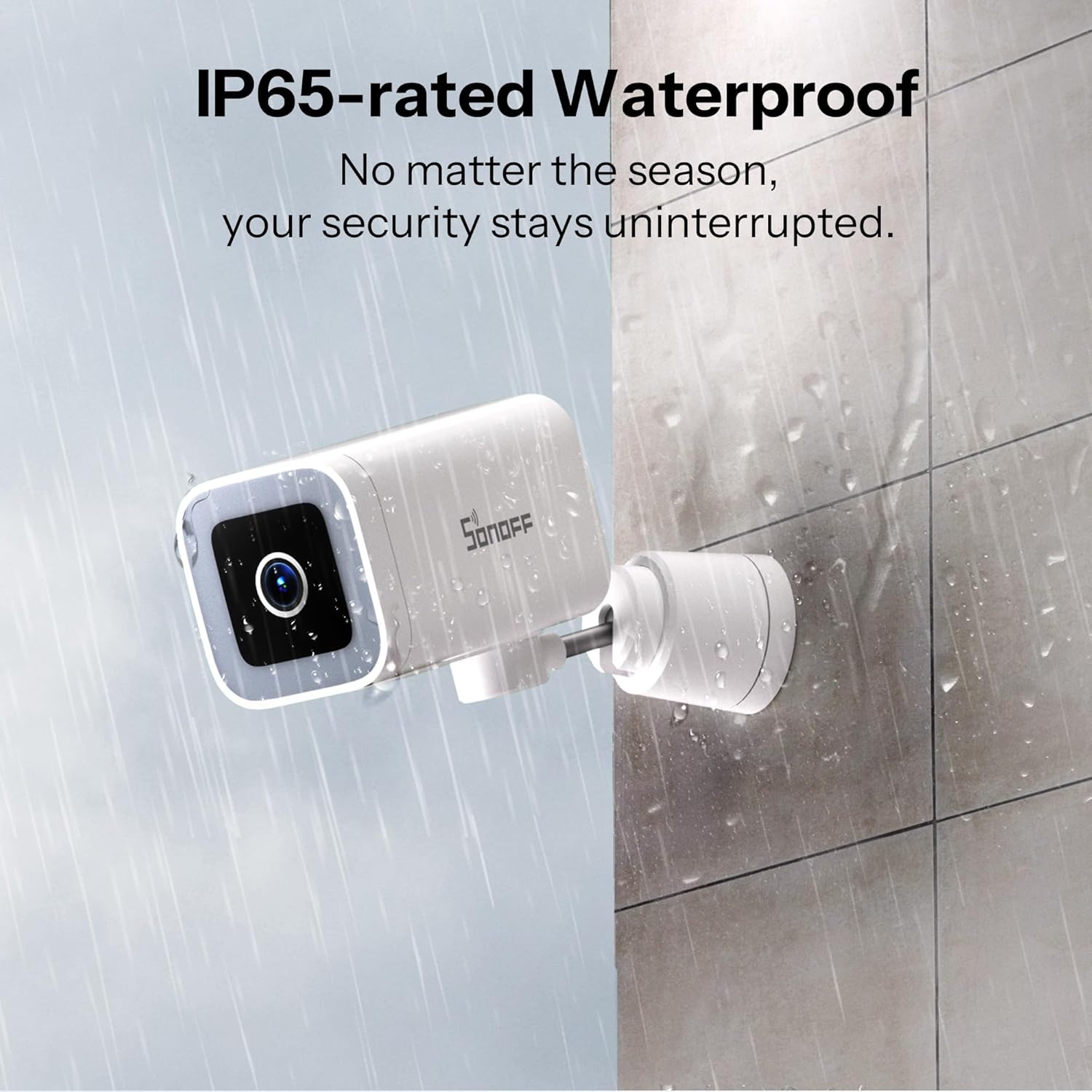
The SONOFF CAM-B1P has an IP65 weatherproof rating, meaning it is protected against dust ingress and low-pressure water jets from any direction. This ensures reliable operation in various outdoor weather conditions, including rain and dust.
5.2 청소
To maintain optimal performance, periodically clean the camera lens and housing. Use a soft, damp 먼지와 이물질을 닦아낼 때는 천을 사용하십시오. 렌즈나 마감을 손상시킬 수 있는 강한 화학 물질이나 연마재는 사용하지 마십시오.
6. 문제 해결
- 카메라가 Wi-Fi에 연결되지 않음:
- Wi-Fi 네트워크가 2.4GHz인지 확인하십시오. 카메라는 5GHz 네트워크를 지원하지 않습니다.
- Check if the Wi-Fi signal strength at the camera's location is adequate.
- Verify that the Wi-Fi password entered in the eWeLink app is correct.
- Try resetting the camera using the reset pin and re-pairing it. - 비디오 품질이 좋지 않음:
- 카메라 렌즈가 깨끗하고 이물질이 없는지 확인하십시오.
- Check your internet connection speed. A stable and fast connection is required for 2K streaming.
- Adjust the video quality settings in the eWeLink app if your network bandwidth is limited. - False alarms for motion detection:
- Adjust the motion detection sensitivity settings in the eWeLink app.
- Utilize the AI human detection feature to filter out non-human movements.
- Define activity zones to monitor specific areas and ignore irrelevant ones. - 양방향 오디오 문제:
- Ensure your smartphone's volume is up and the microphone is not muted in the app.
- Check the camera's microphone and speaker settings in the eWeLink app.
- Verify network stability for clear audio transmission. - RTSP/ONVIF integration with Home Assistant not working:
- Enable ONVIF in the eWeLink app under camera advanced settings.
- Set a username and password for RTSP access (note: special characters may not be supported).
- Ensure your Home Assistant setup is correctly configured to use the provided RTSP stream URL.
7. 기술 사양

| 특징 | 사양 |
|---|---|
| 모델 | 캠-B1P |
| 해결 | 2K(2304x1296) |
| 나이트 비전 | Color Night Vision, Infrared Night Vision, Smart Night Vision (8 Meters range) |
| 회전 각도 | 수평 180° |
| 연결성 | Wi-Fi IEEE 802.11 b / g / n 2.4GHz |
| 전원 입력 | 5V=2A (Corded Electric) |
| 방수 등급 | IP65 |
| 보관 방법 | TF card (Max. 128GB), Cloud Storage (subscription required) |
| 작동 온도 | -20도 ~ 50도 |
| 비디오 압축 | H.264 |
| 치수(길이 x 너비 x 높이) | 6.61 x 3.54 x 2.6인치(161 x 91 x 61mm) |
| 품목 무게 | 13.4 온스 |
| 포함된 구성 요소 | 서다 |
8. 보증 및 지원
8.1 보증 정보
SONOFF products are covered by a limited warranty. For specific warranty terms and conditions, please refer to the warranty card included with your product or visit the official SONOFF web대지.
8.2 고객 지원
If you encounter any issues or have questions regarding your SONOFF CAM-B1P camera, please contact SONOFF customer support. You can find contact information on the official SONOFF website or through the eWeLink app.
For additional resources and community support, visit the official SONOFF Facebook page: SONOFF Official Facebook


