1. 제품 오버view
The VOOPOO Argus Klyc Kit is a compact and stylish pod system designed for both Mouth-to-Lung (MTL) and Restricted Direct-to-Lung (RDL) vaping. It features a built-in 1350mAh battery, offering up to 30W of adjustable power output. The device incorporates precise airflow adjustment and adaptive power for a customized vaping experience. Equipped with iCOSM CODE 2.0 flavor technology, it ensures a clean and consistent taste. A magnetic protective cap is included to maintain hygiene and prevent dust intrusion.
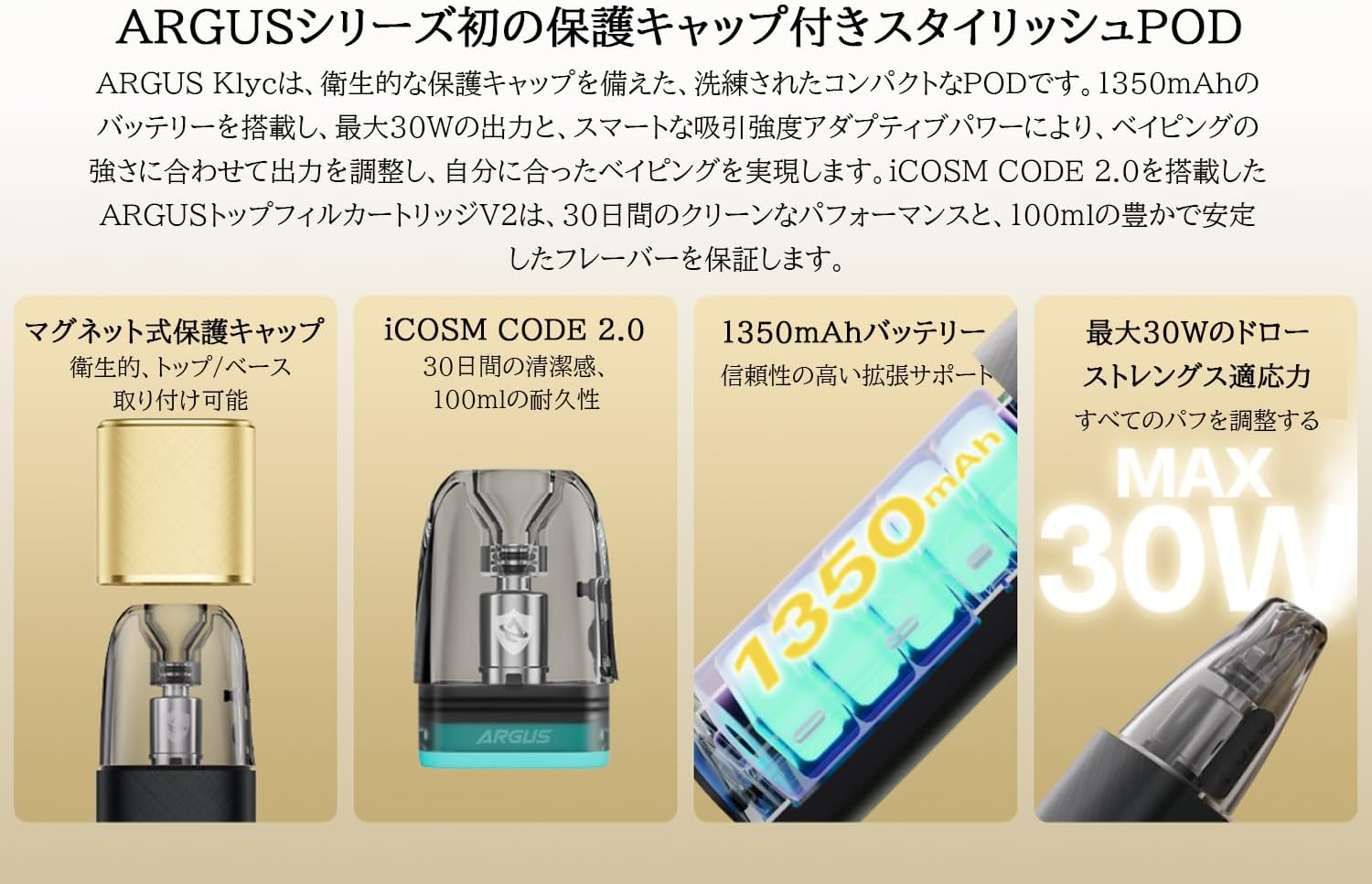
Image: The VOOPOO Argus Klyc Kit, showcasing its sleek design and magnetic protective cap.
주요 특징:
- Magnetic Protective Cap: Ensures hygiene and prevents dust from entering the mouthpiece.
- 조절 가능한 공기 흐름: Customize your draw from loose to tight for various vaping preferences.
- 1350mAh 내장 배터리: Provides long-lasting vaping sessions with approximately 40-minute Type-C fast charging.
- 5-30W Variable Output: Supports both MTL and RDL vaping styles, compatible with all Argus replaceable pods.
- iCOSM CODE 2.0 Flavor Technology: Delivers a clean and stable flavor experience over extended use.
- RGB 표시등: Clearly displays battery level (Red ≤20%, White >20%) and device status.
비디오: 오버view of the iCOSM CODE 2.0 technology, highlighting its flavor and performance benefits.
2. 상자 안에 무엇이 들어있나요?
Upon unboxing your VOOPOO Argus Klyc Kit, you will find the following components:
- 1 x ARGUS Klyc Device
- 1 x ARGUS Top Fill Cartridge V2 0.7Ω (3mL capacity)
- 1 x Type-C USB 케이블
- 1 x 사용자 설명서
- 1 x ARGUS Pod Family Compatibility Guide

Image: All items included in the VOOPOO Argus Klyc Kit package.
Video: Unboxing the VOOPOO Argus Klyc Kit, showing the device, pod, cable, and documentation.
3. 설정
3.1. Install the Pod
- Remove the magnetic protective cap from the device.
- Insert the ARGUS Top Fill Cartridge V2 into the device. It will securely attach magnetically.

Image: The Argus Klyc device with the pod cartridge securely installed.
3.2. Fill with E-liquid
- Locate the top-fill port on the ARGUS Top Fill Cartridge V2.
- 실리콘 플러그를 엽니다.
- Carefully fill the pod with your desired e-liquid through the filling port. Avoid overfilling.
- Close the silicone plug firmly to prevent leaks.
- After filling, wait at least 5-10 minutes before first use to allow the coil to saturate with e-liquid. This prevents dry hits and extends coil life.
Video: Demonstrates how to fill the ARGUS Top Fill Cartridge V2 with e-liquid.
3.3. 장치 충전
- 제공된 USB Type-C 케이블을 기기의 충전 포트에 연결하십시오.
- 케이블의 다른 쪽 끝을 적합한 USB 전원(예: 벽면 어댑터, 컴퓨터 USB 포트)에 연결합니다.
- The RGB indicator light will show the charging status. A full charge typically takes approximately 40 minutes.
Video: Shows the process of connecting the Type-C cable to charge the Argus Klyc device.
4. 사용 설명서
4.1. 전원 켜기/끄기
The Argus Klyc Kit is an auto-draw device, meaning it activates automatically when you inhale. There is no manual power button for turning the device on or off.
4.2. 베이핑
Simply inhale from the mouthpiece to activate the device and begin vaping. The device will automatically adjust the power output based on the pod's resistance and your draw strength.
Video: A user demonstrating the auto-draw vaping function of the Argus Klyc.
4.3. 공기 흐름 조정
The device features a side-mounted airflow adjustment slider. Move the slider to increase or decrease the airflow to achieve your preferred draw tightness.
Video: Illustrates how to adjust the airflow slider on the Argus Klyc device.
4.4. 표시등의 의미
The RGB indicator light provides visual feedback on the device's status:
- 백색광: 배터리 잔량이 20% 이상입니다.
- 빨간불: Battery level is 20% or below, indicating a need for charging.
- 충전 중: The light will indicate charging status and turn off when fully charged.
- Pod Insertion: Light may briefly illuminate upon successful pod insertion.
- 베이핑: The light will illuminate during a puff, with color variations indicating power output levels (Low, Mid, High).
Image: The Argus Klyc device showing the indicator light during operation.
5. 유지관리
5.1. 장치 청소
- Regularly wipe the device with a soft, dry cloth to remove dust and fingerprints.
- Clean the pod connection area on the device and the bottom of the pod with a cotton swab to ensure good contact.
- Use the magnetic protective cap when not in use to keep the mouthpiece clean.
5.2. 포드 교체
The ARGUS Top Fill Cartridge V2 has a built-in coil. When the e-liquid flavor diminishes or a burnt taste occurs, it indicates that the coil needs replacement. Replace the entire pod cartridge with a new one.
- 기존 팟을 기기에서 제거하세요.
- 오래된 포드는 책임감 있게 폐기하세요.
- Insert a new, filled ARGUS Top Fill Cartridge V2 into the device.
6. 문제 해결
- 증기 생산 없음:
- 배터리가 충전되어 있는지 확인하십시오.
- Ensure the pod is correctly inserted and making contact.
- Verify the pod contains e-liquid.
- Replace the pod if the coil is burnt or old.
- 누수:
- Ensure the silicone plug on the top-fill port is securely closed.
- 팟에 물을 너무 많이 채우지 마세요.
- Check for condensation in the pod connection area and clean if necessary.
- If leaking persists, replace the pod.
- 장치가 충전되지 않음:
- Type-C 케이블이 장치와 전원에 모두 제대로 연결되어 있는지 확인하세요.
- 다른 충전 케이블이나 전원 어댑터를 사용해 보세요.
- Clean the charging port on the device.
7. 사양
| 특징 | 세부 사항 |
|---|---|
| 장치 크기 | 100.6 x 29.7 x 17.2mm |
| 장치 재료 | 알루미늄 합금 |
| 출력 전력 | 5-30W |
| 출력 볼륨tage | 3.2-4.2V |
| 저항 범위 | 0.3Ω~3.0Ω |
| 배터리 용량 | 1350mAh (내장) |
| 충전 중 | Type-C 5V/1.2A (Approx. 40 minutes) |
| 포드 용량 | 3ml (XNUMXml) |
| Pod Material | PCTG |
| Pod Resistance (Included) | 0.7Ω |
| 충전 방식 | Top-fill System |
| 특별 기능 | Magnetic Protective Cap, Adjustable Airflow, iCOSM CODE 2.0, RGB Indicator Light |

Image: Visual representation of the Argus Klyc Kit's dimensions and pod specifications.
8. 보증 및 지원
보증 정보 및 고객 지원에 대해서는 VOOPOO 공식 웹사이트를 참조하십시오. web사이트를 방문하거나 판매점에 문의하세요. 보증 청구에 대비해 구매 증빙 자료로 구매 영수증을 보관하세요.


