소개
This manual provides detailed instructions for the installation, programming, operation, and maintenance of your Comfort Direct RH787T / TR29 Fan Remote Control. Please read this manual thoroughly before use to ensure proper function and safety.
패키지 내용
- RH787T / TR29 Remote Control
- 벽걸이 브라켓
- One 23A/12V Battery
- 장착 나사(해당되는 경우)
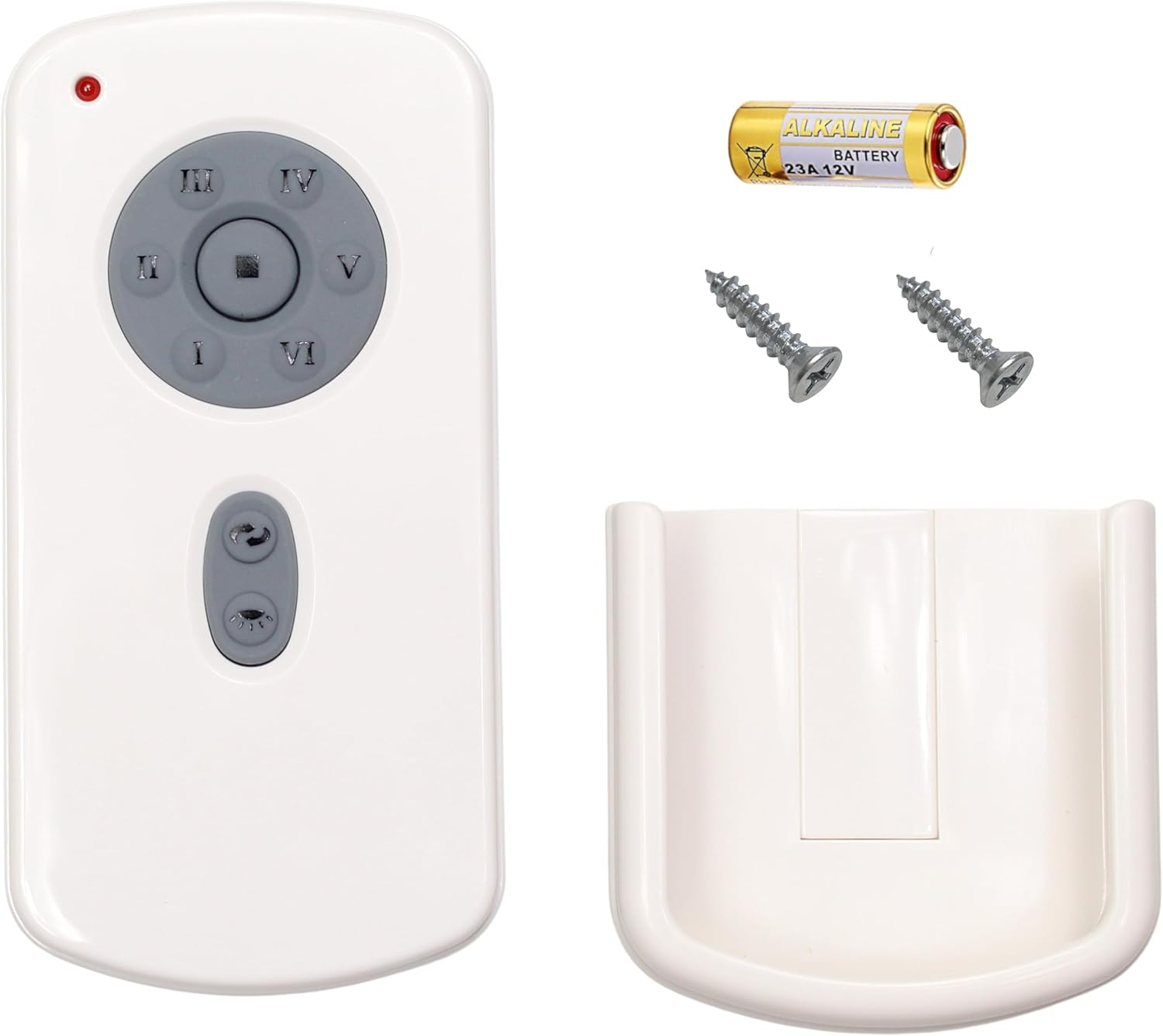
Image: Package contents including the remote, battery, screws, and wall mount.
설정 및 프로그래밍
배터리 설치
- 리모컨 뒷면의 배터리실 커버를 엽니다.
- Insert the included 23A/12V battery, ensuring correct polarity (+/-).
- 배터리 덮개를 닫습니다.
리모컨 프로그래밍
Follow these steps to program your remote control to your DC ceiling fan:
- Turn off power to the fan, either using an on/off switch on the wall or at the circuit breaker.
- Set the dip switches located in the battery compartment of your remote control to the desired setting. Ensure the 23A/12V battery is installed.
- Restore power to your fan. Within 1 minute of restoring power, press and hold the [SET] button in the battery compartment for approximately 5 seconds.
- The fan light will blink twice, indicating that your fan is now synced to your remote control.
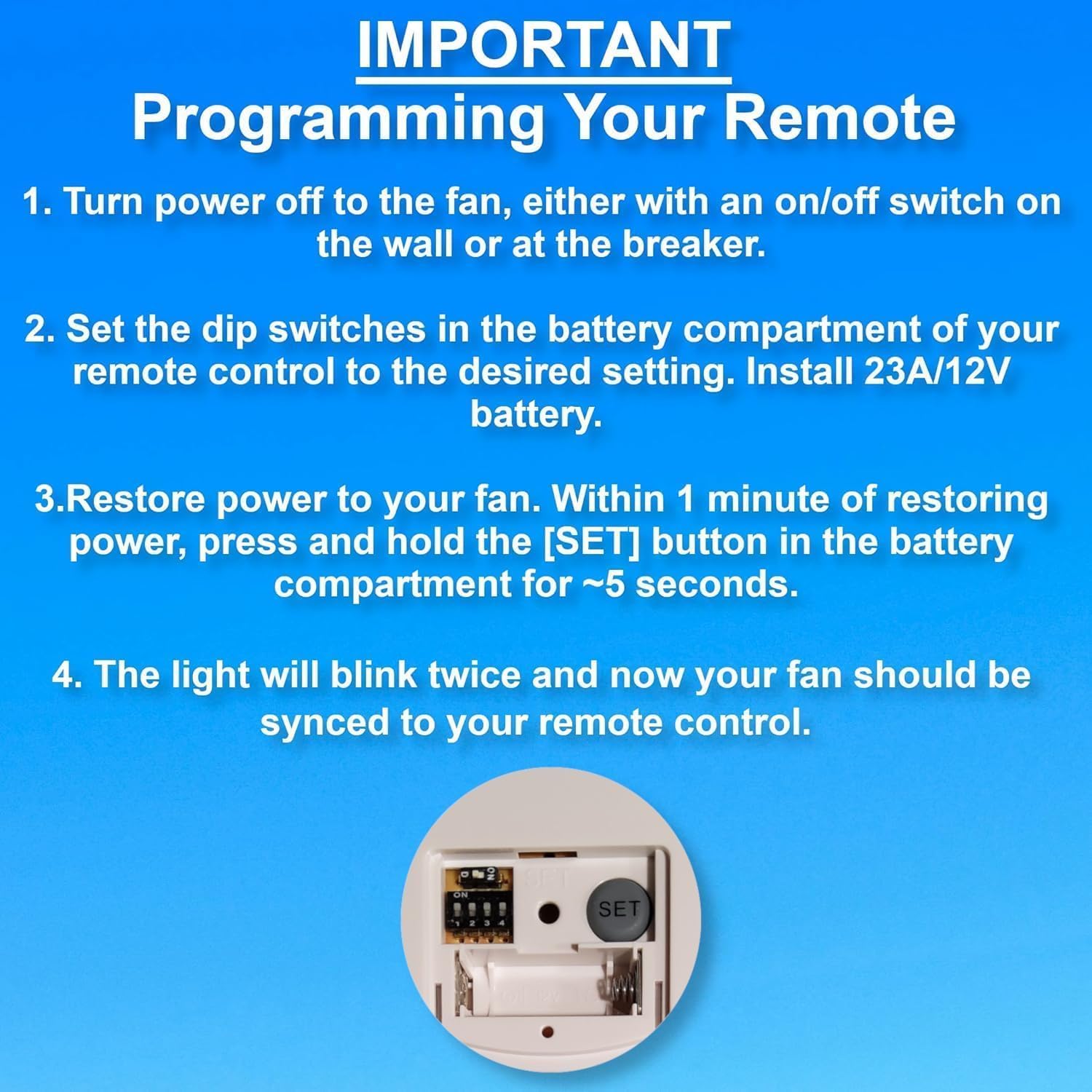
Image: Programming steps for the remote control, highlighting the dip switches and SET button.

Image: Back of the remote control with dip switches and SET button visible.
작동 지침
The remote control features buttons for fan speed, light control, and timer functions.
- 팬 속도: Buttons labeled LOW, MED, HI control the fan speed. The STOP button turns the fan off.
- 조명 제어: The LIGHT ON/OFF button toggles the light. Press and hold to dim or brighten the light.
- 타이머 기능: Buttons labeled 1H, 2H, 4H, 8H allow you to set the fan to turn off automatically after the selected duration.
문제 해결
If you experience issues with your remote control, refer to the following guide:

Image: Troubleshooting symptoms for the remote control's red indicator light.
Red Indicator Light Symptoms:
| Bad Remote Control Symptoms | Good Remote Control Symptoms |
|---|---|
| 1. Red indicator light does not illuminate when buttons are pressed. | 1. Red indicator light only illuminates when buttons are pressed. |
| 2. Red indicator light illuminates when no buttons are pressed. | |
| 3. Red indicator light stays illuminated at all times. | 2. Red indicator light stays illuminated when you PRESS and HOLD buttons. |
| Action: Replace remote control if you experience any of these symptoms. | Action: DO NOT replace remote control if you experience these symptoms. You have a different problem with your fan. |
유지
- 리모컨은 부드럽고 마른 천으로 닦으십시오. 연마성 세제나 용제를 사용하지 마십시오.
- Replace the 23A/12V battery when the remote's performance degrades or the indicator light behaves abnormally.
- 리모컨은 건조하고, 극한 온도와 직사광선을 피해 보관하십시오.
명세서
| 상표 | 컴포트 다이렉트 |
| 모델명 | CD787T (RH787T / TR29 Compatible) |
| 색상 | 하얀색 |
| 전원 | Battery Powered (1 x 23A/12V battery included) |
| 제어 방법 | Remote, Touch (buttons) |
| 특징 | 무선 주파수 |
| 전력 수준의 수 | 3(낮음, 중간, 높음) |
| 실내/실외 사용 | 실내 |
| 품목 무게 | 3.87 온스 |
| 패키지 크기 | 5.59 x 3.19 x 1.69 인치 |
보증 및 지원
이 제품에는 다음이 포함되어 있습니다. 1년 제조사 보증. For warranty claims or technical support, please contact Comfort Direct customer service.
추가 정보나 지원이 필요하시면 다음 웹사이트를 방문하세요. Amazon의 제품 페이지.


