1. 서론
This manual provides essential information for setting up, operating, maintaining, and troubleshooting your new VIBOX III-445 PC Gamer. Please read this guide thoroughly before using your computer to ensure optimal performance and longevity.
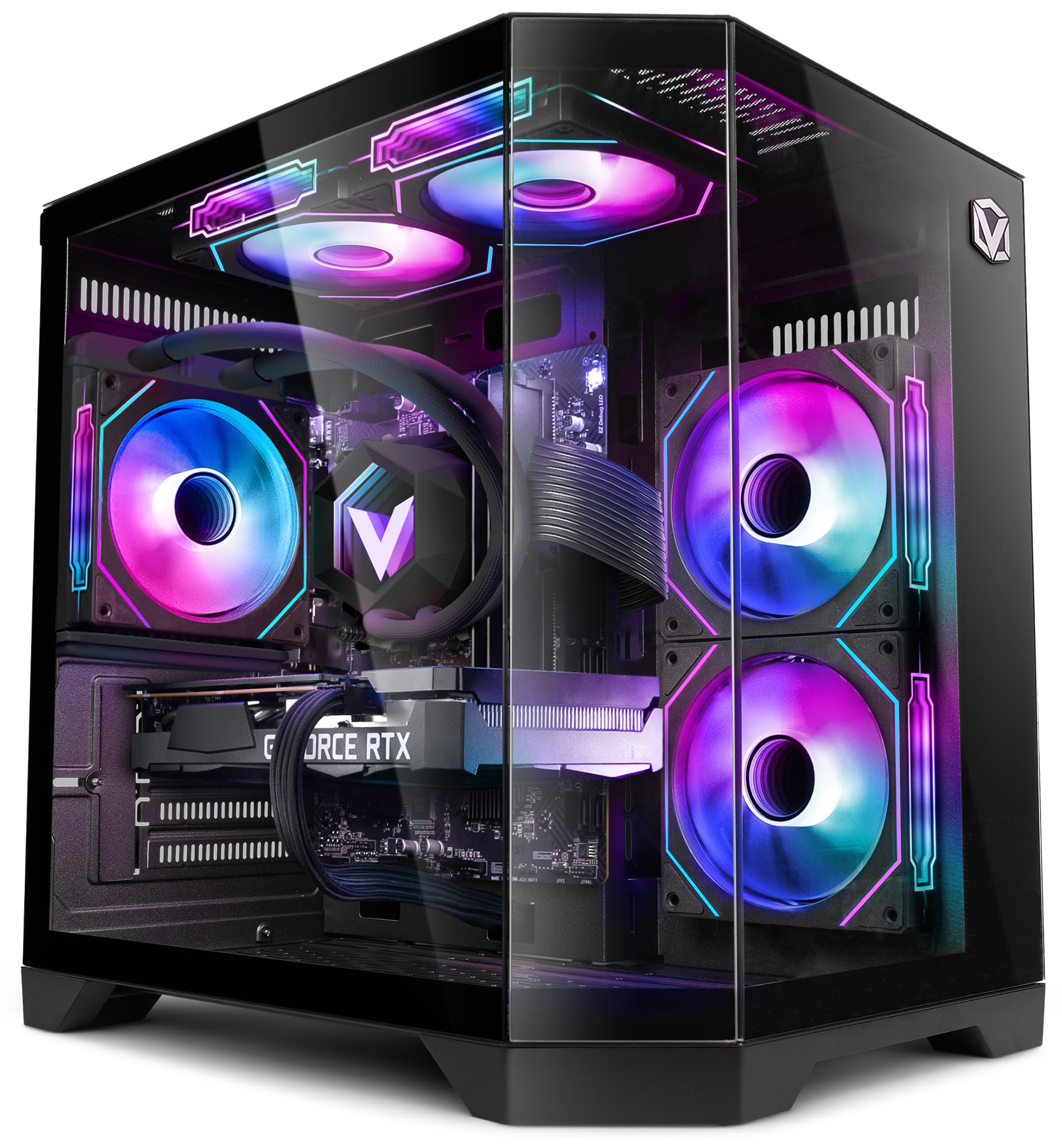
Figure 1: VIBOX III-445 PC Gamer, showcasin내부 부품과 RGB 조명을 갖추고 있습니다.
2. 설정
2.1. 언박싱 및 초기 검사
- PC를 포장에서 조심스럽게 꺼내세요.
- Inspect the computer for any visible damage that may have occurred during shipping.
- Remove any internal packaging materials, such as foam inserts, designed to protect components during transit.
- Ensure all accessories (power cable, Wi-Fi adapter, documentation) are present.
2.2. 주변기기 연결하기
Connect your monitor, keyboard, mouse, and other peripherals to the appropriate ports on the back and front of the PC. Refer to the image below for front panel connectivity.

Figure 2: Front panel connectivity. Includes power button, USB 2.0 ports, USB 3.0 ports, headphone jack, reset button, and RGB lighting control button.
- 감시 장치: Connect your monitor to the graphics card (Nvidia RTX 5060) using an HDMI or DisplayPort cable.
- 키보드 및 마우스: 사용 가능한 USB 포트에 연결하세요.
- 힘: Connect the power cable to the PC and a wall outlet.
- 회로망: Use the included Wi-Fi adapter for wireless internet or connect an Ethernet cable to the LAN port for a wired connection.
2.3. 첫 부팅 및 Windows 11 설정
- PC 전면의 전원 버튼을 누르세요.
- Follow the on-screen instructions to complete the Windows 11 setup process. This typically involves selecting your region, language, creating a user account, and connecting to a network.
- Ensure all drivers are installed and updated after the initial setup. You can check for updates via Windows Update and the Nvidia website for graphics drivers.
3. PC 작동 방법
3.1. 윈도우 11 홈
Your VIBOX III-445 PC comes pre-installed with Windows 11 Home, optimized for gaming and productivity.

Figure 3: Windows 11 Home operating system.
- Faster Loading Times: Benefit from DirectStorage for quicker game loading.
- 향상된 그래픽: AutoHDR improves visual quality in supported games.
- Xbox Game Pass Integration: Seamless access to a library of games.
- Optimized CPU Performance: Windows 11 is designed to leverage modern CPU architectures efficiently.
3.2. 주요 구성 요소
The VIBOX III-445 is equipped with powerful components for a smooth computing experience.
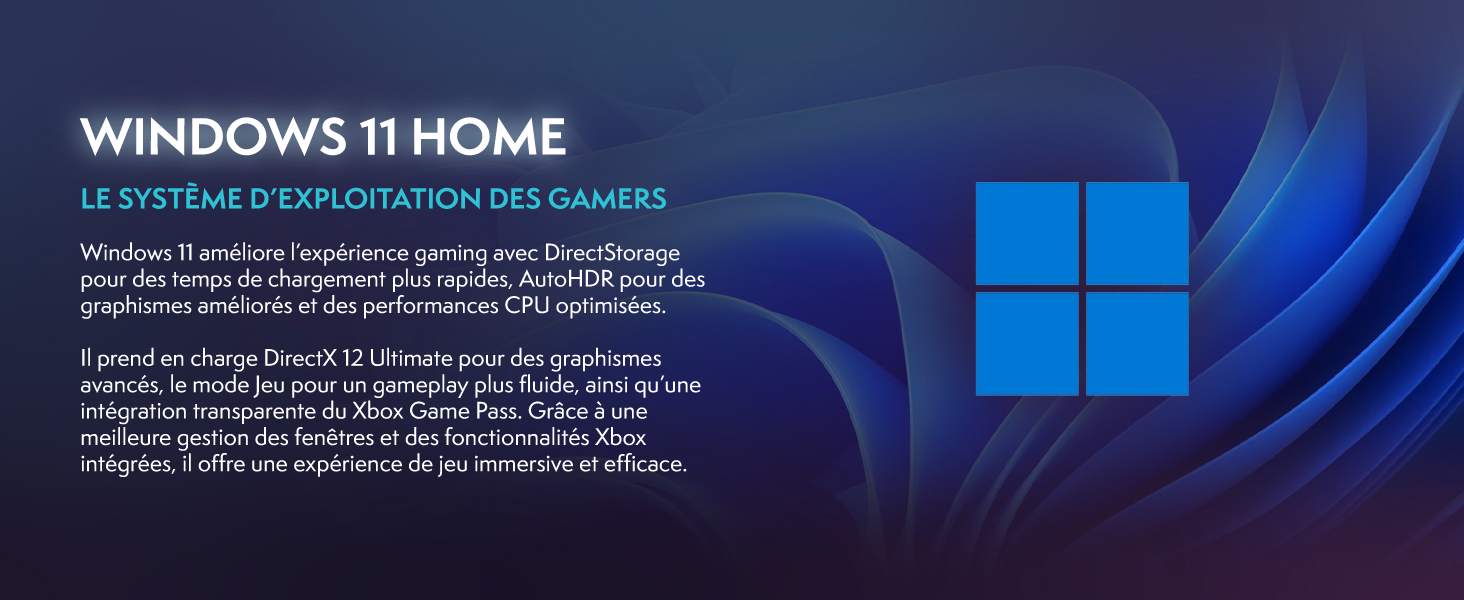
그림 4: 이상view of the VIBOX III-445's core components.
- 프로세서: Intel Core i7-12700KF (12 Cores, up to 5.0 GHz) for high-performance gaming, streaming, and content creation.
- 그래픽 카드: Nvidia GeForce RTX 5060 (8GB GDDR7) for advanced graphics and gaming.
- 숫양: 16GB DDR4 3200MHz Dual Channel for smooth multitasking.
- 저장: 500GB SSD for fast boot times and application loading.
3.3. 냉각 시스템
The PC features an advanced cooling system to maintain optimal temperatures.

Figure 5: VIBOX AIO 120MM liquid cooler for stable processor temperatures.

Figure 6: Reversed airflow design for optimized air circulation and reduced heat accumulation.

Figure 7: Hex RGB Infinity 120mm fans for customizable lighting and enhanced airflow.
- VIBOX AIO 120MM: Provides compact and efficient liquid cooling for the CPU.
- Reversed Airflow: Optimizes air circulation to reduce heat buildup.
- Hex RGB Infinity 120MM Fans: High-performance fans with customizable RGB lighting.
4. 유지관리
4.1. 일반 청소
- 외부: 부드러운 d를 사용하세요amp 케이스 외부를 닦을 천을 사용하세요. 연마성 세척제는 사용하지 마세요.
- 먼지 제거: Periodically use compressed air to clean dust from fans, vents, and internal components. Ensure the PC is powered off and unplugged before cleaning.
- 필터: If your case has removable dust filters, clean them regularly to maintain optimal airflow.
4.2. 소프트웨어 업데이트
- Windows 업데이트: 시스템 안정성과 보안을 유지하려면 정기적으로 Windows 업데이트를 확인하고 설치하세요. 설정 > Windows 업데이트로 이동하세요.
- 드라이버 업데이트 : Keep your graphics card drivers updated by downloading the latest versions from the Nvidia website. Other component drivers can be updated via Windows Update or the motherboard manufacturer's web대지.
4.3. 시스템 백업
- 데이터 손실을 방지하려면 중요한 데이터를 정기적으로 외장 드라이브나 클라우드 스토리지에 백업하세요.
5. 문제 해결
이 섹션에서는 발생할 수 있는 일반적인 문제를 다룹니다. 더 복잡한 문제는 기술 지원팀에 문의하세요.
5.1. 힘이 없다
- 전원 케이블이 PC와 벽면 콘센트에 모두 단단히 연결되어 있는지 확인하세요.
- Check if the power supply unit (PSU) switch on the back of the PC is in the 'ON' position.
- 다른 장치로 벽면 콘센트를 테스트하여 전원이 들어오는지 확인하세요.
5.2. 모니터에 디스플레이가 표시되지 않음
- Verify that the monitor is powered on and connected to the graphics card (Nvidia RTX 5060) ports, not the motherboard's video outputs.
- Check the monitor's input source setting (HDMI, DisplayPort).
- 그래픽 카드가 슬롯에 제대로 장착되었는지 확인하십시오.
5.3. Poor Performance or Freezing
- 불필요한 백그라운드 애플리케이션을 닫습니다.
- 모든 드라이버, 특히 그래픽 드라이버가 최신 버전인지 확인하십시오.
- Check system temperatures using monitoring software to rule out overheating.
- 디스크 정리 및 조각 모음을 실행하세요(HDD의 경우, SSD에는 필요하지 않습니다).
5.4. Wi-Fi 연결 문제
- Ensure the Wi-Fi adapter is securely plugged into a USB port.
- Check Wi-Fi settings in Windows to ensure it's enabled and connected to the correct network.
- 라우터와 모뎀을 다시 시작하세요.
- Consider using a wired Ethernet connection if Wi-Fi signal is consistently weak or unstable.
6. 사양
| 특징 | 세부 사항 |
|---|---|
| 상표 | VIBOX |
| 모델 번호 | III-445 |
| 시리즈 | VTX-8 |
| 색상 | VTX-8 Black |
| 운영 체제 | 윈도우 11 홈 |
| 프로세서 브랜드 | 인텔 |
| 프로세서 유형 | 코어 i7-12700KF |
| 프로세서 속도 | 3.6GHz (최대 5.0GHz 부스트) |
| 코어 수 | 12 |
| 지원되는 최대 메모리 | 128GB (XNUMX기가바이트) |
| 하드 드라이브 기술 | SSD |
| 하드 드라이브 인터페이스 | SSD |
| 저장 용량 | 500GB (XNUMX기가바이트) |
| 그래픽 칩셋 브랜드 | 엔비디아 |
| 그래픽 카드 설명 | 헌신적인 |
| 그래픽 카드 | 엔비디아 지포스 RTX 5060 |
| 그래픽 카드 RAM | 8GB (XNUMX기가바이트) |
| 그래픽 RAM 유형 | 그래픽카드 6 |
| 프로세서 소켓 | LGA 1700 |
| 연결 유형 | 와이파이 |
| 하드웨어 인터페이스 | HDMI, USB |
| HDMI 포트 수 | 1 |
| USB 2.0 포트 수 | 3 |
| USB 3.0 포트 수 | 3 |
| 커넥터 유형 | 이더넷, HDMI, USB, Wi-Fi |
| 호환 장치 | Headphones, Keyboard, Printer, Monitor, Mouse |
| 품목 치수(L x W x H) | 35 x 28 x 38 센티미터 |
| 특정 제품 용도 | Gaming, Photo Editing, Video Editing |
| PC 유형 | 컴퓨터 타워 |
7. 보증
Your VIBOX III-445 PC Gamer comes with a manufacturer's warranty:
- 부분품: 2년
- 노동: 일생
Please retain your proof of purchase for warranty claims. For detailed terms and conditions, refer to the warranty documentation included with your product or visit the VIBOX official web대지.
8. 지원
If you encounter issues not covered in this manual or require further assistance, please contact VIBOX customer support. Have your model number (III-445) and purchase details ready when contacting support.
For additional resources, visit the official VIBOX web대지:


