1. 제품 오버view
The CYCPLUS GPS Bike Computer M3 is a high-performance cycling computer designed to provide accurate and comprehensive ride data. Paired with the robust Z1-New bike mount, it offers a stable and user-friendly experience for all cyclists.
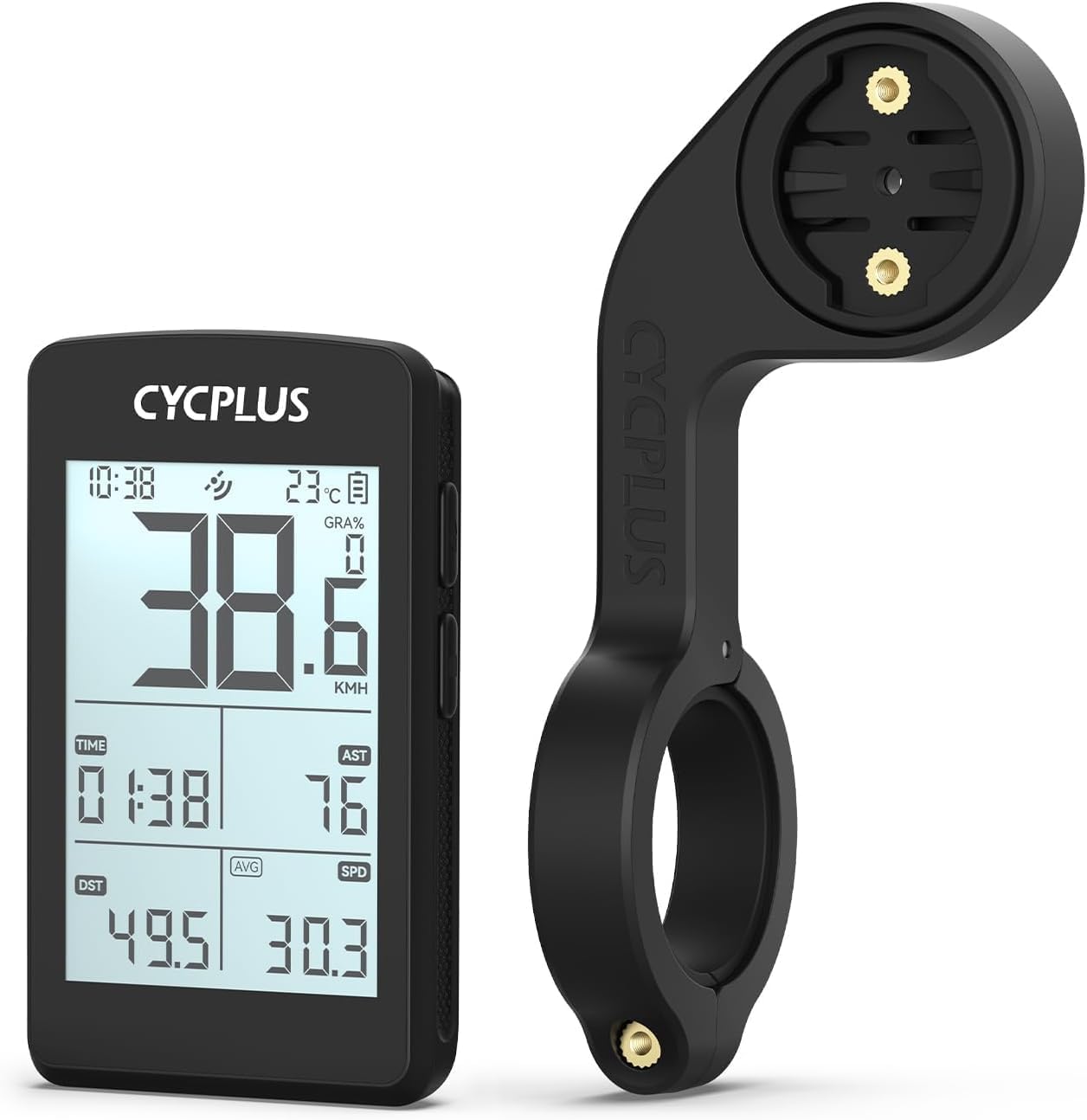
Image 1.1: The CYCPLUS GPS Bike Computer M3 and its accompanying Z1-New Bike Mount.
2. 패키지 내용
패키지에 모든 품목이 들어 있는지 확인하세요.
- CYCPLUS GPS Bike Computer M3 (x1)
- CYCPLUS Bike Mount Z1-New (x1)
- USB-C 충전 케이블(x1)
- Screwdriver (for mount installation) (x1)
- 사용 설명서(본 문서)(x1)
3. 설치
3.1. Bike Mount Installation
The CYCPLUS Z1-New handlebar mount is designed for easy installation on 31.8 mm handlebars. Follow these steps:
- Position the mount on your bicycle's handlebar at the desired location.
- Use the included screwdriver to tighten the screw on the mount until it is securely fastened to the handlebar. Ensure it is firm and does not rotate freely.

Image 3.1: Visual guide for installing the Z1-New bike mount on handlebars.

Image 3.2: Demonstrating the tightening of the mount screw for secure attachment.
3.2. Bike Computer Attachment
Once the mount is secure, attach the M3 bike computer:
- Align the back of the M3 bike computer with the mounting interface on the Z1-New mount.
- Gently push and twist the computer clockwise until it clicks securely into place.

Image 3.3: The CYCPLUS M3 computer securely attached to the Z1-New mount.
4. 최초 사용 및 설정
4.1. Initial GPS Positioning
For the first use, the M3 bike computer requires an initial GPS lock. This process may take 3-5 minutes. Ensure you are outdoors with a clear view of the sky for optimal signal acquisition.
The M3 supports 5 major satellite systems: GPS, GLONASS, Galileo, QZSS, and BeiDou, ensuring dynamic, fast, and accurate positioning.

Image 4.1: The M3 utilizes multiple satellite systems for rapid and precise positioning.
4.2. CYCPLUS FIT APP
To minimize waiting time for GPS positioning, you can download offline ephemeris data via the CYCPLUS FIT APP. This app also allows for data synchronization and further customization of your device.
5. 운영
5.1. 디스플레이 기능
The M3 features a 2.8-inch segment code FSTN glass screen, designed for sunlight readability. Key data is displayed clearly at a glance. The device automatically senses the environment to activate the backlight for improved visibility in low-light conditions.

Image 5.1: The 2.8-inch screen provides clear data visibility during rides.
5.2. Data Displayed
The M3 bike computer can display a wide range of cycling metrics. Some data points require additional sensors (not included) for measurement.

이미지 5.2: 이상view of data metrics available on the M3 display.
- 속도: 현재 속도, 평균 속도, 최대 속도
- 거리: Trip Distance (DST), Odometer (ODO)
- 시간: Clock, Trip Time
- Altitude & Gradient: 고도, 경사도, 상승
- 환경: Temperature, AUTO Backlight status
- Performance (requires additional sensors): Cadence, Heart Rate, Power
6. 충전 및 배터리 수명
The M3 bike computer is equipped with a built-in 1500mAh rechargeable lithium battery, providing up to 100 hours of runtime on a single charge. This extended battery life is suitable for both leisurely rides and daily commutes.
Charging is done via a USB-C port. A full charge takes approximately 2.5 hours.

Image 6.1: The M3 features a USB-C charging port and offers up to 100 hours of battery life.
7. 문제 해결
- GPS 위치 파악 속도 저하: If the device takes longer than expected to acquire a GPS signal, ensure you are outdoors with a clear view of the sky. For first-time use, it can take 3-5 minutes. Downloading offline ephemeris via the CYCPLUS FIT APP can significantly reduce this time.
- 배터리가 충전되지 않음: Ensure the USB-C cable is properly connected to both the device and a power source. Use a standard USB charger. If the issue persists, try a different cable or power adapter.
- 디스플레이가 응답하지 않음: Try restarting the device. If unresponsive, ensure the battery is charged.
- 부정확한 데이터: Ensure the device has a strong GPS signal. For sensor-based data (Cadence, Heart Rate, Power), verify that the external sensors are properly paired and functioning.
8. 사양
| 특징 | 세부 사항 |
|---|---|
| 모델명 | M3 + Z1-NEW |
| 화면 크기 | 2.8 Inches (FSTN glass) |
| 배터리 수명 | 최대 100시간 |
| 배터리 유형 | 1500mAh 충전식 리튬 |
| 충전 포트 | USB-C |
| GPS 시스템 | GPS, GLONASS, Galileo, QZSS, BeiDou |
| 장착 유형 | Handlebar Mount (Z1-New) |
| 핸들바 호환성 | 31.8mm (XNUMXmm) |
| 마운트 무게 | 0.98 온스 (27.86g) |
| 포함된 구성 요소 | GPS bike computer, bike mount |

Image 8.1: Dimensions of the Z1-New bike mount (115mm/4.5in length, 31.8mm/1.25in handlebar clamp, 45mm/1.8in width).
9. 관리 및 유지 보수
- 청소: 기기를 부드러운 천으로 닦고 거치하세요.amp 옷감. 가혹한 화학 물질이나 연마성 세제를 사용하지 마십시오.
- 저장: 사용하지 않을 때는 기기를 서늘하고 건조한 곳에 보관하세요. 극한의 온도는 피하세요.
- 배터리 관리 : For long-term storage, it is recommended to charge the battery to approximately 50% to prolong its lifespan.
10. 보증 및 지원
Information regarding product warranty and customer support is typically provided with your purchase documentation or available on the manufacturer's official web자세한 보증 조건 및 기술 지원 연락처 정보는 해당 웹사이트를 참조하십시오.