1. 서론
This manual provides detailed instructions for the setup, operation, and maintenance of your AULA SC900 Pro Wireless Gaming Mouse. Designed for high-performance gaming and versatile use, this mouse features tri-mode connectivity, an advanced sensor, and customizable options. Please read this manual thoroughly to ensure proper use and to maximize your device's potential.
2. 패키지 내용
- AULA SC900 Pro 무선 게이밍 마우스
- USB-C to USB-A 충전 케이블
- 2.4G 무선 수신기(USB-A)
- Replaceable 400mAh Lithium-Ion Batteries (2 included)
- 사용 설명서 (본 문서)
- Grip Tapes (optional for customization)
3. 제품 오버view
AULA SC900 Pro 마우스의 다양한 구성 요소와 버튼에 대해 알아보세요.

Figure 1: Multi-function buttons and ports diagram. This image illustrates the location of the left key, right key, middle key (scroll wheel), forward key, back key, indicator lights (DPI, charging, mode indicator), Type-C charging port, DPI button, 2.4G/OFF/BT switch, battery cover, and receiver Type-C port with the receiver.
4. 설정
4.1. 배터리 설치 및 충전
- 마우스 밑면에 있는 배터리 덮개를 엽니다.
- Insert one of the provided 400mAh Lithium-Ion batteries.
- 배터리 덮개를 닫습니다.
- To charge, connect the USB-C charging cable to the mouse's Type-C port and the USB-A end to a computer's USB port or a standard 5V USB charger.
- The indicator lights will show charging status.

Figure 2: The underside of the mouse showing the battery compartment and two replaceable 400mAh batteries. One battery is inserted, and another is shown ready for replacement, highlighting the long-lasting endurance feature.
4.2. 연결 모드
The AULA SC900 Pro supports three connection modes: 2.4G Wireless, Bluetooth 5.0, and Wired (USB-C). Use the switch on the underside of the mouse to select your desired mode.
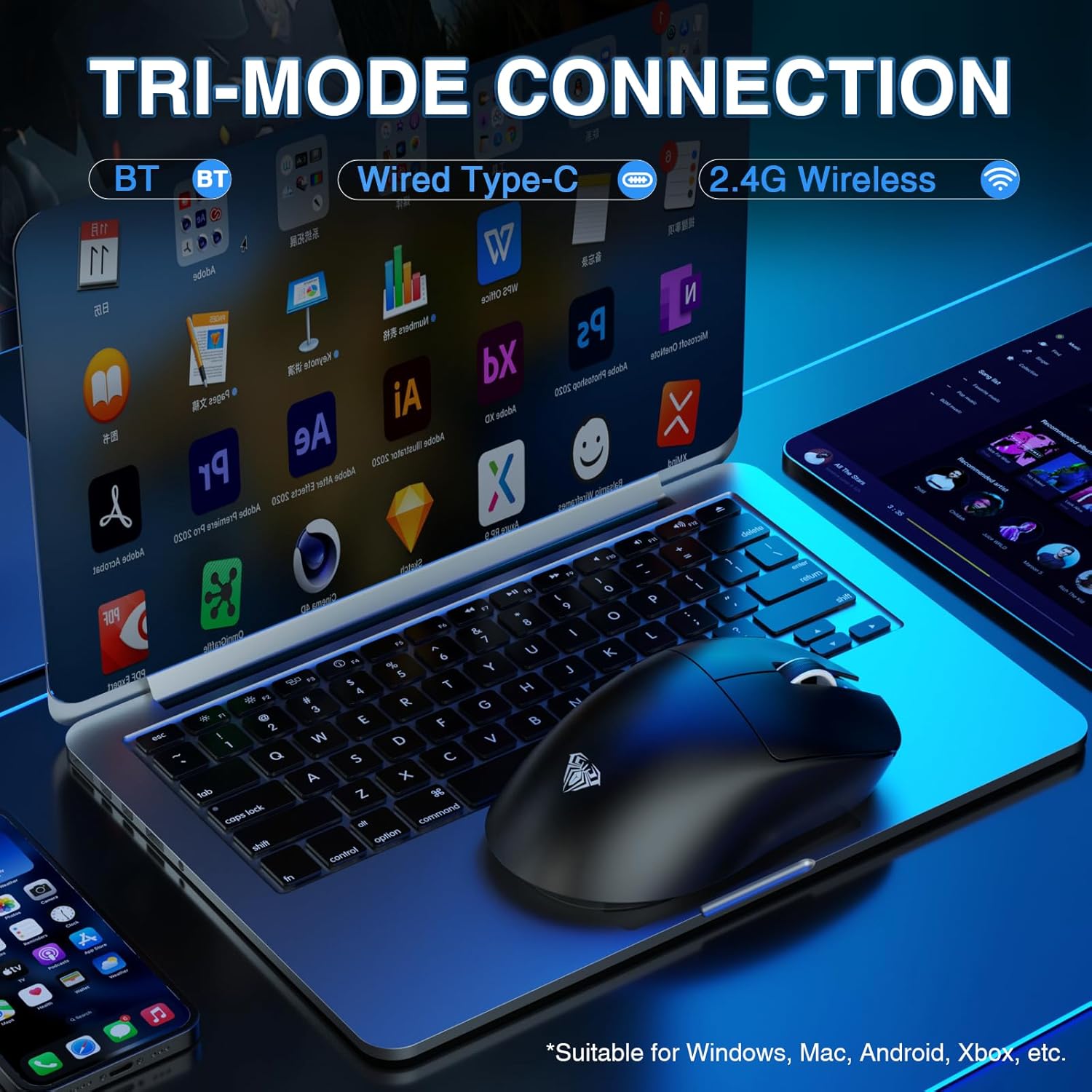
Figure 3: The mouse connected to a laptop, demonstrating its tri-mode connection capabilities. The image highlights Bluetooth, Wired Type-C, and 2.4G Wireless options, suitable for various operating systems.
4.2.1. 2.4G 무선 모드
- Slide the switch on the mouse's underside to the '2.4G' position.
- Plug the 2.4G wireless receiver into an available USB-A port on your computer.
- The mouse will automatically connect. The indicator light will flash green during pairing and become solid green upon successful connection.
4.2.2. 블루투스 5.0 모드
- Slide the switch on the mouse's underside to the 'BT' position.
- 컴퓨터에서 Bluetooth 설정으로 이동하여 새 장치를 검색하세요.
- Select 'SC900 Pro' from the list of available devices to pair.
- The indicator light will flash blue during pairing and become solid blue upon successful connection.
4.2.3. 유선 USB-C 모드
- Connect the USB-C charging cable to the mouse's Type-C port and the USB-A end to your computer.
- 마우스는 유선 장치로 작동하며 동시에 충전도 가능합니다.
5. 사용 설명서
5.1. DPI 조정
The mouse features a PAW3395 sensor with 6-speed adjustable DPI settings (400/800/1600/3200/6400/26000). Press the dedicated DPI button on the underside of the mouse to cycle through these settings. The indicator lights on the top of the mouse will change to reflect the current DPI level.

그림 4: 내부 view of the mouse highlighting the PAW3395 flagship sensor and its capabilities, including DPI adjustment from 400 to 26000, 650 IPS, and 50G accelerated speed.
5.2. 투표율
The AULA SC900 Pro supports a dual 8000Hz polling rate in 2.4G wireless or wired mode. This high polling rate ensures lower latency and precise tracking, enhancing your gaming experience.

Figure 5: The mouse connected via its wired mode, illustrating the dual 8KHz polling rate for low latency and fast response.
5.3. 프로그래밍 가능한 버튼 및 소프트웨어
The mouse features 5 programmable buttons. Users can configure mouse buttons, DPI settings, lighting effects, and report rates through the dedicated software. The driver is compatible only with Windows systems and functions in 2.4GHz wireless and USB-C wired modes; Bluetooth mode is not supported for customization. Download the driver from: bit.ly/m/AULA

Figure 6: A screenshot of the customizable driver software interface, demonstrating options for button configuration and other settings. Note that the driver is Windows-compatible only for 2.4GHz wireless and USB-C wired modes.
5.4. 배터리 관리
The mouse is equipped with two replaceable 400mAh batteries, allowing for extended use. You can charge one battery while using the other, ensuring minimal downtime. The lightweight design (62g) contributes to comfortable use even during prolonged sessions.

그림 7: 마우스 쇼casing its lightweight design (58g without battery) and ergonomic shape, suitable for various grip styles.
6. 유지관리
- 청소: 부드럽고 마른 천을 사용하여 마우스 표면을 닦으세요. 광학 센서의 경우 면봉을 사용하여 가볍게 닦으세요.amp이소프로필 알코올로 소독함.
- 배터리 관리 : Ensure batteries are charged regularly. Avoid exposing batteries to extreme temperatures. Use only the original charging cable and a standard USB port for charging. Do not use fast-charging phone chargers or wall chargers for direct charging.
- 저장: 장기간 사용하지 않을 때는 배터리 수명 절약을 위해 마우스를 끄십시오. 서늘하고 건조한 곳에 보관하십시오.
7. 문제 해결
- 마우스가 응답하지 않습니다. Check battery level. Ensure the correct connection mode (2.4G, BT, Wired) is selected. Re-pair Bluetooth or re-insert 2.4G receiver. Try a different USB port.
- 무선 모드에서 지연 또는 렉 현상 발생: Ensure the mouse is within range of the receiver/Bluetooth device. Minimize interference from other wireless devices. Ensure the polling rate is set correctly (8000Hz for 2.4G/wired).
- DPI가 변경되지 않음: Ensure the mouse is powered on. Press the DPI button firmly. If using customization software, verify settings are applied.
- 맞춤 설정 소프트웨어가 작동하지 않습니다. Ensure the mouse is connected via 2.4GHz wireless or USB-C wired mode. The software is not supported in Bluetooth mode. Verify your operating system is Windows.
- 배터리가 충전되지 않음: Check cable connections. Try a different USB port or charging cable. Ensure the charging source is a standard 5V USB port.
8. 사양
| 특징 | 세부 사항 |
|---|---|
| 모델 번호 | SC900Pro |
| 연결 기술 | 2.4G Receiver, Bluetooth 5.0, USB-C (Wired) |
| 움직임 감지 기술 | 광학(PAW3395 센서) |
| DPI 범위 | 400/800/1600/3200/6400/26000 (Adjustable) |
| IPS 추적 속도 | 650 IPS |
| 가속 | 50G |
| 폴링 속도 | Dual 8000Hz (2.4G Wireless & Wired) |
| 스위치 | Optical Switch (Up to 100 million clicks) |
| 프로그래밍 가능한 버튼 | 5 |
| 배터리 | 2 x 400mAh Replaceable Lithium-Ion |
| 품목 무게 | 62g(2.19온스) |
| 제품 치수 | 5.12 x 2.68 x 1.18 인치 |
| 제조업체 | 아울라 |
9. 보증 및 지원
The AULA SC900 Pro Wireless Gaming Mouse comes with a 1-Year Limited Hardware Warranty. For technical support, driver downloads, or warranty claims, please visit the official AULA web사이트를 방문하거나 소매업체를 통해 고객 서비스에 문의하세요.
10. 공식 제품 영상
Watch this official video for a visual guide on the AULA SC900 Pro Tri-Mode Wireless Gaming Mouse.
영상 1: 공식 제품 영상 쇼asing the AULA SC900 Pro Tri-Mode Wireless Gaming Mouse. This video demonstrates the mouse's features and functionality.


