1. 중요 안전 지침
Please read all instructions carefully before using your Xlife Cordless Vacuum Cleaner P12. Retain this manual for future reference.
일반 안전
- 옥외나 젖은 표면에서는 사용하지 마십시오.
- 장난감으로 사용하지 마십시오. 어린이가 사용하거나 근처에서 사용할 때는 세심한 주의가 필요합니다.
- 본 설명서에 명시된 대로만 사용하십시오. 제조업체에서 권장하는 부속품만 사용하십시오.
- 손상된 코드나 플러그와 함께 사용하지 마십시오. 기기가 제대로 작동하지 않거나, 떨어뜨리거나, 손상되었거나, 실외에 두었거나, 물에 빠진 경우 서비스 센터로 반환하십시오.
- 코드를 잡아당기거나 운반하지 말고, 코드를 손잡이로 사용하거나, 코드를 코드로 문을 닫거나, 날카로운 모서리나 모서리를 따라 코드를 잡아당기지 마십시오. 기기를 코드 위로 돌리지 마십시오. 코드를 가열된 표면에서 멀리 두십시오.
- 코드를 잡아당겨서 플러그를 뽑지 마십시오. 플러그를 뽑으려면 코드가 아닌 플러그를 잡으십시오.
- 젖은 손으로 플러그나 기기를 만지지 마세요.
- 개구부에 어떤 물건도 넣지 마십시오. 개구부가 막힌 상태에서 사용하지 마십시오. 먼지, 보푸라기, 머리카락 및 공기 흐름을 감소시킬 수 있는 모든 것이 없도록 하십시오.
- 머리카락, 느슨한 옷, 손가락 및 신체의 모든 부분을 구멍이나 움직이는 부품에서 멀리 두십시오.
- 플러그를 뽑기 전에 모든 제어 장치를 끄세요.
- 계단을 청소할 때는 특별히 주의하세요.
- 가솔린 등 가연성 또는 연소성 액체를 흡입하거나, 가연성 또는 연소성 액체가 있는 곳에서 사용하지 마십시오.
- 담배, 성냥, 뜨거운 재 등 타고 있거나 연기가 나는 물건은 집어 올리지 마세요.
배터리 및 충전 안전
- 제조업체에서 지정한 충전기로만 충전하십시오. 한 유형의 배터리 팩에 적합한 충전기를 다른 배터리 팩과 함께 사용하면 화재 위험이 발생할 수 있습니다.
- 특별히 지정된 배터리 팩만 있는 기기를 사용하십시오. 다른 배터리 팩을 사용하면 부상 및 화재 위험이 발생할 수 있습니다.
- 배터리 팩을 사용하지 않을 때는 종이 클립, 동전, 열쇠, 못, 나사 또는 다른 작은 금속 물체와 같이 한 단자에서 다른 단자로 연결할 수 있는 다른 금속 물체에서 멀리 두십시오. 배터리 단자를 단락시키면 화상이나 화재가 발생할 수 있습니다.
- 부적절한 조건에서는 배터리에서 액체가 분출될 수 있습니다. 접촉을 피하십시오. 실수로 접촉한 경우 물로 씻어내십시오. 액체가 눈에 닿으면 추가로 의료 지원을 받으십시오. 배터리에서 분출된 액체는 자극이나 화상을 일으킬 수 있습니다.
2. 제품 오버view
The Xlife P12 Cordless Vacuum Cleaner is designed for efficient and versatile cleaning across various surfaces. Familiarize yourself with its components and key features.
포함된 구성 요소
- Adjustable Extension Stick
- Vacuum Head (Main Brush)
- HEPA 필터(사전 설치)
- 2-in-1 Tool (Crevice and Brush)
- 긴 틈새 도구
- 벽걸이형
- 전원 어댑터
- 사용자 설명서

그림 2.1: Xlife P12 Cordless Vacuum Cleaner with all components, including the main unit, extension wand, floor brush, and various attachments.
주요 특징
- 4-Smart Suction Modes & 48KPa HyperPower: Customize cleaning with Eco, Normal, Sport, and Turbo modes for different floor types and debris levels.
- 50min Extended Runtime & Swappable Battery: Provides up to 50 minutes of continuous cleaning on standard mode, with a detachable battery for convenient charging and potential unlimited runtime with spare batteries.
- GreenLight Dust Reveal Technology: A patented green beam illuminates invisible particles on floors, aiding in thorough cleaning, especially for pet owners and allergy sufferers.
- V-Shape Anti-Tangle Roller System: Designed to repel pet and human hair wrap, reducing maintenance time.
- 180° Agile Swivel & Height-Adjustable Tube: The pivoting head allows easy maneuverability under furniture, and the extendable handle adjusts for user comfort.
- One-Touch Hygienic Dustbin Emptying: Allows for sealed-container ejection of debris directly into the trash without hand contact.
- 7-에스tage HEPA Medical-Grade Filtration: Traps 99.97% of particles down to 0.3µm, including pollen, mold, and pet dander, for improved air quality.
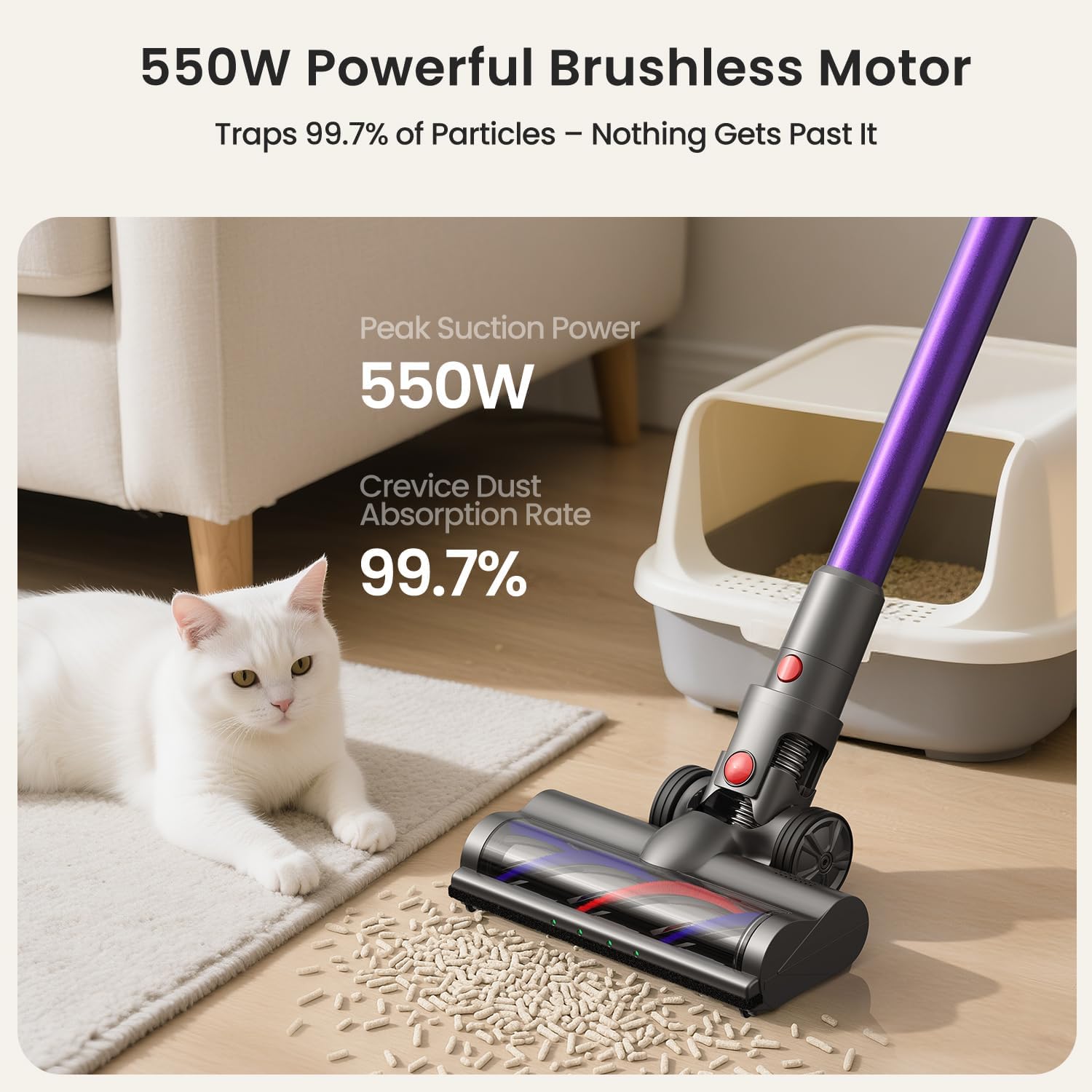
그림 2.2: The 550W powerful brushless motor ensures efficient dust absorption.
3. 설정
Follow these steps to assemble and prepare your Xlife P12 Cordless Vacuum Cleaner for first use.
집회
- Attach the Extension Stick: Insert the adjustable extension stick into the main vacuum body until it clicks securely into place.
- Attach the Vacuum Head: Connect the vacuum head (main brush) to the bottom of the extension stick, ensuring it locks firmly.
- 배터리 설치 : Ensure the battery pack is fully inserted into the main vacuum body until it clicks.
초기 충전
Before first use, fully charge the battery. The battery charges in approximately 4.5 hours.
- Connect the power adapter to the charging port on the battery or the wall mount.
- 어댑터를 전원 콘센트에 꽂으세요.
- The battery indicator lights will show charging status. Once fully charged, the lights will indicate completion.
벽걸이 설치(옵션)
The included wall mount provides a convenient storage and charging solution.
- 전원 콘센트 근처의 적절한 위치를 선택하십시오.
- Mark the drilling points for the wall mount.
- 필요한 경우 구멍을 뚫고 벽 고정 장치를 삽입합니다.
- 제공된 나사를 사용하여 벽걸이 거치대를 벽에 고정하십시오.
- 진공청소기를 벽걸이에 걸어 보관하고 충전하세요.

그림 3.1: The vacuum features one-touch dust emptying and a convenient wall-mountable charging station.
4. 진공청소기 작동하기
Learn how to effectively use your Xlife P12 for various cleaning tasks.
전원 켜기/끄기
- To turn on, press the power button located on the main unit handle.
- 끄려면 전원 버튼을 다시 누르세요.
Selecting Suction Modes
The Xlife P12 offers four suction modes to optimize cleaning for different needs:
- Eco Mode (Low): Ideal for light dust on hardwood or tile floors, maximizing runtime up to 50 minutes.
- Normal Mode (Medium): Balances power and runtime for low-pile carpets and general debris.
- Sport Mode (High): Provides deeper cleaning for carpets, effective against ground-in dirt.
- Turbo Mode (Max): Delivers 48KPa cyclone force for embedded pet hair and stubborn dirt, with a runtime of approximately 15 minutes.
Press the mode selection button on the display to cycle through the available suction modes.

그림 4.1: The vacuum's green light illuminates dust, and the display shows current suction power.
Adjustable Stick and Maneuverability
The adjustable extension stick allows you to customize the vacuum's height for comfortable use, accommodating users up to 6'4". The 180° pivoting head enables seamless cleaning under furniture and around obstacles.

그림 4.2: Flexible maneuverability and green light detection help reach every corner.
첨부 파일 사용
The Xlife P12 comes with versatile attachments for different cleaning scenarios:
- 2가지 기능을 하나로 합친 도구: Use the brush for dusting surfaces like shelves and upholstery, and the crevice tool for tight spaces.
- 긴 틈새 공구: Ideal for reaching narrow gaps, corners, and car interiors.
To attach, simply remove the extension stick or main vacuum head and insert the desired attachment until it clicks.
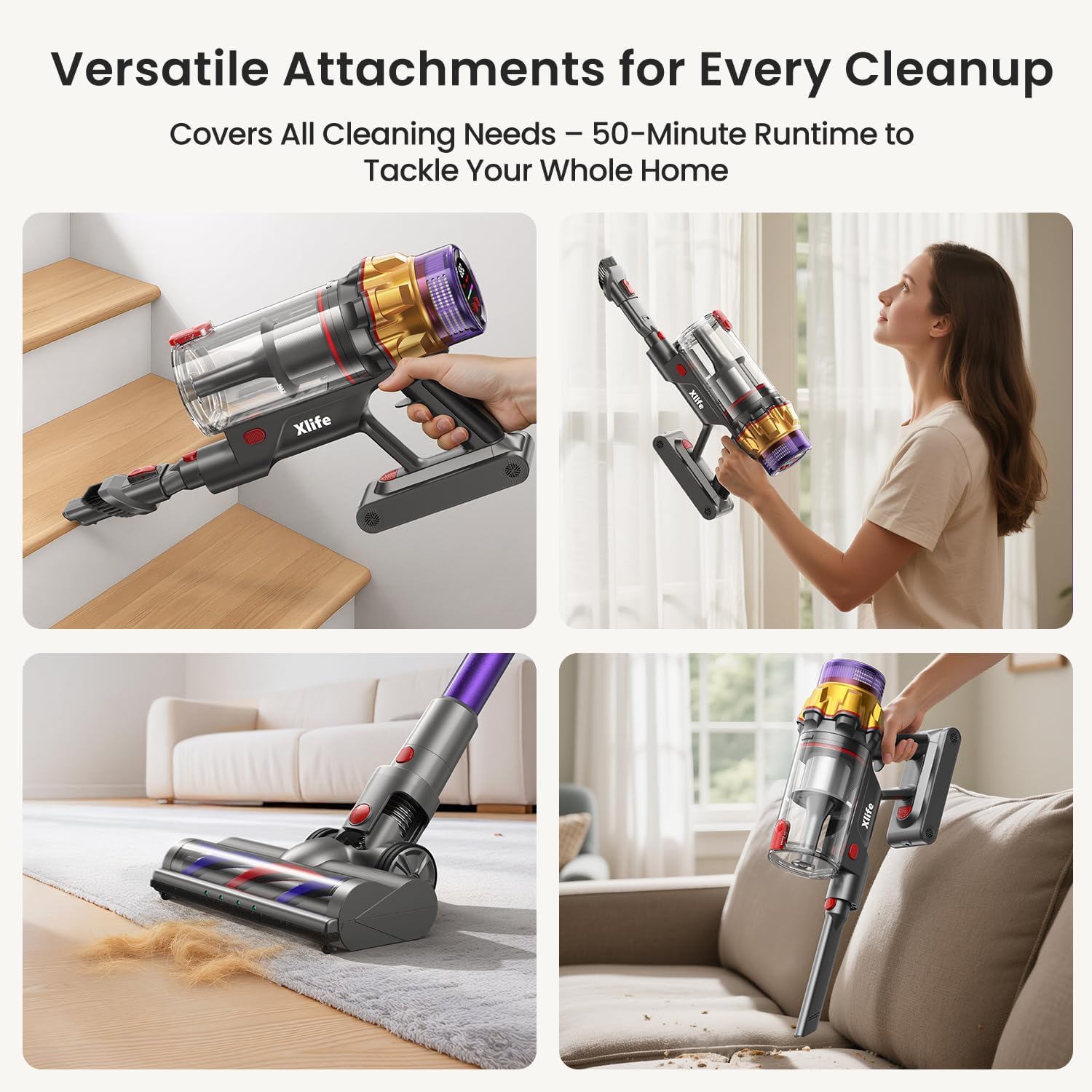
그림 4.3: The vacuum can be configured for various cleaning tasks, including handheld for stairs and upholstery.
5. 유지관리
Regular maintenance ensures optimal performance and extends the lifespan of your Xlife P12 Cordless Vacuum Cleaner.
쓰레기통 비우기
Empty the 0.8L dustbin regularly, especially when it reaches the MAX fill line, to maintain suction power.
- 쓰레기통 위에 본체를 올려놓으세요.
- Press the one-touch release button on the dustbin. The bottom flap will open, allowing debris to fall out without direct hand contact.
- Close the dustbin flap securely after emptying.
필터 청소
7초tage HEPA filtration system requires periodic cleaning to prevent loss of suction and maintain air quality.
- Twist and remove the dustbin from the main unit.
- Carefully remove the HEPA filter and pre-filter components.
- 먼지를 제거하려면 필터를 쓰레기통 위에서 살살 두드려주세요.
- If necessary, rinse the filters under cold running water. Ensure they are completely dry (allow 24-48 hours) before reassembling. Do not use detergent or hot water.
- 필터와 먼지통을 역순으로 다시 조립하십시오.
브러시 롤러 청소
The V-shape anti-tangle roller system minimizes hair wrap, but occasional cleaning may still be necessary.
- Turn off the vacuum and detach the main vacuum head.
- Locate the brush roller release mechanism (usually a latch or button) on the side of the vacuum head.
- 브러시 롤러를 제거하십시오.
- Use scissors or a cleaning tool to cut and remove any tangled hair or debris from the brush roller.
- Reinsert the brush roller and secure the release mechanism.

그림 5.1: The V-shaped brush design helps prevent hair tangles, reducing maintenance.
배터리 관리
- Always use the original Xlife charger.
- 배터리를 극한의 온도에 노출시키지 마십시오.
- If storing the vacuum for an extended period, charge the battery to about 50% and store in a cool, dry place.
6. 문제 해결
일반적인 문제와 해결 방법은 이 섹션을 참조하세요.
| 문제 | 가능한 원인 | 해결책 |
|---|---|---|
| 진공이 켜지지 않습니다. | 배터리가 충전되지 않았거나 제대로 설치되지 않았습니다. | 배터리가 완전히 충전되었고 제자리에 단단히 고정되었는지 확인하세요. |
| 흡입력이 낮습니다. | Dustbin is full. Filter is clogged. Obstruction in nozzle or hose. | Empty dustbin. Clean HEPA filter. Check for and remove any blockages. |
| Brush roller not spinning. | Hair or debris tangled in brush. Brush roller not properly installed. | Clean brush roller of tangled hair. Ensure brush roller is correctly reinserted. |
| 짧은 실행 시간. | Battery not fully charged. Using Turbo mode excessively. | Fully charge battery. Use lower suction modes for longer cleaning sessions. |
| 진공청소기에서 평소와 다른 소음이 납니다. | Obstruction in airflow path. Damaged component. | 막힌 곳이 있는지 확인하고 제거하십시오. 소음이 계속되면 고객 지원 센터에 문의하십시오. |
7. 사양
Detailed technical specifications for the Xlife P12 Cordless Vacuum Cleaner.
| 사양 | 세부 사항 |
|---|---|
| 상표 | 엑스라이프 |
| 모델명 | Cordless Stick Vacuum P12 |
| 왓tage | 550 와트 |
| 흡입력 | Up to 48KPa (Turbo Mode) |
| 실행 시간 | 최대 50분 (에코 모드) |
| 충전 시간 | 약 4.5시간 |
| 쓰레기통 용량 | 0.8리터 |
| 필터 유형 | 7-에스tage 헤파 필터 |
| 소음 수준 | 68데시벨 |
| 제품 치수 | 11인치 길이 x 7.28인치 너비 x 45.9인치 높이 |
| 품목 무게 | 5.5파운드 |
| 배터리 유형 | 리튬이온 |
| 속도의 수 | 4 |
| 특별 기능 | Cordless, High Power, Lightweight, Pet Hair Tool, Green Light Dust Detection, Adjustable Stick |

그림 7.1: Battery runtime and charging duration details.
8. 보증 및 지원
For warranty information and customer support, please refer to the official Xlife web사이트를 방문하거나 고객 서비스에 직접 문의하세요.
You can also find a downloadable PDF version of this user manual here: Xlife P12 User Manual (PDF)


