1. 서론
The ZIBOO FT-1000W Solar Panel Tester MPPT Meter is a professional-grade device designed for evaluating the performance of photovoltaic (PV) modules. It accurately measures maximum power (Pmax), open-circuit voltage (Voc), and short-circuit current (Isc), making it an essential tool for R&D, manufacturing, and field maintenance of solar systems.
1.1. 패키지 내용
패키지를 열 때 다음 품목이 모두 들어 있는지 확인하세요.
- 1x ZIBOO FT-1000W Solar Panel Tester MPPT Meter
- 1x Special Test Lead (MC4 connectors)
- 1x 사용자 설명서
- 1x 운반 파우치
- 1x 스트랩
- 2x Special Interface Wrench Tools

Figure 1: All items included in the ZIBOO FT-1000W package.
2. 주요 특징
- Professional-Grade PV Testing: Measures maximum power (Pmax) up to 1000W, open-circuit voltage (Voc: 12-80V), and short-circuit current (Isc: 35A) with ±0.8% accuracy.
- MPPT Efficiency Optimization: Tracks Vmp (80V) & Amp (35A) in real-time to identify panel degradation or shading issues.
- Industrial Safety & Durability: Rated CAT III 1000V/CAT IV 600V with double-insulated probes, meeting IEC/EN 61010 standards.
- 스마트 데이터 관리: Features data hold and a backlit LCD for reading values in various environments.
- 사용자 친화적인 디자인: Auto-ranging simplifies operation, while IP54 dust/water resistance and low-power auto-off ensure reliability.
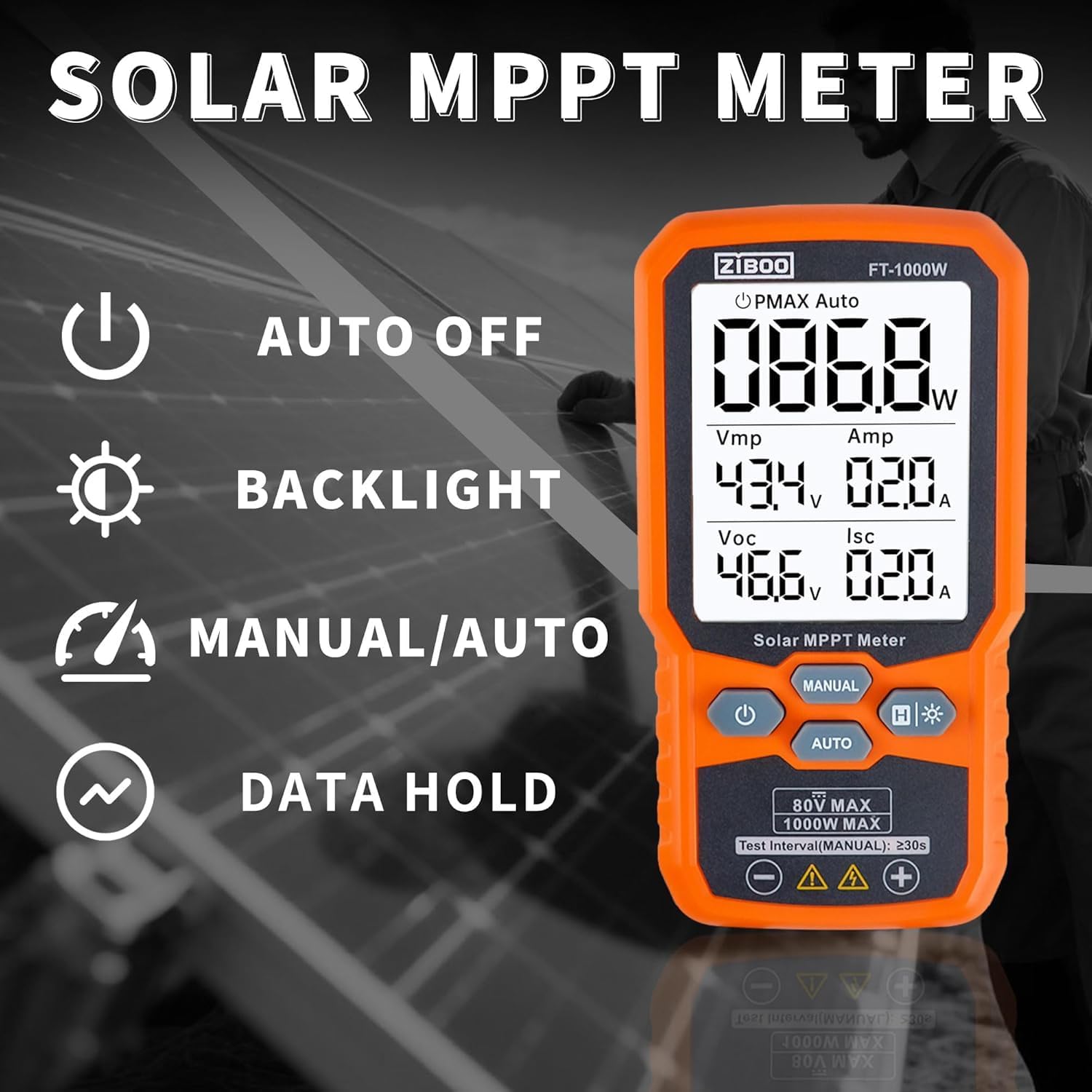
그림 2: 이상view of the ZIBOO FT-1000W's operational features.
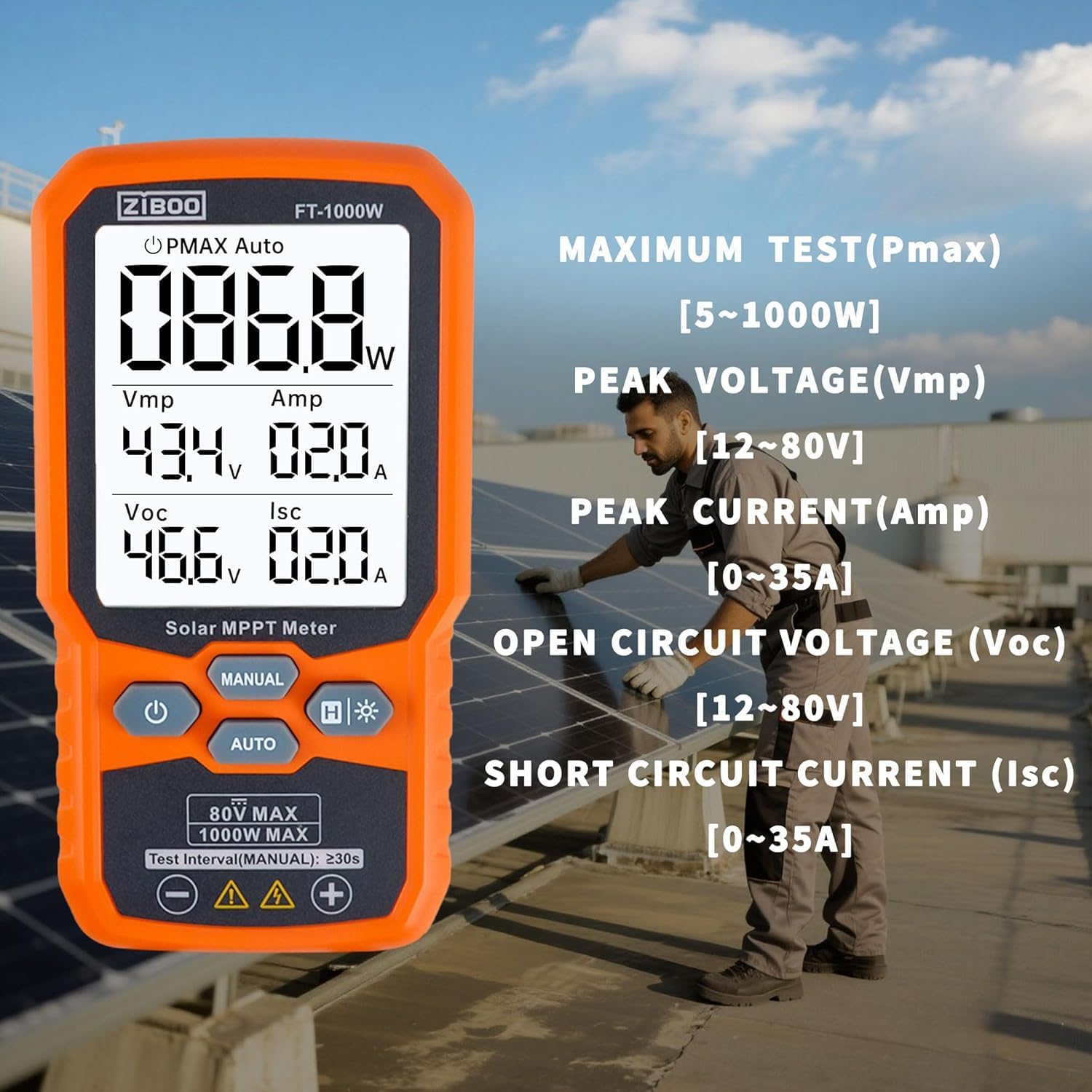
Figure 3: Detailed display of test parameters on the ZIBOO FT-1000W.
3. 기술 사양
| 매개변수 | 값 |
|---|---|
| 최대 전력(Pmax) | 1000 와트 |
| 개방 회로 Voltag전자 (Voc) | 12-80V |
| 단락 전류 (Isc) | 35A |
| 피크 파워 Voltag전자(Vmp) | 80V |
| Peak Power Current (Amp) | 35A |
| 정확성 | ±0.8% |
| 안전 등급 | CAT III 1000V/CAT IV 600V, IEC/EN 61010 |
| 치수 | 5.51인치 길이 x 2.99인치 너비 x 1.26인치 높이 |
| 품목 무게 | 10.4 온스 |
| 재료 | 알루미늄, 단결정 실리콘, 강화 유리 |
| 전원 | AAA 배터리 3개(포함되지 않음) |

Figure 4: Product dimensions of the ZIBOO FT-1000W.
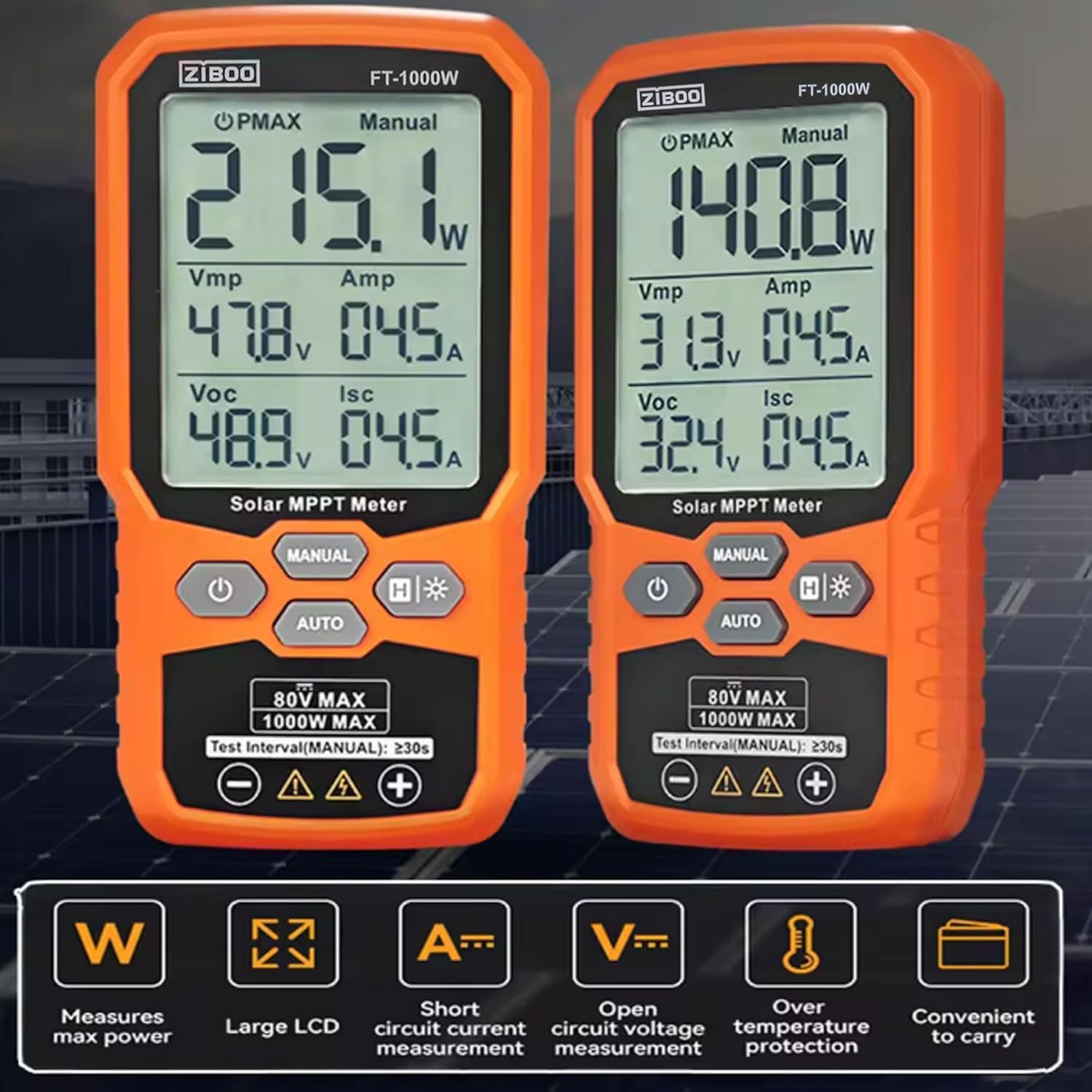
Figure 5: Comparison of FT-1000W and FT-2000W models.
4. 설정
4.1. 배터리 설치
- 측정기 뒷면에서 배터리 칸을 찾으세요.
- 작은 드라이버를 사용하여 배터리 덮개를 엽니다.
- AAA 배터리 3개를 넣을 때 극성(+/-)을 올바르게 맞춰주세요.
- 배터리 커버를 교체하고 나사로 고정합니다.
4.2. 테스트 리드 연결
ZIBOO FT-1000W는 태양광 패널에 직접 연결할 수 있는 특수 MC4 테스트 리드가 함께 제공됩니다.
- Connect the red test lead to the positive (+) input terminal on the meter.
- Connect the black test lead to the negative (-) input terminal on the meter.
- Ensure the MC4 connectors on the test leads are securely attached to the corresponding connectors on your solar panel or array.

Figure 6: Standard MC4 Test Leads included with the meter.
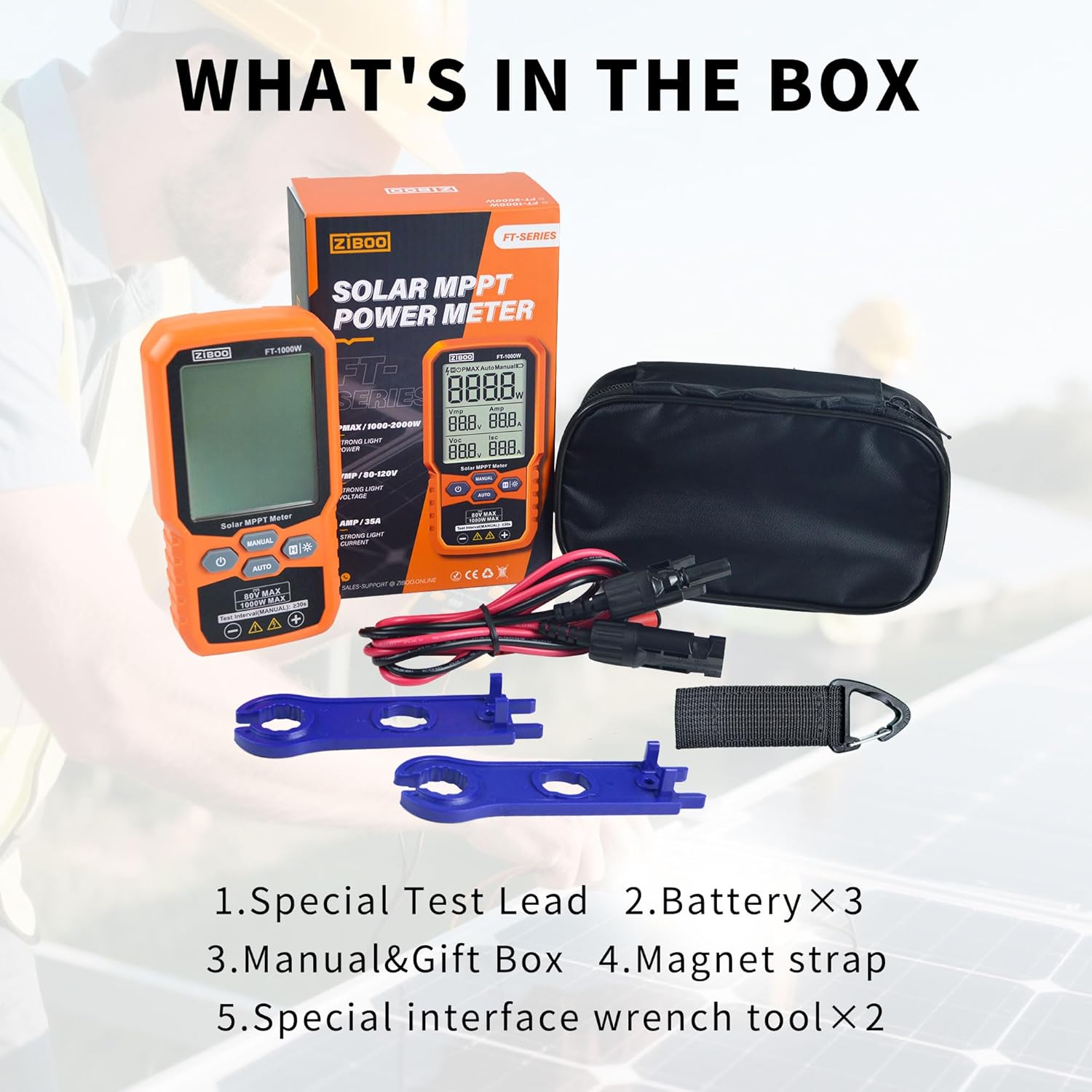
Figure 7: Special Interface Wrench Tools for MC4 connectors.
Video 1: Demonstrates the connection process of the ZIBOO FT-1000W Solar Panel Tester to a solar panel using MC4 connectors, and shows the device in operation.
5. 사용 설명서
5.1. 전원 켜기/끄기
- 전원을 켜려면: 전원 버튼을 길게 누릅니다(U약 3초 동안.
- 전원을 끄려면: 전원 버튼을 길게 누릅니다(U) for approximately 2 seconds. The device also features an auto-off function to conserve battery.
5.2. Measurement Modes (Manual/Auto)
The meter offers two measurement modes:
- 자동 모드 : 를 누르세요 자동차 button. The meter will automatically scan and display the PV module's parameters (Pmax, Vmp, Amp, Voc, Isc) every few seconds. This mode is ideal for quick, continuous monitoring.
- 수동 모드: 를 누르세요 수동 button. In this mode, each press of the button initiates a single measurement cycle. Wait for approximately 3 seconds after pressing to allow the measurement to complete and display.
5.3. 데이터 홀드 기능
To freeze the current readings on the display, press the H button. Press it again to release the data hold and resume live readings.
5.4. 백라이트 활성화
For improved visibility in low-light conditions, press and hold the backlight button (H*) to activate the display backlight. Press and hold again to turn it off.

Figure 8: ZIBOO FT-1000W in operation, displaying real-time solar panel data.
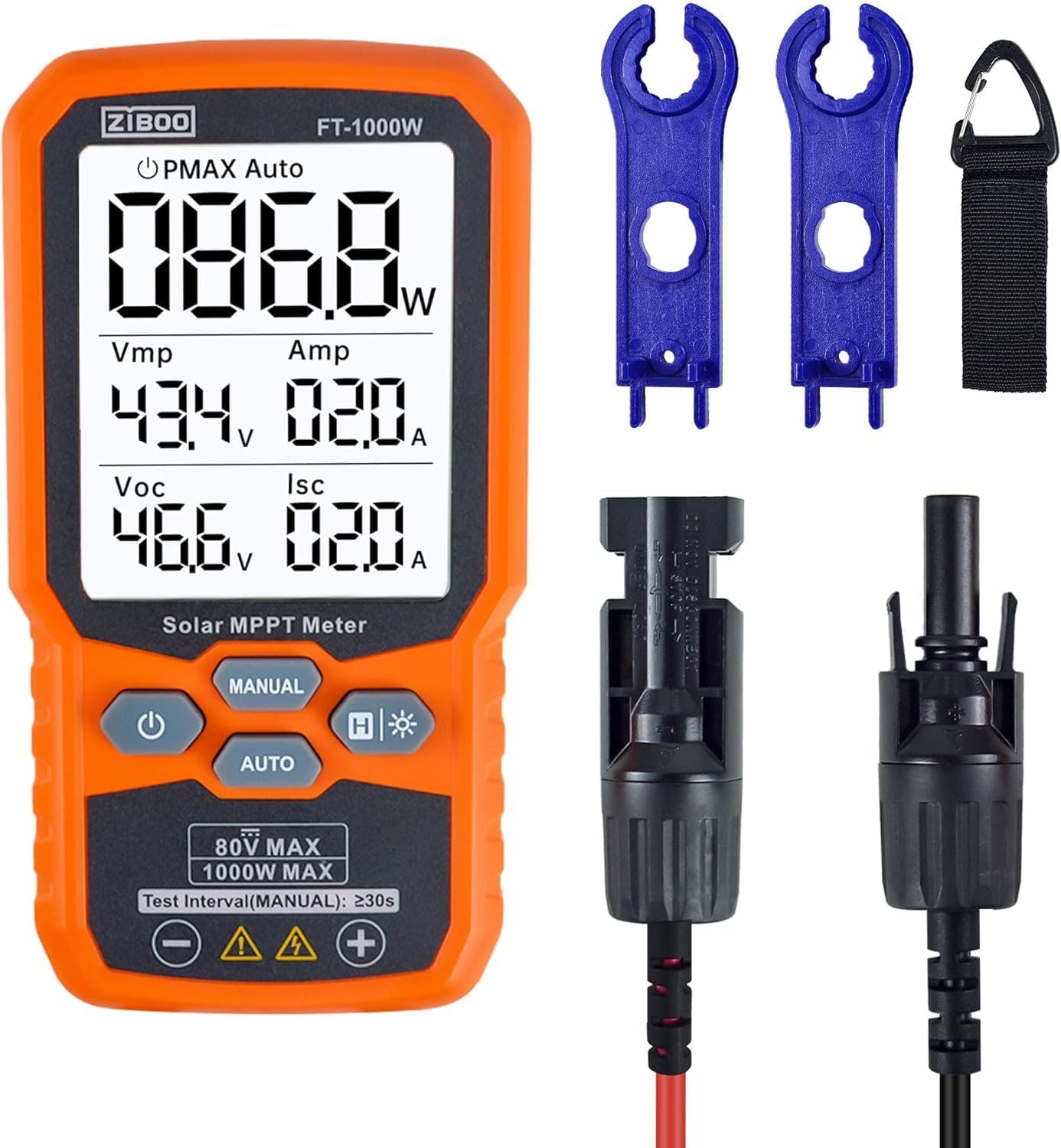
그림 9: 전면 view of the ZIBOO FT-1000W meter with accessories.
6. 유지관리
- 청소: 부드럽고 마른 천을 사용하여 측정기 외부를 닦으세요. 연마성 세제나 용제를 사용하지 마세요.
- 저장: Store the meter and its accessories in the provided carrying pouch in a cool, dry place away from direct sunlight and extreme temperatures.
- 배터리 교체: 배터리 부족 표시등이 켜지면 정확한 측정값을 유지하고 손상을 방지하기 위해 즉시 배터리를 교체하십시오.
- 점검: Regularly inspect test leads and connectors for any signs of wear or damage. Replace damaged components immediately to ensure safety and performance.
7. 문제 해결
| 문제 | 가능한 원인 | 해결책 |
|---|---|---|
| 계량기가 켜지지 않습니다. | 배터리가 부족하거나 방전됨; 배터리 설치가 잘못됨 | 배터리를 교체하세요. 배터리 극성을 확인하세요. |
| No readings displayed | Incorrect connection to solar panel; Insufficient sunlight; Faulty test leads | Ensure secure and correct connection; Test under adequate sunlight; Inspect and replace test leads if damaged |
| 부정확한 판독 | Environmental factors (e.g., shading, temperature); Damaged meter or leads | Ensure clear, direct sunlight; Verify connections; Contact support if issues persist |
| 디스플레이 백라이트가 작동하지 않습니다. | Backlight function not activated; Low batteries | Press and hold backlight button; Replace batteries |
8. 보증 및 지원
For warranty information, technical support, or service inquiries, please refer to the contact details provided in the product packaging or visit the official ZIBOO web사이트. 보증 청구를 위해 구매 증빙 자료로 구매 영수증을 보관하세요.


