제품 끝view
The GDFStudio Modern LED Coffee Table is designed to enhance your living space with its sleek high-gloss finish, wood grain texture, and integrated LED lighting. This versatile table features a tempered glass top and a convenient storage compartment, making it a functional and stylish addition to any room.
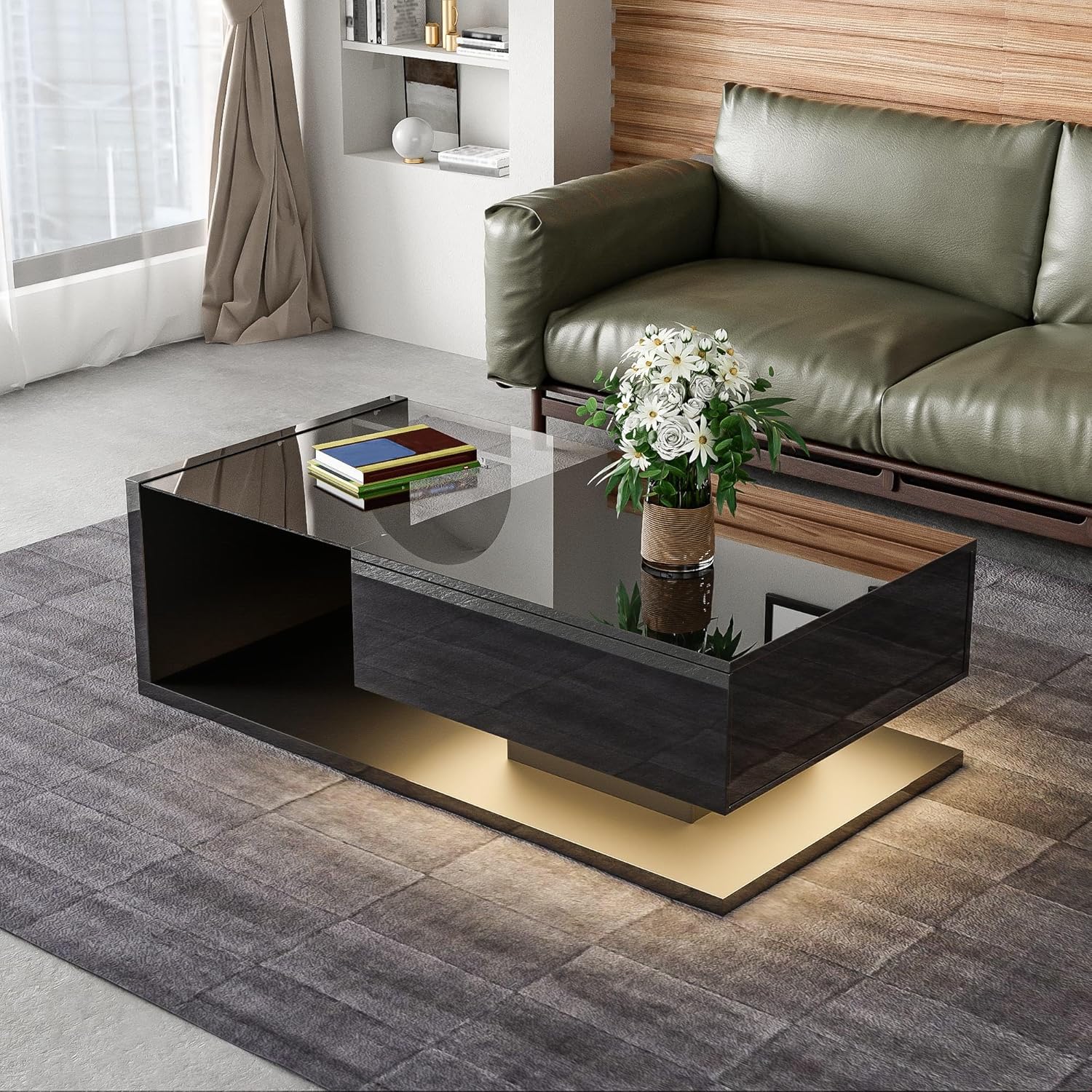
Image: The GDFStudio Modern LED Coffee Table, showcasing its black high-gloss finish and tempered glass top, positioned in a contemporary living room.
주요 특징:
- Modern High-Gloss Design: Sleek black high-gloss surface with wood grain accents.
- Glass Top with LED Lighting: Tempered glass tabletop with 16-color adjustable LED lights.
- Amp저장 공간: Built-in compartment for organizing items.
- 튼튼하고 내구성 있는 구조: Made from high-quality particle board with a solid base.
안전 정보
조립 및 사용 전에 모든 안전 지침을 읽고 이해하십시오. 지침을 따르지 않을 경우 부상이나 제품 손상이 발생할 수 있습니다.
- 최대 중량 용량을 초과하지 마십시오. 130파운드(59kg) 탁상 위에.
- 조립하는 동안 모든 나사와 패스너가 단단히 조여져 있는지 확인하고, 느슨함이 없는지 주기적으로 점검하세요.
- A protective film is applied to the high-gloss surfaces. Please remove this film completely before use to reveal the intended finish.
- 작은 부품과 조립 도구는 어린이의 손이 닿지 않는 곳에 보관하세요.
- 보호 장치 없이 뜨거운 물건을 표면에 직접 올려놓지 마십시오.
설정 및 조립
Assembly of the GDFStudio Modern LED Coffee Table is required. All necessary instructions and tools are included in the packaging. It is recommended to assemble the table on a soft, clean surface to prevent scratches.
시작하기 전에:
- 모든 구성품을 꺼내어 조립 설명서에 제공된 부품 목록과 대조하여 확인하십시오.
- 조립을 위한 충분한 공간이 있는지 확인하세요.
- Have a Phillips head screwdriver and any other basic tools ready, though most specialized tools should be included.
조립 단계(일반 지침):
- Identify and separate all components according to the assembly diagram.
- Attach the main support structures using the provided hardware.
- Assemble the storage compartment and integrate it into the main structure.
- Carefully place the tempered glass top onto the designated area.
- Connect the LED lighting system according to the specific wiring instructions.
- 모든 패스너를 단단히 조이되 지나치게 조이지 마십시오.
- Remove the protective film from all high-gloss surfaces.

Image: The coffee table with its integrated storage compartment revealed, demonstrating its functional design for organizing items.
작동 지침 (LED 조명)
The GDFStudio Modern LED Coffee Table features built-in 16-color adjustable LED lights to create the perfect ambiance. The LED system is controlled via a remote control or a compatible mobile application (if applicable, refer to your specific LED kit instructions).
LED 특징 :
- 16 Changing Colors: Select from a wide spectrum of colors to match your mood or decor.
- 다중 모드: Includes Flash mode (single or multi-color) and Gradient mode (single or multi-color) for dynamic lighting effects.
- 조정 가능한 밝기: 원하는 밝기로 조명을 조절하세요.

Image: An illustration detailing the 16 available LED color options and the different lighting modes (Flash and Gradient) that can be controlled, possibly via a smartphone application.
기본 작업:
- Ensure the LED power adapter is securely plugged into a wall outlet.
- Use the provided remote control (or app) to turn the lights ON/OFF.
- Select your desired color from the color palette on the remote/app.
- Toggle between Flash and Gradient modes using the dedicated buttons.
- Adjust brightness using the brightness control buttons.
유지 보수 및 관리
Proper care will ensure the longevity and appearance of your GDFStudio Modern LED Coffee Table.
- 표면 청소 : For the high-gloss and wood grain surfaces, wipe with a soft, damp 천을 사용하십시오. 마감재를 손상시킬 수 있는 연마성 세척제나 독한 화학 물질은 사용하지 마십시오.
- 강화 유리 관리: Clean the glass top with a glass cleaner and a lint-free cloth. Do not use sharp objects on the glass.
- LED 조명: LED 조명은 장기간 사용하도록 설계되었으며 일반적으로 유지 보수가 필요하지 않습니다. 문제가 발생하면 문제 해결 섹션을 참조하세요.
- 보호 필름: As mentioned, ensure the protective film is removed from all high-gloss surfaces before initial use.
- 무게 분포 : Distribute weight evenly on the tabletop and within the storage compartment to prevent stress on the structure.
문제 해결
If you encounter any issues with your coffee table, please refer to the common problems and solutions below. For persistent issues, contact customer support.
| 문제 | 가능한 원인 | 해결책 |
|---|---|---|
| LED 조명이 켜지지 않습니다. | Power adapter unplugged, remote battery dead, loose connection. | Check power connection. Replace remote battery. Ensure all LED wiring connections are secure. |
| 조립 후 테이블이 흔들리는 느낌이 듭니다. | Fasteners not fully tightened, uneven floor. | Re-tighten all assembly screws. Ensure the table is on a level surface; use furniture pads if necessary. |
| Scratches on high-gloss surface. | Protective film not removed, abrasive cleaning. | Ensure protective film is fully removed. Use only soft cloths and non-abrasive cleaners. |
명세서
| 기인하다 | 세부 사항 |
|---|---|
| 상표 | GDFStudio |
| 모델 번호 | 337250 |
| 색상 | 검은색 |
| 주요소재 | Particle Board, Tempered Glass |
| 제품 크기(L x W x H) | 41.5인치 길이 x 21.5인치 너비 x 12.5인치 높이(105.41 x 54.61 x 31.75cm) |
| 순중량 | 57.9파운드(26.26kg) |
| 중량 용량 | 130파운드(59kg) |
| LED 기능 | 16-color adjustable lights included |
| 집회 | Required (Instructions & Tools Included) |

Image: A detailed diagram illustrating the dimensions of the coffee table in inches, including length, width, and height, as well as internal compartment measurements.
보증 및 지원
For any questions, concerns, or assistance with your GDFStudio Modern LED Coffee Table, please contact the seller or manufacturer directly. Refer to your purchase documentation for specific warranty terms and contact information.
파는 사람: GDF Studio CA
반품 정책: 판매자를 통한 30일 환불/교환 정책.
It is recommended to retain your proof of purchase for warranty claims or support requests.


