1. 서론
This manual provides essential information for the safe and efficient operation of your Anern 4200W Hybrid Solar Inverter. Please read this manual thoroughly before installation and use. Keep it for future reference.
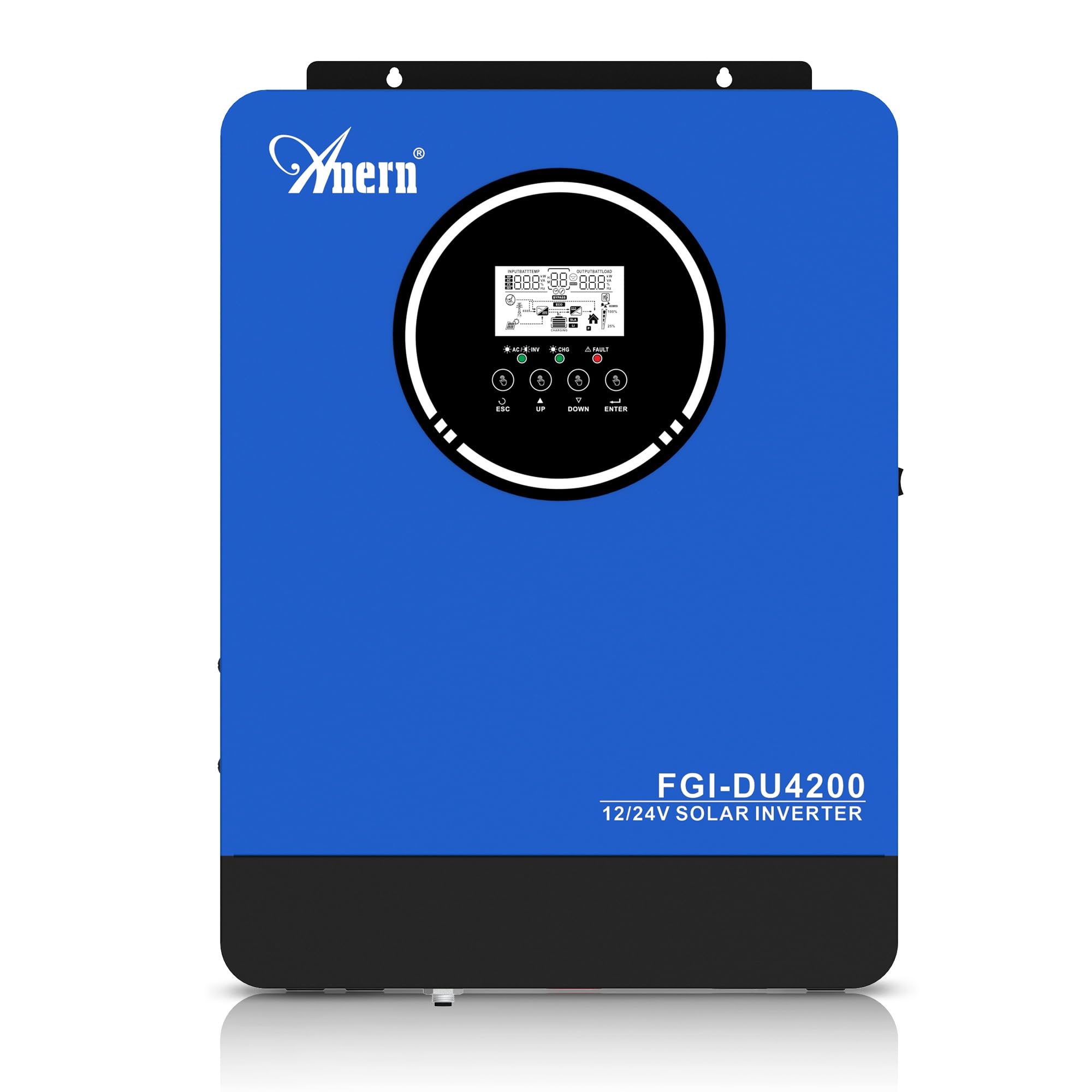
Figure 1: Anern 4200W Hybrid Solar Inverter. This image displays the main unit of the inverter, highlighting its key specifications such as 100A AC charging current, 4200W rated output power, and 500 VDC maximum PV array voltage.
2. 안전 지침
감전, 화재 또는 부상의 위험을 줄이려면 항상 다음 안전 예방 조치를 준수하세요.
- 설치는 자격을 갖춘 인력이 수행해야 합니다.
- Ensure all wiring is correctly connected and equipped with appropriate protective switches.
- 인버터를 분해하지 마십시오. 내부에는 사용자가 수리할 수 있는 부품이 없습니다.
- 인버터를 비, 눈, 물보라 또는 기타 액체에 노출시키지 마십시오.
- 과열을 방지하기 위해 인버터 주변에 적절한 환기가 이루어지도록 하세요.
- 유지보수 또는 배선 작업을 하기 전에 모든 전원(태양광, 배터리, 전력)을 차단하십시오.
3. 제품 오버view
The Anern 4200W Hybrid Solar Inverter is designed to convert DC power from solar panels and batteries into AC power for household use. It features an integrated 100A MPPT solar charge controller and supports both 12V and 24V battery systems with automatic detection.
주요 특징:
- 4200W Pure Sine Wave Output: 민감한 전자 장비에 안정적이고 깨끗한 전원을 공급합니다.
- 100A MPPT 태양광 충전 컨트롤러: 태양광 패널에서 얻는 전력량을 극대화합니다.
- 12V/24V Battery Auto-Detection: Automatically adjusts output based on connected battery voltage.
- BMS Interface: Supports communication with lithium batteries for enhanced monitoring and protection.
- Real-time LED Display: Shows system status, operating data, and error codes.
- Configurable Charging & Output Modes: Offers flexibility for various application needs.
- Optional WiFi/GPRS Monitoring: Remote monitoring capability (module sold separately).

Figure 2: Inverter Display and Controls. This image illustrates the inverter's LCD display, function buttons for configuration, and the optional WiFi module for remote monitoring.
4. 설정 및 설치
4.1 배선도
Refer to the electrical schematic for proper system wiring. Ensure all connections are secure and correctly polarized.

Figure 3: Electrical Schematic. This diagram shows the complete wiring for a solar inverter system, including solar panels, combiner box, DC/AC breakers, inverter, utility grid connection, and loads.
4.2 배터리 연결
The inverter supports 12V and 24V battery configurations. It automatically detects the battery voltage and adjusts its output accordingly (2300W for 12V, 4200W for 24V). For 24V systems, connect two 12V batteries in series. For 12V systems, connect batteries in parallel if increasing 용량.

Figure 4: Battery Connection Options. This image illustrates how to connect batteries for 12V (parallel connection for 2300W output) and 24V (series connection for 4200W output) systems.
The inverter also supports lithium batteries and includes a BMS (Battery Management System) interface for monitoring and protection. Ensure the BMS is properly connected if using lithium batteries.

Figure 5: Communication Interfaces. This image highlights the dual communication interfaces for BMS (Battery Management System) and optional WiFi module, enabling remote monitoring and battery communication.
4.3 Startup and Shutdown Sequence
시작 순서:
- 배터리를 연결합니다.
- 인버터를 켜세요.
- Activate the protective switches for PV, Utility, and Loads.
종료 순서:
- Deactivate the protective switches for Loads, Utility, and PV.
- 인버터를 끕니다.
- 배터리를 분리합니다.
Important Note: Inductive loads (e.g., motors, refrigerators) may require up to 3 times their rated power for startup. Ensure the inverter's capacity is sufficient to handle these surge loads. Exceeding the inverter's surge capacity can cause damage.
5. 운영
5.1 LCD 디스플레이 및 설정
The inverter features an LED display that provides real-time system data and operating status. Use the function buttons below the display to navigate menus and configure settings. Settings include battery charging current, AC/solar charging priority, and charging current priority.
5.2 충전 모드
The inverter offers four configurable charging modes:
- 태양광 우선 순위: 충전 시에는 태양광 발전이 우선적으로 사용됩니다.
- 태양광 전용: 충전에는 태양광 발전만 사용됩니다.
- 유틸리티 우선순위: Utility grid power is prioritized for charging.
- Solar + Utility Hybrid: Combines solar and utility power for charging.
5.3가지 출력 모드
Three output modes are available to adapt to various application needs:
- Solar Priority (SUB): Solar power is prioritized for loads.
- Utility Priority (USB): Utility grid power is prioritized for loads.
- SBU: Solar, Battery, Utility priority.

Figure 6: Charging and Output Modes. This diagram visually explains the four available charging modes (Solar Charge, Utility Priority, Solar Priority, Hybrid Charge) and three load output modes (PV Priority, Utility Priority, SBU Priority).
5.4 원격 모니터링
The inverter supports remote monitoring via an optional WiFi/GPRS module (sold separately). This allows users to monitor system performance and status from a distance.
6. 유지관리
정기적인 유지보수는 인버터의 최적 성능과 수명 연장을 보장합니다.
- 인버터를 깨끗하게 유지하고 먼지가 쌓이지 않도록 하십시오. 청소할 때는 마른 천을 사용하십시오.
- 통풍구가 막히지 않았는지 확인하십시오.
- 정기적으로 모든 배선 연결부의 조임 상태와 부식 여부를 점검하십시오.
- Monitor the battery status, especially if using lithium batteries with the BMS interface, to prevent overcharge or deep discharge.
- Inspect solar panels for dirt or damage that could reduce efficiency.
7. 문제 해결
The LED display will show error codes if issues arise. Refer to the inverter's display for specific error codes to diagnose and resolve problems. Common issues and their potential solutions include:
- 전원 출력 없음: Check battery connections, DC/AC breakers, and inverter power switch.
- 배터리 부족tage: Ensure batteries are adequately charged. Check charging sources (solar, utility).
- 과부하 경고: Reduce the connected load. Inductive loads may cause temporary overloads during startup.
- 과열: Ensure proper ventilation. Clean any dust from the inverter's vents.
- PV Input Error: 태양광 패널 연결 상태와 전압을 확인하세요.tage. Ensure PV array voltage는 지정된 범위(55-500V DC) 내에 있습니다.
For persistent issues or error codes not listed, contact customer support.
8. 기술 사양
| 특징 | 사양 |
|---|---|
| 상표 | 아네른 |
| 모델 번호 | AN-FGI-DU 4200 |
| 전기 전력 | 4200 와트 |
| 출력 전력 | 4500 와트 |
| Max. Output Power (Watts) | 4200 |
| 출력파형 | 순수한 사인 웨이브 |
| 전원 | 태양열 구동, 배터리 구동 |
| 권장 제품 사용 | 집 |
| 포함된 구성 요소 | 사용 설명서 |
| 규정 준수 | CE |
| 제품 치수 | 30 x 10 x 40cm; 8.86kg |
9. 보증 및 지원
For warranty information and technical support, please refer to the documentation provided with your purchase or contact Anern customer service. Keep your purchase receipt as proof of purchase.


