소개
Thank you for choosing esbeecables USB-C Wired Earbuds. These earphones are designed to provide high-fidelity audio and clear communication for a wide range of USB-C enabled devices. Featuring a comfortable in-ear design, built-in microphone, and remote control, they are ideal for daily use, work, study, and sports.

Image: Two pairs of esbeecables USB-C wired earbuds, showcasing their design and connectivity.
패키지 내용
- 2 x USB-C Wired Earbuds
설정
The esbeecables USB-C Wired Earbuds are designed for simple plug-and-play operation. No drivers or additional software are required for most compatible devices.
- USB-C 포트를 확인하세요. Locate the USB-C port on your device (smartphone, tablet, laptop, etc.). This port is typically oval-shaped and reversible.
- 이어버드를 연결합니다: Gently insert the USB-C connector of the earbuds into your device's USB-C port. Ensure it is fully seated for a secure connection.
- 오디오 출력 선택 : Your device should automatically detect the earbuds and route audio through them. If not, navigate to your device's audio settings and select the connected earbuds as the output device.
- 볼륨 조절: Begin playing audio and adjust the volume using either your device's volume controls or the in-line remote control on the earbud cable.

Image: Simple plug-and-play connection of the USB-C earbuds to a mobile device.
작동 지침
The earbuds feature an in-line remote control for convenient management of audio playback and calls.

Image: Detailed diagram of the in-line remote control functions.
음악 제어:
- 재생/일시 중지: 가운데 버튼을 한 번 누르세요.
- 다음 트랙: 가운데 버튼을 빠르게 두 번 누르세요.
- 이전 트랙 : 가운데 버튼을 빠르게 세 번 누르세요.
- 볼륨 업: "+" 버튼을 누르세요.
- 볼륨 작게 : "-" 버튼을 누르세요.
통화 제어:
- 전화 받기/종료: 가운데 버튼을 한 번 누르세요.
- 전화 거부: 가운데 버튼을 길게 누르세요.
음성 어시스턴트 :
- 음성 비서(예: Siri)를 활성화하세요. 중앙 버튼을 3초간 누르세요.
유지 보수 및 관리
Proper care will extend the lifespan of your earbuds and maintain optimal performance.
- 청소: 이어버드와 케이블은 부드럽고 마른 천으로 가볍게 닦아주세요. 강한 화학 약품이나 연마제를 사용하지 마세요.
- 저장: When not in use, store the earbuds in a clean, dry place, preferably in a small pouch or case to prevent tangling and damage.
- 습기를 피하세요: Do not expose the earbuds to water, excessive humidity, or extreme temperatures.
- 조심스럽게 다루십시오: 기기에서 케이블을 분리할 때 케이블을 직접 잡아당기지 마십시오. 항상 USB-C 커넥터를 잡으십시오.

Image: The durable TPE material of the headphone cable ensures longevity and flexibility.
문제 해결
이어폰 사용에 문제가 발생하면 다음의 일반적인 해결 방법을 참조하십시오.
| 문제 | 가능한 원인 | 해결책 |
|---|---|---|
| 이어폰에서 소리가 나지 않습니다. |
|
|
| 마이크가 작동하지 않습니다. |
|
|
| 리모컨이 응답하지 않습니다. |
|
|
명세서
| 특징 | 세부 사항 |
|---|---|
| 모델명 | LK-FBA-215 |
| 연결 기술 | 유선(USB-C) |
| 귀 위치 | 귀에 |
| 폼 팩터 | 귀에 |
| 색상 | 하얀색 |
| 임피던스 | 32옴 |
| 오디오 품질 | Up to 24 bit/96 kHz (HiFi Stereo Sound) |
| 소음 제어 | Adaptive Noise Cancellation (Passive Noise Isolation) |
| 내장된 기능 | Microphone, In-line Remote Control (Volume+/-, Track Skip, Call Answer/End/Reject, Voice Assistant) |
| 케이블 소재 | High-quality TPE wire with oxygen-free copper wire core |
| 무게 | 0.634 온스 |

Image: Illustration of the internal components contributing to 3D Stereo Pure Tone sound.

Image: Visual representation of the strong bass and 360-degree premium surround sound experience.
호환성
These USB-C headphones are widely compatible with a variety of devices that feature a USB-C audio port. This includes, but is not limited to:
- 아이폰: iPhone 15/15 Plus/15 Pro/15 Pro Max, iPhone 16/16 Plus/16 Pro/16 Pro Max
- 아이패드: iPad Pro 2020/2018/2022, iPad Air 4th/5th Gen, iPad Mini 6th Gen
- 삼성 갤럭시: S24/S23/S22/S21/S21 Plus/S21 Ultra/S20 FE/S20/S20 Plus/S20 Ultra, Z Flip/Fold series, Note 20/Note 20 Ultra/Note 10/10 Plus, A53/A33, Galaxy Tab S8+ 5G
- 구글 픽셀: Pixel 8/7/6/5/4XL/4/3XL/3/2XL/2
- 원플러스: 11/10/9/Nord/8T/8 Pro/8/7T Pro/7T/7
- 다른 장치들: Compatible with MacBook/MacBook Pro, Huawei Mate/P series, Xiaomi Mi series, OPPO Find X/Reno series, and more devices without a 3.5mm audio jack.

Image: The earbuds are compatible with a wide range of USB-C enabled devices.
편안함과 디자인
The esbeecables earbuds are engineered for a comfortable and secure fit, minimizing discomfort even during extended use.
- 인체공학적 인이어 디자인: Shaped to fit securely within the ear canal, providing both comfort and effective passive noise isolation.
- 경량 구조: Designed to be light, reducing ear fatigue.

Image: Features highlighting the comfortable wearing experience of the earbuds.
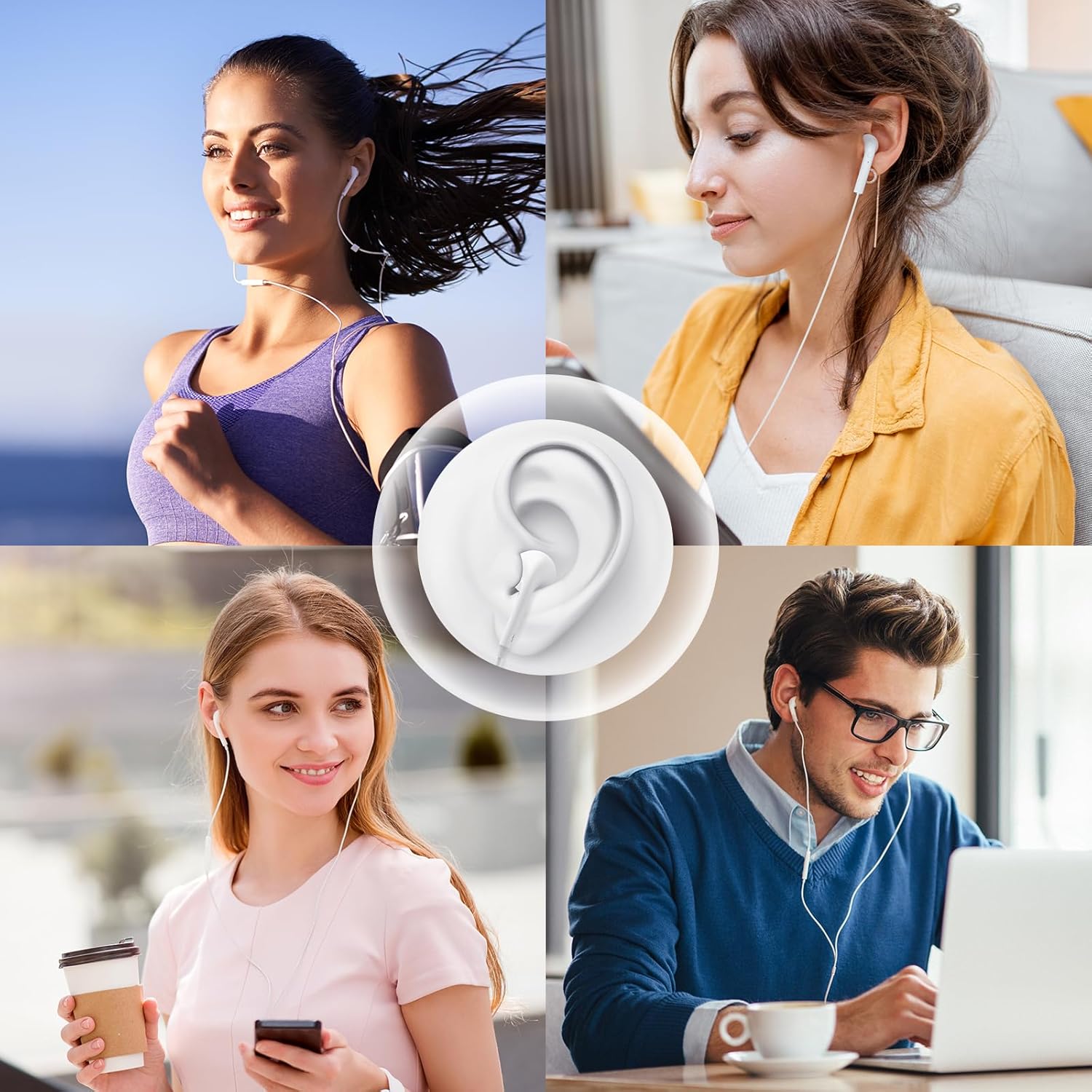
Image: Earbuds in use during various activities, demonstrating their versatility and comfortable fit.
보증 및 지원
esbeecables provides a comprehensive warranty and dedicated customer support for your product.
- 보증: Your purchase is covered by a 48-month worry-free warranty.
- 보고: Enjoy a 60-day return policy without any specific reason required.
- 고객 서비스: For any problems or inquiries, please do not hesitate to contact our 24/7 friendly customer service. Refer to your purchase documentation or the seller's contact information for support channels.


