1. 서론
Welcome to the RORSOU B8 Over-Ear Bluetooth Headphones. These headphones are designed to deliver a high-fidelity audio experience with deep bass, versatile connectivity, and exceptional comfort. This manual will guide you through the features and functions of your new headphones.
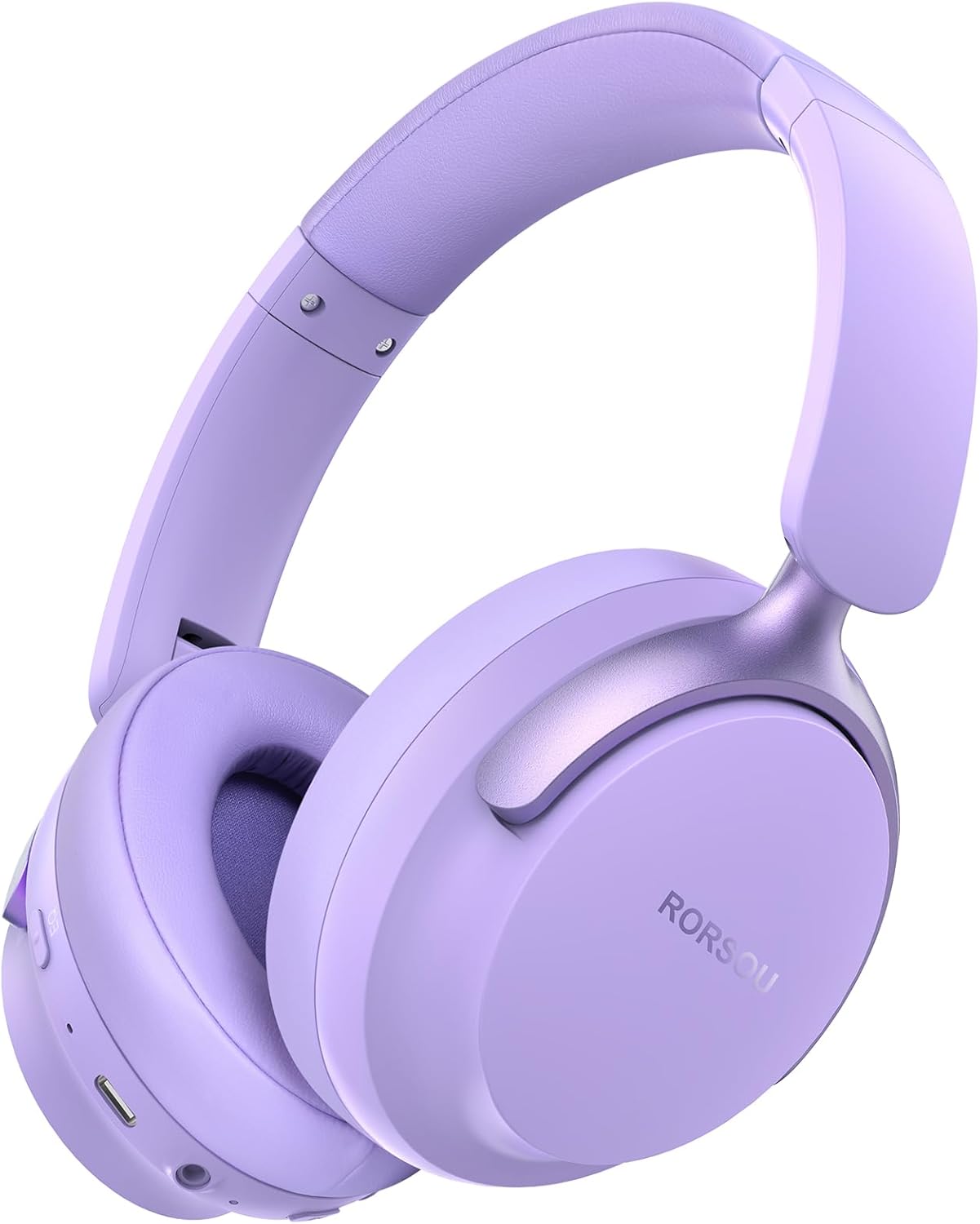
Figure 1: RORSOU B8 Over-Ear Bluetooth Headphones (Purple)
주요 특징:
- Hi-Fi Stereo and Deep Bass Sound: Equipped with 40mm audio drivers and an advanced Bluetooth 5.4 chip for clear sound, full dynamic range, rich bass, and crisp mids.
- Strong Bluetooth 5.4 & Wired Connection: Offers faster, more stable data transmission, dual-device pairing, and a 3.5mm audio jack for wired use.
- Optimized Sound Quality with 6 EQ Modes: Allows switching between six preset EQ settings (Standard, Classical, Metal, Jazz, Rock, Bass) for different music styles. Features a built-in microphone for clear calls.
- All-day Comfort & Foldable Design: Ultra-soft protein leather earcups and an adjustable headband ensure comfort during extended use. The foldable and lightweight design enhances portability.
- 연장된 플레이 시간: 400mAh battery provides up to 50 hours of playtime. Can be used in wired mode when the battery is depleted.
2. 상자 안에 무엇이 들어있나요?
- RORSOU B8 Over-Ear Bluetooth Headphones
- USB-C 충전 케이블
- 3.5mm 오디오 케이블
- 사용자 설명서
- 운반 파우치
3. 설정
3.1 헤드폰 충전
Before first use, fully charge your RORSOU B8 headphones. Connect the provided USB-C charging cable to the charging port on the headphone and the other end to a USB power source (e.g., computer, wall adapter). The LED indicator will show charging status and turn off when fully charged. A full charge takes approximately 2 hours.
3.2 전원 켜기/끄기
- 전원을 켜려면: 전원 버튼을 3초 동안 길게 누르면 LED 표시등이 켜집니다.
- 전원을 끄려면: LED 표시등이 꺼질 때까지 전원 버튼을 3초간 길게 누릅니다.
3.3 블루투스 페어링
To connect your RORSOU B8 headphones to a Bluetooth-enabled device:
- 헤드폰의 전원이 꺼져 있는지 확인하십시오.
- 전원 버튼을 약 5초 동안 길게 누르면 LED 표시등이 파란색과 빨간색으로 번갈아 깜빡입니다. 이는 페어링 모드 진입을 나타냅니다.
- 기기(스마트폰, 태블릿, PC)에서 Bluetooth를 활성화하고 사용 가능한 기기를 검색하세요.
- Select "RORSOU B8" from the list of available devices.
- 연결되면 헤드폰의 LED 표시등이 파란색으로 천천히 깜빡이거나 파란색으로 계속 켜져 있습니다.
The headphones can be paired with two devices simultaneously and seamlessly switch between them.
3.4 유선 연결
For a wired connection, use the provided 3.5mm audio cable. Plug one end into the 3.5mm audio jack on the headphones and the other end into your audio source. This mode does not require battery power.
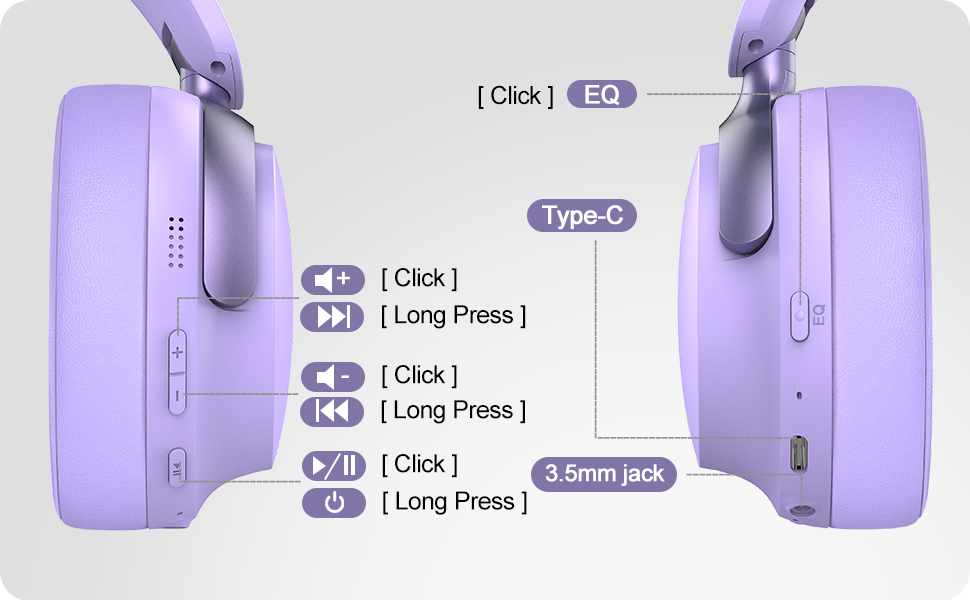
Figure 2: Bluetooth 5.4 Wireless vs. 3.5mm Wired Connection
4. 사용 설명서
4.1 컨트롤 오버view
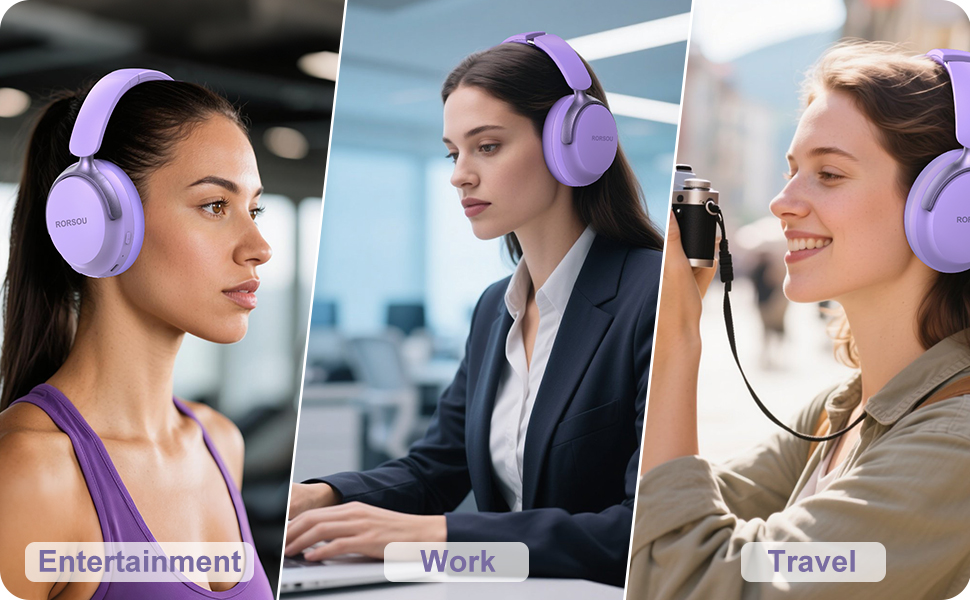
Figure 3: RORSOU B8 Headphone Controls
- 전원 버튼: 전원을 켜거나 끄려면 길게 누릅니다.
- 볼륨 높이기(+): Click to increase volume. Long press for next track.
- 볼륨 낮추기(-): Click to decrease volume. Long press for previous track.
- 다기능 버튼(재생/일시 정지): Click to play/pause music, answer/end calls. Long press to activate voice assistant.
- EQ 버튼: Click to cycle through 6 preset EQ modes (Standard, Classical, Metal, Jazz, Rock, Bass).
4.2개의 EQ 모드
The RORSOU B8 headphones feature 6 distinct EQ modes to enhance your listening experience based on music genre:
- 기준
- 고전
- 금속
- 재즈
- 바위
- 베이스
Press the EQ button to switch between these modes and find the optimal sound profile for your audio.
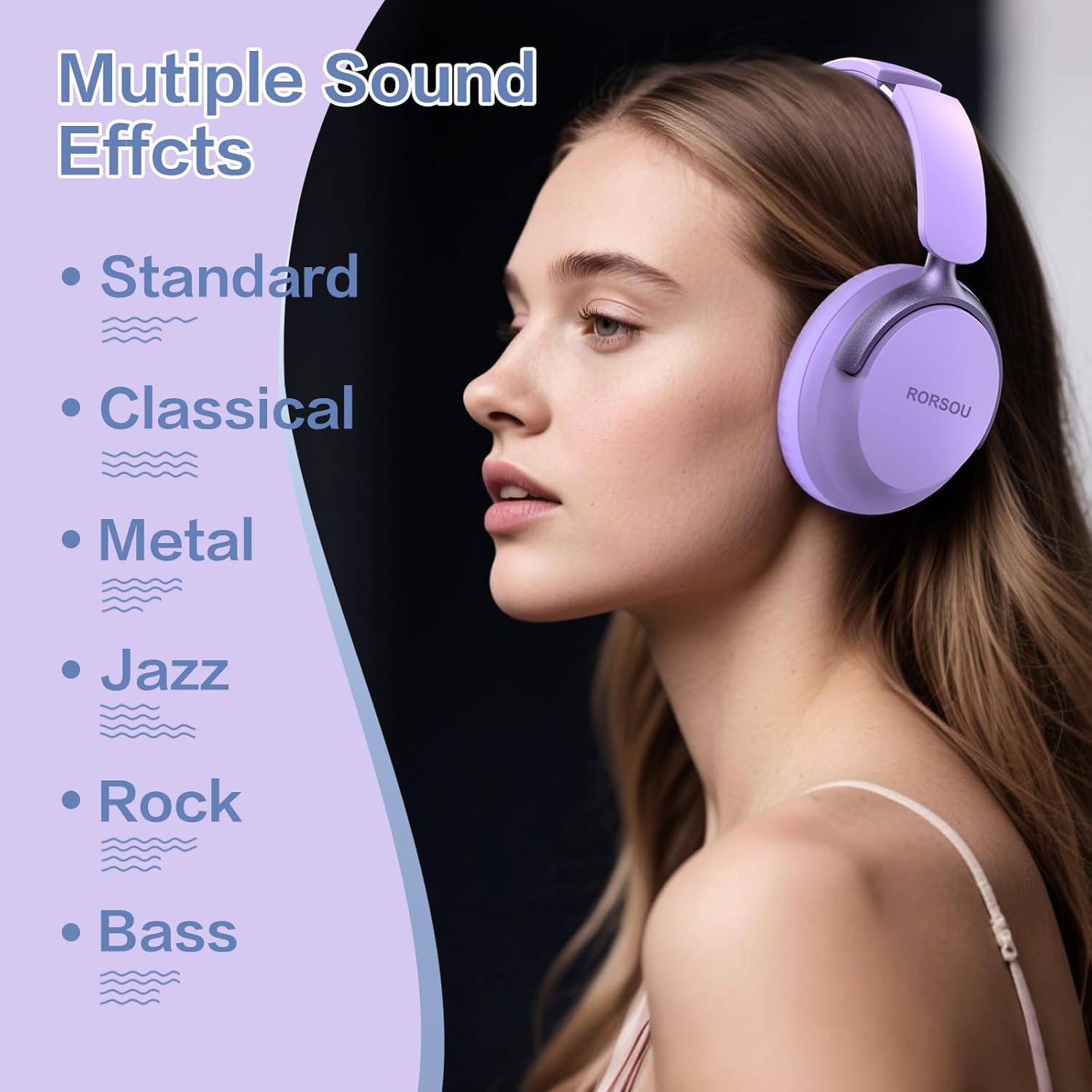
Figure 4: Multiple Sound Effects (EQ Modes)
5. 편안함과 휴대성
The RORSOU B8 headphones are designed for extended wear and easy transport.
- Ultra-soft Protein Leather Earcups: Provides comfort for long listening sessions.
- 조정 가능한 머리띠: 다양한 머리 크기에 안전하고 편안한 착용감을 보장합니다.
- 접이식 디자인 : Earcups swivel 90 degrees and the headphones fold compactly for easy storage in the included carrying pouch, ideal for travel.

Figure 5: Comfort and Foldable Design
6. 유지관리
To ensure the longevity and optimal performance of your RORSOU B8 headphones, follow these maintenance guidelines:
- 청소: 헤드폰을 부드럽고 마른 천으로 닦으세요. 이어컵은 약간 부드러운 천을 사용하세요.amp cloth with mild soap if necessary, then wipe dry immediately. Avoid harsh chemicals or abrasive materials.
- 저장: 사용하지 않을 때는 먼지와 긁힘으로부터 보호하기 위해 제공된 휴대용 파우치에 넣어 서늘하고 건조한 곳에 보관하십시오.
- 극한의 환경을 피하세요: 헤드폰을 극한의 온도, 습도 또는 직사광선에 노출시키지 마십시오. 방수 기능이 없습니다.
- 케이블 관리: 충전 및 오디오 케이블을 조심스럽게 다루세요. 손상을 방지하려면 심하게 구부리거나 과도하게 당기지 마세요.
7. 문제 해결
If you encounter any issues with your RORSOU B8 headphones, refer to the following common solutions:
| 문제 | 가능한 원인 | 해결책 |
|---|---|---|
| 헤드폰이 켜지지 않습니다 | 배터리 부족 | 헤드폰을 완전히 충전하세요(약 2시간). |
| 블루투스로 페어링이 불가능합니다 | 헤드폰이 페어링 모드가 아닙니다. 기기 블루투스가 꺼져 있습니다. 간섭이 발생하고 있습니다. | Ensure headphones are in pairing mode (flashing blue/red). Turn off and on your device's Bluetooth. Move closer to the device. |
| 소리가 나지 않거나 음질이 좋지 않음 | Volume too low; incorrect EQ mode; loose wired connection; device issue | Increase headphone/device volume. Cycle through EQ modes. Re-insert 3.5mm cable firmly. Test with another audio source. |
| 마이크가 작동하지 않습니다 | Device settings; microphone blocked | Check device's audio input settings. Ensure microphone port is clear. |
| 헤드폰 연결이 자주 끊깁니다. | 범위 초과; 간섭; 배터리 부족 | Stay within Bluetooth range (up to 10 meters). Avoid obstacles. Charge headphones. |
If the issue persists after trying these steps, please contact RORSOU customer service for further assistance.
8. 사양
| 특징 | 세부 사항 |
|---|---|
| 모델명 | B8 |
| 상표 | 로르수 |
| 연결 기술 | Bluetooth 5.4, Wired, Wireless |
| 헤드폰 잭 | 3.5 mm 잭 |
| 소음 제어 | 패시브 노이즈 캔슬링 |
| 오디오 드라이버 크기 | 40 밀리미터 |
| 배터리 수명 | 50시간 |
| 충전 시간 | 2시간 |
| 품목 무게 | 0.23킬로그램(8.1온스) |
| 재료 | 폴리카보네이트(PC) |
| 제어 유형 | 볼륨 조절, 푸시 버튼 |
| 포함된 구성 요소 | User Manual, USB-C Charging Cable, 3.5mm Audio Cable, Carrying Pouch |
9. 보증 및 지원
RORSOU is dedicated to providing high-quality products with excellent after-sale service. Your RORSOU B8 headphones come with a 180-day Hassle-Free Limited Protection.
If you have any questions, concerns, or require technical support, please contact RORSOU customer service. We aim to respond to all inquiries within 24 hours.
For the most up-to-date support information, please visit the official RORSOU web자세한 내용은 해당 사이트를 참조하거나 제품 포장과 함께 제공된 연락처 정보를 참조하세요.