1. 서론
This manual provides detailed instructions for the safe and effective operation of your Betopper LF2405 300W Matrix Beam LED Strobe Effect Light. Please read this manual thoroughly before installation, operation, or maintenance. Retain this manual for future reference.

Figure 1: Betopper LF2405 300W Matrix Beam LED Strobe Effect Light
2. 안전 정보
- 반드시 접지된 전원 콘센트에 연결하십시오.
- 과열을 방지하려면 적절한 환기를 유지하세요.
- 장치를 비나 습기에 노출시키지 마십시오.
- 광원에 눈이 직접 노출되지 않도록 하십시오.
- 청소 또는 수리하기 전에 전원을 차단하십시오.
- This product is rated IP20 for indoor use only. Outdoor use requires additional weather protection.
3. 패키지 내용
아래 나열된 모든 품목이 패키지에 포함되어 있는지 확인하세요.
- Strobe Effect Light (LF2405) x 1
- 사용설명서 x 1
- Power Input Cable x 1
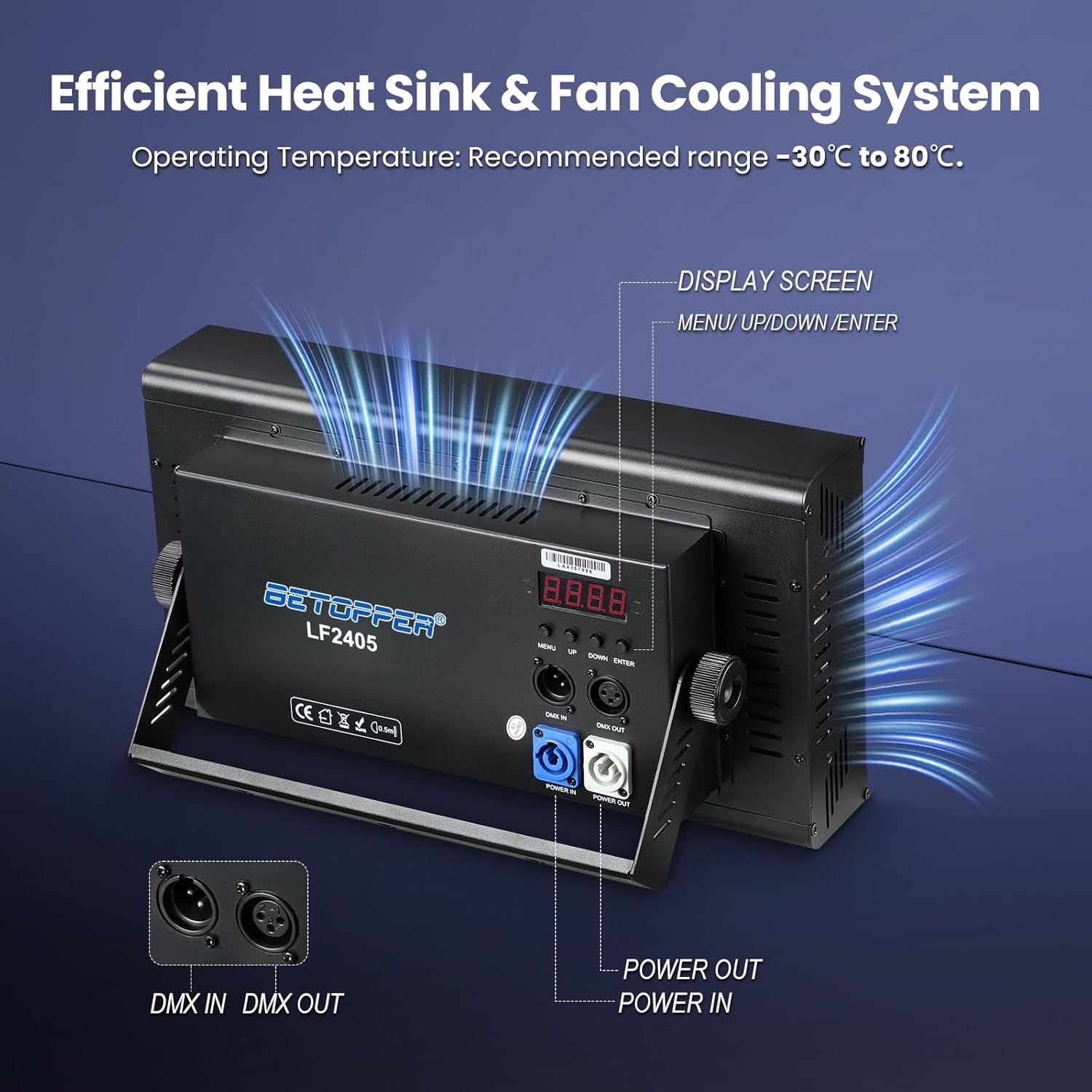
Figure 2: Included items in the Betopper LF2405 package
4. 제품 오버view
The Betopper LF2405 is a 300W Matrix Beam LED Strobe Effect Light designed for dynamic visual impact in various settings. It features a high-density RGB+White LED matrix capable of producing crisp beam lines, sweeping visual textures, and simulated rainfall effects.
4.1. 주요 특징
- Powerful LED Matrix: High-density RGB+White LED matrix for dynamic visual effects.
- Simulated Rainfall Effects: Creates cascading visual effects mimicking falling rain.
- 픽셀 매핑: Individual LED control for custom patterns, chase sequences, and animations.
- Intense Strobe Capabilities: Adjustable high-speed strobe effects from 1 to 30Hz.
- 효율적인 냉각: Integrated heat sink and fan cooling system for optimal performance.
4.2. Light Sources
The LF2405 incorporates a combination of LED types for versatile lighting:
- 384 pieces of 0.3W 5050 RGB Wash Light LEDs
- 24 pieces of 5W 3535 White (Golden) Beam Light LEDs
- 256 pieces of 0.2W 5730 White LEDs

그림 3: 상세 view of the LF2405 LED matrix components
5. 기술 사양
| 사양 | 값 |
|---|---|
| 상표 | 베토퍼 |
| 모델 번호 | LF2405 |
| 전원 | 코드식 전기 |
| 광원 유형 | 발광 다이오드(LED) |
| 광원 와트tage | 300 와트 |
| 권tage | 24 볼트 |
| 광원의 수 | 1000 |
| 연색지수 | 90 |
| 제품 치수 | 15인치 길이 x 8인치 너비 x 5인치 높이 |
| 품목 무게 | 10.67파운드 |
| 재료 | 알류미늄 |
| 마무리 유형 | 파우더 코팅 |
| 장착 유형 | Stage Mount |
| 전구 기능 | Customizable Patterns, Adjustable Strobe Speed, Dynamic Visual Effects |
6. 설정
Follow these steps for initial setup of your LF2405 light:
- 풀다: 포장에서 조명과 모든 부속품을 조심스럽게 꺼내세요.
- 위치: Place the light on a stable surface or mount it securely using appropriate stage mounting hardware. The integrated bracket allows for adjustable positioning.
- 전원 연결: Connect the provided power input cable to the 'POWER IN' port on the rear of the unit and then to a grounded power outlet.
- DMX 연결(선택 사항): If using DMX control, connect your DMX controller to the 'DMX IN' port. Use the 'DMX OUT' port to daisy-chain multiple units.
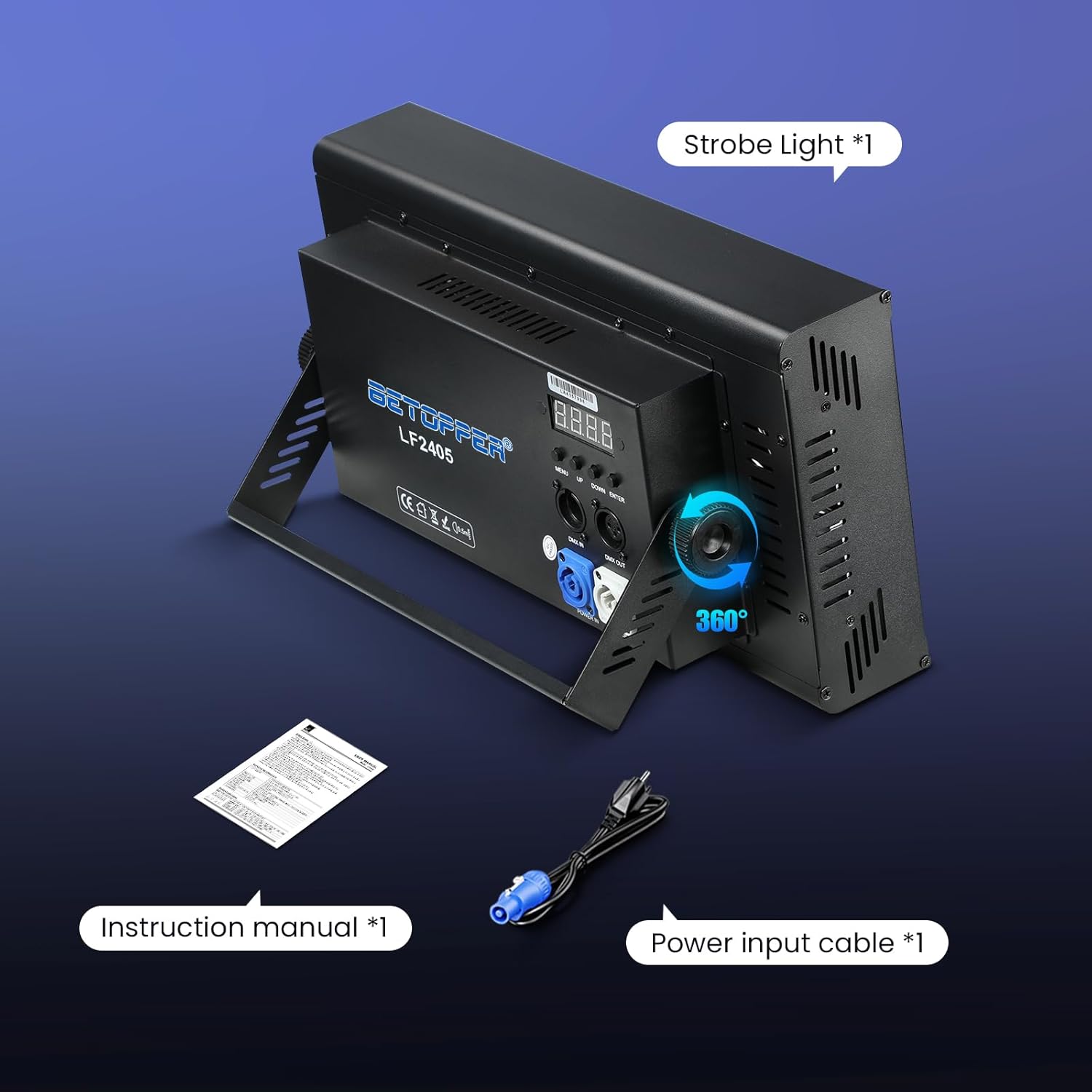
Figure 4: Betopper LF2405 with adjustable stand for flexible positioning
7. 작동 모드
The LF2405 offers multiple control modes to suit various applications:
- DMX512 : For professional control via a DMX controller. Supports 5CH, 11CH, and 112CH modes.
- 자동: Pre-programmed light sequences for automatic operation.
- 마스터-슬레이브: 여러 장치를 연결하고, 그중 하나를 마스터로 지정하여 나머지 장치들을 제어합니다.
- 사운드 컨트롤 : Light effects react to ambient sound.
- RDM: Remote Device Management for advanced configuration.
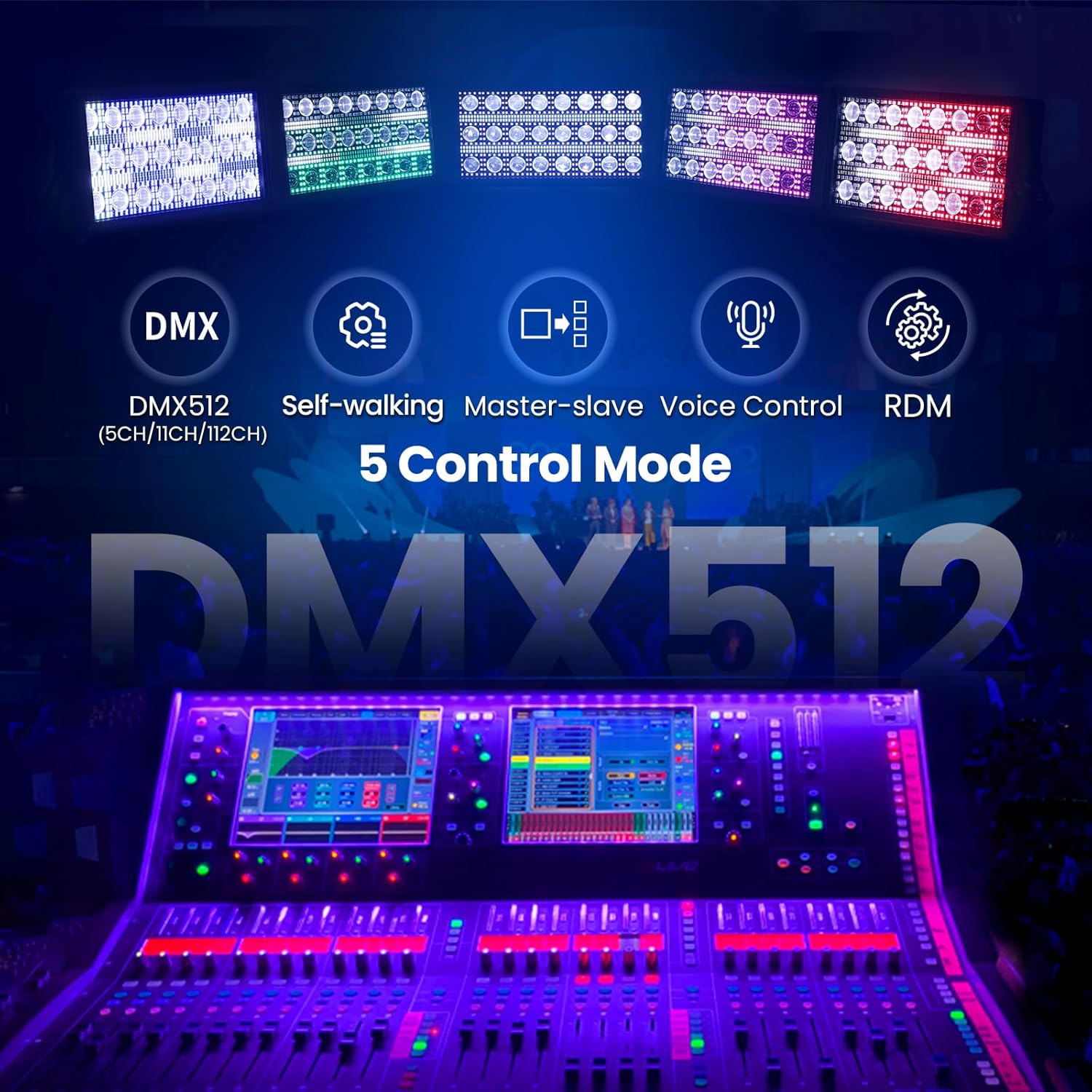
Figure 5: Control panel with menu buttons and DMX ports
7.1. Adjusting Sound-Control Mode Sensitivity
To adjust the sensitivity of the sound-control mode, follow the instructions in the video below. This involves accessing a hidden menu to fine-tune the response to sound input.
Video 1: Instructions on how to adjust the sound-control mode sensitivity for the Betopper LF2405.
8. Dynamic Visual Effects
The LF2405 is engineered to deliver a wide array of visual effects, enhancing any stage or event environment.
8.1. Pixel Mapping
Utilize the pixel mapping feature to create custom graphics, text, or animations by controlling each individual LED. This allows for precise and unique light designs.
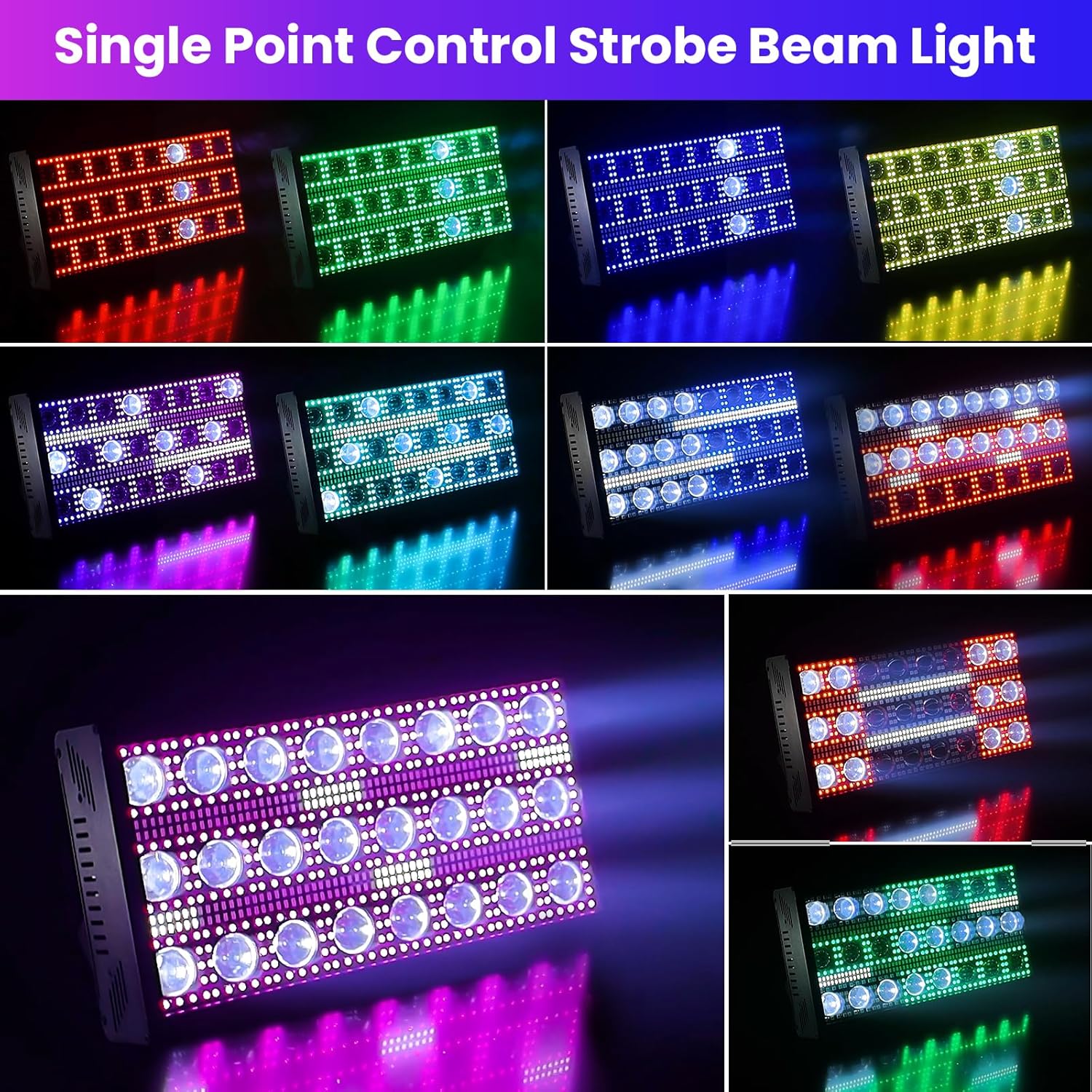
그림 6: 예amples of pixel-mapped patterns and animations
8.2. Strobe Effects
The unit provides intense strobe capabilities with an adjustable speed range of 1 to 30Hz, allowing synchronization with music or dramatic moments.
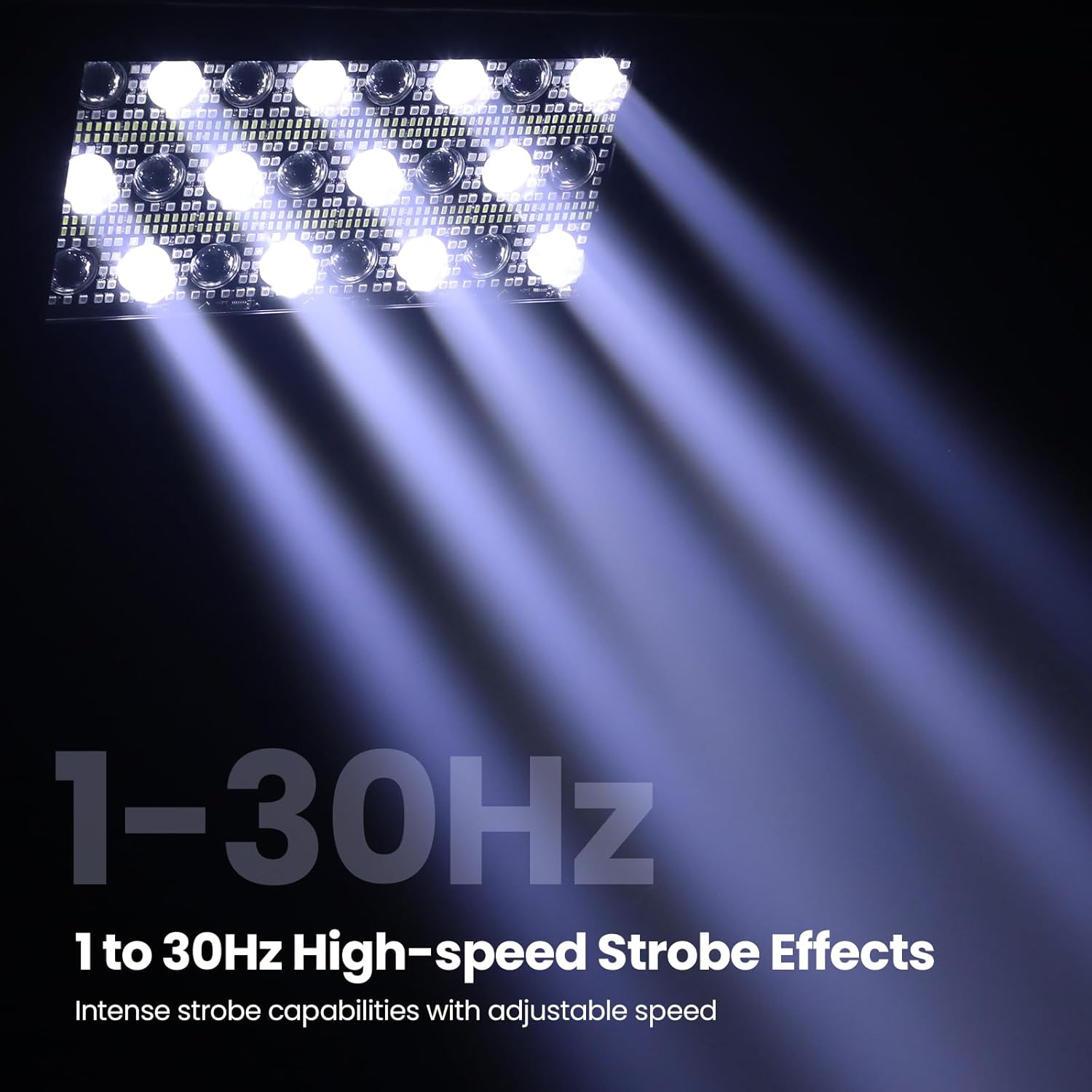
Figure 7: High-speed strobe effects in action
8.3. Rainfall Effects
Create captivating cascading visuals that simulate falling rain, adding depth and atmosphere to your lighting design.
Video 2: Demonstration of various matrix beam and strobe effects, including rainfall simulations.
영상 3: 간단한 개요view of the LF2405's matrix beam and strobe capabilities.
9. 유지관리
Regular maintenance ensures the longevity and optimal performance of your light:
- 청소: Periodically clean the lenses and housing with a soft, lint-free cloth. Do not use abrasive cleaners.
- 점검: Regularly check power cables and DMX connections for any signs of wear or damage.
- 냉각 시스템: 효율적인 냉방을 유지하려면 팬과 통풍구에 먼지와 이물질이 없도록 하십시오.
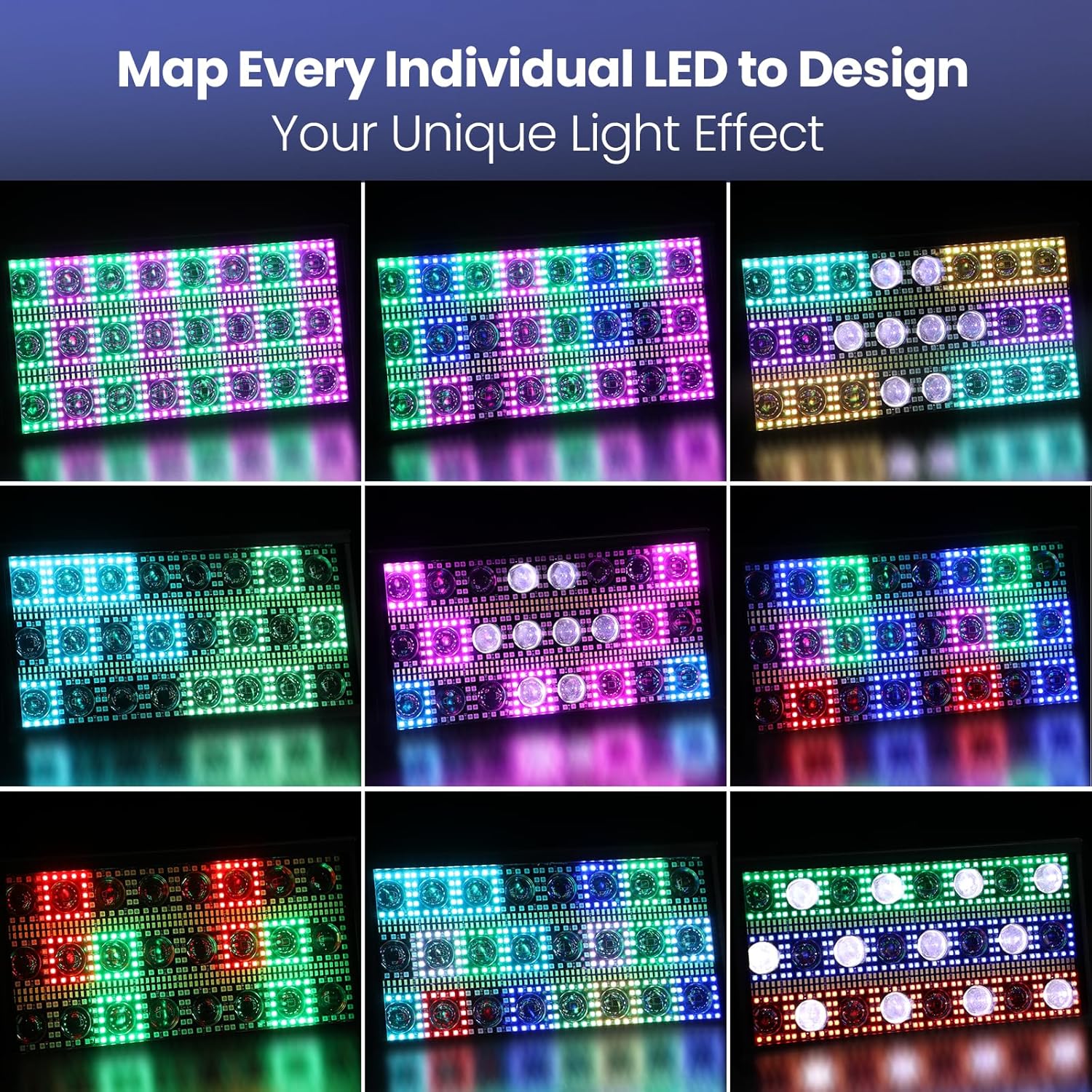
Figure 8: Rear panel highlighting the cooling system
10. 문제 해결
If you encounter issues with your LF2405, refer to the following common solutions:
- 전원 없음: 전원 케이블 연결을 확인하고 전원 콘센트가 작동하는지 확인하세요.
- 빛 출력 없음: Verify the selected operating mode and DMX settings (if applicable).
- 잘못된 DMX 제어: Ensure DMX cables are correctly connected and the DMX address is set appropriately on the unit.
- 과열: Check for obstructions in the ventilation system and ensure the operating environment is within the recommended temperature range (-30°C to 80°C).
11. 보증 및 지원
For warranty information or technical support, please refer to the contact details provided with your purchase documentation or visit the official Betopper web사이트. 보증 청구를 위해 구매 증빙 자료를 보관하세요.


