1. 제품 오버view
The BIFYTON 1:18 Scale RC Truck (Model: YT6632) is an all-terrain remote control vehicle designed for both indoor and outdoor use. Featuring a durable PVC shell, LED lights, and a 2WD rear-wheel drive system, it offers an engaging driving experience. The truck is equipped with a powerful brushed motor and anti-skid tires, capable of reaching speeds up to 20KM/H. It comes with two rechargeable batteries for extended playtime and a 2.4GHz remote control for stable operation.

Image 1.1: The BIFYTON 1:18 Scale RC Truck, remote control, and included accessories.
2. 패키지 내용
- 1 x BIFYTON 1:18 Scale RC Truck
- 2.4GHz 리모컨 1개
- 2 x 3.7V 1200mAh Rechargeable Batteries (for truck)
- AA 배터리 2개(리모컨용)
- 1 x USB 충전 케이블
- 1 x 드라이버
- 2 x Body Lock Clips (spare)

이미지 2.1: 제품 패키지에 포함된 모든 품목.
3. 설정 가이드
3.1. 트럭 배터리 충전
- Locate the two 3.7V 1200mAh rechargeable batteries and the USB charging cable.
- Connect one end of the USB charging cable to the battery.
- Plug the USB end of the cable into a compatible USB power adapter (not included) or a computer USB port.
- The indicator light on the USB cable will show the charging status (e.g., red for charging, green for fully charged).
- Charging typically takes 2-3 hours per battery. Each fully charged battery provides up to 30 minutes of playtime.
3.2. Installing Truck Batteries
- Using the provided screwdriver, carefully open the battery compartment cover located on the underside of the RC truck.
- Connect a fully charged 3.7V 1200mAh rechargeable battery to the truck's battery connector.
- 배터리를 수납 공간 안에 안전하게 넣어주세요.
- 배터리 덮개를 닫고 나사로 고정합니다.
3.3. 리모컨 배터리 설치
- 2.4GHz 리모컨 뒷면의 배터리함을 여세요.
- Insert the two included AA batteries, ensuring correct polarity (+/-).
- 배터리 덮개를 닫습니다.

Image 3.1: Rechargeable batteries and USB charging cable.
4. 사용 설명서
4.1. 전원 켜기 및 페어링
- Turn on the RC truck using the ON/OFF switch located on its underside.
- ON/OFF 스위치를 사용하여 리모콘을 켭니다.
- The remote control and truck will automatically pair. An indicator light on the remote will confirm successful pairing.
4.2. 원격 제어 기능
- 방아쇠: Pull the trigger to move forward, push it to move backward.
- 스티어링 휠 : Rotate the wheel left or right to steer the truck.
- 속도 모드 버튼: Switch between Low Gear (slower speed for beginners) and High Gear (faster speed for experienced users).
- 조명 버튼: Toggle the LED headlights and colorful body lights ON/OFF.
4.3. Directional Adjustment
If the truck does not drive in a straight line, use the directional adjustment knob located on the underside of the truck (near the front wheels) to fine-tune its steering alignment.
4.4. All-Terrain Driving
The BIFYTON RC Truck is designed for various terrains, including grass, mud, sand, and paved roads. Its anti-skid tires and independent shock absorbers provide a stable and smooth driving experience. The sturdy front bumper helps protect against minor collisions.

Image 4.1: The 2.4GHz remote control with labeled functions.
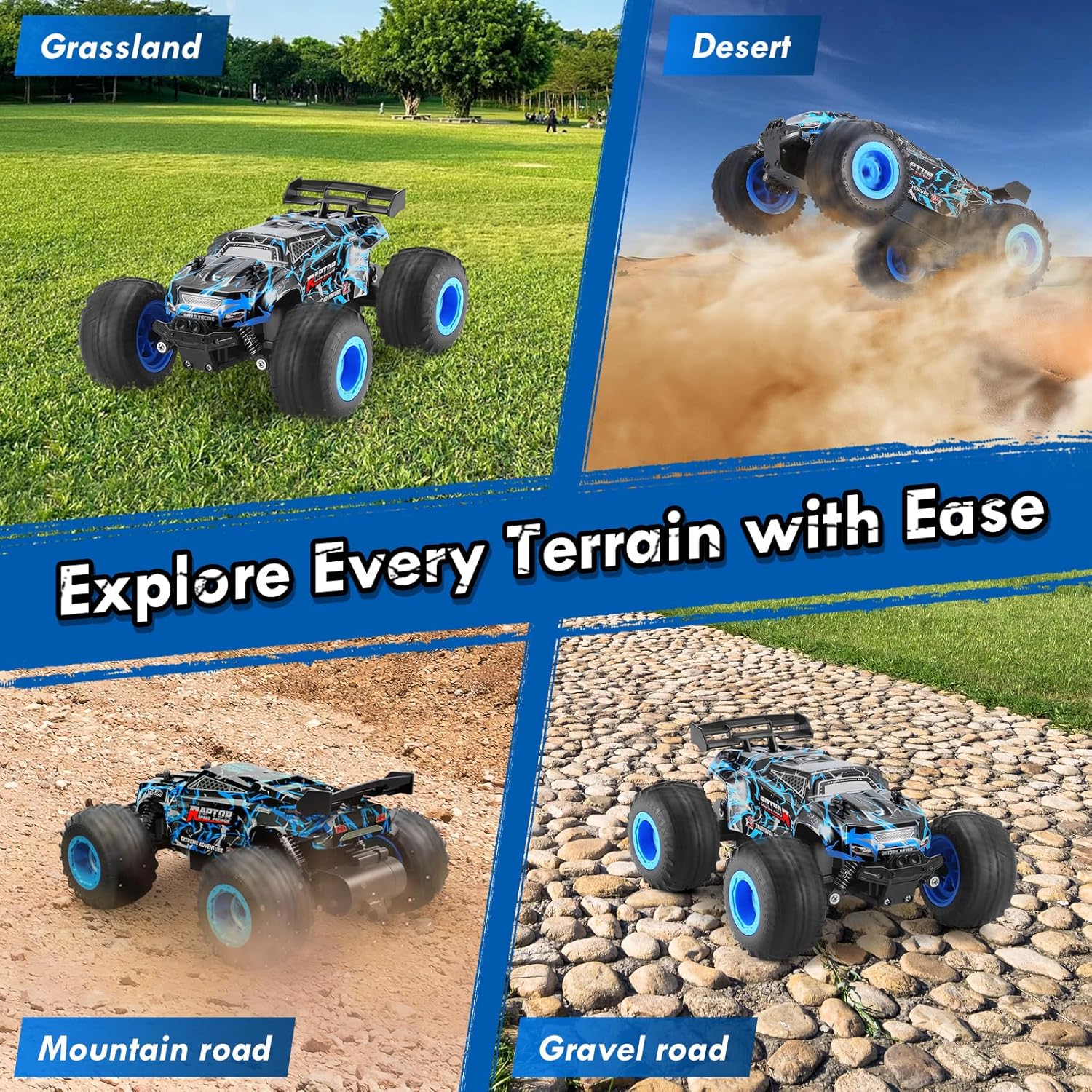
Image 4.2: The RC truck demonstrating its all-terrain capabilities.
5. 유지관리
5.1. 청소
- After use, especially on dirty or dusty surfaces, gently wipe the truck with a soft, dry cloth to remove dirt and debris.
- Avoid using water or harsh chemicals, as this can damage electronic components.
- Clean the wheels and suspension components to ensure smooth operation.
5.2. 배터리 관리 및 보관
- Always fully charge the rechargeable batteries before storage.
- Remove all batteries (truck and remote) if the product will not be used for an extended period.
- Store the truck and batteries in a cool, dry place away from direct sunlight and extreme temperatures.
5.3. 일반 검사
- Regularly check for any loose screws or damaged parts. Tighten screws as needed.
- Ensure the tires are free from embedded debris that could affect performance.
6. 문제 해결
- 트럭이 응답하지 않음: Ensure both the truck and remote control are powered ON and batteries are fully charged and correctly installed. Re-pair the devices if necessary.
- 핸들 조작 불량: Adjust the directional adjustment knob on the underside of the truck. Check for any obstructions in the steering mechanism.
- Reduced speed/power: The batteries may be low. Replace with a fully charged battery or recharge the current one.
- 조명이 작동하지 않음: Press the Lighting button on the remote control. Ensure the truck's main power is on.
7. 사양
| 특징 | 사양 |
|---|---|
| 상표 | 비피톤 |
| 모델 번호 | YT6632 |
| 규모 | 1시 18분 |
| 드라이브 시스템 | 2WD (후륜구동) |
| 최대 속도 | 20km/h (시속) |
| 제어 주파수 | 2.4GHz |
| 제어 범위 | 최대 164피트 |
| 트럭 배터리 | 2 x 3.7V 1200mAh 충전식 배터리 |
| 원격 배터리 | 2 x AA 배터리(포함) |
| Playtime per Battery | 최대 30분 |
| 충전 시간 | 배터리당 2~3시간 사용 가능 |
| 쉘 소재 | 내구성 있는 PVC |
| 섀시 소재 | 내구성 있는 ABS 플라스틱 |
| 특별 기능 | LED Lights, Independent Shock Absorbers, Anti-skid Tires, Directional Adjuster |
| 제품 치수 | 8.26 x 6.69 x 3.94 인치 |
| 품목 무게 | 14.4 온스 |
| 추천연령 | 8 - 10년 |
8. 안전 정보
- 발화원에서 멀리 보관하십시오.
- 전기적 손상을 방지하려면 물 근처나 습한 환경에서는 작동하지 마십시오.
- 특히 어린 사용자의 경우 성인의 감독이 권장됩니다.
- Avoid operating in crowded areas or near people/animals to prevent accidents.
- 제품이나 구성품을 개조하지 마십시오.
9. 보증 및 지원
This product is covered by a standard return policy. For specific warranty details, returns, or technical support, please refer to your purchase documentation or contact the retailer directly. Ensure to keep your proof of purchase for any warranty claims.