1. 서론
Thank you for choosing the MINISO Vanity Mirror with Lights. This manual provides important information regarding the safe operation, setup, and maintenance of your new mirror. Please read it thoroughly before use and retain it for future reference.
This LED makeup mirror features adjustable lighting with three color modes, touch controls for brightness, a 10X magnifying glass, and 360° rotation for optimal view각도를 나타냅니다.
2. 안전 정보
- 거울이 넘어지지 않도록 안정적이고 평평한 표면에 놓으십시오.
- Keep the mirror away from water or excessive humidity to avoid electrical hazards.
- Do not expose the mirror to direct sunlight for prolonged periods, as this may damage the LED lights or mirror surface.
- 제공된 전원 어댑터 또는 동일한 사양의 어댑터만 사용하십시오.
- 어린이의 손이 닿지 않는 곳에 보관하세요.
- 거울을 직접 분해하거나 수리하려고 하지 마십시오. 도움이 필요하시면 고객 지원 센터에 문의하십시오.
- Clean the mirror surface with a soft, dry cloth. Avoid abrasive cleaners.
3. 패키지 내용
다음 품목이 패키지에 포함되어 있는지 확인하세요.
- 미니소 조명 화장 거울
- 10X Magnifying Glass (detachable)
- 전원 어댑터
- 사용 설명서 (본 문서)
4. 설정
4.1 포장 풀기 및 배치
- 포장에서 모든 구성 요소를 조심스럽게 제거합니다.
- Place the mirror on a clean, stable, and flat surface such as a dresser or desk.
- Ensure there is adequate space around the mirror for rotation and access to controls.
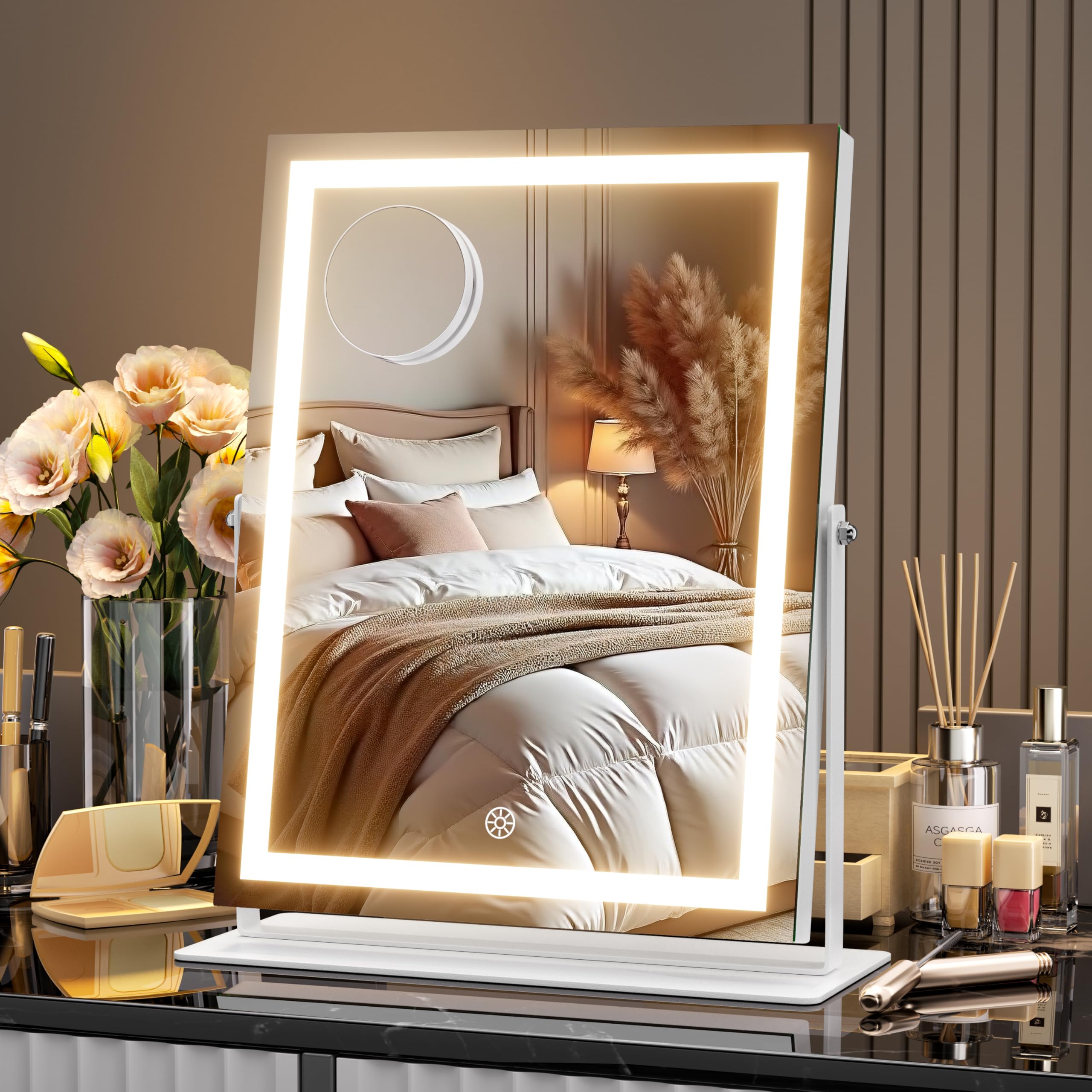
Image: The MINISO Vanity Mirror with Lights placed on a dresser, showcasing its design and size (10.6" L x 13.8" W).
4.2 전원 연결
- Connect the power adapter to the DC port on the back or side of the mirror.
- 어댑터를 표준 전기 콘센트에 꽂으세요.
5. 사용 설명서
5.1 Power On/Off and Light Control
The mirror is equipped with smart touch controls located on the mirror surface.
- 전원 켜기/끄기: Lightly touch the power icon (usually a circle or lightbulb symbol) on the mirror surface to turn the LED lights on or off.
5.2 밝기 조정
The mirror offers stepless dimming from 20% to 100% brightness.
- 밝기 조정: With the lights on, press and hold the power icon. The brightness will gradually increase or decrease. Release your finger when the desired brightness level is reached.

Image: A hand interacting with the touch control on the mirror to adjust brightness, with an overlay showing brightness levels from 20% to 100%.
5.3 색상 모드 변경
The mirror features three color temperature modes: Cool Light, Warm Light, and Natural Light.
- 색상 모드 선택: With the lights on, short press the power icon to cycle through the three color modes.

Image: Three different lighting scenarios (Cool, Warm, Natural) demonstrated on a person's reflection in the mirror, illustrating the three color modes.
5.4 360° 회전
The mirror can be rotated 360 degrees to achieve your preferred view잉 각도.
- 조정 각도: Gently hold the sides of the mirror frame and rotate it to the desired vertical or horizontal position. The sturdy base will keep it stable.

Image: A diagram illustrating the 360-degree rotation capability of the mirror, showing various angles it can be adjusted to.
5.5 Using the 10X Magnifying Glass
The detachable 10X magnifying glass is ideal for detailed tasks like eyeliner application or tweezing.
- 부착: The magnifying glass typically attaches to the main mirror surface via suction cups. Press it firmly onto the main mirror at your desired height.
- 제거: Gently lift the edge of the suction cup to release the magnifying glass.

Image: A woman applying makeup, with a close-up inset showing the use of a magnifying mirror for detailed tasks like eyeliner.
5.6개 제품 이상view 동영상
Video: An official product video from MinisoDirect demonstrating the features of the MINISO Vanity Mirror with Lights, including its 360° rotation, brightness control, and light color modes.
6. 유지관리
6.1 거울 청소
- Ensure the mirror is unplugged before cleaning.
- Wipe the mirror surface with a soft, lint-free cloth. For stubborn smudges, slightly dampen the cloth with water or a mild, non-abrasive glass cleaner.
- Avoid spraying cleaning solutions directly onto the mirror or into the frame openings.
- Do not use abrasive cleaners, alcohol, or solvents, as these can damage the mirror's finish or electronic components.
6.2 보관
- When not in use for extended periods, store the mirror in a cool, dry place, away from direct sunlight and extreme temperatures.
- Keep the mirror covered to protect it from dust.
7. 문제 해결
| 문제 | 가능한 원인 | 해결책 |
|---|---|---|
| 표시등이 켜지지 않습니다. | 전원이 연결되지 않았습니다. | Ensure the power adapter is securely plugged into the mirror and a working electrical outlet. |
| 불빛이 깜빡이거나 어둡습니다. | Low power or faulty connection. | Check power connections. Try a different outlet. Ensure the brightness is not set to the lowest level. |
| 터치 컨트롤이 반응하지 않습니다. | Dirty sensor or temporary malfunction. | Clean the touch sensor area with a dry, soft cloth. Unplug the mirror for 30 seconds and plug it back in to reset. |
| Mirror does not rotate smoothly. | Obstruction or dirty hinge. | Check for any obstructions around the base or hinge. Ensure the mirror is on a flat surface. |
8. 사양
| 특징 | 세부 사항 |
|---|---|
| 상표 | 미니소 |
| 모델 번호 | HZ2735S-W-BB |
| 제품 치수 | 10.6인치 길이 x 13.8인치 너비 |
| 프레임 소재 | 알류미늄 |
| 거울 재질 | Glass (3mm True-View HD Glass) |
| 조명 모드 | 3 Color Modes (Warm, Natural, Cool) |
| 밝기 조정 | Stepless Dimming (20%-100%) |
| 회전 | 360° 피벗 |
| 확대 | 10X (detachable magnifying glass) |
| 제어 유형 | 스마트 터치 |
| 품목 무게 | 5.86파운드 |
9. 보증 및 지원
MINISO products are designed for quality and reliability. For specific warranty information, please refer to the documentation included with your purchase or contact MINISO customer support.
If you encounter any issues or have questions regarding your MINISO Vanity Mirror, please contact our customer service team for assistance. We offer 24/7 customer care to ensure your satisfaction.
고객 서비스: Please visit the official MINISO web자세한 연락처 정보는 웹사이트 또는 판매점의 고객 지원 페이지를 참조하십시오.


