1. 서론
This manual provides essential information for the safe and efficient operation of your iSinbox YG381 4K Smart Outdoor Projector. Please read it thoroughly before using the device and retain it for future reference.
안전 정보
- l을 사용할 때 프로젝터 렌즈를 직접 쳐다보지 마십시오.amp 켜져있습니다.
- 과열을 방지하려면 프로젝터 주변을 적절하게 환기시키십시오.
- 프로젝터를 물이나 다른 액체로부터 멀리하세요.
- 장치와 함께 제공된 전원 어댑터만 사용하십시오.
- 프로젝터를 직접 분해하거나 수리하지 마십시오. 도움이 필요하면 고객 지원 센터에 문의하십시오.
2. 패키지 내용
패키지에 모든 품목이 들어 있는지 확인하세요.
- iSinbox YG381 Projector
- 리모컨 (AAA 배터리는 포함되지 않습니다)
- 전원 어댑터
- 사용자 설명서

Image 2.1: iSinbox YG381 Projector with its main components and projected screen showing various streaming apps.
3. 제품 오버view
The iSinbox YG381 projector is designed for versatile use, featuring a compact form factor and a 360° adjustable stand. It integrates a Smart Pro OS for direct access to streaming applications.
주요 특징:
- 표시하다: Native 1080p resolution, 4K support, HDR10+, 1200 ANSI lumens.
- 오디오: Dolby-certified HiFi stereo speakers, DTS decoding, eARC support, Bidirectional Bluetooth 5.3.
- 스마트 기능: Smart TV Pro OS, built-in Netflix, YouTube, Prime Video, Disney+, AI autofocus, 6D keystone correction, automatic obstacle avoidance, automatic screen alignment.
- 연결성: Wi-Fi 6, HDMI, USB.
- 설계: 360° adjustable stand, lightweight and portable.
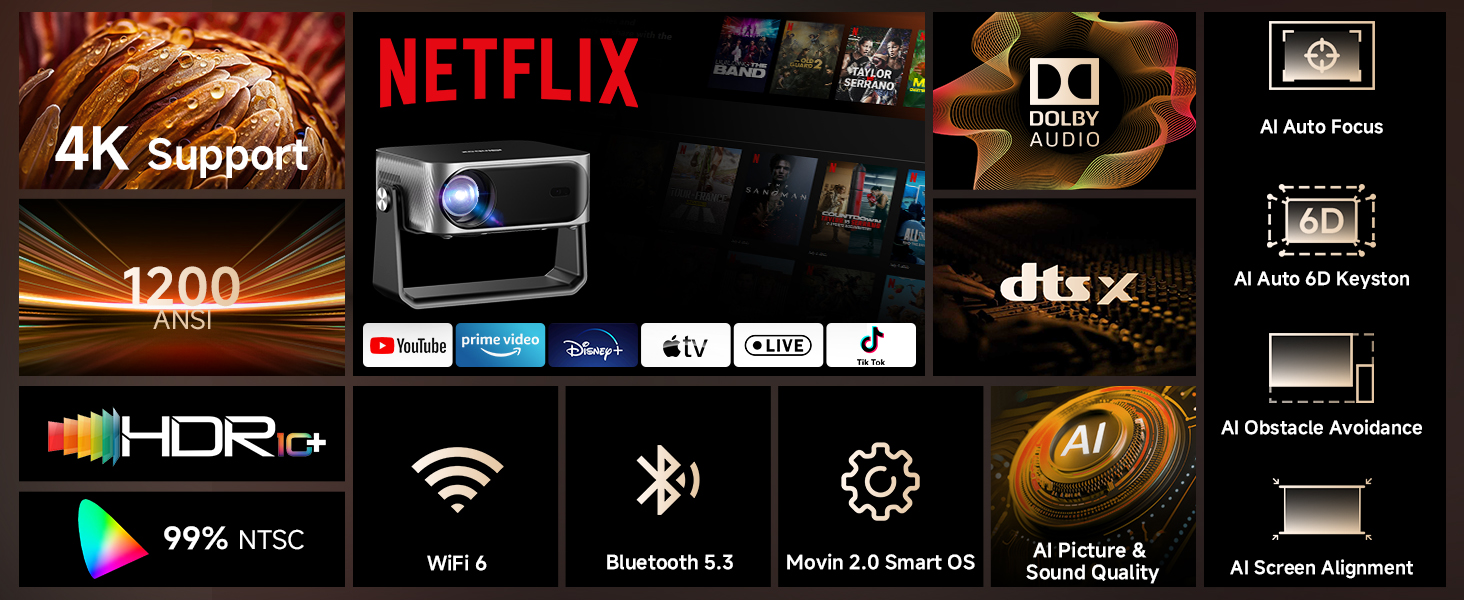
이미지 3.1: 이상view of the iSinbox YG381 projector's main features, including 4K support, 1200 ANSI, HDR10+, Dolby Audio, and AI auto-adjustments.
4. 설정
4.1 초기 전원 켜기
- 프로젝터와 전원 콘센트에 전원 어댑터를 연결하세요.
- 프로젝터나 리모컨의 전원 버튼을 눌러 전원을 켜세요.
- 화면 안내에 따라 언어를 선택하고 초기 설정을 완료하세요.
4.2 네트워크 연결
- 프로젝터의 '설정' 메뉴로 이동하세요.
- Select 'Network' or 'Wi-Fi'.
- Choose your Wi-Fi network from the list and enter the password. The projector supports Wi-Fi 6 for faster connection speeds.
4.3 Positioning and Image Adjustment
The projector features intelligent auto-adjustment capabilities:
- AI Autofocus: 프로젝터가 자동으로 이미지 선명도를 조정합니다.
- 6D 키스톤 보정: Automatically corrects image distortion from angled projections.
- 자동 장애물 회피: Detects and adjusts the image to avoid objects on the projection surface.
- 자동 화면 정렬: 화면 영역에 맞게 이미지를 최적화합니다.
These adjustments occur automatically within approximately 3 seconds when the projector is moved or repositioned. A digital zoom function (50-100%) allows for screen size adjustment without moving the unit.
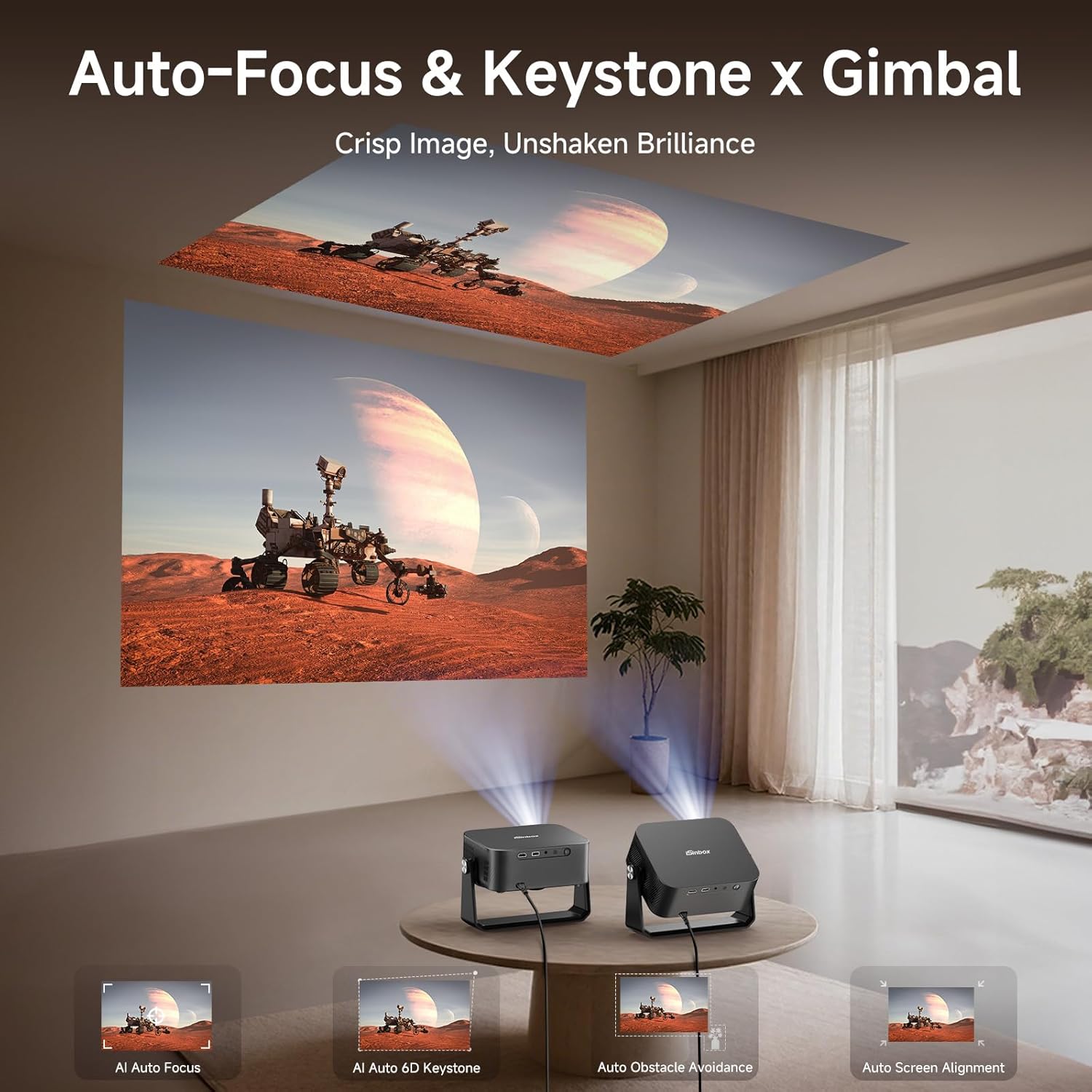
Image 4.1: The projector automatically adjusting focus and keystone for both wall and ceiling projections.
5. 프로젝터 작동
5.1 Smart TV Pro OS and Built-in Applications
The iSinbox YG381 operates on an upgraded Smart Pro OS, providing direct access to popular streaming services without external devices.
- From the home screen, select the desired application (e.g., Netflix, YouTube, Prime Video, Disney+).
- 계정 자격 증명을 사용하여 로그인하세요.
- Begin streaming content.
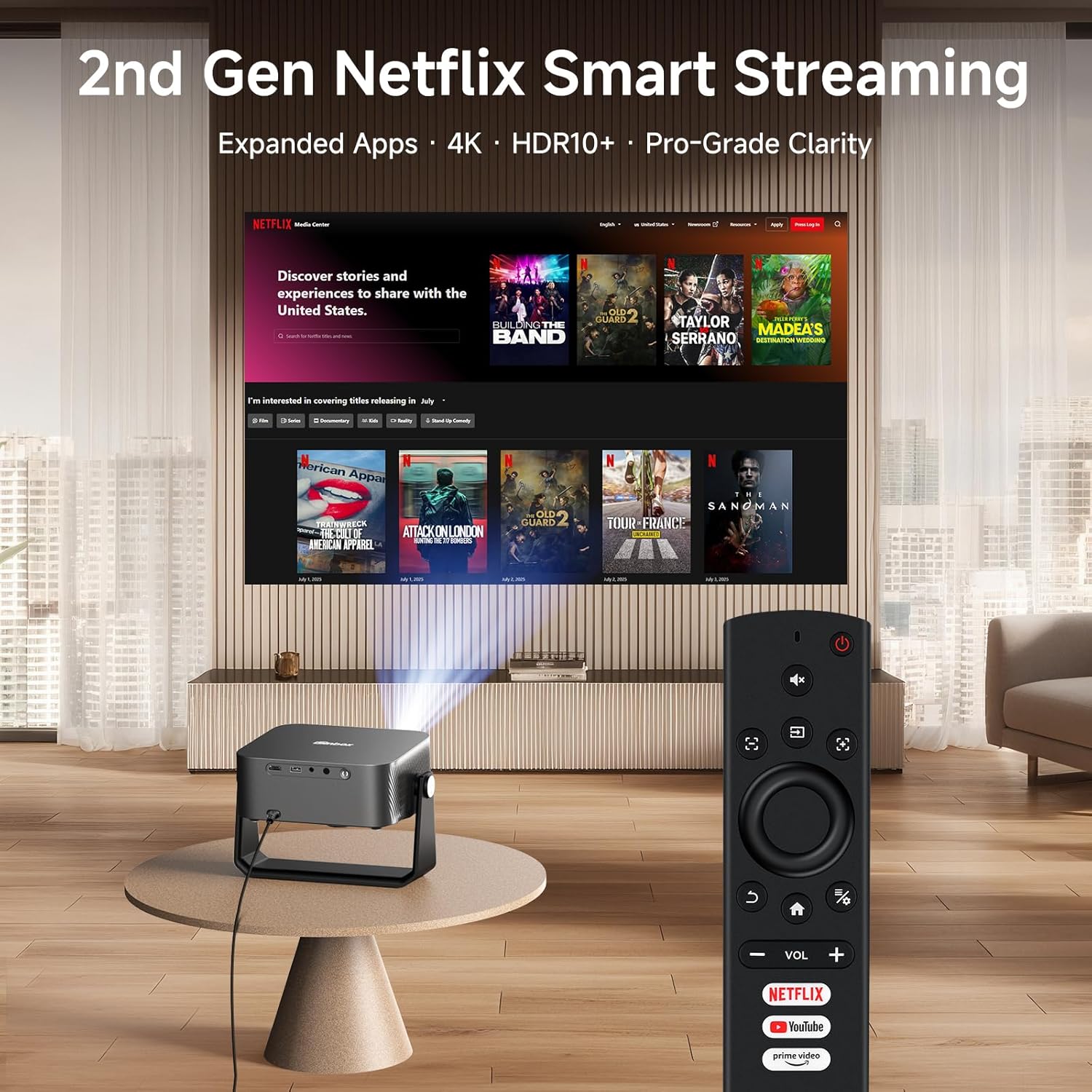
Image 5.1: The projector remote control with dedicated buttons for Netflix, YouTube, and Prime Video, simplifying access to built-in applications.
5.2 오디오 연결
The projector features Dolby-certified HiFi stereo speakers and DTS decoding technology. For external audio, use the bidirectional Bluetooth 5.3 functionality:
- 외부 스피커 연결: Pair the projector with Bluetooth speakers or headphones for enhanced audio output.
- 블루투스 스피커로 사용하기: Connect your smartphone or other Bluetooth device to the projector to use its internal speakers for audio playback.

Image 5.2: Bidirectional Bluetooth 5.3 allows the projector to connect to external speakers or function as a standalone Bluetooth speaker for a phone.
5.3 Screen Mirroring and External Devices
The projector supports seamless screen mirroring via Wi-Fi 6 and can connect to external devices via HDMI and USB.
- 화면 미러링: Use the built-in Wi-Fi 6 to mirror content from compatible devices.
- HDMI 입력: Connect gaming consoles, laptops, or other media players using an HDMI cable.
- USB 입력 : 미디어 재생 fileUSB 저장 장치에서 직접.

Image 5.3: Wi-Fi 6 technology provides a stable and fast connection for streaming and gaming, reducing lag.
6. 유지관리
6.1 프로젝터 청소
- 렌즈: 부드럽고 보풀이 없는 광학 렌즈용 천을 사용하세요. 연마성 세척제는 사용하지 마세요.
- 외부: 프로젝터 외부를 부드럽고 마른 천으로 닦으십시오. 잘 지워지지 않는 얼룩은 약간 거친 천으로 닦아내십시오.amp 천을 사용한 후 마른 천으로 닦아낼 수 있습니다.
- 통풍구 : 환기구에 먼지가 쌓였는지 주기적으로 확인하십시오. 부드러운 브러시나 압축 공기를 사용하여 막힌 부분을 살살 청소하십시오.
6.2 보관
장기간 사용하지 않을 경우 프로젝터를 직사광선과 극한 온도 변화를 피해 서늘하고 건조한 곳에 보관하십시오. 먼지와 손상을 방지하기 위해 원래 포장재 또는 보호 케이스를 사용하는 것이 좋습니다.
7. 문제 해결
If you encounter issues with your iSinbox YG381 projector, refer to the following common solutions:
| 문제 | 가능한 원인 | 해결책 |
|---|---|---|
| 이미지가 표시되지 않음 | Power cable disconnected, input source not selected, lens cap on. | 전원 연결을 확인하고 올바른 입력 소스(HDMI/USB)를 선택한 후 렌즈 캡을 제거하세요. |
| 이미지가 흐릿함 | 초점이 안 맞아서 프로젝터 위치를 옮겼습니다. | The projector features AI autofocus; if moved, it should auto-adjust. If not, check for obstructions or restart. |
| 소리가 나지 않습니다 | Volume too low, external speakers not connected, audio settings incorrect. | Increase volume, check Bluetooth connection to external speakers, verify audio output settings. |
| Wi-Fi 연결이 불안정합니다 | Distance from router, network interference. | Ensure projector is within Wi-Fi range, minimize interference from other devices. |
For issues not covered here, please contact iSinbox customer support.
8. 사양
| 특징 | 세부 사항 |
|---|---|
| 상표 | 아이신박스 |
| 모델 번호 | YG381 |
| 디스플레이 해상도 | 1920 x 1080 (Native 1080p), 4K Support |
| 명도 | 1200 ANSI 루멘스 |
| HDR 지원 | HDR10+ |
| 운영 체제 | Movin Smart OS 2.0 |
| 연결성 | Wi-Fi 6, 블루투스 5.3, HDMI, USB |
| 오디오 | Dolby Audio, DTS Decoding, eARC |
| 자동 조정 | AI Autofocus, 6D Keystone Correction, Auto Obstacle Avoidance, Auto Screen Alignment |
| 치수 | 9.19 x 7.87 x 3.07 인치(대략) |
| 무게 | 14.4온스(대략) |
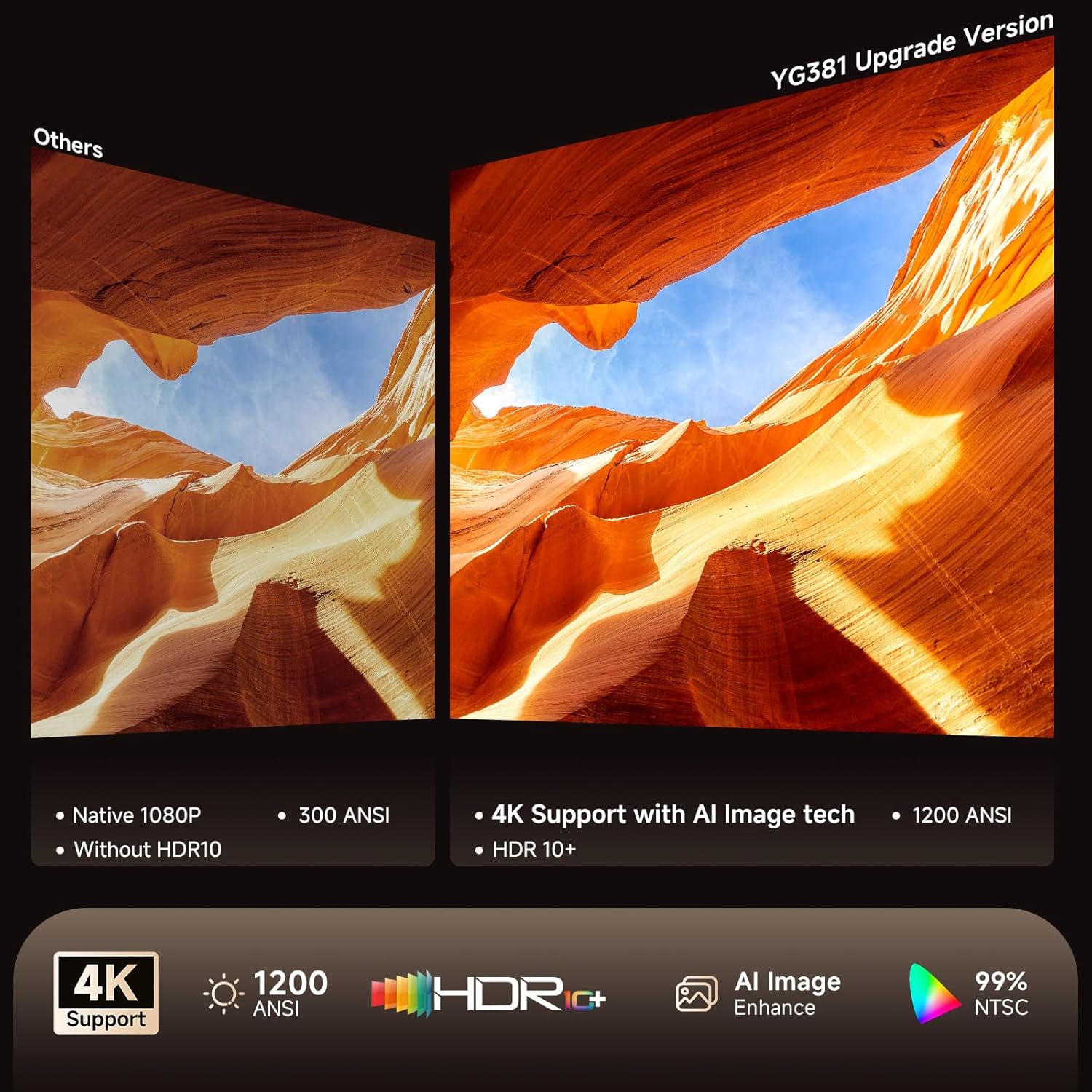
Image 8.1: Visual comparison highlighting the enhanced clarity and color accuracy with 4K support and HDR10+ on the YG381.
9. 보증 및 지원
9.1 보증 정보
The iSinbox YG381 projector comes with a 1년 무료 교체 보증 그리고 3년 한정 보증 구매일로부터. 본 보증은 정상적인 사용 중 발생한 제조상의 결함 및 고장에 적용됩니다. 보증 청구를 위해 구매 증빙 자료를 보관해 주십시오.
9.2 고객 지원
iSinbox provides 평생 기술 지원 with a 24-hour response time. For technical assistance, warranty claims, or any questions regarding your projector, please contact iSinbox customer service through the retailer's platform or the official iSinbox web대지.


