1. 서론
This manual provides essential instructions for the setup, operation, and maintenance of your Saiyin Sound Bar DS6401PB. Please read this manual thoroughly before using the product to ensure proper functionality and to prevent damage.

Image 1.1: The Saiyin Sound Bar DS6401PB positioned below a television.
2. 패키지 내용
아래 나열된 모든 품목이 패키지에 포함되어 있는지 확인하십시오. 누락되거나 손상된 품목이 있는 경우 고객 지원 센터로 문의하십시오.
- Two Tower Speakers (forming the sound bar)
- 원격 제어
- Tower Speaker Base (for vertical setup)
- 전원 어댑터
- 광케이블
- 3.5mm 오디오 케이블
- 벽면 장착 키트
- 사용 설명서 (본 문서)
- 빠른 시작 가이드
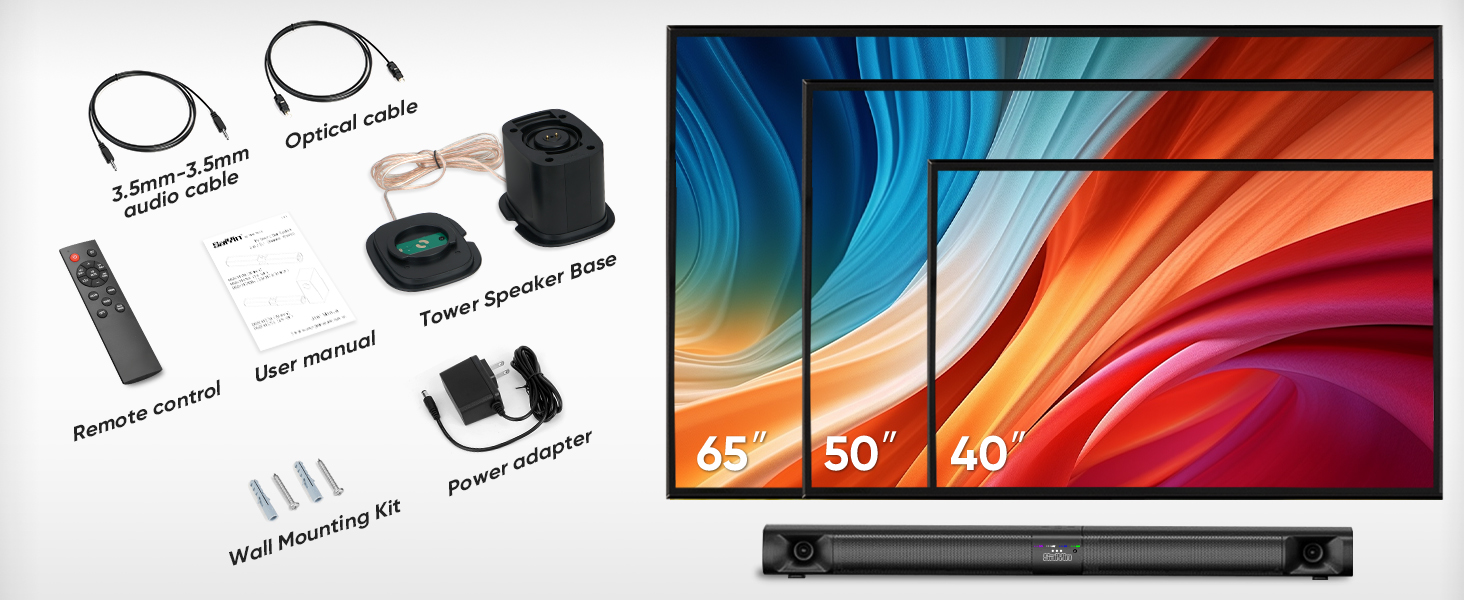
Image 2.1: All components included in the Saiyin Sound Bar DS6401PB package.
3. 제품 오버view
3.1. 특징
- 분리 가능한 디자인: The 31-inch sound bar can be used as a single horizontal unit or split into two vertical tower speakers.
- 오디오 구성요소: Features dual silk horn tweeters for clear high frequencies and four low-frequency drivers for extended bass response down to 65Hz.
- 연결성: Supports Bluetooth 5.3 for wireless audio, and wired connections via TV ARC, Optical, and AUX. Includes an extra subwoofer interface.
- 사운드 모드: Three optimized sound modes (News, Movie, Music) for various audio content.
- 배치 옵션: Suitable for desktop placement or wall mounting.
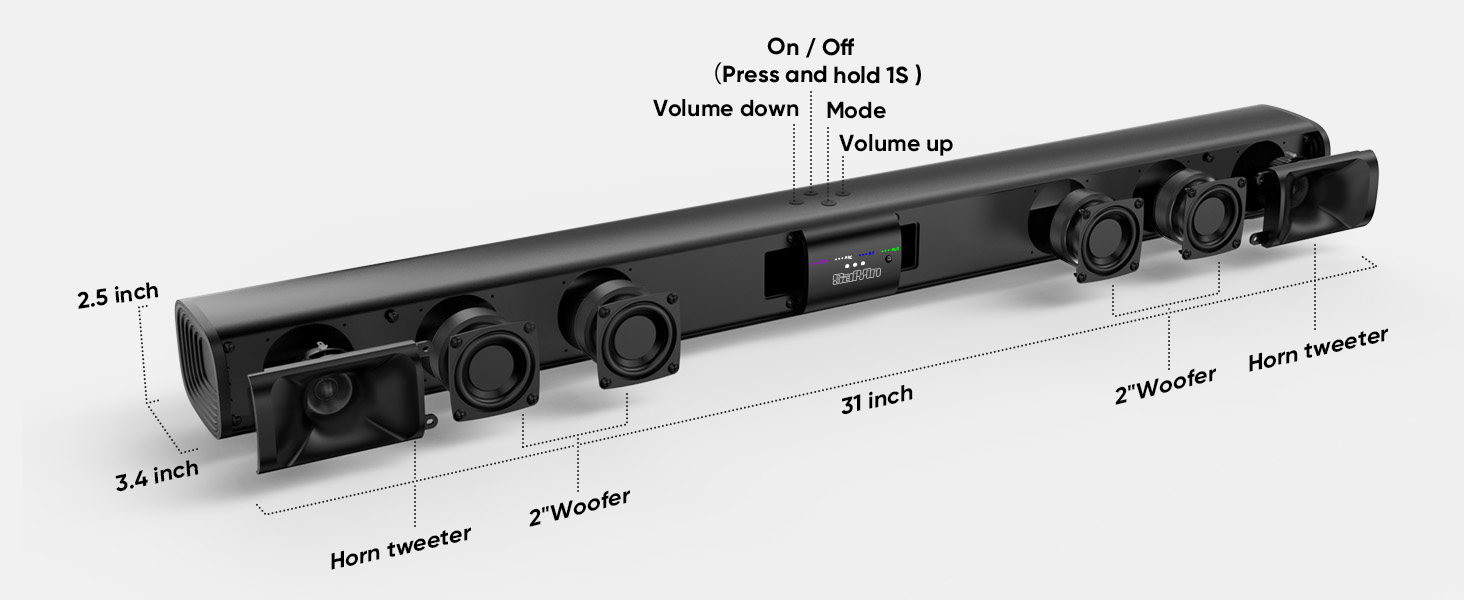
이미지 3.1: 폭발 view illustrating the internal components and control buttons of the sound bar.
3.2. 컨트롤 및 표시기
The sound bar features intuitive controls and LED indicators for easy operation.
- 전원 버튼: Press and hold for 1 second to turn on/off.
- 볼륨 버튼: 볼륨을 높이거나 낮추십시오.
- 모드 버튼: Cycle through input modes (Optical, ARC, Bluetooth, AUX).
- LED 표시등: Display the active input mode (OPT, ARC, BT, AUX).
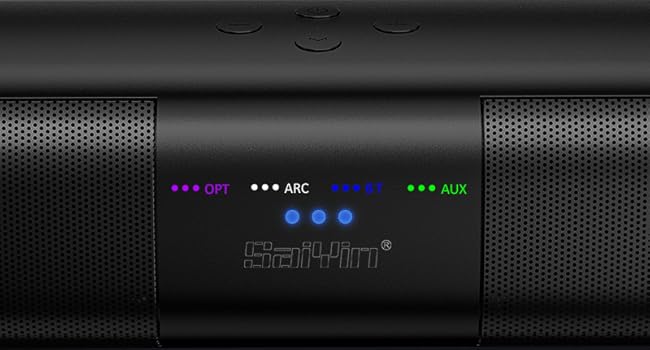
이미지 3.2: 상세 view of the LED indicators showing active input modes (OPT, ARC, BT, AUX).
3.3. 후면 패널 연결
The rear panel provides various ports for connecting to your audio sources.
- 호: HDMI ARC input for TV connection.
- 광학: Optical audio input.
- 서브 아웃: Port for connecting an external powered subwoofer.
- DC 입력 : 전원 입력.
- 보조: 3.5mm 보조 입력.
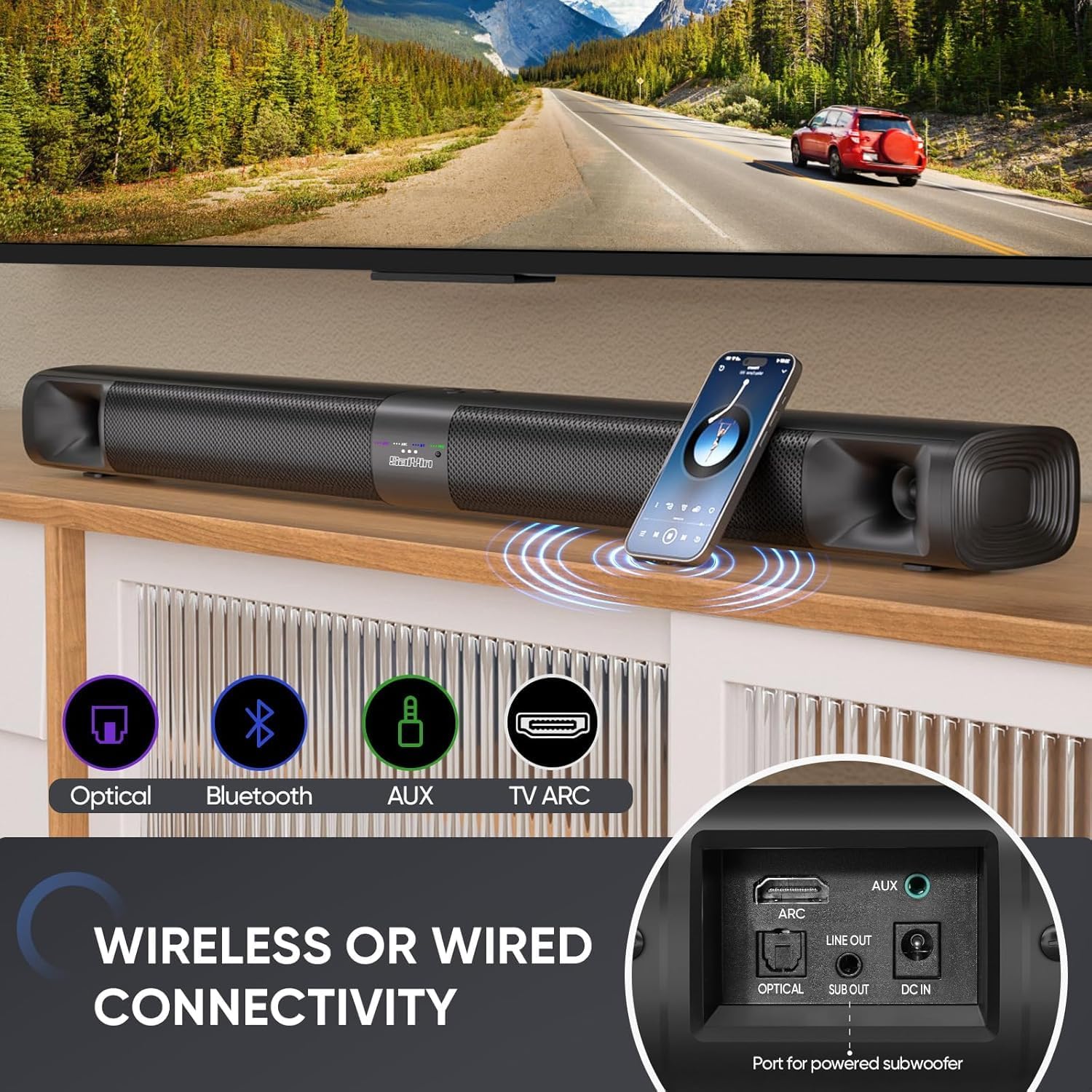
이미지 3.3: 이상view of the sound bar's connectivity ports, including Optical, Bluetooth, AUX, and TV ARC.
4. 설정
4.1. 조립 및 배치
The Saiyin Sound Bar DS6401PB offers flexible placement options: as a single horizontal sound bar or as two vertical tower speakers.
4.1.1. Detachable Assembly
To convert between the single sound bar and tower speaker configurations:
- 분리: Gently twist and pull the two halves of the sound bar apart.
- Assembling Tower Speakers: Attach each half to its respective tower speaker base. Ensure the 'A' and 'B' markings align. Rotate until securely locked.
- Assembling Sound Bar: Align the two halves of the sound bar, ensuring the 'A' and 'B' markings align. Twist and merge them into one unit.
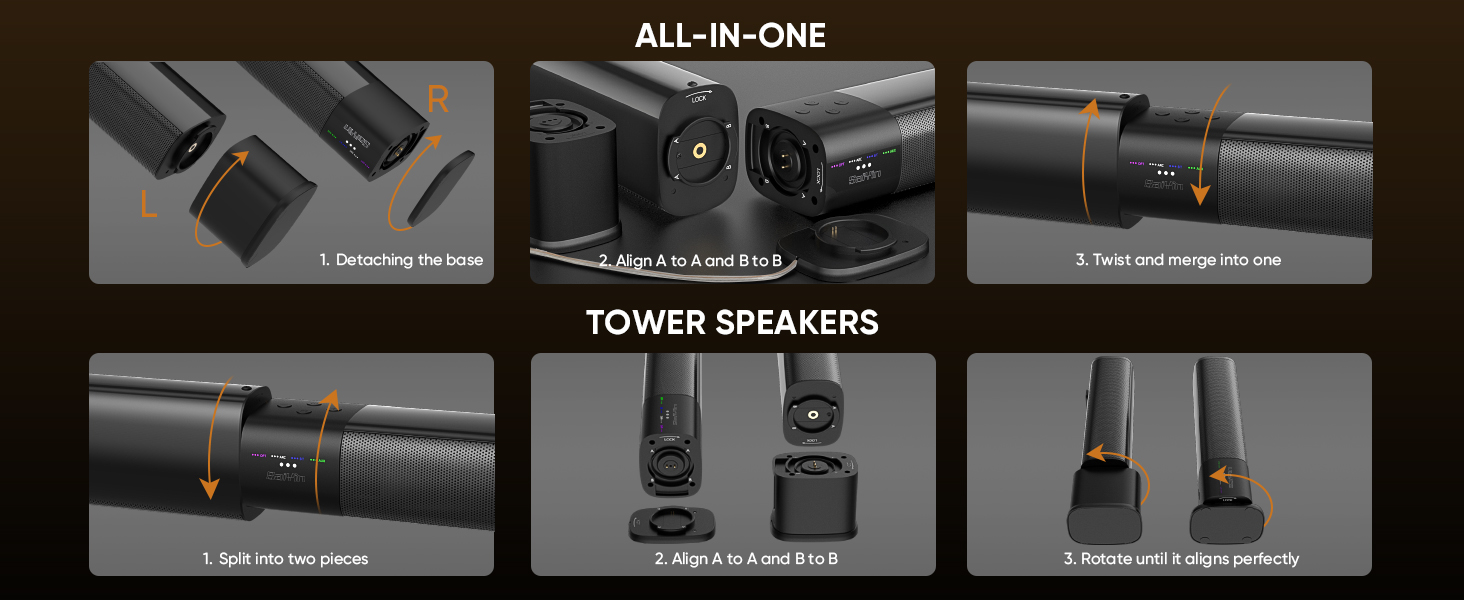
Image 4.1: Visual guide for converting the sound bar between its single unit and tower speaker configurations.
4.1.2. 배치 옵션
Choose the placement that best suits your environment and audio preference.
- Desktop Placement (Sound Bar): Place the assembled sound bar horizontally on a stable surface below your TV.
- Wall Mount (Sound Bar): Use the provided wall mounting kit to secure the sound bar horizontally to a wall.
- Desktop Placement (Tower Speakers): Place the two assembled tower speakers vertically on either side of your TV or monitor. The widened base provides stability.
- Wall Mount (Tower Speakers): Use the provided wall mounting kit to secure the two tower speakers vertically to a wall on either side of your TV.
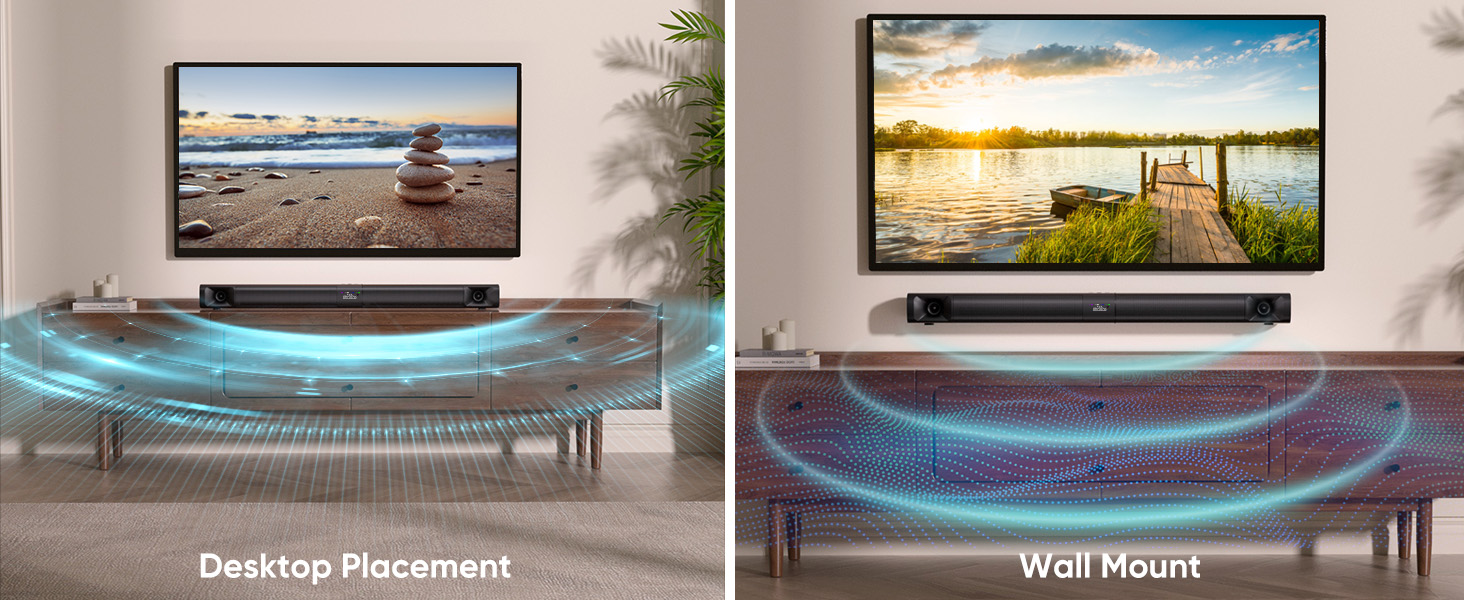
Image 4.2: Illustrates the sound bar in both desktop and wall-mounted horizontal positions.
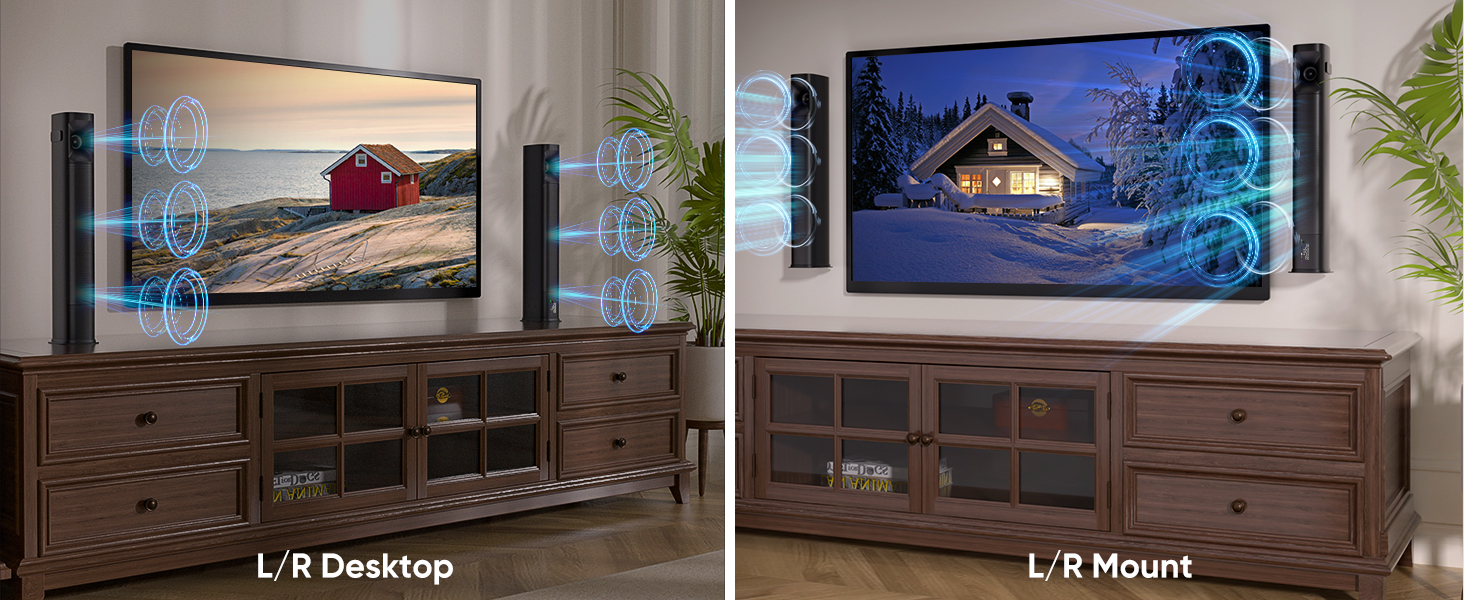
Image 4.3: Illustrates the tower speakers in both desktop and wall-mounted vertical positions.
4.2. 오디오 소스 연결
Connect the sound bar to your TV or other devices using one of the available methods.
4.2.1. Optical Cable Connection
For high-quality digital audio, use the optical cable.
- Connect one end of the optical cable to the OPTICAL port on the sound bar.
- 케이블의 다른 한쪽 끝을 TV의 광 디지털 오디오 출력 포트에 연결하십시오.
- TV에서 다음으로 이동하세요. Settings > Sound Output > Optical.
- Adjust TV audio settings: Go to Settings > Sound > Expert Settings > Digital Output Audio Format 그리고 선택하세요 PCM/Stereo Sound.
- To avoid silent or noisy output, disable Dolby/DTS on your TV and streaming apps (e.g., Netflix, Amazon Prime Video, Hulu).
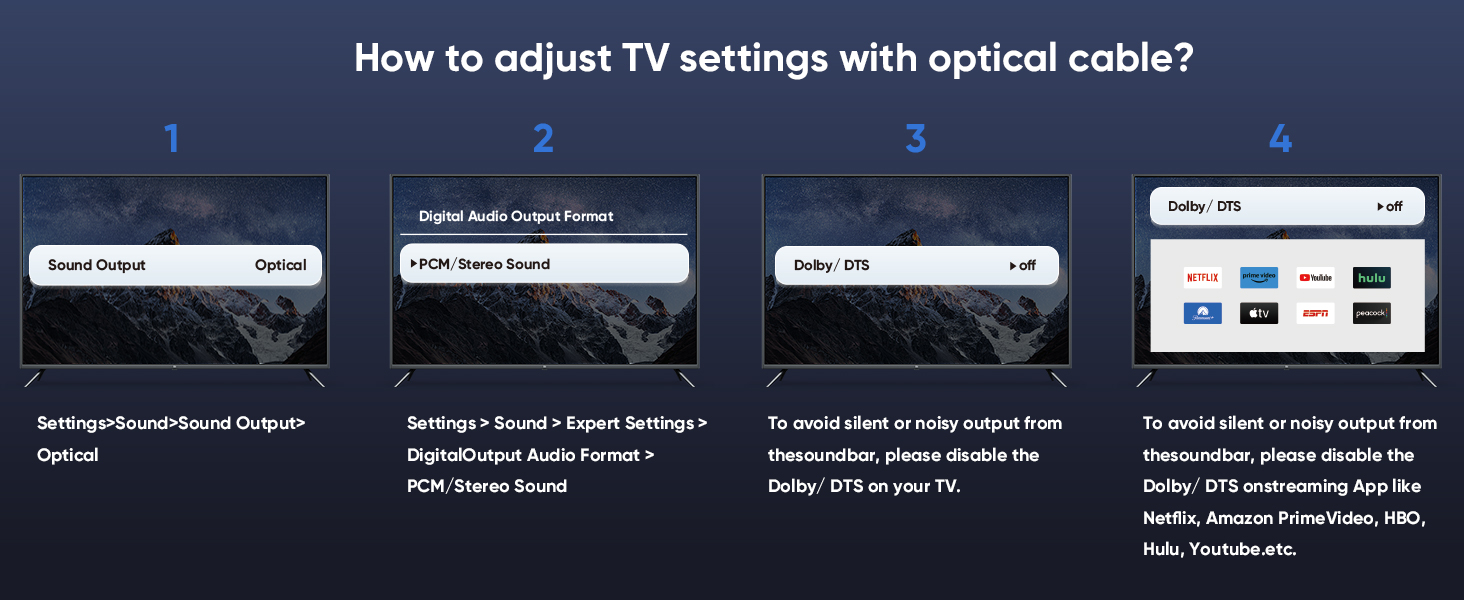
Image 4.4: Step-by-step guide for configuring TV audio settings when using an optical cable.
4.2.2. TV ARC Connection
Use an HDMI cable (not included) for TV ARC connection.
- Connect one end of an HDMI cable to the ARC port on the sound bar.
- 케이블의 다른 한쪽 끝을 TV의 HDMI ARC 포트에 연결하세요.
- Select the ARC input on the sound bar using the remote or control panel.
4.2.3. AUX 연결
For analog audio devices, use the 3.5mm audio cable.
- Connect one end of the 3.5mm audio cable to the AUX port on the sound bar.
- 다른 쪽 끝을 기기의 3.5mm 오디오 출력 포트에 연결합니다.
- 사운드바에서 AUX 입력 단자를 선택하세요.
4.2.4. 블루투스 연결
호환 장치에서 무선 오디오 스트리밍을 위해.
- Turn on the sound bar and select Bluetooth mode (BT). The BT indicator will flash.
- 모바일 기기(스마트폰, 태블릿 등)에서 Bluetooth를 활성화하세요.
- 검색 "Saiyin DS6401PB" in the list of available devices and select it to pair.
- Once paired, the BT indicator will stop flashing and remain solid.
4.2.5. 서브우퍼 연결
To enhance bass, connect an external powered subwoofer (not included) to the SUB OUT port on the sound bar.
4.3. 전원 켜기
After connecting your audio source and power adapter:
- 전원 어댑터를 사운드바의 DC IN 포트에 연결하십시오.
- 전원 어댑터를 벽면 콘센트에 꽂으세요.
- Press and hold the power button on the sound bar or remote control for 1 second to turn it on.
5. 사용 설명서
5.1. 리모컨 사용
The included remote control allows full functionality of the sound bar.
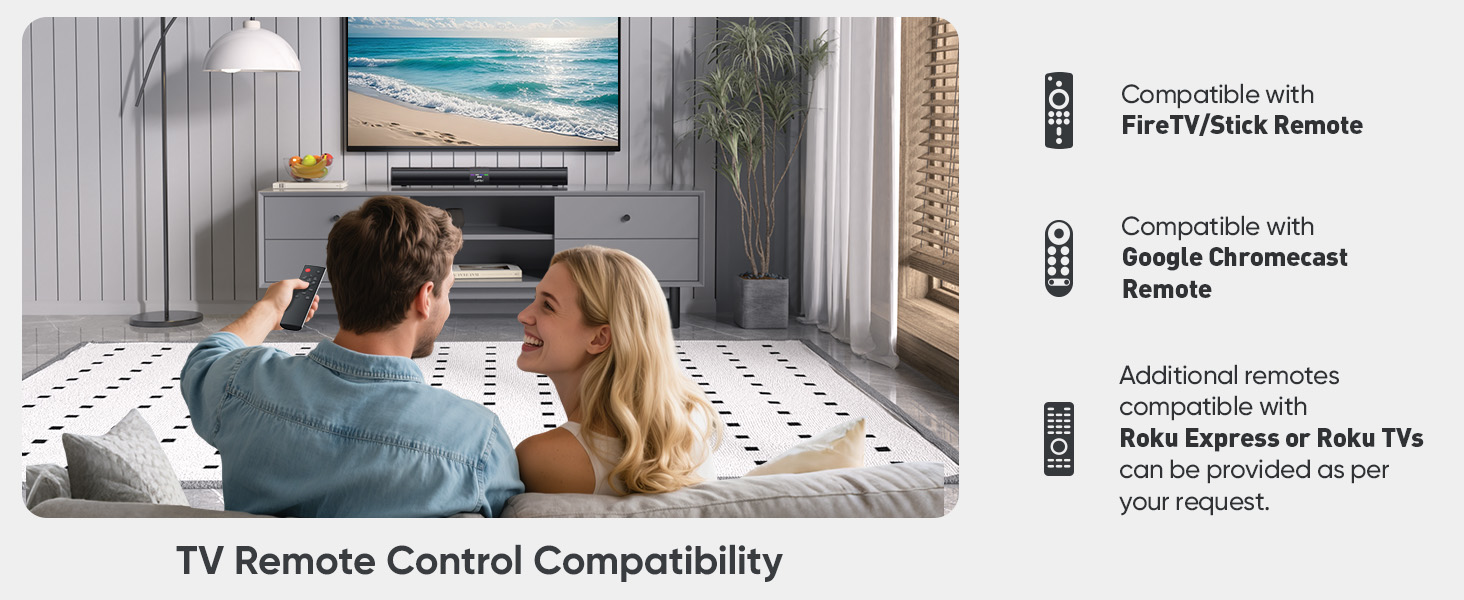
Image 5.1: The sound bar's remote control and its compatibility with FireTV/Stick, Google Chromecast, and Roku remotes.
5.2. Selecting Sound Modes
Optimize your audio experience by choosing one of the three preset sound modes.
- 뉴스 모드: Enhances vocal clarity for dialogue-heavy content.
- 영화 모드 : 역동적이고 몰입감 넘치는 사운드를 제공합니다.tag영화를 위한 e.
- 음악 모드: Delivers balanced audio reproduction for music listening.
Press the corresponding button on the remote control to switch between modes.
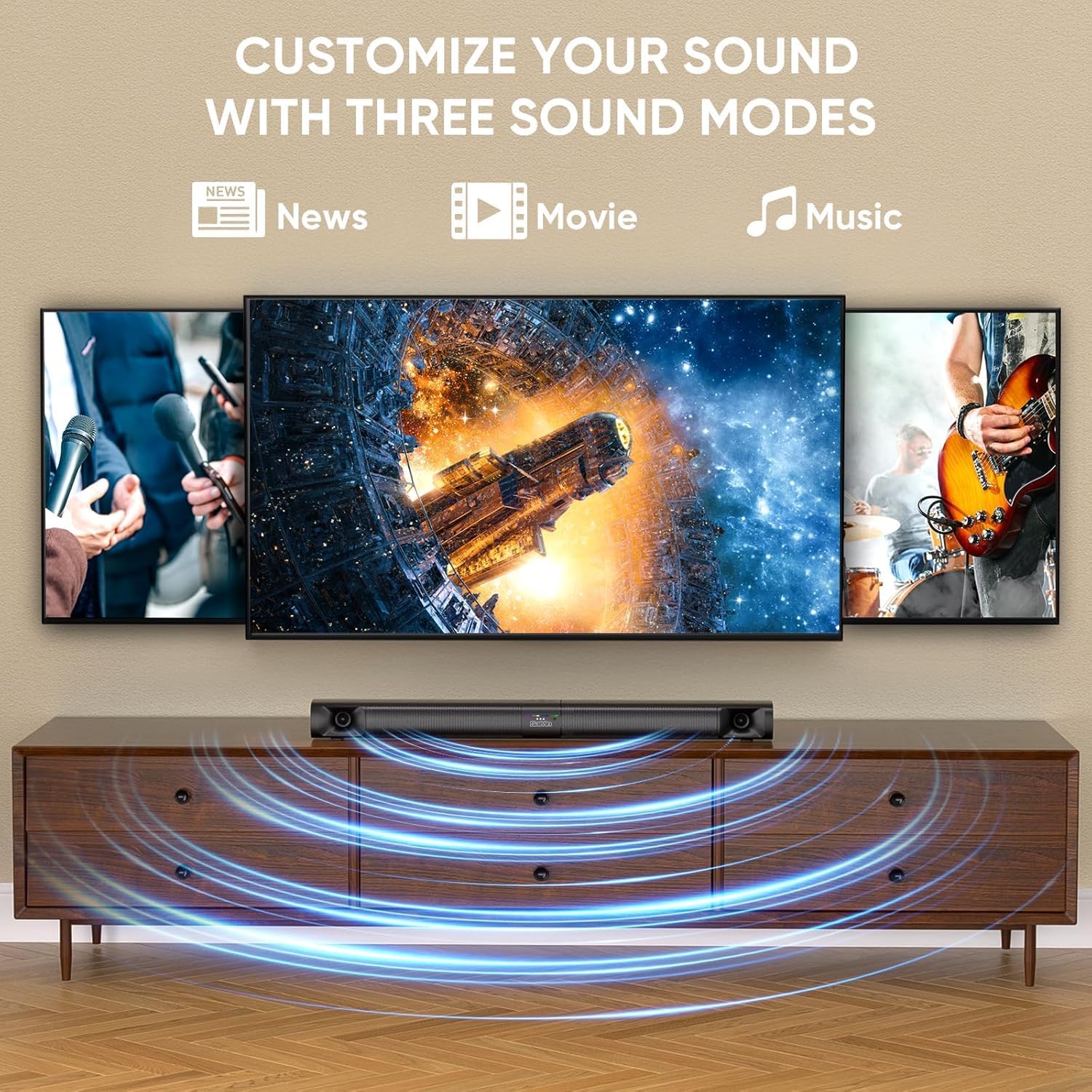
Image 5.2: Visual representation of the three customizable sound modes: News, Movie, and Music.
6. 유지관리
사운드바의 수명과 최적의 성능을 유지하려면 다음 유지 관리 지침을 따르십시오.
- 청소: 부드럽고 마른 천으로 사운드바 표면을 닦으십시오. 액체 세척제나 연마성 재질은 사용하지 마십시오.
- 통풍: 과열을 방지하려면 사운드 바의 통풍구가 막히지 않았는지 확인하세요.
- 저장: 사운드바를 장기간 보관할 경우 전원을 분리하고 서늘하고 건조한 곳에 보관하세요.
- 습기를 피하세요: 사운드바를 물과 높은 습도로부터 멀리하십시오.
7. 문제 해결
사운드바에 문제가 발생하면 다음의 일반적인 문제 및 해결 방법을 참조하십시오.
| 문제 | 가능한 원인 | 해결책 |
|---|---|---|
| 소리가 나지 않습니다 |
|
|
| 블루투스 연결 해제 |
|
|
| 리모컨이 작동하지 않음 |
|
|
| 왜곡된 소리 |
|
|
8. 사양
| 특징 | 사양 |
|---|---|
| 모델명 | Saiyin Soundbar DS6401PB |
| 스피커 유형 | Soundbar (Detachable) |
| 연결 기술 | Bluetooth 5.3, TV ARC, Optical, AUX |
| 오디오 출력 모드 | 스테레오(2.0채널) |
| 스피커 최대 출력 전력 | 90 와트 |
| 주파수 응답 | Down to 65Hz (low-frequency drivers) |
| 제어 방법 | 리모컨, 유닛 버튼 |
| 장착 유형 | 벽걸이형, 탁상형 |
| 제품 치수(사운드바) | 가로 31인치, 세로 3.4인치, 높이 2.5인치 |
| 품목 무게 | 5.02파운드 |
| 제조업체 | Shenzhen Saiyin Electronics Co.,Ltd. |
9. 보증 및 지원
9.1. 보증 정보
The Saiyin Sound Bar DS6401PB comes with a 12개월 보증 구매일로부터 적용됩니다. 본 보증은 정상적인 사용 조건에서 발생하는 제조상의 결함 및 제작상의 하자에 적용됩니다. 단, 오용, 사고, 무단 개조 또는 부적절한 설치로 인한 손상은 보증 대상에서 제외됩니다.
9.2. 고객 지원
For technical assistance, warranty claims, or any questions regarding your Saiyin Sound Bar DS6401PB, please contact our customer support team. Refer to the contact information provided in your quick start guide or on the official Saiyin web대지.


