1. 서론
This manual provides detailed instructions for the ECHTPower Wireless Controller, designed for seamless compatibility with Nintendo Switch, Switch Lite, iOS, Android, and PC. This versatile controller features a robust 1000mAh battery, customizable 9-color RGB lighting, Bluetooth connectivity, programmable macro buttons, precise 6-axis gyro, immersive dual vibration, and convenient turbo functions.
Please read this manual thoroughly before using the controller to ensure proper operation and to maximize your gaming experience.
2. 패키지 내용
패키지에 모든 품목이 들어 있는지 확인하세요.
- 1 x ECHTPower Wireless Controller
- 1 x USB 충전 케이블
- 1 x 사용자 매뉴얼(이 문서)
3. 제품 오버view
The ECHTPower Wireless Controller features an ergonomic design with a standard gamepad layout, ensuring comfortable use during extended gaming sessions. Key components include:
- Dual Analog Sticks with RGB lighting
- 방향 패드(D-패드)
- ABXY Action Buttons
- 왼쪽/오른쪽 어깨 단추
- ZL/ZR Trigger Buttons
- 홈 버튼
- 캡처 버튼
- 플러스(+) 및 마이너스(-) 버튼
- Two Programmable Macro Buttons (M1, M2) on the rear

그림 3.1: 전면 view of the ECHTPower Wireless Controller.

그림 3.2: 후면 view of the ECHTPower Wireless Controller highlighting the M1 and M2 buttons.
4. 설정
4.1 컨트롤러 충전
Before first use, fully charge the controller. Connect the included USB charging cable to the controller's charging port and the other end to a USB power source (e.g., console, PC, or USB wall adapter). The controller's indicator lights will show charging status. A full charge typically takes 2-3 hours.
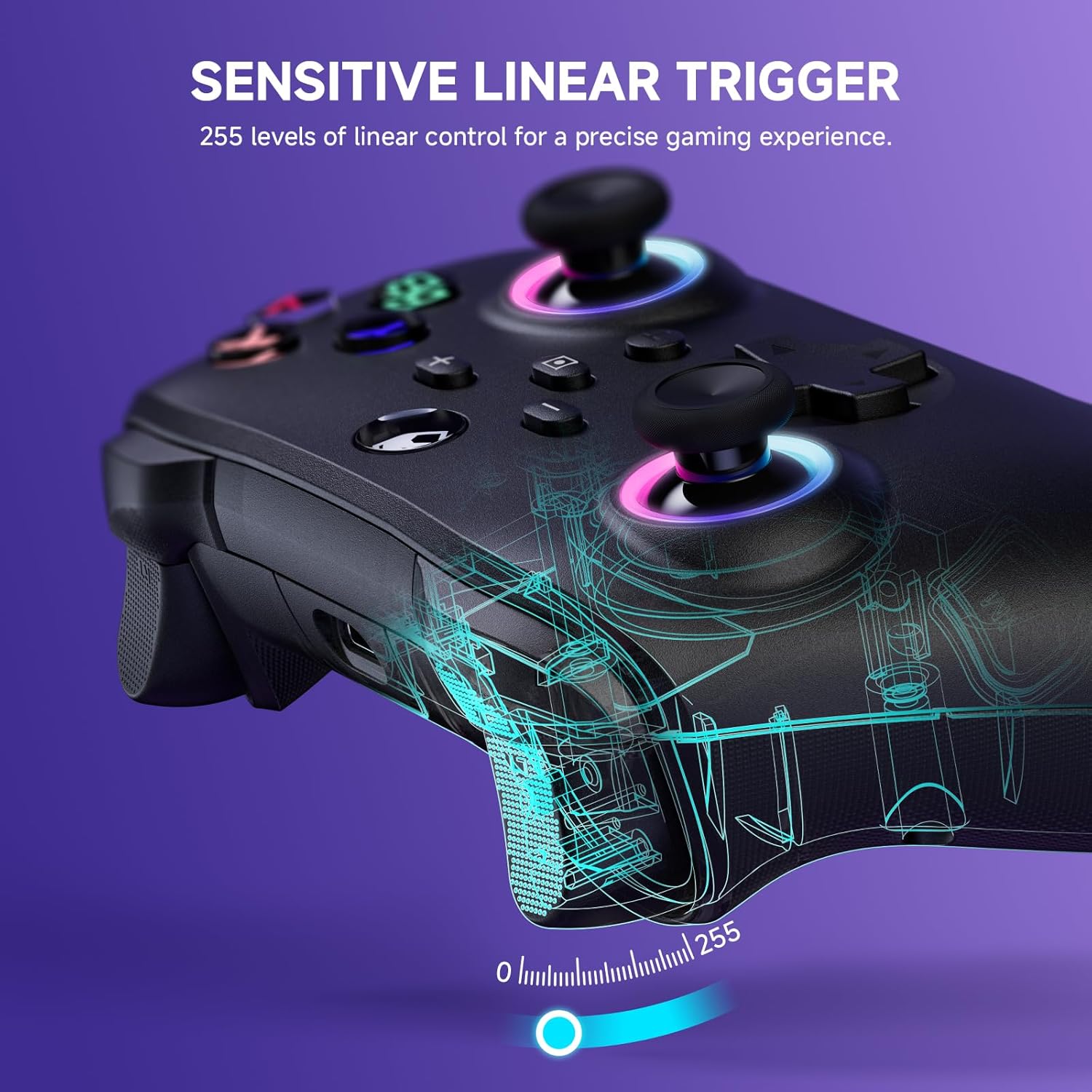
Figure 4.1: Charging the controller and battery life indication.
4.2 장치와의 페어링
The controller supports both wireless (Bluetooth) and wired connections across multiple platforms.
4.2.1 무선 연결(블루투스)
For the first-time connection, ensure the controller is sufficiently charged.
- 닌텐도 스위치/스위치 라이트: From the HOME Menu, select 'Controllers' > 'Change Grip/Order'. While on this screen, press and hold the Y + 집 buttons on the ECHTPower controller simultaneously until the indicator lights begin to flash rapidly. Once paired, the corresponding player indicator light will illuminate solid.
- iOS/안드로이드: Enable Bluetooth on your mobile device. On the controller, press and hold the Y + 집 buttons until the indicator lights flash. Select 'ECHTPower Controller' from the list of available Bluetooth devices on your phone/tablet.
- PC: Ensure your PC has Bluetooth enabled. Press and hold the Y + 집 buttons on the controller. In your PC's Bluetooth settings, add a new device and select 'ECHTPower Controller'.
이후 연결을 위해서는 버튼을 누르기만 하면 됩니다. 집 button on the controller to wake up and automatically reconnect to the last paired device.
4.2.2 유선 연결
Connect the controller to your device (e.g., PC, Switch dock) using the USB charging cable. The controller will automatically switch to wired mode. This mode is ideal for stable connections and charging during gameplay.
5. 사용 설명서
5.1가지 RGB 조명 효과
The controller features 9 different color effects and 3 distinct light models, with 4 levels of brightness adjustment (25%, 50%, 75%, 100%).
- 기본 모드: Breathing cycle when powered on.
- 스위칭 효과: Press specific key combinations (refer to the quick start guide included with the controller for exact button presses) to cycle through the light effects. The sequence of modes is: Breathing Cycle > Laser Mode > Neon Mode.
- 밝기 조정: Use the designated button combination to adjust the brightness levels.

Figure 5.1: RGB Lighting on the controller.
5.2 Programmable Macro Buttons (M1, M2)
The M1 and M2 buttons on the back of the controller can be programmed to map single or multiple button functions, allowing for complex skill execution with a single press.
- 프로그램 작성: Enter programming mode (refer to the quick start guide for specific button combinations). Select the button(s) you wish to map, then press M1 or M2 to save the macro.
- 용법: Once programmed, pressing M1 or M2 will execute the mapped sequence of actions.
5.3 터보 기능
The turbo function allows for rapid, automatic pressing of a button, available in both auto and manual modes with three adjustable speeds: 5 rounds/s, 12 rounds/s, and 25 rounds/s.
- 터보 활성화: Select the desired button, then activate turbo mode (refer to the quick start guide for specific button combinations).
- 속도 조정: Cycle through the turbo speeds using the designated button combination.

Figure 5.2: Turbo Function illustration.
5.4 조절 가능한 이중 진동
Built-in dual vibration motors provide haptic feedback with four adjustable levels: Strong, Medium, Weak, and None. This enhances game immersion.
- 진동 조절: Press the designated button combination to cycle through the vibration intensity levels to suit your preference.

Figure 5.3: Dual Vibration feature.
5.5 6축 자이로 센서
The integrated 6-axis gyro sensors enable precise motion perception control, providing a realistic gaming experience, particularly in games that utilize motion controls.
6. 사양
| 특징 | 세부 사항 |
|---|---|
| 모델 번호 | B0F845S96R |
| 연결성 | 블루투스, 유선(USB) |
| 배터리 용량 | 1000mAh |
| 충전 시간 | 약 2-3시간 |
| 플레이 시간 | Approx. 6-8 hours (with lights on) |
| 호환성 | Nintendo Switch/Switch Lite, iOS, Android, PC |
| 자이로 센서 | 6축 |
| 진동 | 듀얼 모터, 4단계 조절 가능 |
| RGB 조명 | 9 colors, 3 modes, 4 brightness levels |
| 치수 | 6.3 x 4.72 x 2.72 인치 |
| 무게 | 9.91 온스 |
7. 유지관리
7.1 청소
To clean the controller, use a soft, dry cloth. Do not use abrasive cleaners, solvents, or strong chemicals, as these may damage the surface or internal components.
7.2 보관
컨트롤러는 직사광선, 극한 온도 및 높은 습도를 피해 서늘하고 건조한 곳에 보관하십시오. 컨트롤러 위에 무거운 물건을 올려놓지 마십시오.
8. 문제 해결
8.1 컨트롤러가 연결/페어링되지 않음
- 컨트롤러가 완전히 충전되었는지 확인하세요.
- 장치에서 Bluetooth가 활성화되어 있는지 확인하십시오.
- 4.2.1절의 단계에 따라 컨트롤러를 다시 페어링해 보세요.
- If connecting to PC, ensure necessary drivers are installed (usually automatic).
- 기본 기능을 확인하려면 유선 모드로 연결해보세요.
8.2 입력 지연 또는 무반응
- Check the controller's battery level; low battery can affect performance.
- Ensure there are no strong wireless interference sources nearby (e.g., other Bluetooth devices, Wi-Fi routers).
- 연결된 장치에 더 가까이 다가가 보세요.
- Switch to wired mode to see if the issue persists.
8.3 버튼이나 조이스틱이 응답하지 않음
- 컨트롤러와 연결된 장치를 다시 시작하세요.
- 버튼이나 조이스틱 주위에 이물질이 끼지 않았는지 확인하세요.
- 문제가 지속되면 고객 지원에 문의하십시오.
9. 보증 및 지원
The ECHTPower Wireless Controller comes with a standard manufacturer's warranty. Please refer to the warranty card included in your package for specific terms and conditions.
If you encounter any issues not covered in this manual or require further assistance, please do not hesitate to contact ECHTPower customer support. Contact information can typically be found on the product packaging or the official ECHTPower web대지.


