제품 끝view
The WOBANE LED Puck Lights provide efficient and customizable illumination for various indoor spaces. This kit includes linkable LED puck lights with a convenient dimmer switch, designed for easy installation and safe operation.
- 링크 가능한 디자인: Lights connect with a single cable, reducing wire clutter.
- 조정 가능한 밝기: Control light intensity with the integrated dimmer switch.
- 안전한 저볼륨tage: Operates on DC 24V with an ETL Listed power supply, ensuring safety.
- 간편한 설치: Features 3M adhesive tape for screw-free mounting, protecting furniture. All necessary accessories are included.
상자 안에 무엇이 들어있나요?
설치를 시작하기 전에 모든 구성 요소가 있는지 확인하세요.
- 6x LED Puck Lights
- 1x 전원 어댑터
- 1x Dimmer Switch
- Connection Cables and Accessories (e.g., cable clips, 3M adhesive)
- 1x 사용 설명서(이 문서)

Image: All components included in the WOBANE LED Puck Lights kit, laid out for inspection.
설정 및 설치
Follow these steps for proper installation of your WOBANE LED Puck Lights.
- 계획 배치: Determine the desired locations for each puck light under your cabinet, shelf, or display area. Consider the cable lengths and power outlet proximity.
- 표면 준비: 최적의 접착력을 위해 부착할 표면이 깨끗하고 건조하며 매끄러운지 확인하십시오.
- Attach Puck Lights: Peel the backing from the 3M adhesive tape on each puck light and firmly press it onto the chosen surface. Hold for a few seconds to secure.
- 연결 조명: Connect the puck lights to each other using the provided connection cables. Ensure secure connections.
- Connect Dimmer Switch and Adapter: Connect the dimmer switch to the main cable line, and then connect the power adapter to the dimmer switch. Plug the adapter into a standard electrical outlet.
- 케이블 관리: Use the included cable clips to neatly route and secure all cables, preventing them from hanging loosely. This ensures a tidy and safe installation.

Image: Visual guide for installation, demonstrating how to attach puck lights and manage wiring for both concealed and open installations.

Image: Illustration comparing the streamlined connection cable system of WOBANE lights to a more complex splitter-based system.

Image: A comprehensive diagram detailing the connections between the power adapter, dimmer switch, and the six puck lights, including cable measurements.
작동 지침
The WOBANE LED Puck Lights are designed for simple operation.
- 전원 켜기/끄기: The dimmer switch controls the power. Turn the rotary dial clockwise to turn the lights on and increase brightness. Turn counter-clockwise to decrease brightness and turn off the lights.
- 밝기 조정: Rotate the dimmer switch dial to achieve your desired light intensity, from a soft glow to full brightness.
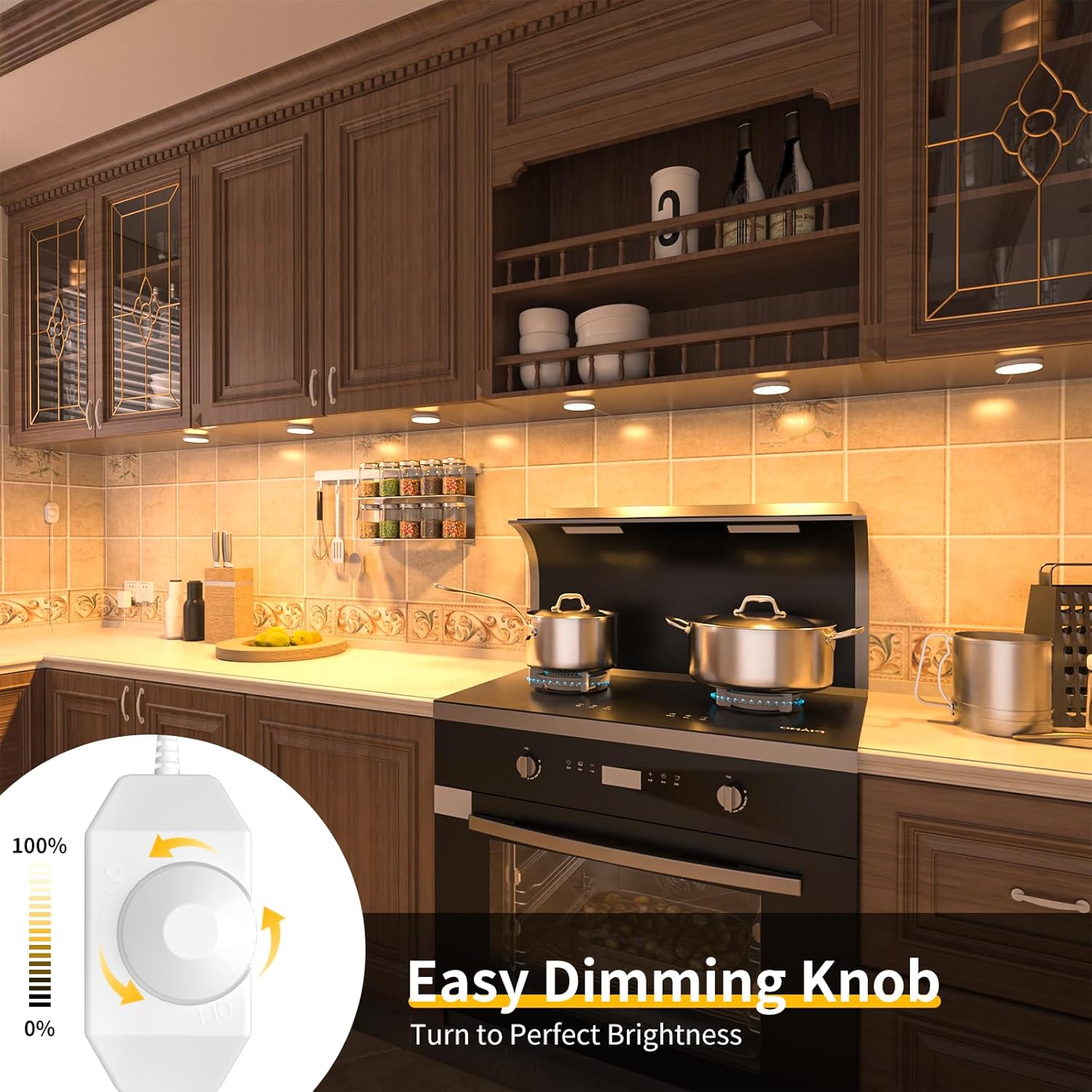
Image: A kitchen setting with under-cabinet lighting, illustrating the use of the rotary dimmer switch to adjust light intensity.
유지
These LED puck lights require minimal maintenance.
- 청소: Disconnect power before cleaning. Wipe the lights gently with a soft, dry cloth. Do not use abrasive cleaners or solvents.
- 접착력 확인: Periodically check the adhesive to ensure the lights remain securely attached.
- 케이블 검사: Regularly inspect cables for any signs of damage or wear.
문제 해결
If you encounter issues with your WOBANE LED Puck Lights, refer to the following common solutions:
| 문제 | 가능한 원인 | 해결책 |
|---|---|---|
| 표시등이 켜지지 않습니다. | No power, loose connection, dimmer switch off. | Check if the power adapter is securely plugged in. Ensure all cable connections are firm. Rotate the dimmer switch clockwise to turn on and increase brightness. |
| 조명이 어둡거나 깜빡입니다. | Dimmer setting too low, power issue. | Adjust the dimmer switch to a higher brightness setting. Verify the power adapter is functioning correctly. |
| 일부 퍽 라이트가 작동하지 않습니다. | Loose connection to individual light. | Check the connection cable to the non-working puck light. Ensure it is fully inserted. |
명세서
| 특징 | 세부 사항 |
|---|---|
| 상표 | 워베인 |
| 모델명 | CP01 |
| 광원 유형 | 주도의 |
| 색온도 | 2700 켈빈(웜화이트) |
| 명도 | 1050루멘(총) |
| 왓tage | 12.5 와트 |
| 권tage | 24볼트(DC) |
| 전원 | 교류/직류 |
| 설치 유형 | Flush Mount (with 3M adhesive) |
| 재료 | 플라스틱 |
| 제품 치수 | 전체 포장 크기: 길이 5인치 x 너비 2인치 x 높이 2인치 |
| 품목 무게 | 10.2 온스 |
| 실내/실외 사용 | 실내 |
| 특징 | Energy Efficient, Lightweight |
| 컨트롤러 유형 | 로터리 스위치 |

Image: Display shelves illuminated by WOBANE puck lights, emphasizing their bright and efficient glow.

Image: The 24V low voltage power adapter, ensuring safe operation without overheating.
보증 및 지원
The WOBANE LED Puck Lights come with a Limited Warranty. For specific warranty details, please refer to the documentation included in your product packaging or contact WOBANE customer support.
For technical assistance or customer service inquiries, please visit the official WOBANE web사이트를 방문하거나 지원팀에 직접 문의하세요.


