1. 소개 및 이상view
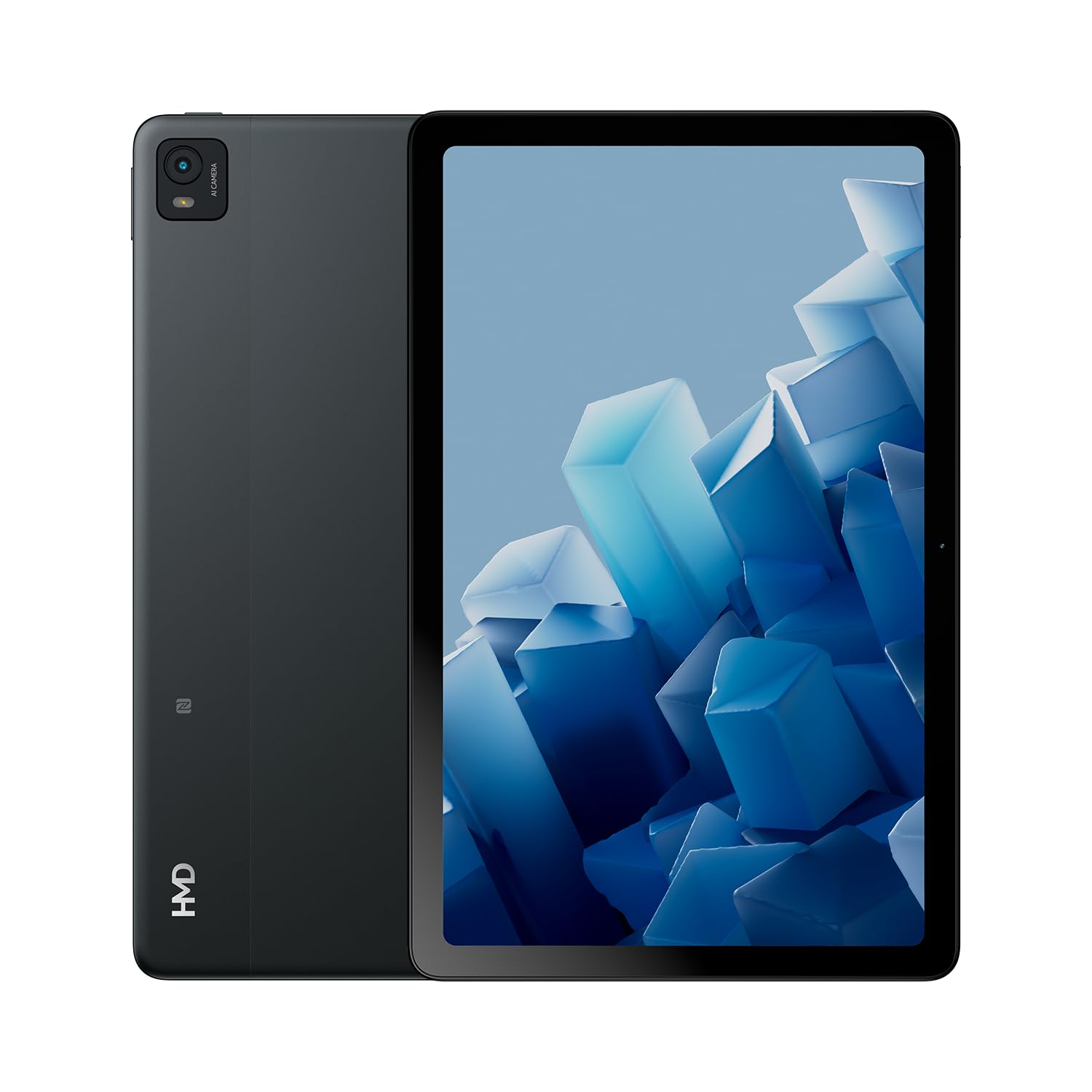
The HMD T21 tablet is designed for entertainment and productivity, featuring a clear 10.36-inch HD display and immersive audio. It supports an active pen for creative tasks and offers extended screen real estate for computer integration. Enjoy long-lasting battery performance with monthly security updates until summer 2027.
- Fortress of Security: Bank, surf, and shop online fearlessly with monthly security updates until the summer of 2027.
- 몰입형 엔터테인먼트: Dive deep into entertainment on the clear 10.36-inch cover glass display with immersive audio.
- 배터리 수명 연장: Stay powered up with an 8200 mAh battery, offering up to 3 days of usage and 18W fast charge support with 800 full charging cycles.
- Creative and Productive: Unleash your creativity with active pen support and enhance productivity by using the tablet as additional screen real estate for your computer.
- Crystal Clear Audio-Visuals: Enjoy HD video for calls and streaming, complemented by stereo speakers with OZO playback.

2. 상자 안에 무엇이 들어있나요?
Your HMD T21 package includes the following items:
- HMD T21 Tablet
- USB 케이블
- 전원 어댑터
- 심핀
- 사용자 가이드
- 빠른 시작 가이드
- 안전 책자

3. 설정
3.1 초기 전원 켜기
- Press and hold the Power button (located on the side) until the HMD logo appears on the screen.
- 화면의 안내에 따라 언어를 선택하고, Wi-Fi 네트워크에 연결하고, Google 계정을 설정하세요.
3.2 장치 충전
Before first use, it is recommended to fully charge your HMD T21 tablet.
- Connect the USB cable to the tablet's USB-C port.
- USB 케이블의 반대쪽 끝을 전원 어댑터에 연결합니다.
- 전원 어댑터를 벽면 콘센트에 꽂으세요.
- The battery icon on the screen will indicate charging status. The tablet supports 18W fast charging.
3.3 Inserting a SIM Card (if applicable)
If your model supports cellular connectivity, follow these steps:
- 태블릿 측면에서 SIM 카드 트레이를 찾으세요.
- Insert the provided SIM pin into the small hole on the tray to eject it.
- 나노 SIM 카드 및/또는 microSD 카드를 금색 접점이 아래로 향하게 하여 트레이에 넣으세요.
- 트레이를 태블릿에 조심스럽게 다시 삽입하세요.
4. 사용 설명서
4.1 디스플레이 탐색
The HMD T21 features a 10.36-inch HD display. Navigate the interface using touch gestures:
- 수도꼭지: 항목을 선택하거나 앱을 엽니다.
- 강타: 화면이나 목록을 스크롤합니다.
- 핀치 투 줌: 사진을 확대하거나 축소하고 web 페이지.
- 길게 누르기 : 상황에 맞는 메뉴에 접근하거나 앱 아이콘을 이동합니다.

4.2 카메라 사용
The tablet is equipped with an 8MP rear camera and an 8MP front camera for photos and video calls.
- 홈 화면에서 카메라 앱을 엽니다.
- 셔터 버튼을 탭하여 사진을 촬영하세요.
- 카메라 토글 아이콘을 사용하여 전면 카메라와 후면 카메라를 전환합니다.
- 비디오를 녹화하려면 비디오 모드를 선택하세요.
4.3 오디오 및 연결
Enjoy clear audio through the stereo speakers with OZO playback. Connect to the internet via Wi-Fi (802.11a/b/g/n/ac) or cellular data (if supported by your model).
- 와이파이: 사용 가능한 네트워크에 연결하려면 설정 > 네트워크 및 인터넷 > Wi-Fi로 이동하세요.
- 블루투스: 설정 > 연결된 기기 > Bluetooth로 이동하여 Bluetooth 액세서리를 페어링하세요.
- 헤드폰 잭: Use the 3.5mm audio jack for wired headphones.
5. 유지관리
5.1 배터리 관리
배터리 수명과 내구성을 극대화하려면:
- 극한의 온도를 피하세요.
- 최적의 충전을 위해 제공된 충전기를 사용하세요.
- 주기적으로 배터리 잔량이 20% 미만으로 떨어질 때까지 기다린 후 충전하십시오.
5.2 소프트웨어 업데이트
HMD provides monthly security updates until summer 2027 to keep your device secure and up-to-date.
- 설정 > 시스템 > 시스템 업데이트로 이동하여 사용 가능한 업데이트를 확인하고 설치하세요.
5.3 장치 청소
부드럽고 보풀 없는 천으로 태블릿의 화면과 본체를 닦으세요. 강한 화학 약품이나 연마성 재질은 사용하지 마세요.
6. 문제 해결
If you encounter issues with your HMD T21, try the following basic troubleshooting steps:
- 장치를 다시 시작하십시오. 전원 버튼을 길게 누른 다음 다시 시작을 탭합니다.
- 소프트웨어 업데이트를 확인하세요: 기기에서 최신 소프트웨어 버전이 실행되고 있는지 확인하세요.
- 앱 캐시 지우기: If an app is misbehaving, go to Settings > Apps > [App Name] > Storage & cache > Clear cache.
- 공장 초기화(최후의 수단): If problems persist, you may need to perform a factory reset. Back up your data first. Go to Settings > System > Reset options > Erase all data (factory reset).
7. 사양
| 특징 | 사양 |
|---|---|
| 모델명 | T21 (TA-1597) |
| 운영 체제 | 안드로이드 13 |
| 화면 크기 | 10.36 인치 |
| 화면 해상도 | 2000x1200 픽셀 |
| 프로세서 | 1.8 GHz Unisoc |
| 메모리(RAM) | 4GB (XNUMX기가바이트) |
| 저장 용량 | 64GB(microSD로 확장 가능) |
| 뒤쪽 Web캠 해상도 | 8 MP |
| 전면 카메라 해상도 | 8 MP |
| 배터리 수명(평균) | 24 Hours (up to 3 days with typical usage) |
| Fast Charge Support | 18와트 |
| 무선형 | 802.11a, 802.11ac, 802.11b, 802.11g, 802.11n |
| 품목 무게 | 1.04파운드 |
| 제품 치수 | 6.19 x 9.75 x 0.3 인치 |
| 색상 | 블랙스틸 |

8. 보증 및 지원
Your HMD T21 tablet comes with a manufacturer's warranty. Please refer to the warranty card included in your package for specific terms and conditions.
For technical support, troubleshooting assistance, or warranty claims, please visit the official HMD support web웹사이트를 방문하거나 제품 설명서에 제공된 연락처 정보를 통해 고객 서비스 센터에 문의하십시오.


