1. 제품 오버view
The AstroAI P12 Jump Starter is a portable device designed to jump start vehicles with dead batteries. It also functions as a power bank for electronic devices and includes an LED flashlight. This unit is compatible with all gas engines and diesel engines up to 12L.
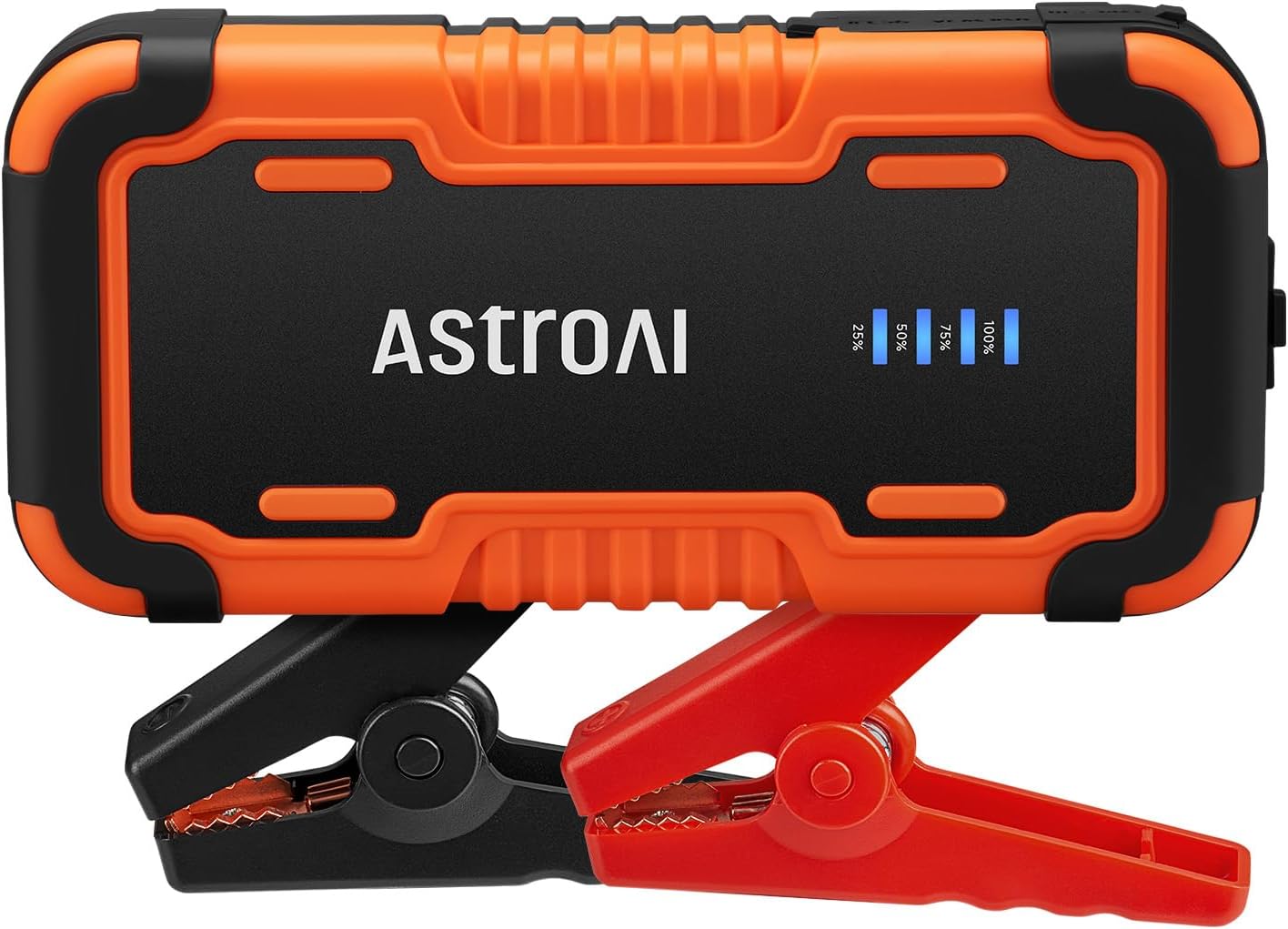
Image 1.1: AstroAI P12 Jump Starter with attached smart battery clamps.
2. 포함 사항
패키지에는 다음 품목이 포함되어 있습니다.
- AstroAI P12 Jump Starter Unit
- 스마트 배터리 Clamps
- 보관 가방
- USB AC 케이블
- 사용 설명서 (본 문서)

Image 2.1: All components included in the AstroAI P12 Jump Starter package.
3. 안전 정보
본 제품을 사용하기 전에 모든 안전 경고 및 사용 설명서를 읽으십시오. 경고 및 사용 설명서를 따르지 않을 경우 감전, 화재 및/또는 심각한 부상을 입을 수 있습니다.
일반 안전 예방 조치:
- Do not operate the jump starter if it has been damaged or modified.
- 점프 스타터를 비나 습기에 노출시키지 마십시오.
- 제조업체에서 권장하지 않거나 판매하지 않는 부착물을 사용하지 마십시오.
- 사용 중 적절한 환기를 하십시오.
- 어린이의 손이 닿지 않는 곳에 보관하세요.
- Wear eye protection when operating.
내장된 보호 기능:
The AstroAI P12 includes 10 comprehensive safety protections:
- 역 극성 보호
- 과전류 보호
- 과충전 보호
- 과방 전 방지
- 고온 및 저온 보호
- 역접속 보호
- 오버볼tage 보호
- 과부하 보호
- 단락 보호
- Spark-Proof Clamps

Image 3.1: Visual representation of the 10 safety protections integrated into the device.
4. 점프 스타터 충전
Before initial use, fully charge the AstroAI P12 Jump Starter. It is recommended to recharge the unit every few months to maintain battery health, especially if not used regularly.
- Connect the provided USB A-C cable to the USB-C input port on the jump starter.
- Connect the other end of the USB A-C cable to a compatible USB wall adapter (not included) or a powered USB port.
- The LED indicator on the jump starter will show the charging progress. Charge until the indicator shows 100% or full charge.
A full charge typically takes approximately 4-5 hours from empty.
5. 사용 설명서
5.1. 차량 점프 스타트
차량 시동을 걸려면 다음 단계를 주의 깊게 따르십시오.
- Ensure the jump starter is sufficiently charged (at least 75% recommended).
- 차량의 시동을 끄고 모든 부속 장치(조명, 라디오 등)를 끄십시오.
- 스마트 배터리 cl 연결amps to the jump starter's output port. Ensure it is fully inserted.
- 첨부하다 빨간색 양(+) clamp 차량 배터리의 양극(+) 단자에 연결합니다.
- 첨부하다 검은색 음(-) clamp 차량 배터리의 음극(-) 단자에 연결합니다.
- Observe the indicator on the smart battery clamps. If it glows 솔리드 그린, the connection is correct and safe to proceed. If it flashes red/green or shows an error, recheck connections and refer to the troubleshooting section.
- Once the indicator is solid green, start the vehicle's engine.
- After the engine starts, immediately remove the smart battery clamp차량 배터리에서 전원을 공급받으려면 먼저 음극(-) 단자에 연결해야 합니다.amp그러면 양성(+) clamp.
- Disconnect the smart battery clamp점프 스타터에서 왔습니다.

Image 5.1: Step-by-step visual guide for jump starting a vehicle.

Image 5.2: AstroAI P12 Jump Starter connected to a vehicle battery.
5.2. 보조배터리로 사용하기
The AstroAI P12 can charge electronic devices via its USB-A output ports.
- USB-A 출력(QC 3.0): 5V;3A, 9V;2A, 12V;1.5A (18W Max)
- USB-A 출력: 5V;2A
- Connect your device's charging cable to one of the USB-A output ports on the jump starter.
- 케이블의 다른 쪽 끝을 전자 장치에 연결합니다.
- 점프 스타터가 자동으로 기기 충전을 시작합니다.

Image 5.3: The jump starter functioning as a power bank for various electronic devices.
5.3. LED 손전등 사용하기
The built-in LED flashlight offers three modes: illumination, SOS, and strobe.
- Press and hold the power button for approximately 3 seconds to turn on the flashlight (illumination mode).
- Press the power button again to cycle through the modes: SOS (flashing) and Strobe.
- 손전등을 끄려면 전원 버튼을 3초 동안 다시 길게 누르세요.

Image 5.4: The AstroAI P12 Jump Starter's LED flashlight in use.
6. 유지관리
- 청소: 부드럽고 마른 천으로 닦으세요. 강한 화학 물질이나 연마재를 사용하지 마세요.
- 저장: Store the jump starter in a cool, dry place, away from direct sunlight and extreme temperatures. The operating temperature range is -20°C to 50°C (-4°F to 122°F).
- 충전재: 배터리 수명을 연장하려면 사용하지 않더라도 3~6개월에 한 번씩 충전하십시오.
- 배터리 Clamps: CL을 검사amps and cables for any damage before each use.

Image 6.1: The AstroAI P12 Jump Starter is designed to operate in a wide range of temperatures.
7. 문제 해결
| 문제 | 가능한 원인 | 해결책 |
|---|---|---|
| Vehicle does not start after jump start attempt. |
|
|
| 스마트 CLamps indicator shows red/flashing. |
|
|
| Jump starter not charging devices. |
|
|
8. 사양
| 특징 | 세부 사항 |
|---|---|
| 모델 | 피12 |
| 피크 전류 | 6000 Amps |
| 권tage | 12 볼트 |
| 엔진 호환성 | All Gas, up to 12L Diesel |
| 배터리 유형 | Lithium Polymer (Lithium-Nickel Manganese Cobalt - NMC) |
| USB-A 출력(QC 3.0) | 5V;3A, 9V;2A, 12V;1.5A (18W Max) |
| USB-A 출력 | 5V;2A |
| 치수 | 183mm x 88mm x 39mm(7.20인치 x 3.45인치 x 1.53인치) |
| 품목 무게 | 800g |
| 작동 온도 | -20°C ~ 50°C (-4°F ~ 122°F) |

Image 8.1: The compact size of the AstroAI P12 Jump Starter.
9. 보증 및 지원
For warranty information or technical support, please contact AstroAI customer service.
- 제조업체: 천문관
- 연락처 이메일: 지원@astroai.com
- Refer to the official AstroAI web최신 보증 정책은 사이트에서 확인하세요.