1. 서론
The DOOGEE Fire 5 is a rugged smartphone designed for durability and extended use in challenging environments. It features a robust construction, a large capacity battery, and a responsive display, powered by Android 15. This manual provides essential information for setting up, operating, maintaining, and troubleshooting your device.
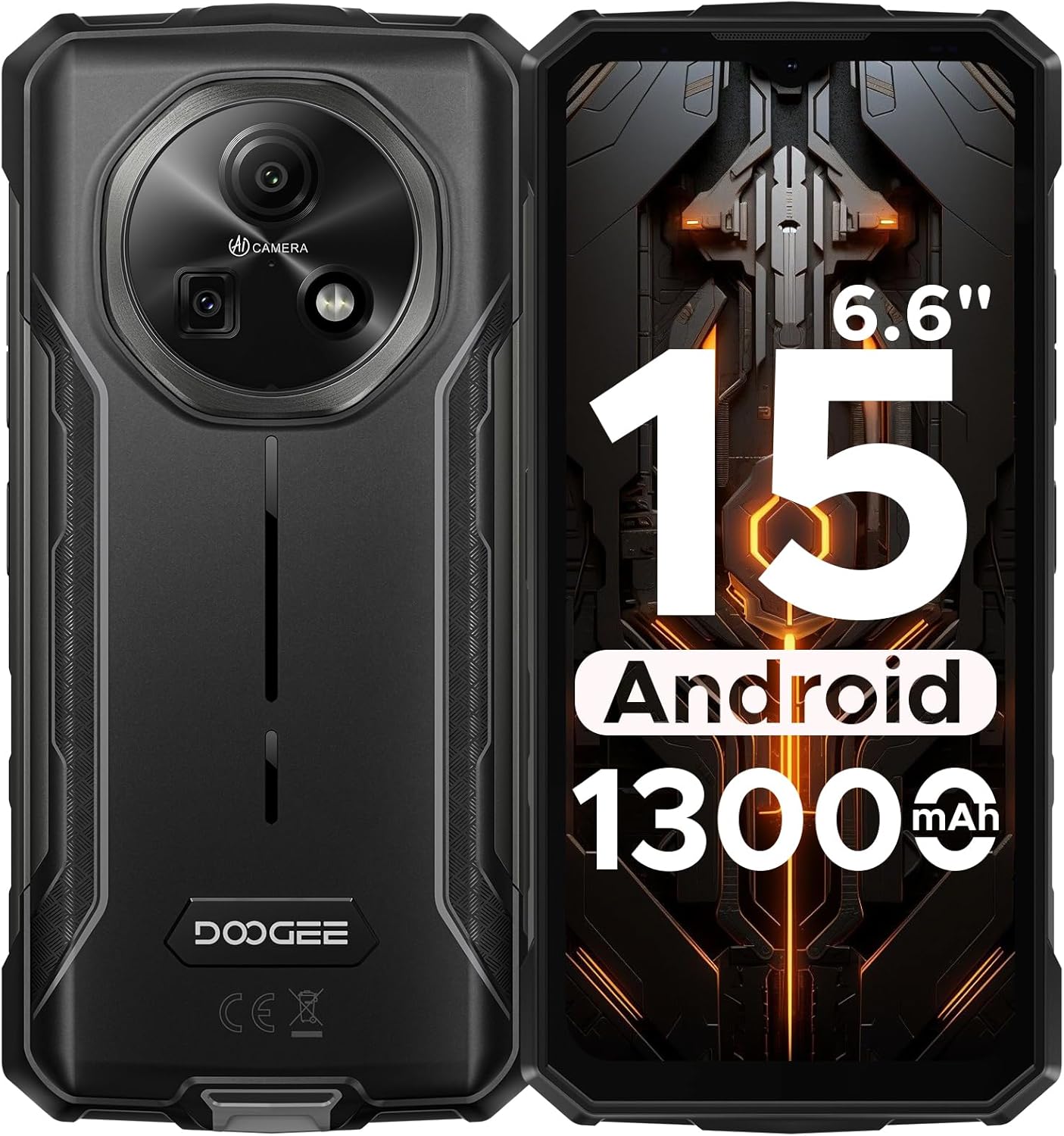
그림 1: 전면 및 후면 view of the DOOGEE Fire 5 Rugged Smartphone.
2. 상자 안에 무엇이 들어있나요?
제품 패키지에 모든 품목이 들어 있는지 확인하세요.
- 1x DOOGEE Fire 5 Rugged Smartphone
- 1x 타입 C USB 케이블
- 1x 충전기
- 1x 퀵 가이드
- 1x 보증 카드

Figure 2: Package contents of the DOOGEE Fire 5.
3. 제품 특징
3.1 견고한 디자인
The Fire 5 is engineered to withstand harsh conditions, meeting military standards IP68, IP69K, and MIL-STD-810H. This ensures resistance against drops, dust, and water immersion, making it suitable for outdoor work and adventurous activities.

Figure 3: The DOOGEE Fire 5 is built to withstand water, dust, and drops.
3.2 Unbeatable Battery Life & Reverse Charging
Equipped with a 13000mAh battery, the Fire 5 provides extended usage times. It also supports 5W reverse charging via its Type-C port, allowing you to power other devices like headphones or smartwatches.

Figure 4: The 13000mAh battery offers extensive power and reverse charging.
3.3 Vivid HD+ Display
Experience smooth visuals on the 6.6-inch HD+ IPS screen with a 90Hz refresh rate. The display's full lamination reduces glare, enhancing outdoor visibility.

Figure 5: The 6.6-inch HD+ 90Hz display provides a clear and responsive view경험.
3.4 강력한 성능
Running on Android 15 and powered by a UNISOC octa-core processor, the Fire 5 offers seamless app switching with 12GB (3GB + 9GB extended) of RAM and 64GB of internal storage, expandable up to 2TB.

Figure 6: The UNISOC SC9863A chipset ensures stable and efficient performance.
3.5 AI Camera System
Capture clear and vibrant photos with the 13MP main camera and 8MP front camera. The AI camera intelligently optimizes settings for various scenes, enhancing your photography experience.

Figure 7: The 13MP main camera and 8MP front camera for crisp shots.
3.6 연결성 및 도구
The Fire 5 supports dual SIM functionality and is compatible with major carriers like T-Mobile and MetroPCS. It includes NFC for convenient payments, Face ID for secure unlocking, and a pre-loaded professional toolbox with utilities like a compass, sound meter, and gradienter.

Figure 8: Additional features include NFC, Face Unlock, and a 3-card slot.
4. 설정
4.1 SIM 카드 설치
- 기기 측면에서 SIM 카드 트레이를 찾으세요.
- Use the provided SIM eject tool to open the tray.
- 나노 SIM 카드 및/또는 microSD 카드를 올바른 방향으로 트레이에 삽입하십시오.
- 딸깍 소리가 날 때까지 트레이를 장치에 다시 부드럽게 밀어 넣습니다.
4.2 초기 전원 켜기
- DOOGEE 로고가 나타날 때까지 전원 버튼을 길게 누르세요.
- 화면의 지시에 따라 언어 선택, Wi-Fi 연결, Google 계정 로그인을 포함한 초기 설정을 완료하세요.
5. 장치 작동
5.1 기본 탐색
- 홈 화면: 왼쪽 또는 오른쪽으로 스와이프하여 홈 화면의 다른 패널에 접근하세요.
- 앱 서랍: 화면 하단에서 위로 스와이프하여 view 설치된 모든 응용 프로그램.
- 알림 및 빠른 설정: 화면 상단에서 아래로 살짝 밀어 알림과 빠른 설정 토글에 접근하세요.
- 멀티태스킹: 화면 하단에서 위로 살짝 밀어서 유지하세요. view 최근 앱.
5.2 카메라 사용
카메라 앱을 열어 다양한 모드에 접근하세요.
- 사진 모드 : Standard mode for still images. The AI will automatically optimize settings.
- 비디오 모드: 비디오를 녹화합니다.
- 세로 모드 : Create photos with a blurred background.
- 전문 모드: Manually adjust settings like ISO, white balance, and exposure.
5.3 Pre-loaded Tools
The device includes a professional toolbox accessible from the app drawer. This toolbox contains useful utilities such as:
- 나침반
- 사운드 미터
- 그라디언트
- 플래시
- 돋보기
- 플럼밥
6. 유지관리
6.1 방수 및 방진
The DOOGEE Fire 5 is IP68/IP69K rated for water and dust resistance. Ensure all port covers are securely closed before exposing the device to water or dust. Avoid prolonged submersion in water or exposure to high-pressure water jets.
6.2 청소
기기를 청소하려면 부드러운 천으로 닦으세요.amp cloth. Avoid using harsh chemicals or abrasive materials that could damage the device's rugged exterior or screen.
7. 문제 해결
If you encounter issues with your DOOGEE Fire 5, try the following steps:
- Device Lagging or Freezing:
- 백그라운드에서 실행되는 애플리케이션을 종료하여 RAM을 확보하세요.
- Uninstall unused applications to free up storage.
- Perform a restart by long-pressing the power button and selecting "Restart".
- 네트워크 연결 문제:
- 유심 카드가 올바르게 삽입되었는지 확인하십시오.
- Verify that your carrier is compatible with the device's supported bands (GSM:B2/3/5/8 WCDMA:B1/2/4/5/8 TDD:B34/38/39/40/41 FDD:B1/2/3/4/5/7/8/18/19/20/25/26/28AB/66).
- 네트워크 설정을 확인하고 모바일 데이터가 활성화되어 있는지 확인하십시오.
- 충전 문제:
- Use the original charger and Type-C cable provided with the device.
- 충전 포트가 깨끗하고 이물질이 없는지 확인하세요.
비디오 1: 오버view of the DOOGEE Fire 5 Rugged Phone, highlighting its features and design.
8. 사양
| 제품 치수 | 6.95 x 0.74 x 3.25 인치 |
| 품목 무게 | 6.9 온스 |
| 품목 모델 번호 | 파이어5 |
| 배터리 | 1개의 리튬 폴리머 배터리 필요(포함) |
| 운영 체제 | 안드로이드 15 |
| 연결 기술 | 블루투스, 적외선, NFC, USB, Wi-Fi |
| 기타 디스플레이 기능 | 무선 전화 |
| 기타 카메라 기능 | 전면, 후면 |
| 폼 팩터 | 술집 |
| 색상 | 검은색 |
| 배터리 전력 정격 | 13000밀리amp 시간 |
| 메모리 저장 용량 | 64GB (XNUMX기가바이트) |
| 스탠딩 스크린 디스플레이 크기 | 6.6 인치 |
| 설치된 RAM 메모리 크기 | 12GB (XNUMX기가바이트) |
| 새로 고침 빈도 | 90Hz |
| 무선 통신사 | 모든 이동 통신사에 대해 잠금 해제 됨 |
| 셀룰러 기술 | 4G |
9. 보증 및 지원
The DOOGEE Fire 5 Rugged Smartphone comes with a comprehensive 2-year warranty, ensuring peace of mind with your purchase. For any technical assistance, product inquiries, or warranty claims, please contact DOOGEE's professional support team through their official channels or visit their web자세한 지원 정보는 해당 사이트를 참조하십시오.
You can find additional support and product information by scanning the QR code provided in the quick guide or visiting the official DOOGEE web대지.


