1. 서론
This manual provides essential information for setting up, operating, and maintaining your XIXIMENG M15 Retro Game Stick. Please read it thoroughly to ensure optimal performance and longevity of your device. The M15 Retro Game Stick is a compact gaming console designed to bring classic gaming experiences to your 4K Ultra HD TV, monitor, or projector.
2. 패키지 내용
아래 나열된 모든 품목이 패키지에 포함되어 있는지 확인하세요.
- 1 x M15 Game Console (Game Stick)
- 무선 게임패드 2개
- 1 x HD Cable (HDMI Extension Cable)
- 1 x Power Cable (USB)
- 1 x USB 수신기
- 1 x TF Card (64GB, pre-installed in the game stick)
- 1 x 사용자 설명서

그림 2.1: 패키지 내용view
This image displays the M15 Game console, two wireless gamepads, an HD cable, a power cable, and a USB receiver, which are all included in the product package.
3. 설정 지침
Follow these steps to connect your M15 Retro Game Stick to your display device:
- TF 카드를 삽입하세요: Ensure the 64GB TF card is already installed in the card slot of the game stick. Do not remove or format the SD card, as it contains games and system files.
- USB 수신기를 연결합니다: Plug the 2.4GHz USB wireless receiver into the USB port on the game stick.
- 전원 케이블 연결: Connect the USB power cable to the game stick. The power supply should be 5V/1A or above.
- Connect to TV/Monitor: Plug the game stick (via the extended HDMI cable if needed) into an available HDMI input port on your TV, monitor, or projector.
- 전원 켜기: Connect the USB power cable to a 5V/1A power source (e.g., a USB wall adapter, not included, or a TV USB port if it provides sufficient power).
- 입력 소스 선택: On your display device, switch the input source to the corresponding HDMI channel where the game stick is connected. The game list screen should appear.
- Insert Controller Batteries: Insert 2 AAA batteries (not included) into each wireless gamepad.

그림 3.1: 연결 다이어그램
This diagram illustrates the step-by-step process of connecting the game stick to a television, including the game stick, USB cable, HD cable, and wireless controllers.
Video 3.1: Retro Game Console Overview
이 영상은 간략한 내용을 제공합니다.view of the retro game console, demonstrating its components and basic functionality.
4. 사용 설명서
4.1 메뉴 탐색
Once connected and powered on, the main game selection menu will appear on your screen. Use the wireless controllers to navigate through the game list and emulator categories.
4.2 Selecting and Starting Games
Use the directional pad or left joystick on your controller to browse through the available games. Press the A button (or equivalent action button) to select a game and start playing.
4.3 Returning to the Main Menu
To exit a game and return to the main menu, simultaneously press the 선택하다 그리고 시작 컨트롤러의 버튼.
4.4 Game Collections and Favorites
The console supports game collections. You can use the 시작 button for three seconds to add or remove your favorite games from a dedicated collection for quick access.
4.5 무선 컨트롤러
The M15 comes with two 2.4GHz wireless controllers, allowing for two-player gaming. The wireless control range is up to 8 meters, providing flexibility and comfort during gameplay. These controllers require 2 AAA batteries each (not included).
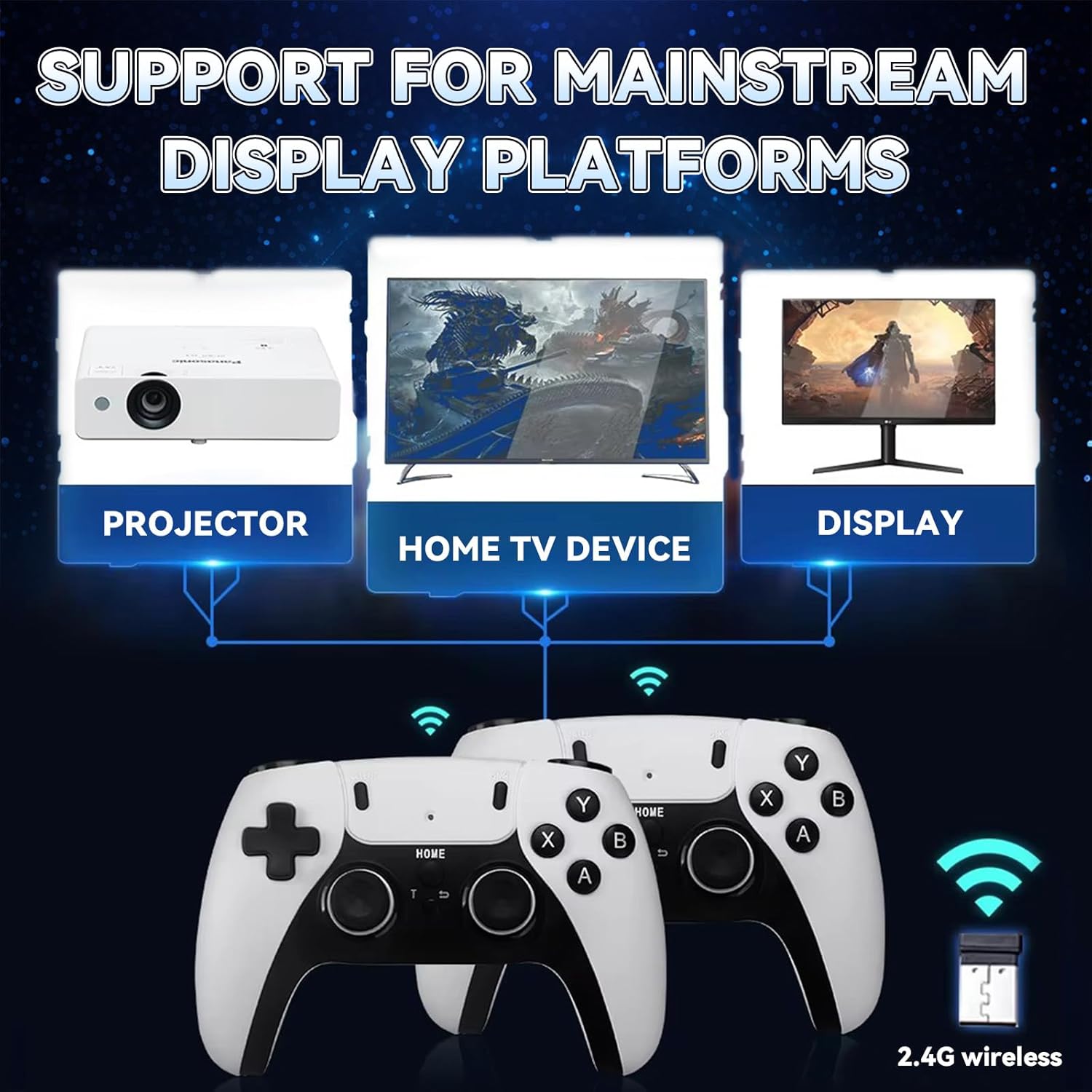
Figure 4.1: Wireless Game Controllers
This image shows the two wireless gamepads included with the M15 Retro Game Stick, highlighting their design and dual-player capability.
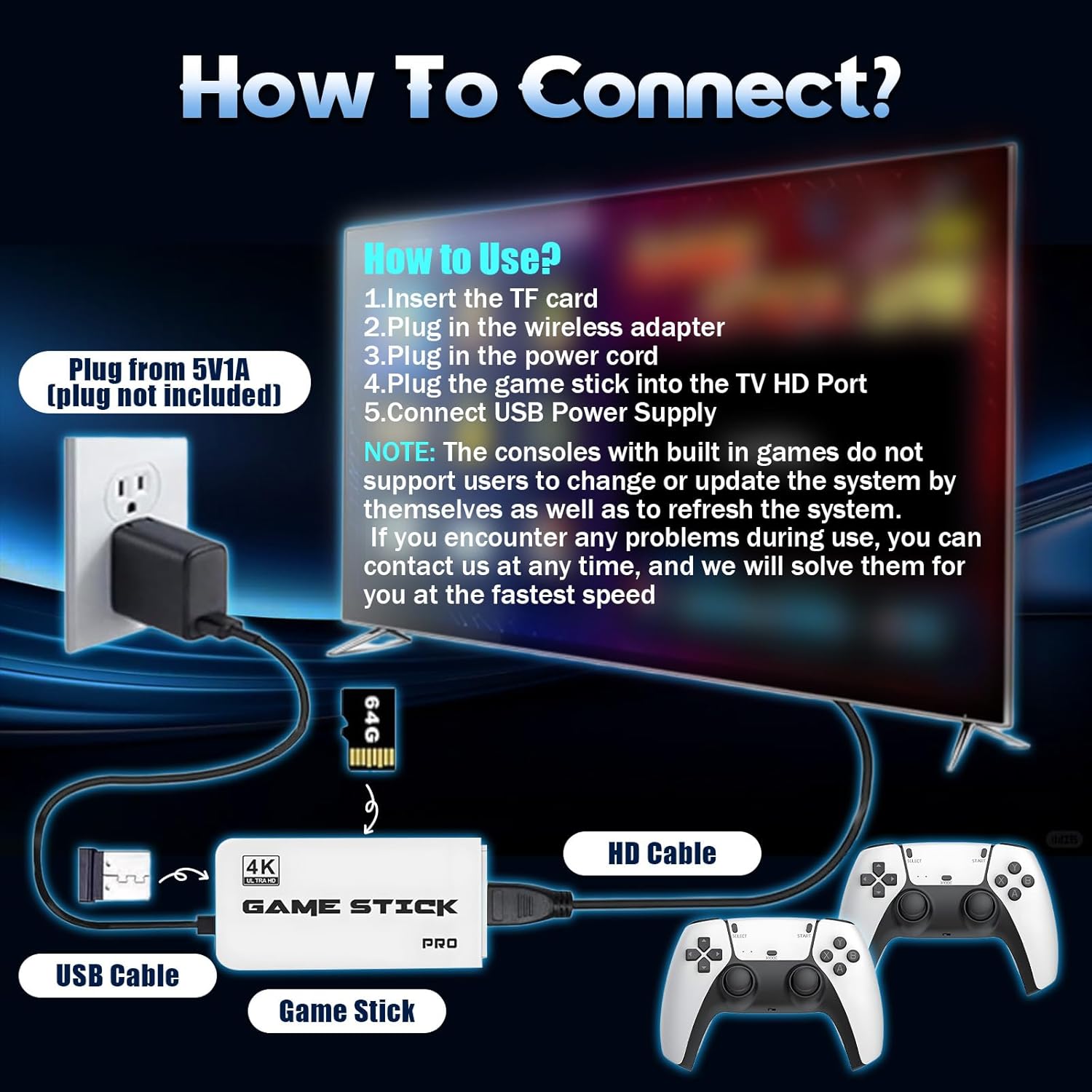
그림 4.2: 컨트롤러 기능
This image details the ergonomic design, comprehensive key controls, and sensitive joysticks of the wireless gamepads.
5. 디스플레이 및 연결성
The M15 Retro Game Stick supports 4K Ultra HD TV video output (1080p/720p), providing crisp and vibrant visuals. It is compatible with various devices that have an HDMI input port, including:
- TV
- 모니터
- Computers (with HDMI input)
- 프로젝터
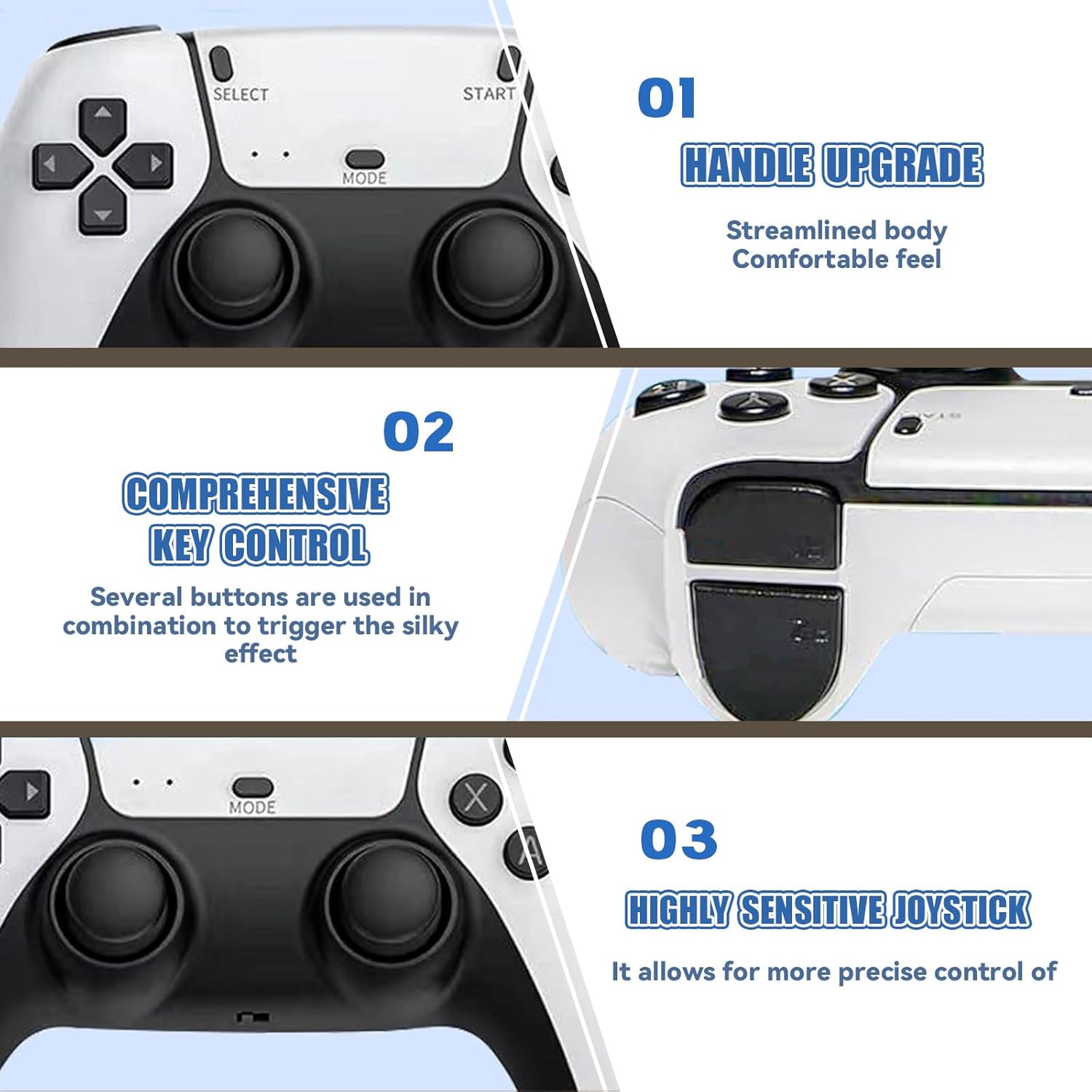
Figure 5.1: 4K HD TV Video Output
This image demonstrates the 4K HD video output capability of the game stick when connected to a television.

Figure 5.2: Support for Mainstream Display Platforms
This image highlights the game stick's compatibility with various display devices such as projectors, TVs, and monitors.
6. 유지관리
Proper care ensures the longevity of your M15 Retro Game Stick:
- TF Card Handling: Do not remove the TF card while the device is powered on. Avoid formatting the SD card, as it contains essential system files and games. If the card is damaged, the host may become unusable.
- 청소: Keep the console clean by using a soft, dry cloth. Avoid using harsh chemicals that may damage the screen or body of the console.
- 환경 조건: Avoid exposing the console to extreme temperatures or direct sunlight for long periods, as this can affect performance and lifespan.
- 충전 중: When charging, use the original USB Type-C cable or a high-quality compatible cable to ensure safe and efficient charging.
7. 문제 해결
문제가 발생하면 다음의 일반적인 문제와 해결 방법을 참조하세요.
- TV에 표시되지 않음:
- 게임 스틱이 TV의 HDMI 포트에 제대로 연결되어 있는지 확인하십시오.
- Confirm the TV input source is set to the correct HDMI channel.
- Verify the USB power cable is connected to a 5V/1A power source. Insufficient power (e.g., from a TV USB port that doesn't provide enough current) can prevent display.
- Check if the TF card is properly inserted and not damaged.
- 컨트롤러가 응답하지 않음:
- Ensure fresh AAA batteries are correctly installed in the controllers.
- Verify the USB receiver is securely plugged into the game stick.
- Try unplugging and re-plugging the USB receiver.
- If the controller fails to connect, try resetting the controller or refer to the manufacturer for specific operation video.
- Game Lag or Performance Issues:
- Ensure the game stick has adequate ventilation to prevent overheating.
- Some larger or more complex games may experience minor performance variations due to emulation.
If you encounter any problems during use, please contact customer support for assistance. We aim to respond and solve issues within 12 hours.
8. 사양
| 특징 | 세부 사항 |
|---|---|
| 모델 번호 | M15 |
| 저장 용량 | 64GB TF 카드 (사전 설치됨) |
| 사전 로드된 게임 | 30,000+ |
| 지원되는 에뮬레이터 | 23가지 유형 |
| 비디오 출력 | 4K Ultra HD (1080p/720p) |
| 연결성 | HDMI |
| 컨트롤러 | Dual 2.4GHz Wireless Gamepads |
| 컨트롤러 배터리 | 컨트롤러당 AAA 배터리 2개 필요 (배터리 미포함) |
| 무선 범위 | 최대 8미터 |
| 전원 입력 | 5V / 1A USB |
| 제품 치수 | 6.5 x 4.7 x 4.3 인치 |
9. 안전 정보
다음 안전 지침을 준수하십시오.
- Avoid exposing the console to extreme temperatures or direct sunlight for long periods, as this may affect the performance and lifespan of the device.
- When charging, use the original USB Type-C cable or a high-quality compatible cable to ensure safe and efficient charging.
- Keep the console clean by using a soft, dry cloth. Avoid using harsh chemicals that may damage the screen or body of the console.
- 어린이가 작은 부품을 삼키는 사고를 방지하기 위해 어린이의 손이 닿지 않는 곳에 보관하십시오.
10. 보증 및 지원
Your XIXIMENG M15 Retro Game Stick comes with a 1-month return service. If you are not satisfied, you may return the product for a refund within this period. Additionally, we offer a lifetime worry-free warranty. For any issues or support, please contact us. We are committed to responding and resolving problems within 12 hours.
Video 10.1: BELOPERA Retro Gamestick for Holiday (Preview)
This short video provides a quick look at the BELOPERA Retro Gamestick, showcasing its appearance and highlighting its suitability as a holiday gift.


