소개
This manual provides detailed instructions for the safe and efficient operation of your Kuephom PM24 Portable CD Player with Speakers. Please read this manual thoroughly before using the device and retain it for future reference.
The Kuephom PM24 is a versatile audio device offering multiple playback options including CD, Bluetooth, FM Radio, USB, and TF card. It features built-in stereo speakers, a rechargeable battery for portability, and a remote control for convenient operation.

Image: The Kuephom PM24 Portable CD Player, showcasing its design with an open CD lid, remote control, and an indicator for its rechargeable battery.
패키지 내용
패키지에 모든 품목이 들어 있는지 확인하세요.
- Kuephom PM24 Portable CD Player with Speakers x 1
- 충전 케이블 x 1
- 원격 제어 x 1
- 사용 설명서 x 1
제품 끝view
The PM24 offers a range of features for diverse audio playback. Familiarize yourself with the device's components and capabilities.

Image: A visual representation of the PM24's key features, including CD/MP3 playback, Bluetooth connectivity, USB and TF card support, FM radio, audio input, headphone jack, remote control, rechargeable battery, and sleep timer.
주요 특징:
- CD/MP3 재생: Supports standard audio CDs and MP3 files from CD-R/RW discs.
- 블루투스 연결: 호환 장치에서 무선 오디오 스트리밍.
- USB & TF Card Support: Play MP3/WMA audio files directly from USB flash drives or TF cards (up to 32GB).
- FM 라디오 : Built-in FM tuner with retractable antenna and programmable presets.
- 보조 입력: 3.5mm 오디오 케이블을 사용하여 외부 오디오 소스를 연결하십시오.
- 헤드폰 잭: 개인적으로 듣기 위한 것입니다.
- 원격 제어: Full function remote for convenient operation.
- 충전식 배터리: 장시간 사용을 위해 휴대용 전원을 제공합니다.
- 수면 타이머 : 설정된 시간이 지나면 기기가 자동으로 꺼집니다.
- 스테레오 스피커: 선명한 오디오 출력을 위한 내장 스피커.
설정
1. 장치 충전
Before first use, fully charge the PM24. Connect the provided charging cable to the DC 5V input port on the device and the other end to a standard USB power adapter (not included) or a computer USB port.
- 충전 중에는 충전 표시등이 켜집니다.
- 일반적으로 완전 충전에는 약 4시간이 걸립니다.
- The device provides approximately 5-8 hours of playback on a full charge, depending on volume and mode.

Image: Visual representation of the PM24's rechargeable nature, highlighting its play time and charge time.
2. 전원 켜기/끄기
를 누르고 계세요 힘 button on the device or remote control to turn the unit on or off.
3. 리모컨 배터리 설치
The remote control requires 2 AAA batteries (not included). Open the battery compartment on the back of the remote and insert the batteries, observing the correct polarity (+/-).
작동 지침
1. 리모컨 사용
The remote control allows for convenient operation of all functions from a distance.

Image: A user interacting with the PM24 using the remote control, illustrating various functions accessible from the remote.
- 전원 버튼: 장치를 켜거나 끕니다.
- 모드 버튼: Switches between CD, Bluetooth, FM, USB, TF, and AUX modes.
- 재생/일시 정지 버튼: 재생을 시작하거나 일시 중지합니다.
- 이전/다음 트랙 버튼: 이전 또는 다음 트랙/역으로 이동합니다.
- 볼륨 +/- 버튼: 볼륨 레벨을 조절합니다.
- Repeat/Shuffle Button: Changes playback repeat modes (e.g., repeat one, repeat all, shuffle).
- 수면 버튼: Activates and sets the sleep timer.
2. CD 재생
- CD 수납공간 뚜껑을 엽니다.
- Carefully place a CD (audio CD or MP3 CD) onto the spindle with the label side facing up.
- CD함 덮개를 닫습니다.
- 를 누르세요 방법 "CD" 모드가 선택될 때까지 버튼을 누릅니다.
- CD가 자동으로 재생됩니다. 재생되지 않으면 버튼을 누르세요. 재생/일시정지 단추.

Image: Icons illustrating various CD playback options such as sequential play, random play, repeating a single track, repeating all tracks, and the play memory function.
3. 블루투스 모드
- 를 누르세요 방법 button until "BT" (Bluetooth) mode is selected. The display will show "bt" and flash, indicating it's in pairing mode.
- Bluetooth가 지원되는 기기(스마트폰, 태블릿 등)에서 Bluetooth를 활성화하고 사용 가능한 기기를 검색하세요.
- Select "PM24" from the list of devices.
- Once paired, the "bt" indicator will stop flashing, and you can stream audio wirelessly to the PM24.

Image: A smartphone screen showing a successful Bluetooth connection to the PM24, with the player's display confirming 'bt' mode.
4. FM 라디오 모드
- 최적의 수신을 위해 기기 뒷면의 텔레스코픽 안테나를 펼치십시오.
- 를 누르세요 방법 "FM" 모드가 선택될 때까지 버튼을 누르세요.
- 를 누르고 계세요 재생/일시정지 button to initiate an automatic station scan. The radio will scan and save available stations.
- 사용하세요 이전/다음 트랙 버튼을 사용하여 저장된 방송국을 탐색합니다.

Image: A user enjoying FM radio on the PM24, with visual cues indicating different radio frequencies.
5. USB/TF 카드 재생
- Insert a USB flash drive into the USB port or a TF card into the TF card slot. Ensure the card is inserted correctly.
- 를 누르세요 방법 button until "USB" or "TF" mode is selected.
- The device will automatically detect and begin playing MP3/WMA audio file삽입된 저장소에서 가져온 s.
- 사용하세요 이전/다음 트랙 버튼을 사용하여 탐색하세요 files.

이미지: 클로즈업 view of the USB and TF card slots on the PM24, indicating their function for playing media from external storage.
6. 보조 입력(AUX)
- Connect one end of a 3.5mm audio cable (not included) to the AUX IN port on the PM24.
- Connect the other end to the headphone jack or audio output of an external audio device (e.g., smartphone, MP3 player).
- 를 누르세요 방법 "AUX" 모드가 선택될 때까지 버튼을 누르십시오.
- 외부 오디오 장치를 통해 재생 및 볼륨을 제어하세요.
7. 취침 타이머 기능
취침 타이머는 설정된 시간이 지나면 기기가 자동으로 꺼지도록 합니다.
- While the device is playing, press the 잠 리모컨의 버튼을 누르세요.
- 반복해서 누르세요 잠 button to cycle through available timer settings (e.g., 10, 20, 30, 60, 90 minutes).
- The selected time will be displayed. The device will automatically power off once the timer expires.

Image: A visual demonstration of the sleep timer function, showing the PM24 on a nightstand while a person sleeps.
8. 헤드폰 사용
For private listening, connect 3.5mm headphones (not included) to the 이어폰 잭 on the device. The built-in speakers will automatically mute when headphones are connected.
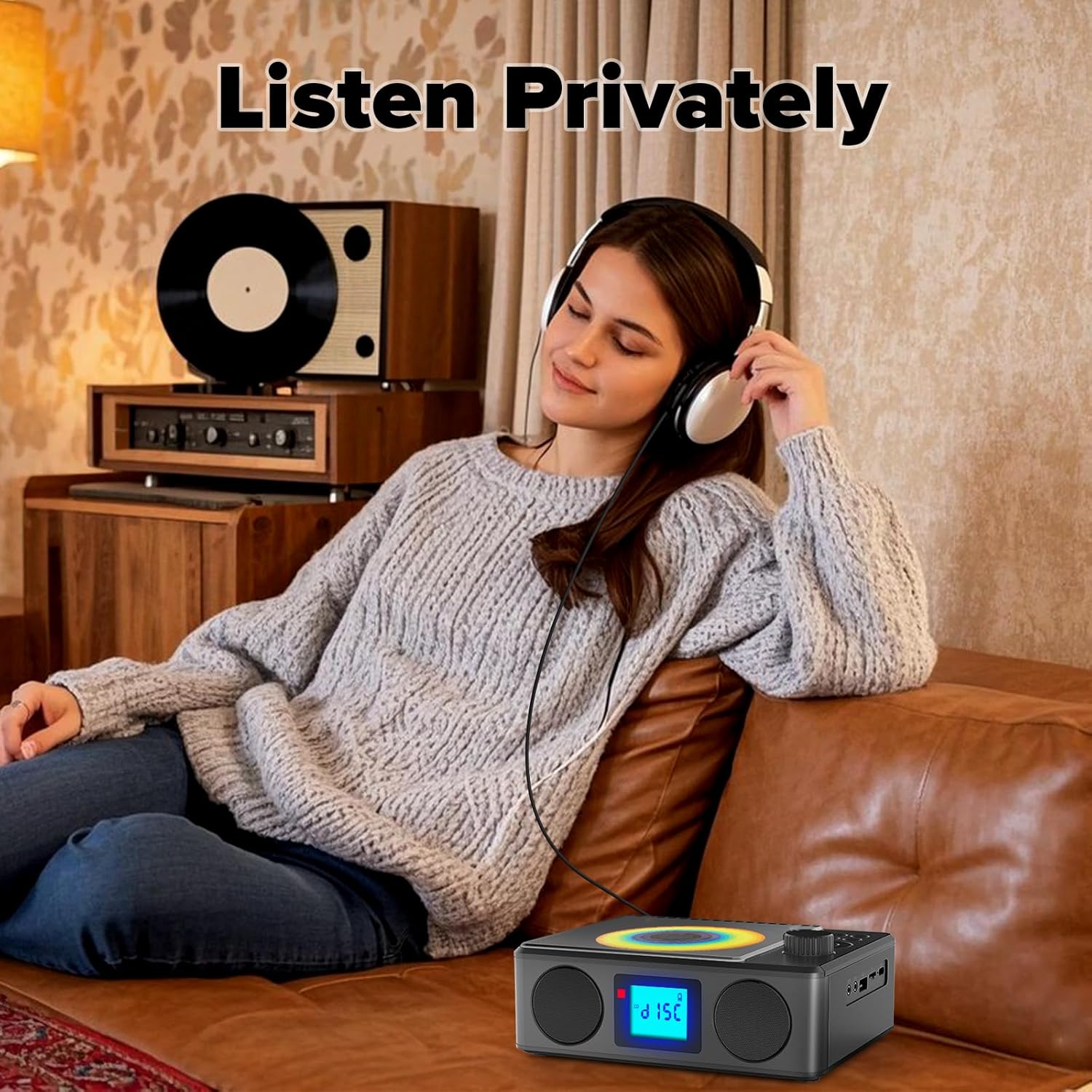
Image: A user enjoying private audio through headphones connected to the PM24.
유지
- 청소: 부드럽고 마른 천을 사용하여 기기 외부를 닦으세요. 연마성 세제나 용제는 사용하지 마세요.
- CD 관리: CD는 가장자리를 잡고 다루세요. 더러워진 CD는 부드럽고 보풀 없는 천으로 중앙에서 바깥쪽으로 닦아주세요.
- 저장: 장시간 사용하지 않을 경우, 직사광선과 극한의 온도를 피해 시원하고 건조한 곳에 보관하세요.
- 배터리: 배터리 수명을 연장하려면 배터리를 자주 완전히 방전시키지 마십시오. 사용하지 않을 때에도 정기적으로 기기를 충전하십시오.
문제 해결
| 문제 | 가능한 원인 | 해결책 |
|---|---|---|
| 장치의 전원이 켜지지 않습니다. | 배터리가 소진되었습니다. | Connect the charging cable and allow the device to charge. |
| 스피커에서 소리가 나지 않습니다. | 볼륨이 너무 작거나 음소거되어 있습니다. 헤드폰이 연결되어 있습니다. | 볼륨을 높이세요. 헤드폰을 분리하세요. |
| CD가 건너뛰거나 재생되지 않습니다. | CD가 더럽거나 긁혔거나 잘못 삽입되었습니다. | Clean the CD. Ensure it is placed correctly. Try another CD. |
| 블루투스 페어링에 실패했습니다. | Device is too far, not in pairing mode, or already paired. | Ensure PM24 is in BT mode and flashing. Move devices closer. Disconnect from other devices. |
| FM 라디오 수신이 좋지 않습니다. | 안테나가 펼쳐지지 않았거나 신호가 약한 지역입니다. | Fully extend the telescopic antenna. Reposition the device for better signal. |
| 리모컨이 작동하지 않습니다. | Batteries are depleted or inserted incorrectly. Obstruction between remote and device. | Replace batteries, check polarity. Remove obstructions. Ensure remote is pointed at the device. |
명세서
- 모델: 오후 24
- 상표: 쿠에폼
- 제품 크기: 7.5 x 6.3 x 2.5인치(19.05 x 16.00 x 6.35cm)
- 품목 무게: 1.96파운드(0.89kg)
- 연결 기술 : 보조, 블루투스, USB
- 색상: 검은색
- 스피커 유형: 스테레오 재생
- 배터리: 1 비표준 배터리(포함)
- 플레이 시간: 5~8시간(대략)
- 충전 시간: 4시간(약)
보증 및 지원
Kuephom products are designed for reliability and performance. For warranty information or technical support, please refer to the contact details provided on the product packaging or visit the official Kuephom web대지.
보증 청구를 위해 구매 증명서를 보관하십시오.


