소개
Thank you for choosing the IOWODO Z30 4G Kids Smartwatch. This manual provides essential information for setting up, operating, and maintaining your device. Please read it carefully to ensure proper use and to maximize the watch's features for your child's safety and enjoyment.
상자 안에 무엇이 들어있나요?
패키지를 열 때 다음 품목이 모두 포함되어 있는지 확인하세요.
- 1x IOWODO Z30 Smartwatch (with silicone strap)
- 1x USB 충전 케이블
- 실리콘 보호 케이스 1개
- 1x 사용자 설명서

Image: The IOWODO Z30 Smartwatch, showing its dimensions and the items included in the package: the smartwatch, a USB charger, a silicone protective case, and the user manual.
제품 끝view
시계의 구성 요소와 제어 방식을 숙지하십시오.
- 1.75인치 HD 터치스크린: For interactive control and display.
- 카메라: Located on the front for photos and video calls.
- 전원 버튼: Press and hold to turn on/off. Short press to return to the previous screen.
- SOS 버튼: Press and hold for 3 seconds to activate emergency call function. Short press to return to the home screen.
- LED 손전등: Integrated for night safety.
- SIM 카드 슬롯: Located on the side for 4G Nano SIM card installation.
- 마이크 및 스피커: For calls and voice interactions.

Image: Diagram illustrating the functional buttons (Power, SOS, Flashlight), camera, microphone, speaker, and SIM card slot on the IOWODO Z30 Smartwatch.
설정
1. SIM 카드 설치
The IOWODO Z30 requires a 4G Nano SIM card (purchased separately) for full functionality, including calls, video calls, and advanced location tracking. Ensure the SIM card is compatible with 4G networks from providers like Movistar, Orange, Vodafone, or Yoigo.
- Turn off the smartwatch completely.
- 시계 측면에 있는 SIM 카드 슬롯을 찾으세요.
- Carefully insert the Nano SIM card into the slot with the metal contacts facing up, ensuring it clicks into place.
- 방수 기능을 유지하려면 SIM 카드 슬롯 덮개를 단단히 닫으십시오.
- 스마트워치를 켜세요.
이미지: 클로즈업 view of the SIM card slot on the IOWODO Z30 Smartwatch, indicating the correct Nano SIM card type for insertion.
2. 앱 설치 및 페어링
To manage the smartwatch features, download the "SeTracker2" app on your smartphone.
- Scan the QR code provided in the watch's packaging or search for "SeTracker2" in your smartphone's app store (iOS/Android).
- 앱을 설치하고 엽니다.
- Register a new account following the on-screen instructions.
- Bind the smartwatch to your account by scanning the QR code displayed on the watch screen or entering its unique registration code.
- Once paired, you can configure settings, add contacts, and monitor the watch from your smartphone.
3. 초기 구성
- 시간 및 날짜 설정: The watch will usually synchronize automatically once connected to the network. If not, adjust it via the app.
- 연락처 추가: Use the "SeTracker2" app to add up to 30 contacts that the watch can call or receive calls from. This ensures secure communication.
- Set Safe Zones: Define geographical safe zones (e.g., home, school) in the app. You will receive alerts if your child enters or exits these zones.
- Emergency SOS Numbers: Configure up to 3 emergency contacts in the app. These numbers will be called sequentially when the SOS button is pressed.

Image: Illustration of the IOWODO Z30 Smartwatch's GPS + WiFi + LBS positioning system, showing real-time location, safe zones, and historical route tracking on a map interface.
작동 지침
1. 전화 걸고 받기
Once a 4G SIM card is installed and contacts are set up in the app:
- 전화를 걸려면: Navigate to the 'Contacts' or 'Dial Pad' on the watch, select a contact, or dial a number, then press the call icon.
- 전화를 받으려면: When a call comes in, the watch will ring. Tap the green answer icon to accept or the red hang-up icon to reject. Only pre-approved contacts can call the watch if smart blocking is enabled.
2. 4G HD Video Calls
The watch supports clear 4G video calls with approved contacts.
- Navigate to the 'Video Call' function on the watch.
- Select the contact you wish to video call.
- Ensure both devices have a stable 4G connection.

Image: A child wearing the IOWODO Z30 Smartwatch, with insets showing the watch's capabilities for HD video calls, real-time voice chat, and making standard calls over a 4G network.
3. SOS 비상 기능
In an emergency, your child can quickly alert pre-set contacts:
- 를 누르고 계세요 SOS 버튼 on the side of the watch for 3 seconds.
- The watch will automatically dial the 3 emergency contacts in a loop until one answers.
- An emergency notification will also be sent to the paired smartphone app.

Image: Illustration of the SOS emergency call feature on the IOWODO Z30 Smartwatch, showing how pressing the SOS button initiates a call to emergency contacts and sends alerts.
4. Class Mode (Do Not Disturb)
To help your child focus during school hours:
- Set specific silent periods in the "SeTracker2" app.
- During these times, the watch will automatically block all incoming calls and messages, except for SOS calls.
- The watch will still display the time.
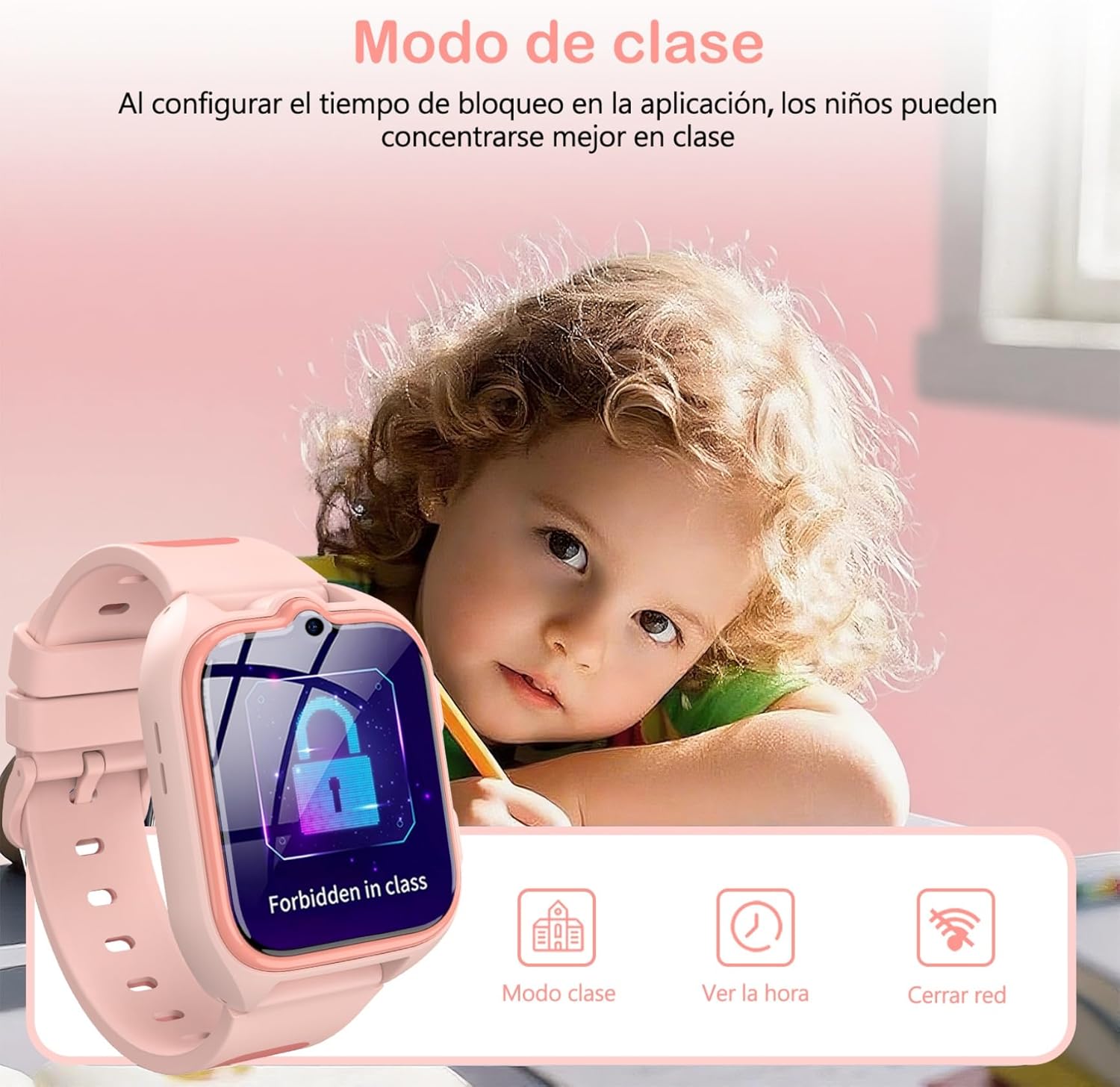
Image: A child studying with the IOWODO Z30 Smartwatch on their wrist, displaying the 'Forbidden in class' screen, illustrating the Class Mode feature.
5. GPS + LBS + WiFi Positioning System
The watch uses a combination of GPS, LBS (Location Based Service), and WiFi for comprehensive real-time location tracking and historical route monitoring. This allows you to:
- View your child's current location on a map via the app.
- Review past routes taken by the watch.
- Receive alerts when your child enters or leaves pre-defined safe zones.
6. 카메라
The integrated camera allows your child to capture photos:
- Access the 'Camera' application on the watch.
- 화면을 탭하여 사진을 찍으세요.
- 사진 수 viewed on the watch or uploaded to the app.
7. 교육용 게임
The watch includes 7 educational games for entertainment and learning:
- Navigate to the 'Games' section on the watch.
- 플레이할 게임을 선택하세요.
8. LED 손전등
Activate the built-in LED flashlight for visibility in low-light conditions:
- Locate the flashlight icon or button on the watch interface/side.
- Tap or press to turn the flashlight on/off.
9. 기타 특징
The IOWODO Z30 also includes:
- 보수계: 진행 상황을 추적합니다.
- 경보: 알림을 위해 여러 개의 알람을 설정하세요.
- 타이머 및 스톱워치: For various activities.
- 계산자: 기본 산술 함수.
- Friend Function: Allows two watches to add each other as friends (if supported by the app).

Image: A collage showing various functions of the IOWODO Z30 Smartwatch, including the 1.75-inch color screen, step counter, alarm, flashlight, IP68 water resistance, and camera.
유지
1. 충전
The watch is equipped with an 800mAh battery, providing up to 2 days of active use and 4 days of standby time. A full charge takes approximately 2 hours.
- 제공된 USB 충전 케이블을 사용하세요.
- Connect the magnetic end of the cable to the charging contacts on the back of the watch.
- USB 단자를 표준 USB 전원 어댑터(별도 구매) 또는 컴퓨터 USB 포트에 연결하십시오.
- Ensure the watch is charging by checking the battery indicator on the screen.
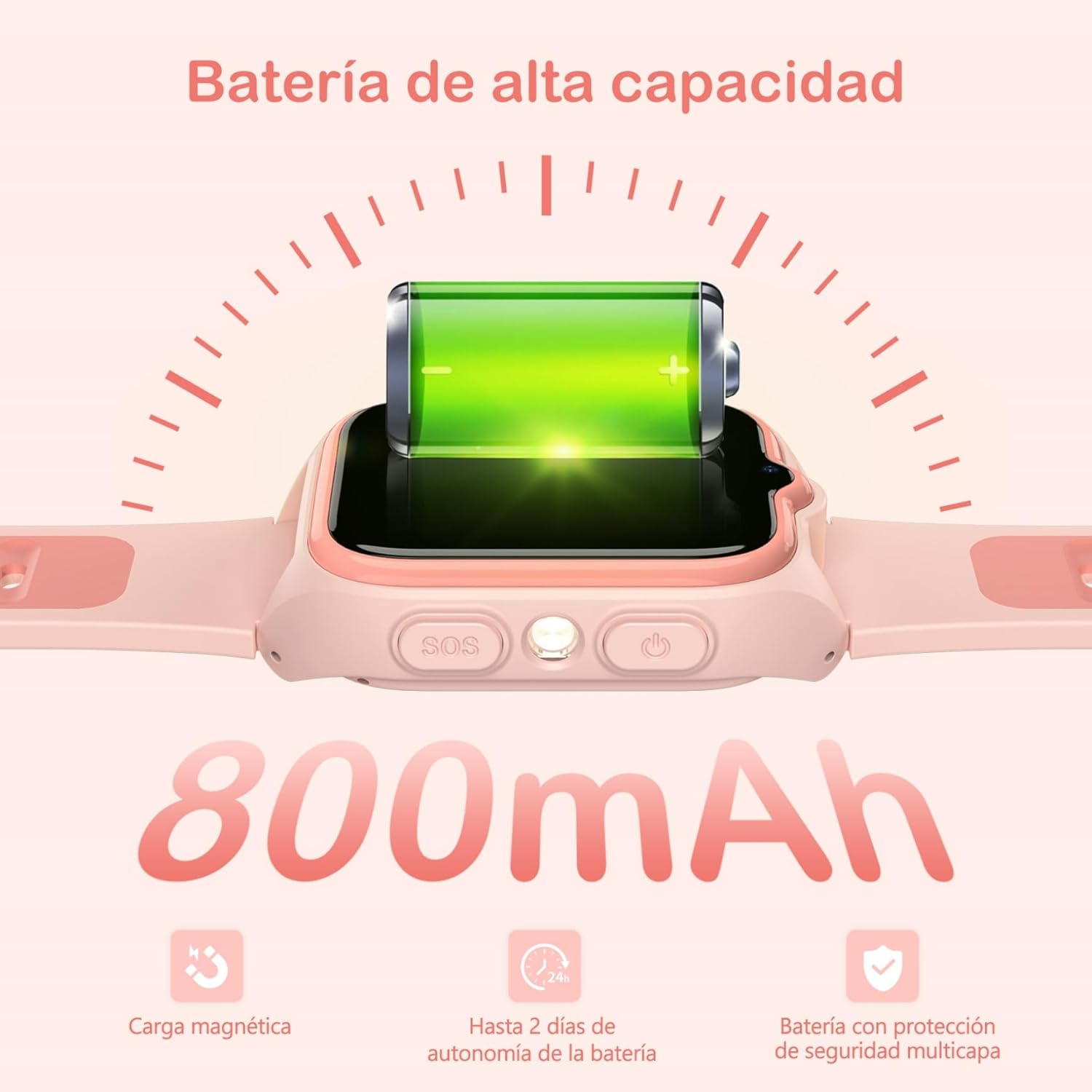
Image: Close-up of the IOWODO Z30 Smartwatch showing a full battery icon and indicating its 800mAh high-capacity battery, magnetic charging, and up to 2 days of autonomy.
2. 방수 기능(IP68)
The IOWODO Z30 Smartwatch has an IP68 water resistance rating, meaning it is resistant to rain and daily splashes. However, it is not recommended for bathing, swimming, or submersion in water. Prolonged exposure to water or high-pressure water jets may damage the device.

Image: Illustration depicting the IOWODO Z30 Smartwatch being splashed with water, emphasizing its IP68 water resistance for rain and daily splashes.
3. 청소
- 시계와 스트랩을 부드러운 천으로 닦으세요.amp 옷감.
- 독한 화학 물질이나 연마성 세제를 사용하지 마십시오.
- 충전하기 전에 충전 접점이 깨끗하고 건조한지 확인하세요.
문제 해결
| 문제 | 가능한 원인 | 해결책 |
|---|---|---|
| 시계가 켜지지 않습니다 | 배터리 부족; 전원 버튼을 충분히 길게 누르지 않음 | 시계를 최소 30분 동안 충전하세요. 전원 버튼을 5~10초 동안 길게 누르세요. |
| 네트워크 신호 없음 / 통화 불가 | SIM 카드가 제대로 삽입되지 않았습니다. SIM 카드가 활성화되지 않았습니다. 4G 연결이 되지 않습니다. APN 설정이 잘못되었습니다. | Reinsert SIM card. Contact your SIM provider to ensure activation and 4G service. Check network coverage. Configure APN settings via the app if necessary. |
| 부정확한 위치 추적 | Poor GPS/LBS/WiFi signal; Watch indoors or in dense areas | Ensure the watch has clear sky view for GPS. Location accuracy may vary indoors or in areas with weak signals. |
| 앱과 페어링할 수 없습니다 | Incorrect registration code; Watch not connected to network; App issues | Verify the registration code. Ensure the watch has a working SIM and network connection. Restart both watch and phone. Reinstall the app. |
| 배터리 수명이 짧음 | Frequent use of features (calls, GPS); High screen brightness | Reduce screen brightness. Limit continuous GPS tracking. Close unused applications. |
명세서
| 특징 | 세부 사항 |
|---|---|
| 상표 | 아이오도 |
| 모델명 | Z30 |
| 제품 모델 번호 | Z30 4G Kids Smartwatch |
| 화면 크기 | 1.75 인치 |
| 디스플레이 유형 | Digital, 240 x 280 Resolution |
| 배터리 용량 | 800mAh |
| 평균 배터리 수명 | 48 Hours (active use) |
| 충전 시간 | 2시간 |
| 메모리 용량 | 512메가바이트 |
| Installed Flash Memory | 128메가바이트 |
| 디지털 저장 용량 | 128메가바이트 |
| 연결 기술 | 4G GSM, Bluetooth |
| 위치 시스템 | GPS + LBS + WiFi |
| 방수성 | IP68 (Rain and splash resistant, not for swimming/bathing) |
| 휴먼 인터페이스 입력 | Buttons, Touch Screen |
| 제품 무게 | 170g |
| 호환 장치 | 스마트폰 |
| 추천연령 | 4-13년 |
보증 및 지원
보증
The IOWODO Z30 Smartwatch comes with a 2년 연장 보증 구매일로부터. 본 보증은 정상적인 사용 중 발생한 제조상의 결함 및 고장에 적용됩니다. 보증 청구를 위해 구매 증빙 자료를 보관해 주십시오.
고객 지원
For any questions, technical assistance, or warranty claims, please contact IOWODO customer support:
- 24/7 고객 지원: Available to assist you with any inquiries.
- 평생 기술 지원: We provide ongoing technical assistance for the lifespan of your product.
Refer to the contact information provided in your product packaging or visit the official IOWODO web지원 세부 정보 사이트.