소개
Thank you for choosing Bluedee Computer Speakers. These speakers are designed to provide clear, balanced audio for your desktop PC, laptop, or projector. Featuring 10W high-power drivers, they deliver crisp vocals and rich sound, enhancing your gaming, movie-watching, and music listening experiences. With a simple plug-and-play USB/Type-C connection and dynamic RGB lighting, these speakers offer both convenience and aesthetic appeal.
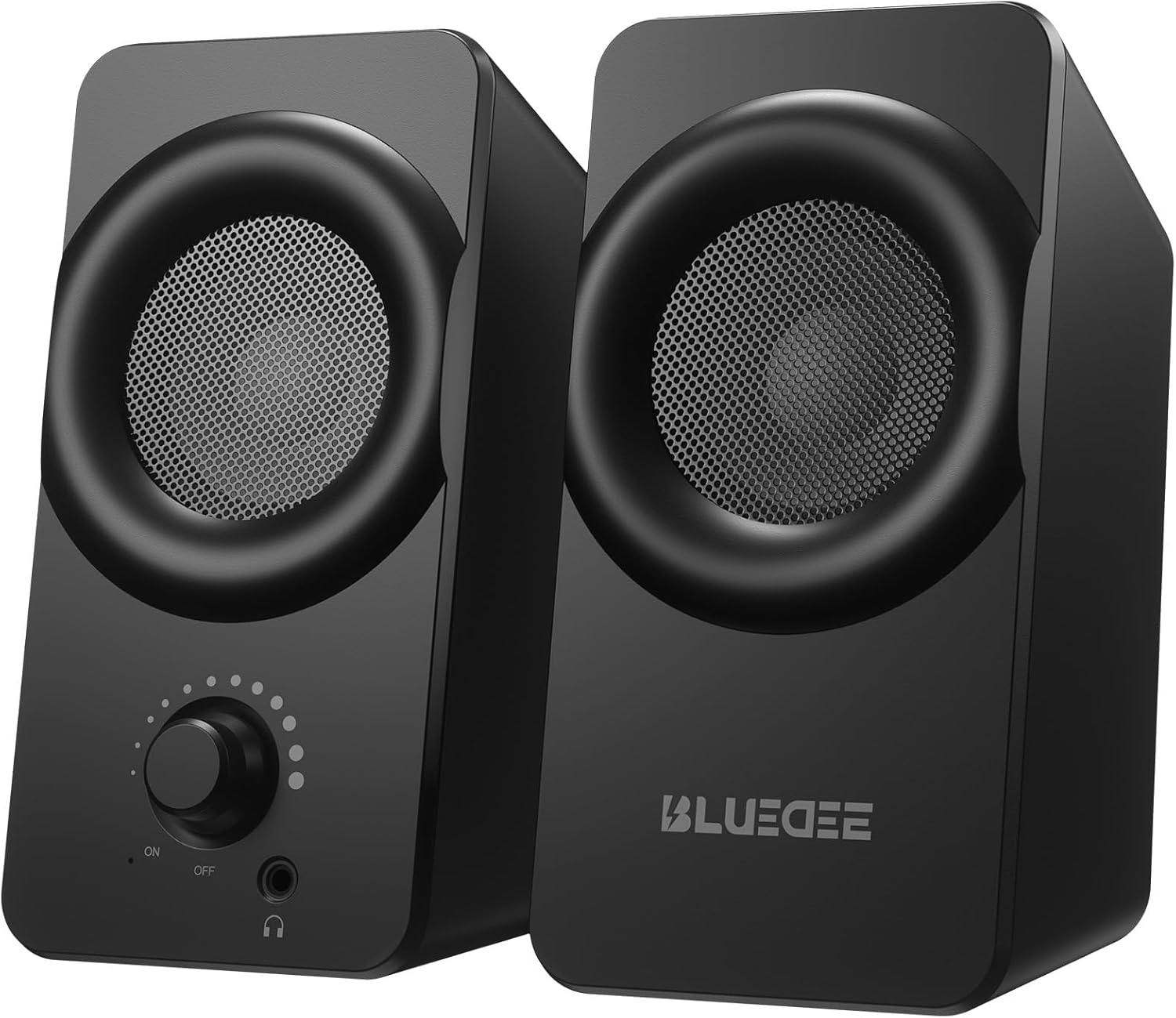
이미지: 앞면 view of the two Bluedee computer speakers, showcasing their compact black design with circular speaker grilles and a volume knob on the right speaker.
상자 안에 무엇이 들어있나요?
Upon opening your Bluedee Computer Speakers package, you will find the following items:
- Two (2) Bluedee Computer Speakers
- Integrated USB/Type-C Cable (Undetachable)
- 사용 설명서 (본 문서)
Video: An unboxing and setup guide for the Bluedee computer speakers, demonstrating what's included in the package and how to connect the speakers.
설정
Setting up your Bluedee Computer Speakers is quick and straightforward, thanks to their plug-and-play design.
- 놓기: Position the two speakers on your desk or desired surface. Ensure they are stable and the non-slip pads on the bottom are making full contact to minimize vibrations.
- Connect to Power/Audio: The speakers are powered and receive audio via a single USB/Type-C cable.
- If your device has a USB-C port, connect the Type-C end of the cable directly.
- If your device has a standard USB-A port, use the included USB-A adapter to connect the cable.
- 전원 켜기: Rotate the volume knob on the front of the right speaker clockwise until you hear a click to turn the speakers ON.

Image: A close-up of the USB/Type-C cable connecting to a laptop, illustrating the versatile connectivity options for the speakers.
For a visual guide on connecting your speakers, please refer to the "What's in the Box & How to Use" video in the previous section, specifically from the 0:18 mark.
작동 지침
Your Bluedee speakers are designed for intuitive control.
- 볼륨 조절: 오른쪽 스피커 앞쪽에 있는 큰 조절 손잡이로 전원과 볼륨을 모두 조절할 수 있습니다.
- 볼륨을 높이려면 시계 방향으로 돌리세요.
- 소리를 줄이려면 시계 반대 방향으로 돌리세요.
- Rotate fully counter-clockwise until it clicks to turn the speakers OFF.
- RGB 조명: The speakers feature dynamic RGB lights that can be controlled with a touch-sensitive symbol on top of the right speaker.
- Tap the light symbol once to turn the RGB lights ON or OFF.
- The lights will pulse with your music or game audio, creating an immersive atmosphere.
- 헤드폰 잭: A 3.5mm headphone jack is located on the front of the right speaker.
- Plug in your headphones for a private listening experience.
- Connecting headphones will automatically mute the speakers.

이미지: 자세한 view of the right speaker's controls, highlighting the volume knob, headphone jack, and the touch-sensitive RGB light control symbol.
For a demonstration of the controls, including power, volume, and RGB light operation, please refer to the "What's in the Box & How to Use" video from the 0:29 mark.
유지
To ensure the longevity and optimal performance of your Bluedee Computer Speakers, follow these simple maintenance guidelines:
- 청소: 부드럽고 마른 천으로 스피커 표면을 닦아주세요. 연마성 세척제, 용제 또는 강한 화학 물질은 마감재를 손상시킬 수 있으므로 사용하지 마십시오.
- 먼지 제거: Gently brush away any dust from the speaker grilles using a soft brush or a can of compressed air.
- 저장: 장시간 사용하지 않을 경우, 스피커를 직사광선과 극한의 온도를 피해 서늘하고 건조한 곳에 보관하세요.
- 액체를 피하세요: Do not expose the speakers to water or other liquids. They are not waterproof.
문제 해결
If you encounter any issues with your Bluedee Computer Speakers, please refer to the following troubleshooting steps:
| 문제 | 가능한 원인 | 해결책 |
|---|---|---|
| 스피커에서 소리가 나지 않음 |
|
|
| 소리가 왜곡되거나 불분명합니다. |
|
|
| RGB 조명이 작동하지 않습니다 |
|
|
If the problem persists after trying these steps, please contact Bluedee Customer Support for further assistance.
명세서
Detailed specifications for your Bluedee Computer Speakers:
| 특징 | 세부 사항 |
|---|---|
| 모델명 | BD-SK800 |
| 스피커 유형 | 컴퓨터 스피커 |
| 연결 기술 | USB (includes Type-C adapter) |
| 스피커 최대 출력 전력 | 10 와트 |
| 제품 크기(L x W x H) | 3.74인치 깊이 x 3.15인치 너비 x 6.11인치 높이 |
| 품목 무게 | 1.6 파운드 |
| 재료 | 금속, 플라스틱 |
| 제어 방법 | Touch (for RGB lights) |
| 컨트롤러 유형 | Knob (for volume/power) |
| 오디오 출력 모드 | 스테레오 재생 |
| 전원 | 유선 전기(USB를 통해) |
| 한국어: | 732133620731 |

Image: The two speakers shown with their dimensions (length, width, height) overlaid, emphasizing their compact size.
보증 및 지원
Bluedee stands behind the quality of its products. Your Bluedee Computer Speakers are backed by an 18개월 품질 보증.
If you encounter any issues or have questions regarding your product, please do not hesitate to contact Bluedee Customer Support. We are committed to resolving any concerns within 24 hours.
For support, please reach out to the seller, HanMeng Direct, through the platform where you made your purchase.
Additional protection plans may be available for purchase separately. Please refer to your purchase details for more information on extended warranty options.


