1. 서론
Thank you for choosing the GTRACING Gaming Desk. This manual provides essential information for the safe and efficient assembly, operation, and maintenance of your new desk. Please read these instructions carefully before beginning assembly and retain them for future reference.
2. 중요한 안전 정보
Always assemble the desk according to the provided instructions. Be cautious when moving the desk, as it can be heavy and may pose a risk of injury if not handled properly.
- 사용하기 전에 모든 연결이 안전한지 확인하십시오.
- Do not overload the desk or monitor stand beyond the recommended weight capacity (300 lbs).
- 액체가 전기 부품(전원 콘센트, USB 포트, LED 조명)에 닿지 않도록 하십시오.
- Children should not climb on or play with the desk.
- 포장재를 책임감 있게 폐기하세요.
3. 패키지 내용
Verify that all components are present before assembly. If any parts are missing or damaged, please contact GTRACING customer support.
- Desk components (desktop panels, legs, monitor stand parts)
- 일체형 멀티탭 (AC 콘센트 2개, USB 포트 2개)
- LED 조명 스트립
- Extended mouse pad
- Headphone hooks (x2)
- 조립 하드웨어(나사, 볼트 등)
- 조립 도구
- 사용 설명서
4. 조립 설명서
Assembly is required. Please follow the detailed step-by-step instructions provided in the separate assembly guide included with your package. All necessary tools are included.
- 모든 구성품을 풀어서 패키지 내용물 목록과 비교해보세요.
- 모든 하드웨어와 도구를 파악합니다.
- Assemble the desk frame and legs.
- Attach the desktop panels.
- 모니터 스탠드를 설치하세요.
- Mount the integrated power strip.
- Attach the LED light strip.
- Install the headphone hooks.
- Place the extended mouse pad.

Image: All components of the GTRACING Gaming Desk laid out, ready for assembly. This includes the desktop pieces, legs, monitor stand, and various hardware.

Image: A fully assembled GTRACING Gaming Desk, showcasing the monitor stand, LED lighting, and carbon fiber texture.
5. 사용 설명서
5.1. LED 조명 시스템
The GTRACING Gaming Desk features an integrated LED light strip to enhance your gaming or work environment. The LED lights offer 16 color changes and 6 dynamic modes.
- Connect the LED light strip to the designated power source.
- Use the included remote control to power on/off, change colors, and select dynamic modes.
- Ensure the remote control has a working battery and is pointed towards the LED receiver for optimal functionality.
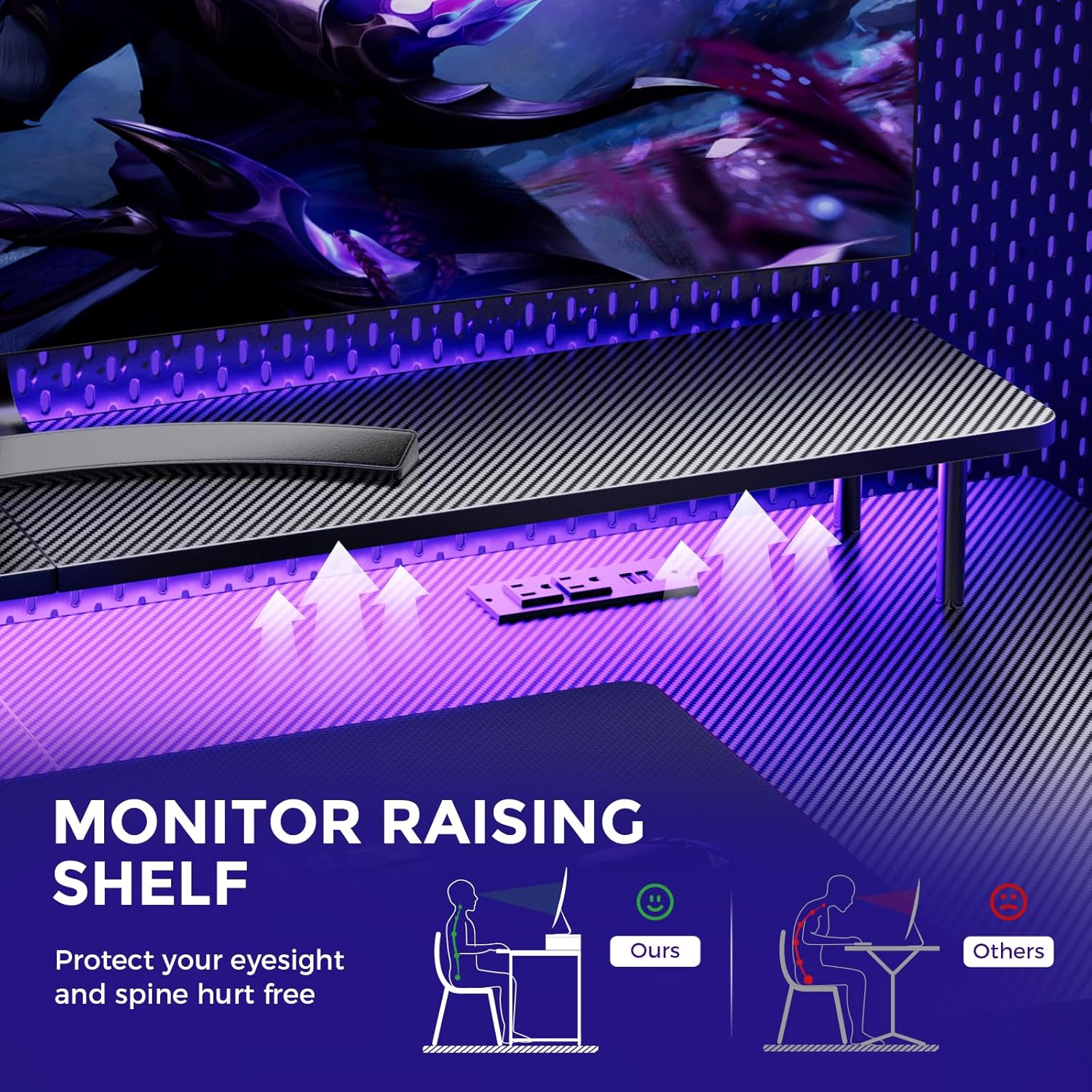
Image: A hand holding a remote control, demonstrating the control over the RGB LED light strip installed beneath the monitor stand of the desk.
Video: An official product video demonstrating the GTRACING 55 Inch Gaming Desk with LED Lights, showcasing its features and aesthetic appeal in a gaming setup.
5.2. Integrated Power Outlets & USB Ports
The desk includes a built-in power strip with 2 AC outlets (120V/12A) and 2 USB charging ports (5V/2A) for convenient device charging and power supply.
- 책상의 전원 코드를 벽면 콘센트에 꽂으세요.
- 필요에 따라 기기를 AC 콘센트 또는 USB 포트에 연결하세요.
- Avoid exceeding the maximum power rating of the outlets.

이미지: 클로즈업 view of the recessed power strip on the desk, showing two AC outlets and two USB charging ports in use, charging a phone and earbuds.
5.3. Ergonomic Monitor Stand
The raised monitor stand positions your screen at eye level, promoting better posture and reducing neck strain during extended use. It also provides additional storage space.

Image: A diagram comparing correct ergonomic posture achieved with the monitor stand to incorrect posture without it, highlighting benefits for eyesight and spine.
6. 유지관리
- 청소: 탄소 섬유 표면을 부드러운 천으로 닦으십시오.amp 옷감. 마감재를 손상시킬 수 있는 강한 화학 물질을 피하십시오.
- 하드웨어: 모든 나사와 볼트가 단단히 조여져 있는지 정기적으로 점검하세요. 필요하면 조여주세요.
- 전기 부품: Keep the power outlets and USB ports free from dust and debris. Do not attempt to repair electrical components yourself.
7. 문제 해결
7.1. LED Lights Not Working or Remote Not Responding
- 전원 연결을 확인하세요. Ensure the LED light strip is securely plugged into the power source and the desk's main power cord is connected to a live wall outlet.
- 원격 배터리: Verify that the remote control has a fresh battery and is inserted correctly.
- 시선: Ensure there is a clear line of sight between the remote control and the LED receiver. Obstructions can block the signal.
- 수동 제어: If the remote is unresponsive, check if there's a manual button on the LED controller itself to cycle through modes or power on/off.
7.2. 책상 불안정성
- 하드웨어를 조이세요: Re-check and tighten all assembly screws and bolts.
- 수평 표면: 책상이 평평하고 수평인 표면에 놓여 있는지 확인하십시오.
8. 사양
| 특징 | 세부 사항 |
|---|---|
| 상표 | 지트레이싱 |
| 모델 번호 | 114vc07 |
| 제품 치수 | 24인치 깊이 x 55인치 너비 x 30인치 높이 |
| 색상 | 카본블랙 |
| 상단 재료 유형 | 탄소섬유 |
| 기본 소재 | 스테인리스 스틸 |
| 최대 중량 권장 사항 | 300 파운드 |
| 일체형 멀티탭 | 2개의 AC 콘센트(120V/12A), 2개의 USB 포트(5V/2A) |
| 특별 기능 | Built-In USB Outlet, Ergonomic, Monitor Stand, LED Lights, Headphone Hook |
| 조립이 필요합니다 | 예 (도구 포함) |

Image: A detailed diagram illustrating the dimensions of the GTRACING Gaming Desk, including the main desktop and the monitor stand.
9. 보증 및 고객 지원
GTRACING is committed to providing high-quality products and customer satisfaction. For any questions, concerns, or missing parts, please contact our customer service team.
- 무료 교환/환불: 구매 후 30일 이내.
- Free Replacement/Repair: Within 1 year of purchase.
- 연락처 정보:
- 이메일: info@gtracing.com
- Phone: 1-888-660-5669 (9:00-5:30 PST Mon-Fri)
- Web대지: www.gtracing.com

Image: GTRACING customer service representatives ready to assist with product inquiries and support.


