1. 서론
This manual provides essential information for setting up, operating, and maintaining your Hisense 32E5Q Smart QLED Google TV. Please read it thoroughly before using the television to ensure proper functionality and safety. Keep this manual for future reference.
The Hisense 32E5Q is an 80 cm (32-inch) HD Ready Smart QLED Google TV, featuring HDR10 support, 30W powerful speakers with Dolby Audio, a Super Bright Panel, Google Assistant, and built-in Chromecast for an enhanced view경험.
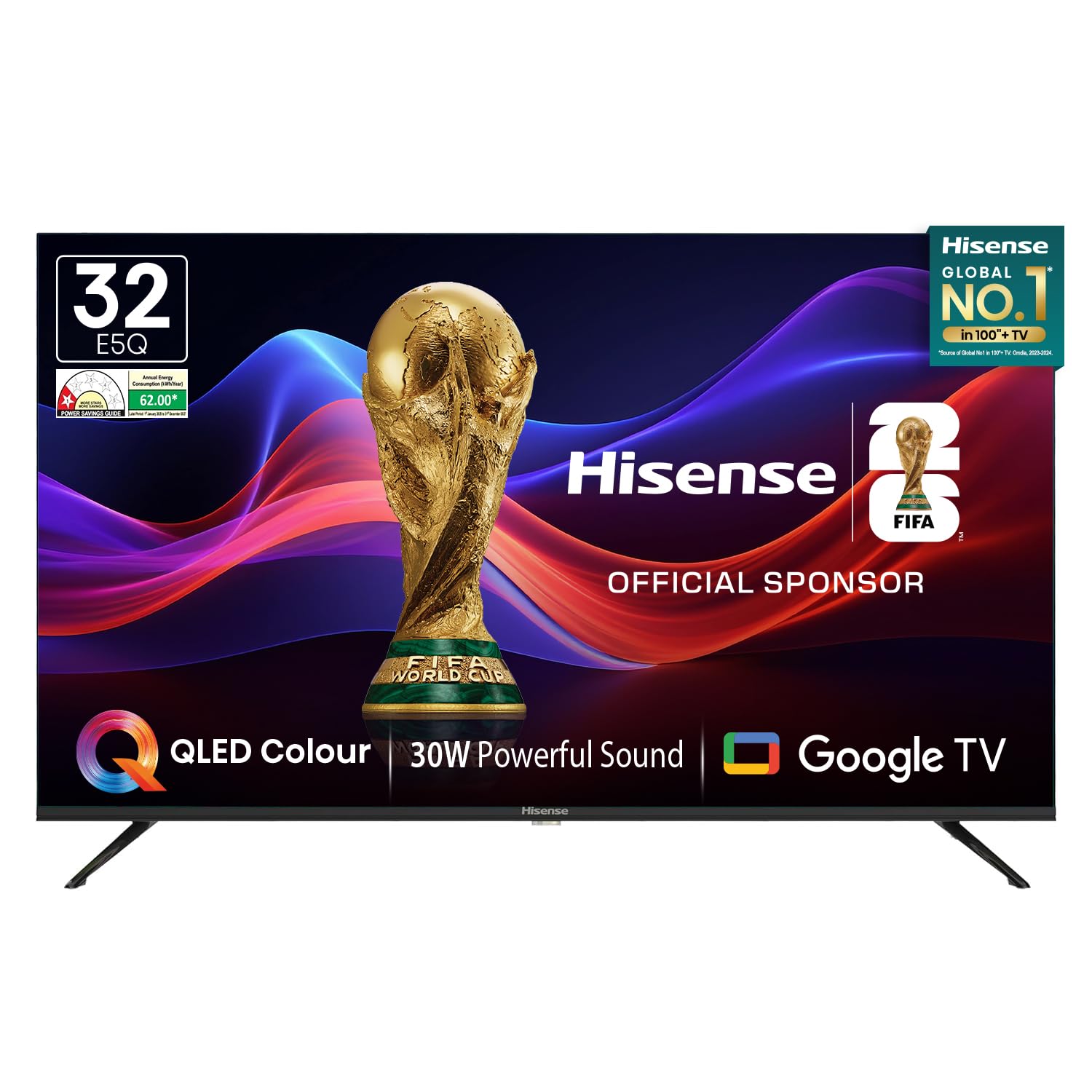
Image: Hisense 32E5Q Smart QLED Google TV, front view.
2. 상자 안에 무엇이 들어있나요?
상자를 조심스럽게 풀고 모든 품목이 들어 있고 손상되지 않았는지 확인하세요. 품목이 없거나 손상된 경우 즉시 판매점에 문의하세요.
- 1 x Hisense 32E5Q LED TV
- 테이블 스탠드 받침대 2개
- 1 x 사용자 매뉴얼(이 문서)
- 1 x 보증 카드
- 1 x 원격 제어
- AAA 배터리 2개

Image: Diagram showing the Hisense TV, remote, table stands, batteries, warranty card, and manual included in the box.
3. 설정
3.1. 스탠드 설치
To install the table stand bases:
- 긁힘을 방지하려면 TV 화면을 아래로 하여 부드럽고 평평한 표면에 놓으세요.
- 각 스탠드 받침대를 TV 하단의 해당 슬롯에 맞춰 끼우십시오.
- 제공된 나사를 사용하여 스탠드를 고정하세요. 단단히 고정되었는지 확인하세요.

Image: Diagram illustrating the dimensions of the Hisense E5Q QLED TV and how the table stands attach.
3.2. 벽 장착
This TV supports wall mounting. For wall mounting, please refer to the instructions provided with your wall mount kit. Ensure the wall mount is compatible with the TV's VESA mounting pattern and weight. Professional installation is recommended for wall mounting.
3.3. 장치 연결
Connect your external devices to the TV using the appropriate ports. Ensure the TV and all devices are powered off before making connections.
- HDMI 포트(x3): For connecting set-top boxes, gaming consoles, Blu-ray players, etc.
- USB 2.0 포트(x2): For connecting USB storage devices (hard drives, flash drives) to play media.
- 이더넷(RJ45): 유선 인터넷 연결의 경우.
- 헤드폰 포트: 헤드폰 연결 용.
- AV 입력: 복합 비디오 및 스테레오 오디오 케이블을 사용하여 오래된 장치를 연결하는 데 사용됩니다.
- VGA 입력: 컴퓨터를 연결하는 데 사용합니다.
- 개미: 지상파 방송용 안테나 연결용입니다.

Image: Detailed diagram of the Hisense TV's rear and side connectivity ports, including HDMI, USB, Ethernet, AV, VGA, and Headphone.
4. TV 작동
4.1. 전원 켜기/끄기
Connect the power cord to the TV and a power outlet. Press the power button on the remote control or the TV to turn it on or off.
4.2. 초기 설정 (구글 TV)
처음 전원을 켜면 TV가 초기 설정 과정을 안내합니다. 여기에는 다음이 포함됩니다.
- 언어 선택.
- 네트워크 연결(Wi-Fi 또는 이더넷).
- Google TV 기능을 사용하려면 Google 계정으로 로그인하세요.
- Google Assistant setup.
- Channel scanning (if using an antenna).
4.3. 스마트 TV 기능
Your Hisense 32E5Q TV runs on Google TV, offering a personalized entertainment experience.
- 구글 TV: Access a vast library of movies, shows, and apps from various streaming services.
- 내장 Chromecast: 스마트폰, 태블릿 또는 컴퓨터의 콘텐츠를 TV로 바로 전송하세요.
- 구글 어시스턴트: 음성 명령을 사용하여 콘텐츠를 검색하고, 스마트 홈 기기를 제어하고, 정보를 얻으세요.
- 지원되는 앱: Pre-installed and downloadable apps include Netflix, YouTube, Prime Video, Hotstar, SonyLiv, Hungama, JioCinema, Zee5, Eros Now, and many more.

Image: Screenshot of the Google TV home screen displaying popular streaming applications like Prime Video, Netflix, YouTube, and Disney+ Hotstar.
4.4. 원격 제어
The included remote control features dedicated buttons for popular streaming services and voice control functionality.
- 음성 제어: Press the Google Assistant button and speak into the remote to issue commands.
- One-touch Access: Quickly launch Netflix, YouTube, Prime Video, and other apps with dedicated buttons.

Image: The Hisense voice remote control, highlighting the power, volume, channel, navigation, and dedicated app buttons.
4.5. 디스플레이 설정
최적화하세요 viewing experience with the following display features:
- QLED 디스플레이: Delivers vibrant colors and enhanced picture quality.
- HDR10: 호환되는 콘텐츠에 대해 뛰어난 명암비와 색상 정확도를 제공합니다.
- Super Bright Panel: Ensures high brightness levels for clear visibility in various lighting conditions.
- 사진 모드: Choose from Standard, Dynamic, Movie, ECO, Gentle, Vivid, Sport, Game, and Personal to suit your content.
- 천연 색상 강화제: Fine-tunes colors for a more realistic and immersive visual experience.
- 소음 감소: Reduces visual noise and graininess for a clearer picture.
- 동적 대비: Enhances the contrast between light and dark areas of the screen.

Image: Visual representation of key display technologies including QLED Color, HDR10 comparison, and 4K Digital Noise Reduction.
4.6. 오디오 설정
Experience rich and powerful sound with the TV's audio features:
- 30W Powerful Speakers: Delivers clear and immersive audio.
- 돌비 오디오: Provides enhanced sound quality for movies, music, and games.
- 사운드 모드: Select from Standard, Music, Cinema, News, and Personal to optimize audio for different content types.

Image: Graphic illustrating the Dolby Audio and 30W Powerful Sound features, showing sound waves emanating from the TV.
4.7. 화면 미러링
Share content from your devices to the TV screen:
- Chromecast 내장: Easily cast videos, photos, and music from compatible apps on your smartphone or tablet.
- DLNA, Miracast, Airplay: Supports various screen mirroring protocols for seamless content sharing.
5. 사양
| 특징 | 사양 |
|---|---|
| 모델 | 32E5Q |
| 화면 크기 | 32 인치 (80cm) |
| 디스플레이 기술 | QLED |
| 해결 | HD 지원 (1366x768) |
| 새로 고침 빈도 | 60 헤르츠 |
| View잉 각도 | 178도 |
| 명도 | 330 Nits |
| 대비율 | 3000:1(네이티브) |
| HDR 지원 | HDR10 |
| 운영 체제 | 구글 티비 |
| 램 메모리 | 1.5GB (XNUMX기가바이트) |
| 저장 용량 | 8GB (XNUMX기가바이트) |
| 스피커 출력 | 30 와트 |
| 오디오 기술 | 돌비 오디오 |
| HDMI 포트 | 3 |
| USB 포트 | 2(USB 2.0) |
| 연결성 | Built-in Wi-Fi, Bluetooth 5.0, Ethernet RJ45 |
| 제품 치수(스탠드 포함) | 71.6 x 48.78 x 22.45cm |
| 제품 치수(스탠드 제외) | 71.6 x 43.34 x 8.61cm |
| 품목 무게 | 3.9kg |
| 전력 소비 | 55 와트 |
6. 유지관리
6.1. TV 청소
- 청소하기 전에는 항상 TV의 플러그를 뽑아 두세요.
- 부드럽고 마른 보풀 없는 천으로 화면과 본체를 닦으세요.
- 완고한 자국의 경우 가볍게 damp물이나 순한 화면 세정제를 천에 적셔 사용하세요. 화면에 세정제를 직접 뿌리지 마세요.
- TV의 마감을 손상시킬 수 있으므로 연마성 세척제, 왁스 또는 용제의 사용은 피하세요.
6.2. 안전 지침
- 환기구를 막지 마십시오.
- TV를 직사광선, 열원, 과도한 먼지로부터 멀리 두세요.
- Avoid placing liquids or heavy objects on top of the TV.
- If the TV emits smoke or unusual odors, immediately unplug it and contact customer support.
7. 문제 해결
TV에 문제가 발생하면 다음의 일반적인 해결책을 참조하세요.
- 전원 없음: 전원 코드가 TV와 정상적으로 작동하는 콘센트에 모두 단단히 꽂혀 있는지 확인하세요. 콘센트가 제대로 작동하는지 확인하세요.
- 화면/소리 없음: Verify that the correct input source is selected. Check all cable connections (HDMI, AV, etc.). Try restarting the TV.
- 원격 제어가 작동하지 않음: 리모컨에 AAA 배터리를 교체하세요. 리모컨과 TV 사이에 장애물이 없는지 확인하세요.
- 네트워크 연결 문제: For Wi-Fi, check your router and ensure the TV is within range. For Ethernet, verify the cable connection. Try restarting your router and the TV.
- 화질 문제: TV 메뉴에서 화면 설정(밝기, 대비, 색상)을 조정하세요. 콘텐츠 소스가 고화질인지 확인하십시오.
For more detailed troubleshooting or persistent issues, please contact Hisense customer support.
8. 보증 및 지원
8.1. 보증 정보
Your Hisense 32E5Q TV comes with a 1년 보증 텔레비전 구매일로부터 1년 보증 on the remote control, provided by the brand.
Warranty claims can be processed using your Amazon e-invoice as proof of purchase. Please retain your invoice for warranty purposes.
8.2. 고객 지원
For technical assistance, service requests, or any other inquiries, please contact Hisense customer support. Refer to the warranty card or Hisense's official web연락처 정보 사이트.
You may also consider extended warranty plans offered by third-party providers for additional coverage beyond the standard manufacturer's warranty.
9. 제품 비디오 끝view
이 영상을 시청하여 시각적으로 살펴보세요.view of the Hisense E5Q Series HD Ready Smart QLED Google TV's features and benefits.
비디오: 간략하게 살펴보기view highlighting the QLED display, HD Ready resolution, 60Hz refresh rate, 178-degree viewing angle, 330 nits brightness, 3000:1 contrast ratio, HDR10, Google TV, Chromecast, Google Assistant, 3 HDMI ports, 2 USB 2.0 ports, built-in Wi-Fi, Bluetooth 5.0, Ethernet RJ45, headphone port, 30W speaker output, and Dolby Audio. It also shows the contents of the box and warranty information.


