1. 서론
The IRRADIO IR-M3 Classic is a compact and powerful wireless speaker designed for versatile audio experiences. Featuring a 50mm full-range driver and a passive subwoofer, it delivers rich, balanced sound with a nominal power of 10W and musical power of 15W. Its frequency response of 85 Hz-20 KHz ensures deep bass and clear highs, making it suitable for various music genres. This portable Bluetooth speaker is perfect for on-the-go use, offering up to 10 hours of continuous playback thanks to its 2000 mAh battery. Its IPX7 waterproof rating makes it resistant to rain and short immersions, ideal for outdoor adventures. The True Wireless Stereo function allows you to connect two speakers for a complete stereo experience. Additionally, the RGB LED lighting adds a stylish touch, creating engaging atmospheres, while MP3 and WAV file compatibility and USB playback enhance its versatility.
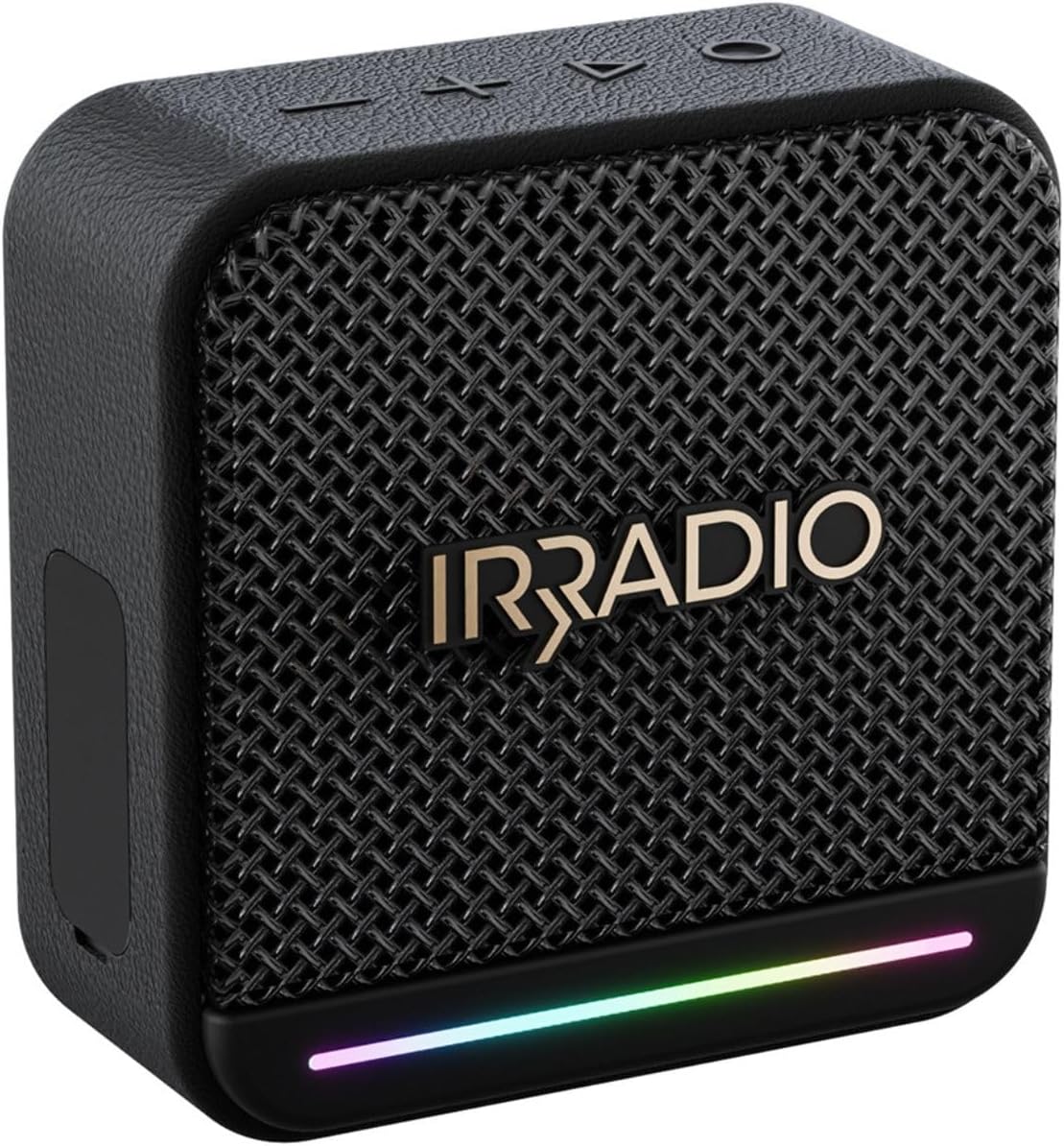
이미지 1: 앞면 view of the IRRADIO IR-M3 Classic Bluetooth Speaker, showcasing its compact design and RGB LED light strip.
2. 상자 안에 무엇이 들어있나요?
Upon unboxing your IRRADIO IR-M3 Classic Bluetooth Speaker, please ensure all components are present:
- IRRADIO IR-M3 Classic Bluetooth Speaker
- Charger (USB-C cable)
3. 제품 특징
- 뛰어난 오디오 품질: Equipped with a 50mm full-range driver and integrated passive subwoofer, delivering 10W nominal power and 15W musical power. Frequency response of 85 Hz-20 KHz for deep bass and clear highs.
- 소형 및 휴대성: Measuring 10.1 x 10.2 x 4.8 cm and weighing only 306g, it is easy to transport.
- 오래 지속되는 배터리: Integrated 2000 mAh battery provides up to 10 hours of continuous playback. Full recharge in approximately 3.5 hours.
- 방수 디자인 : IPX7 waterproof rating ensures resistance to rain and short immersions, making it suitable for outdoor use.
- 고급 연결성 : Supports Bluetooth 5.4 for quick and stable connections up to 10 meters.
- 진정한 무선 스테레오(TWS): Connect two IR-M3 Classic devices for an immersive stereo sound experience.
- 다양한 재생: Compatible with MP3 and WAV file formats, and supports music playback from an external USB drive.
- 역동적인 RGB LED 조명: Customizable LED lighting adds visual flair and atmosphere to your music.

Image 2: Visual representation of key features including True Wireless Stereo, RGB LED lighting, and 10W power output.

Image 3: The IRRADIO IR-M3 Classic speaker shown with its compact dimensions for easy portability.
4. 설정
- 스피커 충전: Before first use, fully charge the speaker using the provided USB-C cable. Connect the USB-C end to the speaker's charging port and the other end to a compatible USB power adapter (not included). The charging indicator will show the charging status.
- 전원 켜기: Press and hold the power button (usually marked with a power symbol) for a few seconds until you hear an audible cue or see the LED indicator light up.
- 블루투스 페어링 : Once powered on, the speaker will automatically enter Bluetooth pairing mode. The LED indicator will typically flash to indicate it's ready to pair.
- 장치에 연결: 스마트폰, 태블릿 또는 컴퓨터에서 Bluetooth 설정으로 이동하세요. 검색 'IR-M3 Classic' in the list of available devices and select it to connect. A confirmation sound or steady LED light will indicate a successful connection.
- True Wireless Stereo (TWS) Pairing (Optional): To connect two IR-M3 Classic speakers for stereo sound, ensure both speakers are powered on and in pairing mode. On one speaker, press and hold the TWS button (if available, refer to specific button layout) until they connect. Then, pair your device to the primary speaker.

Image 4: Close-up of the speaker's side panel revealing the protected ports for USB-C charging, USB-A for external drives, AUX-in, and TF card slot.
5. 사용 설명서
기본 컨트롤:
- 전원 켜기/끄기: 전원 버튼을 길게 누르세요.
- 볼륨 높이기/낮추기: '+' 및 '-' 버튼을 사용하세요.
- 재생/일시 중지: 재생/일시 정지 버튼을 누르세요.
- 다음 / 이전 트랙 : 앞/뒤 버튼을 사용하세요.
- 모드 선택: If available, press the 'M' button to switch between Bluetooth, USB, AUX, or TF card modes.
RGB LED 조명:
The speaker features dynamic RGB LED lighting. Refer to the specific button layout for controls to change lighting modes or turn them off/on. The lights can synchronize with the music, enhancing the listening experience.

Image 5: The IRRADIO IR-M3 Classic speaker displaying its colorful RGB LED lighting feature.
6. 유지관리
- 청소: 스피커를 닦을 때는 부드럽고 마른 천을 사용하십시오. 잘 지워지지 않는 얼룩은 약간 거친 천으로 닦아내십시오.amp 천을 사용하세요. 독한 화학 약품이나 연마성 세척제는 사용하지 마세요.
- 방수 기능: The IPX7 rating means the speaker can withstand immersion in water up to 1 meter for 30 minutes. Ensure all port covers are securely closed before exposing the speaker to water. After exposure to water, dry the speaker thoroughly before charging or opening any ports.
- 저장: 스피커는 직사광선과 극한의 온도를 피해 시원하고 건조한 곳에 보관하세요.
- 배터리 관리 : 배터리 수명을 연장하려면 배터리를 자주 완전히 방전하지 마세요. 장시간 사용하지 않더라도 정기적으로 충전하세요.
7. 문제 해결
- 전원 없음: Ensure the battery is charged. Connect the speaker to a power source using the USB-C cable and try turning it on again.
- 소리 없음: Check the volume level on both the speaker and your connected device. Ensure the speaker is correctly paired via Bluetooth or the AUX cable is properly connected.
- 블루투스 페어링 문제: Make sure the speaker is in pairing mode (LED flashing). Turn off Bluetooth on your device and turn it back on. Try unpairing and re-pairing the speaker. Ensure no other devices are connected to the speaker.
- 왜곡된 소리: 스피커와 기기의 볼륨을 모두 줄이세요. 오디오 소스의 음질이 좋은지 확인하세요.
- USB/TF 카드 재생 문제: 오디오 확인 files are in MP3 or WAV format. Check that the USB drive or TF card is inserted correctly and is not corrupted.
8. 사양
| 특징 | 사양 |
|---|---|
| 상표 | 라디오 |
| 모델 번호 | IR-M3 |
| 제품 치수 | 101P x 48l x 102H mm (10.1 x 4.8 x 10.2 cm) |
| 스피커 크기 | 10.1 센티미터 |
| 무선 통신 기술 | 블루투스 5.4 |
| 최대 범위 | 10 미터 |
| 전원 | 배터리 구동 |
| 배터리 용량 | 2000mAh |
| 재생 시간 | 최대 10시간(50% 볼륨) |
| 충전 시간 | 3.5시간 |
| 방수 등급 | IPX7 |
| 오디오 출력 모드 | 스테레오 재생 |
| 추천 용도 | For smartphones or tablets, For computers, For televisions |
| 호환 장치 | 노트북, MP3 플레이어, 스마트폰, 태블릿, 텔레비전 |
| 포함된 구성 요소 | Charger (USB-C cable) |
9. 보증 및 지원
The IRRADIO IR-M3 Classic Bluetooth Speaker comes with a limited warranty. For specific details regarding warranty coverage, duration, and terms, please refer to the warranty card included in your product packaging or contact IRRADIO customer support directly. Keep your proof of purchase for warranty claims.
For further assistance, technical support, or service inquiries, please visit the official IRRADIO website or contact their customer service department. Contact information can typically be found in the product packaging or on the brand's official web대지.