1. 서론
This manual provides detailed instructions for the proper use and maintenance of your iFLYTEK USB-C to 3.5mm Audio Jack Adapter. This adapter is specifically designed to enhance the audio capabilities of your iFLYTEK Smart Recorder, ensuring high-fidelity sound for recording, playback, and communication.
2. 제품 오버view
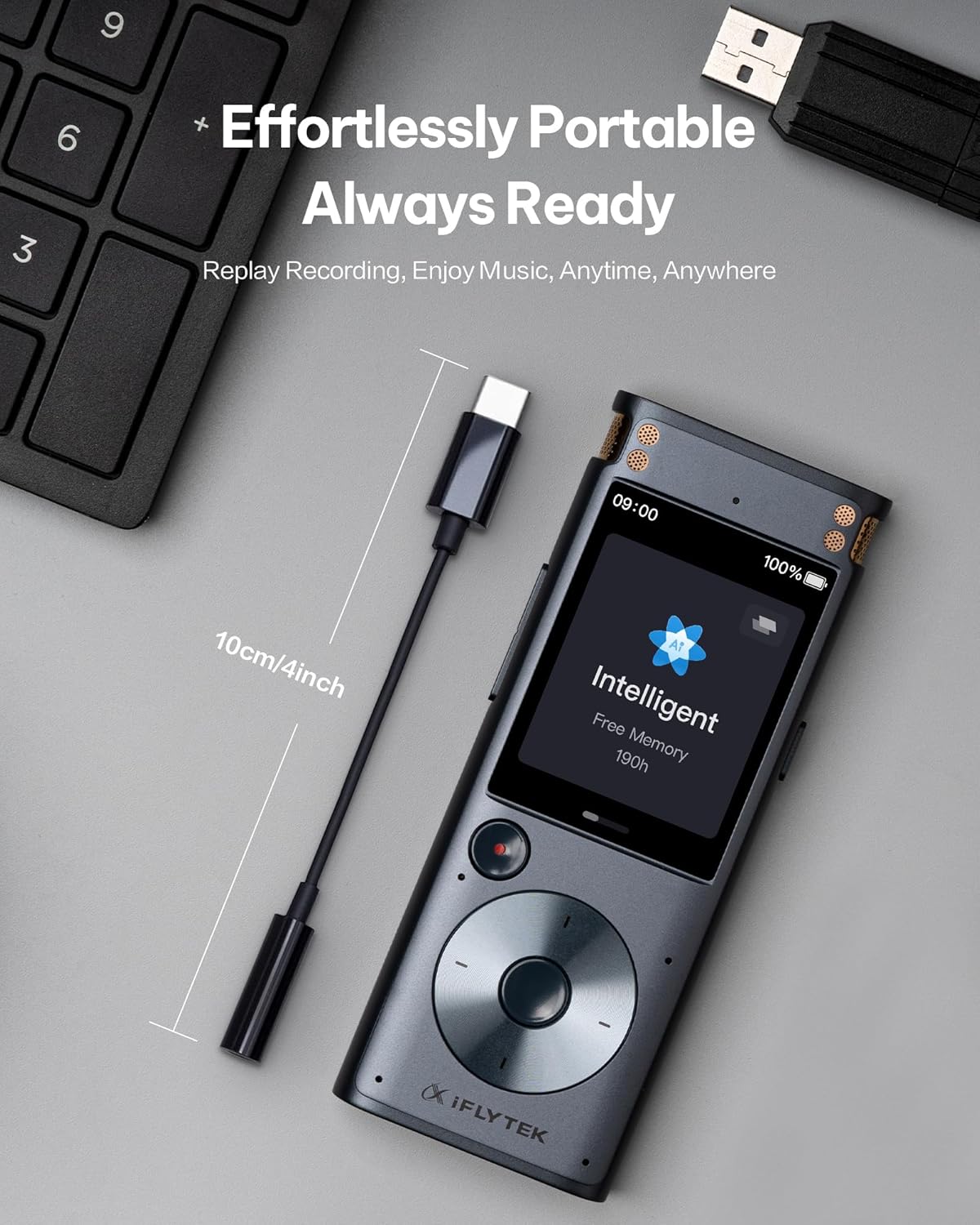
The iFLYTEK USB-C to 3.5mm Audio Jack Adapter serves as a bridge between your iFLYTEK Smart Recorder (or other compatible USB-C devices) and standard 3.5mm audio peripherals such as headphones or external microphones. It features a high-performance Digital-to-Analog Converter (DAC) chip for superior audio quality and is built with durable materials for extended lifespan.
3. 특징
- Tailored for iFLYTEK Smart Recorder: Ensures seamless integration and optimized audio performance for professional recording workflows.
- Hi-Fi 사운드 품질: Equipped with a high-performance DAC chip, this adapter delivers high-quality audio and effectively minimizes background noise for clear voice recordings.
- Effortless Plug-and-Play: No drivers or setup required; simply plug in for instant zero-latency audio.
- 높은 내구성: Reinforced with a SUS 316 Shell and TPE material, designed to resist daily wear, bends, and tugs, successfully passing 10,000 bend tests.
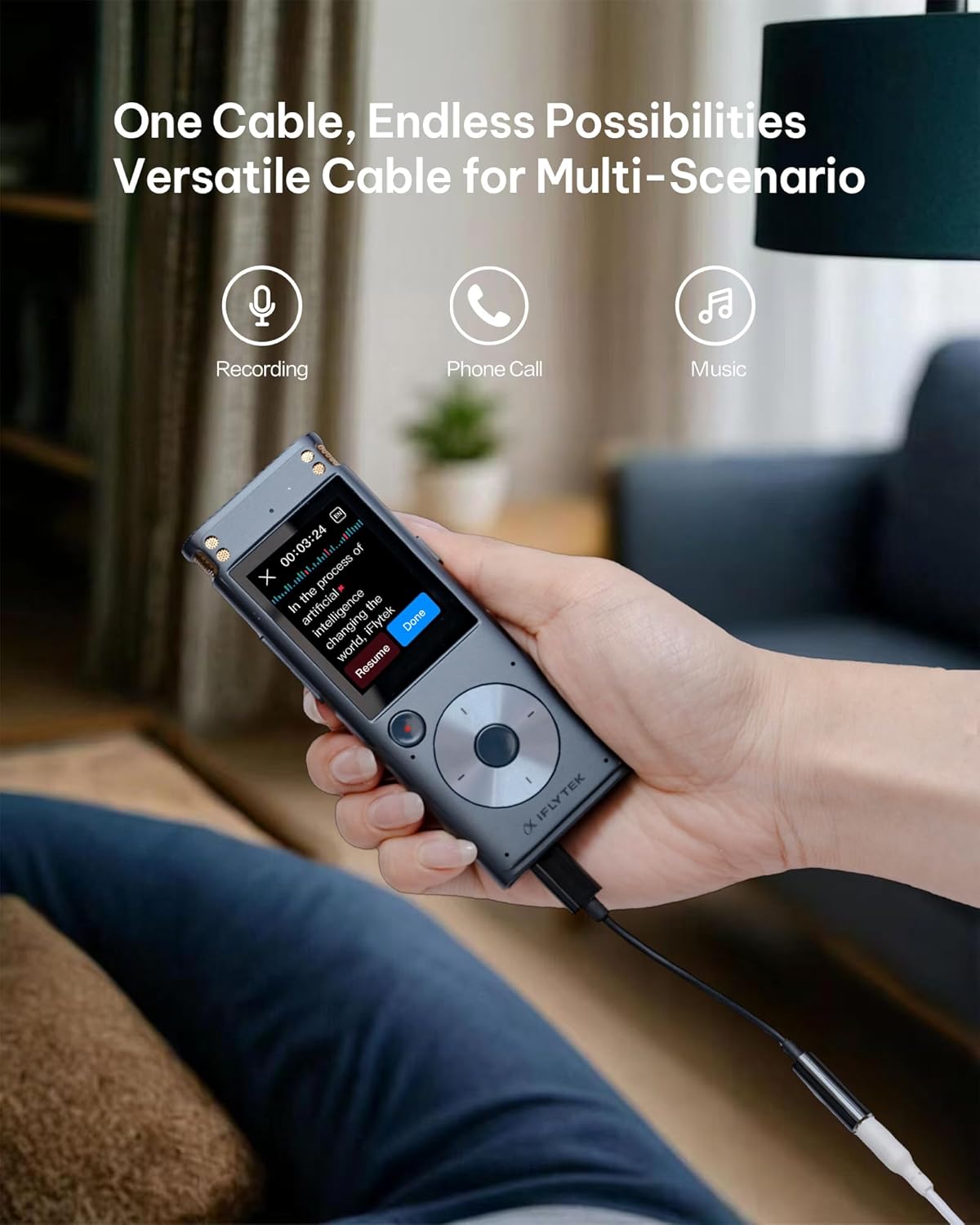
- 다중 시나리오 사용: Versatile for recording, phone calls, and music playback.
- 휴대성 있는 디자인: Compact and lightweight for on-the-go convenience.
4. 설정
Follow these steps to set up your iFLYTEK USB-C to 3.5mm Audio Jack Adapter:
- 장치에 연결: Insert the USB-C end of the adapter into the USB-C port of your iFLYTEK Smart Recorder or other compatible USB-C device.
- Connect Audio Peripheral: Plug your 3.5mm headphones, earphones, or external microphone into the 3.5mm audio jack of the adapter.
- 연결 확인: Ensure both connections are secure. The adapter is plug-and-play, so no additional drivers or software installation should be required.

5. 사용 설명서
Once connected, the adapter operates automatically. Audio from your iFLYTEK Smart Recorder will be routed through the 3.5mm port, allowing you to listen via headphones or record via an external microphone. The high-performance DAC chip ensures minimal background noise and clear audio transmission.
6. 유지관리
어댑터의 수명과 최적의 성능을 보장하려면 다음 유지 관리 지침을 따르십시오.
- 청소: Use a soft, dry cloth to gently wipe the adapter. Avoid using harsh chemicals or abrasive materials.
- 저장: 어댑터는 직사광선과 극한의 온도를 피해 서늘하고 건조한 곳에 보관하세요.
- 손질: Avoid excessive bending or tugging on the cable. Despite its durable design, proper handling will extend its lifespan.


7. 문제 해결
If you encounter any issues with your adapter, please refer to the following common solutions:
- 오디오 출력 없음:
- Ensure the adapter is fully inserted into both the USB-C device and the 3.5mm audio peripheral.
- Check the volume settings on your iFLYTEK Smart Recorder or connected device.
- Test with different headphones or microphones to rule out peripheral issues.
- 낮은 오디오 품질:
- 모든 연결 부분이 안전하고 이물질이 없는지 확인하세요.
- 오디오 소스의 음질을 확인하십시오.
- Avoid using the adapter in environments with excessive electromagnetic interference.
- 호환성 문제:
- This adapter is specifically designed for the iFLYTEK Smart Recorder. While it may work with other USB-C devices, full functionality is guaranteed with iFLYTEK products.
8. 사양
| 사양 | 세부 사항 |
|---|---|
| 커넥터 유형 | USB Type C to 3.5mm Audio Jack |
| 호환 장치 | iFLYTEK Smart Recorder, Headphones |
| 색상 | 검은색 |
| 재료 | SUS 316 Shell, TPE |
| 내구성 | 10,000 bend tests passed |
| 품목 무게 | 0.317 온스 |
| 패키지 크기 | 4.37 x 2.91 x 0.75 인치 |
9. 보증 및 지원
Your iFLYTEK USB-C to 3.5mm Audio Jack Adapter comes with a 1년 보증저희는 또한 다음을 제공합니다. 30일 반품/교환 정책 for your peace of mind. For any technical assistance or inquiries, our dedicated support team provides 연중무휴 24시간 온라인 지원 그리고 평생 기술 지원.
더 자세한 정보를 원하시거나 고객 지원팀에 문의하시려면 공식 웹사이트를 방문하세요. iFLYTEK 공식 스토어.


