소개
This user manual provides comprehensive instructions for the ZCMMF N9 Wireless GSM Listen Audio Bug Surveillance Device. It covers product features, setup, operation, maintenance, and troubleshooting to ensure optimal performance and safe use of your device. The N9 is a compact, quad-band GSM device designed for audio surveillance, featuring voice detection and alarm trigger capabilities.
상자 안에 무엇이 들어있나요?
패키지에 모든 품목이 들어 있는지 확인하세요.
- Digital satellite finder
- 사용자 설명서
- AV 케이블
- 차량용 충전기 케이블
- 어댑터
- 운반 가방
Note: The "Digital satellite finder" listed in the package contents refers to the main device, which is a Wireless GSM Listen Audio Bug Surveillance Device.
제품 끝view
The N9 Wireless GSM Listen Audio Bug is a compact and discreet surveillance device. It operates on GSM quad-band frequencies, allowing for worldwide compatibility. Key features include:
- 슈퍼 미니 사이즈: Easy to carry and conceal.
- 간편한 조작: Simply call the device's SIM number to listen to surrounding audio.
- GSM Quad Band: Supports 850/900/1800/1900Mhz for global use.
- 듀얼 마이크: Ensures clear sound quality.
- 알람 트리거: Automatically dials a pre-set number when ambient sound exceeds 45dB within 4 meters.
- Pre-setting Number Support: Allows configuration of a specific number for alarm calls.
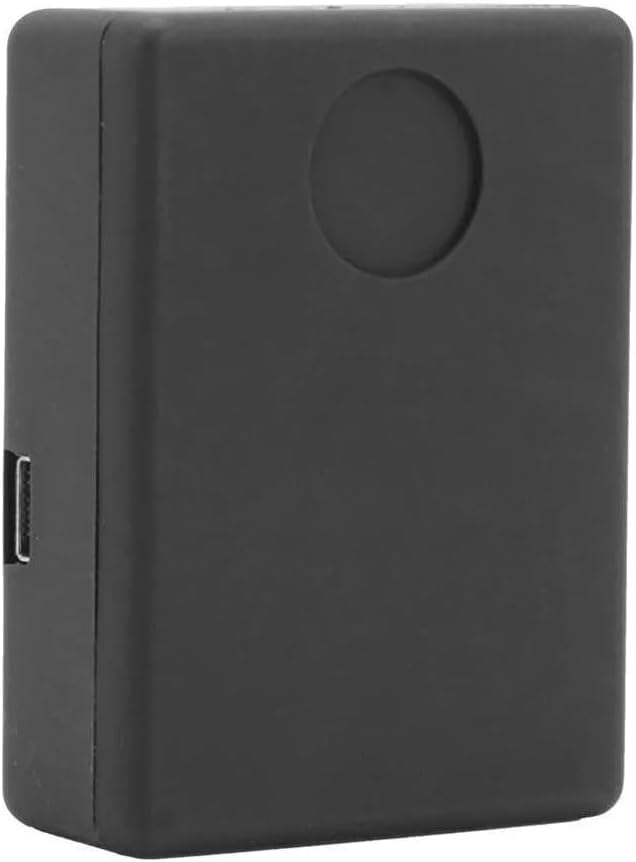
그림 1: 앞쪽 view of the N9 device. This image highlights the compact, rectangular design of the audio bug, featuring a smooth black finish and a subtle circular indentation on its top surface, likely indicating a microphone or indicator light.

그림 2: SIM card installation area. This view shows the N9 device with its rear panel detached, exposing the internal components including the dedicated slot for inserting a SIM card and the underlying circuit board.

그림 3: Device size and SIM card insertion. This image illustrates the compact dimensions of the N9 device, shown resting in the palm of a hand. Accompanying graphics depict the process of inserting a SIM card into the device's slot.
설정
- 기기 충전: Before first use, fully charge the N9 device using the provided adaptor and car charger cable. Connect the cable to the device's charging port and plug the adaptor into a power source. The device typically has an indicator light that changes color when fully charged.
- SIM 카드 삽입:
- Open the back cover of the N9 device (refer to Figure 2).
- Carefully insert a standard GSM SIM card into the designated slot. Ensure the SIM card is active and has sufficient credit for calls if required.
- 뒷면 커버를 단단히 닫으세요.
- 전원 켜기: The device typically powers on automatically once a SIM card is inserted and it receives power, or it may have a small power button. Refer to the device's physical layout for specific power-on instructions.
- Initial Test Call: From any phone, dial the number of the SIM card inserted into the N9 device. The device should automatically answer, allowing you to hear the surrounding audio. This confirms basic functionality.
- Set Pre-setting Number (for Alarm Trigger): To enable the voice-activated alarm feature, send an SMS message to the N9 device's SIM card number with the command to set the pre-setting number. The exact SMS command format is usually provided in a separate quick start guide or on the product packaging. This number will be dialed when the device detects sound above 45dB.
작동 지침
오디오 모니터링
To listen to the surrounding audio of the N9 device:
- Ensure the N9 device is powered on and has an active SIM card.
- From your mobile phone, dial the phone number of the SIM card inserted into the N9 device.
- The N9 device will automatically answer the call (without ringing or vibrating), allowing you to hear the audio from its vicinity.
- To end monitoring, simply hang up the call.
Voice-Activated Alarm Trigger
The N9 device can automatically dial a pre-set number when it detects sound above a certain threshold (approximately 45dB within 4 meters).
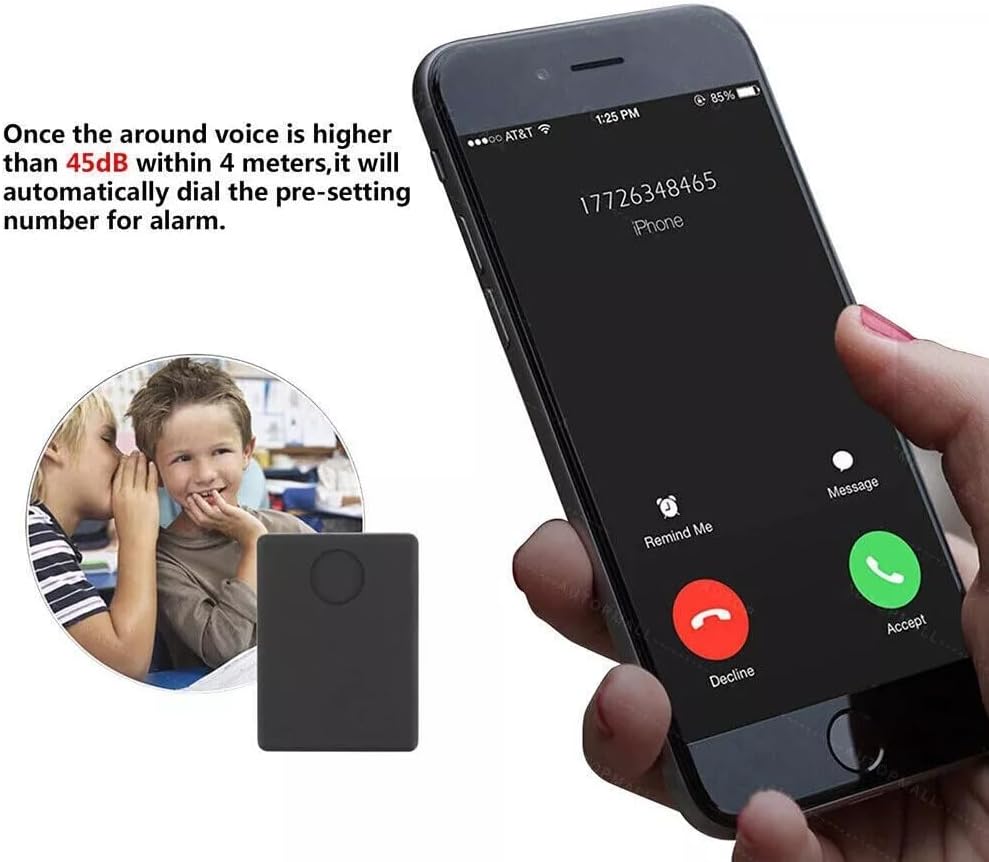
그림 4: Voice-activated alarm function. This image depicts the N9 device's capability to initiate a call to a pre-set mobile number when the surrounding audio level surpasses 45dB within a 4-meter radius, illustrating the automatic dialing feature.
- Ensure you have configured the pre-setting number as described in the Setup section.
- Place the N9 device in the desired monitoring location.
- When the ambient sound level around the device exceeds 45dB, it will automatically dial the pre-set number.
- Answer the incoming call on your pre-set phone to listen to the audio.
To disable or change the voice-activated alarm, you will need to send specific SMS commands to the device. Refer to the device's specific command list for details.
일반적인 사용 사례

그림 5: Versatile applications of the N9 device. This diagram illustrates various environments where the N9 device can be utilized for audio monitoring, including for children, the elderly, within a home, car, motorcycle, or attached to a bike.
The N9 device is suitable for various monitoring applications due to its compact size and voice detection capabilities. Common uses include:
- Monitoring children's safety.
- Ensuring the well-being of the elderly.
- General home security monitoring.
- Vehicle (car, motorcycle, bike) security.
유지
- 청소: 부드럽고 마른 천으로 기기를 닦으세요. 액체 세척제나 연마재를 사용하지 마세요.
- 저장: 사용하지 않을 때는 직사광선과 극한의 온도를 피해 시원하고 건조한 곳에 보관하세요.
- 배터리 관리 : To prolong battery life, avoid fully discharging the device frequently. Recharge it regularly, even if not in constant use.
- SIM 카드: Ensure the SIM card is clean and properly seated. If the device is not responding, check the SIM card connection.
문제 해결
| 문제 | 가능한 원인 | 해결책 |
|---|---|---|
| 장치의 전원이 켜지지 않습니다. | Low battery; Device not charged; Faulty power button. | Charge the device fully. Ensure the charging cable and adaptor are working. If applicable, press and hold the power button for a few seconds. |
| Cannot hear audio when calling the device. | SIM card not inserted correctly; SIM card inactive or no credit; Device out of GSM network range; Device not powered on. | Reinsert the SIM card. Check SIM card status and credit with your mobile provider. Move the device to an area with better GSM signal. Ensure the device is powered on. |
| Voice-activated alarm does not trigger. | Pre-setting number not configured; Sound level too low; Device not powered on. | Ensure the pre-setting number is correctly configured via SMS command. Verify the sound level exceeds 45dB. Confirm the device is powered on. |
| 기기가 SMS 명령에 응답하지 않습니다. | Incorrect SMS command format; SIM card issues; Device out of network range. | Double-check the SMS command syntax. Verify SIM card is active and has credit for SMS. Ensure device is in an area with good GSM signal. |
명세서
| 특징 | 세부 사항 |
|---|---|
| 모델 | N9 |
| 상표 | ZCMMF |
| 연결 기술 | Cellular (GSM Quad Band: 850/900/1800/1900Mhz) |
| 특징 | Wireless, Voice-activated alarm trigger (45dB threshold) |
| 지원되는 응용 프로그램 | 경보 |
| 제품의 특정 용도 | 감시 |
| 품목 무게 | 3.19 온스 |
| 패키지 크기 | 4.8 x 4.1 x 1.1 인치 |
| 제조업체 | N9 추적기 |
| 원산지 | 중국 |
| 첫 번째 이용 가능 날짜 | 21년 2016월 XNUMX일 |
보증 및 지원
Specific warranty information for the ZCMMF N9 Wireless GSM Listen Audio Bug Surveillance Device is not provided in the product details. Please refer to your point of purchase or the manufacturer's official website for any available warranty terms and conditions.
For technical support or further assistance, please contact the retailer or manufacturer directly. Keep your purchase receipt as proof of purchase.


