소개
The Logitech MK250 Bluetooth mouse and keyboard combo offers effortless wireless connectivity, designed for a clutter-free workspace. This durable combo provides a comfortable typing and navigation experience across Windows and macOS platforms. Its compact design includes a full numpad and essential function keys, making it suitable for various environments.
상자 안에 무엇이 들어있나요?
- MK250 키보드
- MK250 Mouse
- 사용자 문서
- Quick Start Guide (Printed on Packaging)
- AAA 배터리 2개 (키보드용)
- 1 AA battery (for mouse)
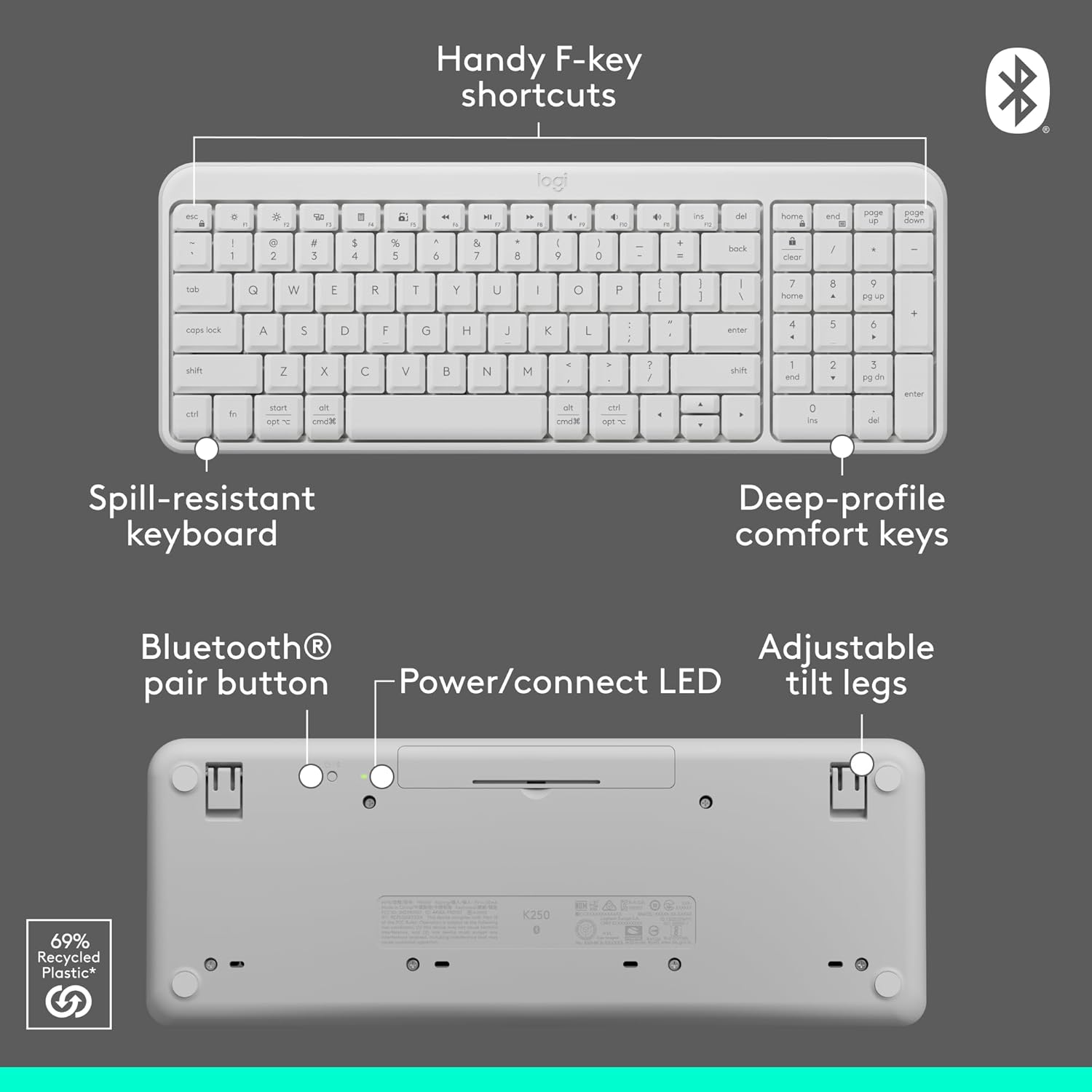
Image: Contents of the Logitech MK250 combo box, showing the white keyboard, white mouse, and two AAA batteries.
설정 및 Bluetooth 페어링
The Logitech MK250 combo connects quickly and easily via Bluetooth, eliminating the need for a USB dongle.
초기 설정 단계:
- 배터리 삽입: Ensure the included batteries are correctly inserted into both the keyboard and the mouse. For the keyboard, remove the battery guard if present.
- 전원 켜기: Locate the ON/OFF switch on the back of the keyboard and the mouse, and slide them to the 'ON' position.
- Activate Bluetooth Pairing:
- 건반: Press and hold the Bluetooth pair button on the underside of the keyboard until the LED indicator starts blinking.
- 생쥐: Press and hold the long-press pairing mode button on the underside of the mouse until its LED indicator starts blinking.
- 기기를 통해 연결하세요: On your computer (Windows or macOS) or tablet, navigate to your Bluetooth settings. Select "Logitech MK250 Keyboard" and "Logitech MK250 Mouse" from the list of available devices to pair. Follow any on-screen prompts to complete the connection.

Image: A white Logitech MK250 keyboard and mouse on a desk next to a monitor displaying Bluetooth connection prompts, illustrating easy pairing.
Video: Official Logitech MK250 product video demonstrating features and connectivity.
작동 지침
키보드 기능:
- Deep-Profile 키: 편안하고 반응성이 뛰어난 타이핑을 위해 설계되었습니다.
- Compact Layout with Numpad: Offers full functionality in a space-saving design.
- Handy F-Key Shortcuts: Provides quick access to media controls and other functions.
- 유출 방지 설계: Built to withstand minor spills for enhanced durability.
- 조절 가능한 틸트 다리: Customize the keyboard angle for ergonomic comfort.
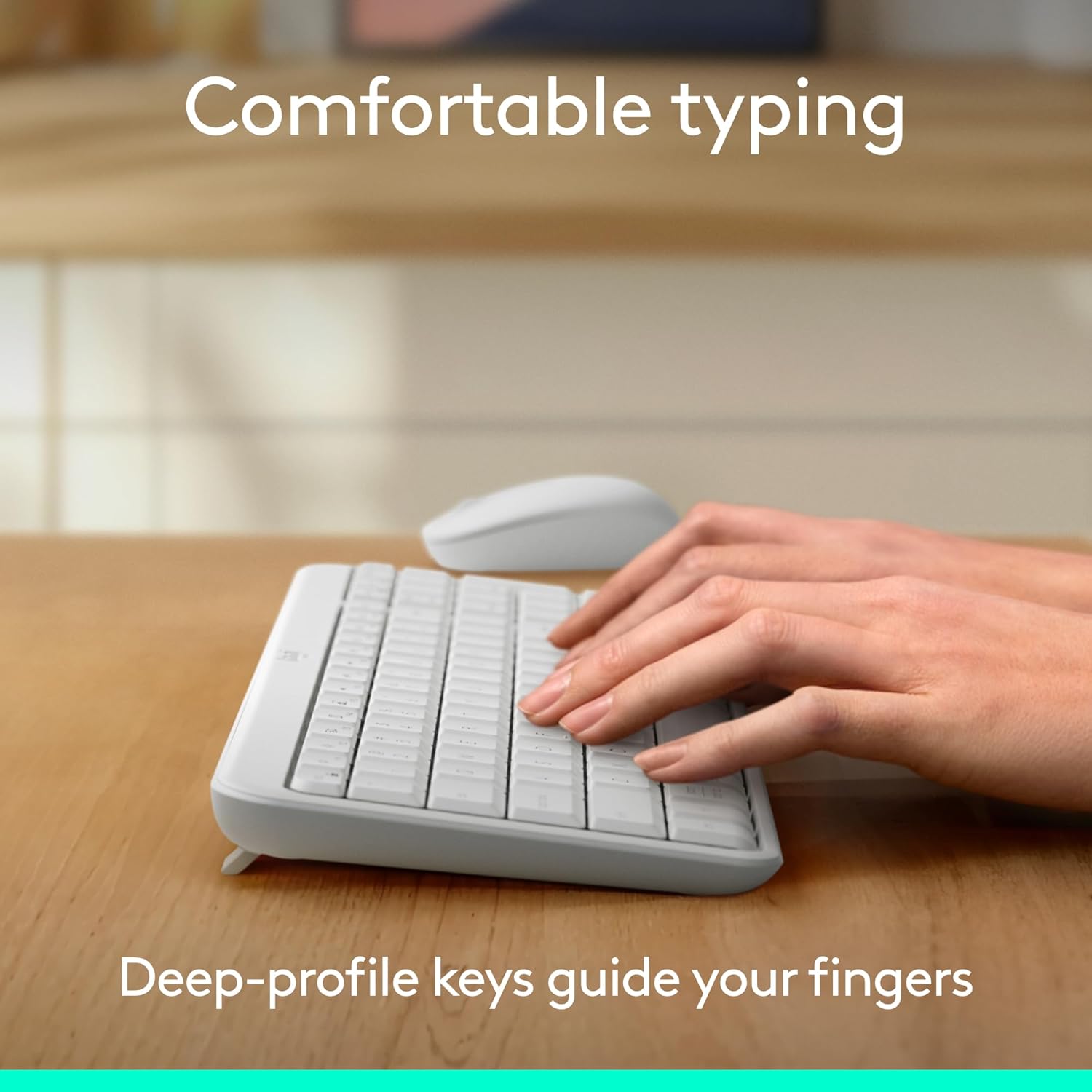
Image: Hands typing on the Logitech MK250 keyboard, demonstrating comfortable deep-profile 열쇠.

Image: Underside of the Logitech MK250 keyboard, detailing the Bluetooth pair button, power/connect LED, and adjustable tilt legs.
마우스 기능:
- Ambidextrous Shape: Comfortable design for both left and right-handed users.
- 원활한 추적: 정밀한 커서 제어 기능을 제공합니다.
- Long-Press Pairing Mode: Dedicated button for easy Bluetooth connection.
- 온 / 오프 스위치: 사용하지 않을 때는 배터리 수명을 절약하세요.

Image: Underside of the Logitech MK250 mouse, highlighting the battery compartment, long-press pairing mode button, and ON/OFF switch.
유지
- 배터리 수명: The keyboard and mouse are designed for extended battery life, with up to 12 months of use before needing battery replacement.
- 배터리 교체: Replace batteries when performance degrades. The keyboard uses 2 AAA batteries, and the mouse uses 1 AA battery.
- 청소: 부드러운 d로 표면을 닦으십시오.amp cloth. Avoid harsh chemicals. The keyboard features a spill-resistant design, but it is not waterproof.

Image: Logitech MK250 mouse, emphasizing its 12-month battery life.
문제 해결
- 연결 문제: If the keyboard or mouse loses connection, ensure they are powered on and within range of your device. Try re-pairing them through your device's Bluetooth settings.
- Unresponsive Keys/Clicks: Check battery levels and replace if necessary. Ensure no debris is obstructing the keys or mouse buttons.
- 지연 또는 딜레이: Ensure your device's Bluetooth is not overloaded with too many connections. Move closer to your device to minimize interference.
명세서
| 상표 | 로지텍 |
| 모델 시리즈 | MK250 키보드 및 마우스 |
| 품목 모델 번호 | 920-013511 |
| 연결 기술 | 블루투스 |
| 호환 장치 | 노트북, 개인용 컴퓨터, 태블릿 |
| 하드웨어 플랫폼 | 맥, PC |
| 운영 체제 | Chrome OS, Windows 10.11 or later, macOS 12 or later |
| 색상 | 하얀색 |
| 품목 무게 | 13.4 온스 |
| 제품 크기(LxWxH) | 18.03 x 5.98 x 1.73 인치 |
| 전원 | 배터리 구동 |
| 배터리 | AAA 배터리 2개(키보드), AA 배터리 1개(마우스) - 포함 |
보증 및 지원
The Logitech MK250 combo is built for durability, featuring a spill-resistant keyboard and components made with recycled materials. For specific warranty details and technical support, please refer to the official Logitech web사이트나 제품에 포함된 설명서를 참조하세요.
The product is designed for a long lifespan, with the keyboard offering a 12-month battery life and the mouse also providing extended usage on a single battery.