1. 서론
The CENMATE 4-Bay Hard Drive Enclosure (Model 804PM6G) provides a reliable external storage solution for both 2.5-inch and 3.5-inch SATA HDDs and SSDs. This enclosure supports a maximum capacity of 80TB (20TB per drive bay) and offers high-speed data transfer via USB 3.0 and eSATA interfaces. Designed for ease of use, it features tool-less installation for 3.5-inch drives and wide compatibility with Windows, Mac OS, and Linux operating systems. Please note that this model does not support RAID configurations.

이미지 1.1: 앞면 view of the CENMATE 4-Bay Hard Drive Enclosure, showcasing the four drive bays with blue LED indicators.
2. 패키지 내용
아래 나열된 모든 품목이 패키지에 포함되어 있는지 확인하세요.
- 1 x CENMATE 4-Bay Hard Drive Enclosure
- 1 x USB 3.0 Cable (USB-A to USB-B)
- 1 x USB-C Cable (USB-C to USB-B)
- 1 x eSATA Cable
- 1 x 전원 어댑터(DC 12V)
- 1 x Screws and Screw Driver (for 2.5-inch drives)
- 1 x 사용자 매뉴얼(이 문서)
3. 제품 특징
- 4베이 디자인: 최대 4개의 2.5인치 또는 3.5인치 SATA I/II/III HDD/SSD를 지원합니다.
- 대용량: Total storage capacity up to 80TB (20TB per drive bay).
- 고속 연결: USB 3.0 (up to 5Gbps) and eSATA interfaces for fast data transfer.
- 핫 스와핑 지원: Allows drives to be added or removed without powering down the enclosure.
- 폭넓은 호환성: Compatible with Windows 7 and above, Mac OS 9.1 and above, and Linux.
- 효율적인 냉각: Built-in fan and aluminum-alloy housing for optimal heat dissipation.
- 안정적인 전원 공급 장치: Includes a DC 12V power adapter for reliable operation.
- Tool-less Installation: Easy installation for 3.5-inch hard drives.

Image 3.1: Diagram illustrating the 80TB maximum capacity of the enclosure, supporting 2.5-inch and 3.5-inch SATA HDD/SSD.

Image 3.2: Visual representation of the enclosure's 5Gbps data transfer speed via USB 3.0, connected to a desktop setup.
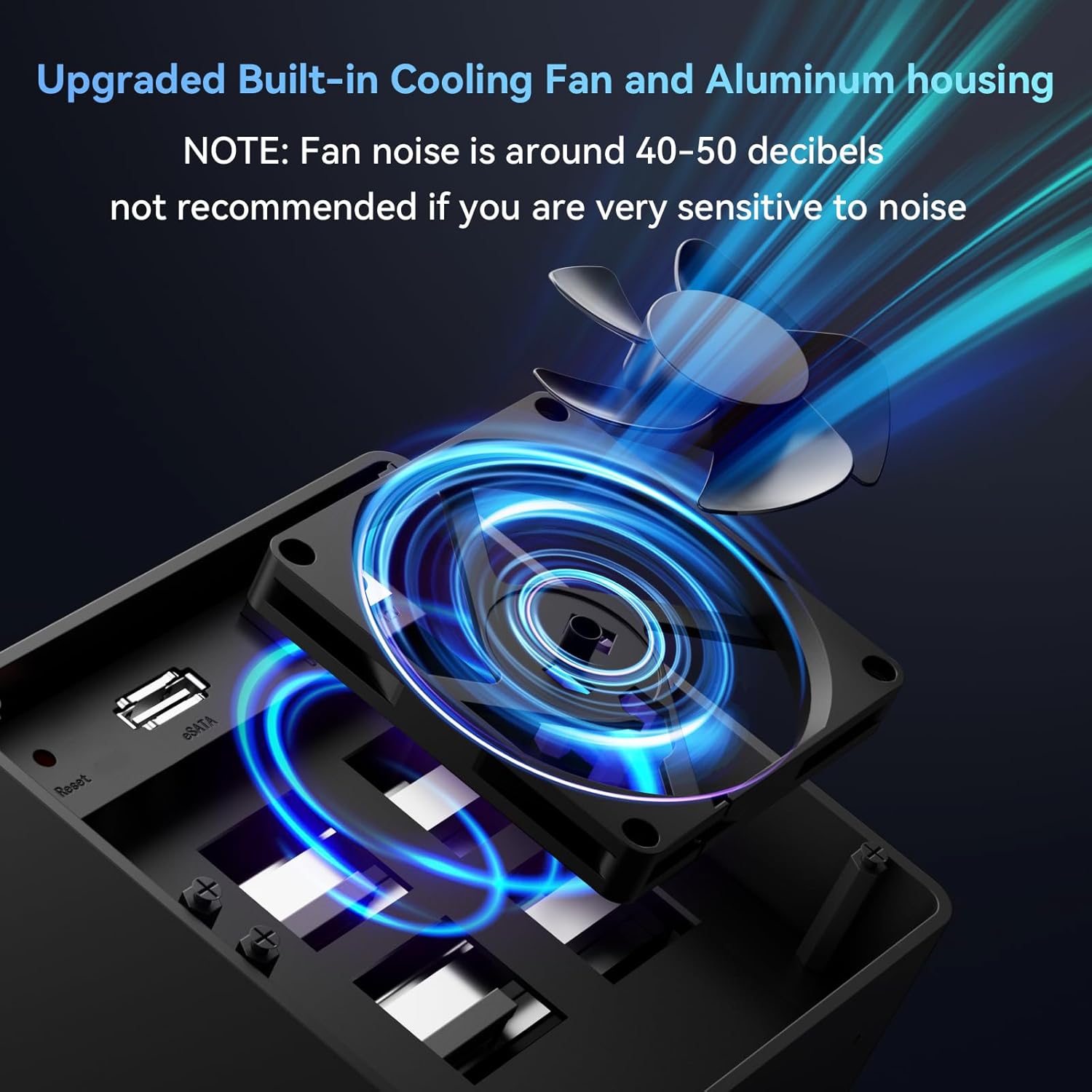
이미지 3.3: 클로즈업 view of the enclosure's built-in cooling fan and aluminum housing, designed for heat dissipation. Note: Fan noise is approximately 40-50 decibels.
4. 사양
| 모델 | 804PM6G |
| 재료 | 알루미늄, 플라스틱 |
| 외부 인터페이스 | USB 3.0 (USB-A/C), eSATA |
| 최대 전송 속도 | 5Gbps(USB 3.0) |
| 지원 장치 | 2.5-inch / 3.5-inch SATA HDD/SSD |
| 최대 용량 | 80TB (20TB per drive) |
| OS 지원 | Windows 7 and above, Mac OS 9.1 and above, Linux |
| 핫 스와핑 | 지원됨 |
| 전원 공급 장치 | DC 12V 전원 어댑터 |
| 제품 치수 | 20.2 x 13.2 x 14.6cm |
| 품목 무게 | 1.37kg |
5. 설정
5.1 하드 드라이브 설치
- 포장재를 준비하세요: 외장 케이스의 전원이 꺼져 있고 컴퓨터에서 분리되어 있는지 확인하십시오.
- Open a Drive Bay: Gently press the release button or lever on the front of a drive bay to open it.
- Install 3.5-inch HDD: For 3.5-inch drives, slide the drive into the bay until it clicks into place. The enclosure supports tool-less installation for these drives.
- Install 2.5-inch HDD/SSD: For 2.5-inch drives, secure the drive to the provided drive tray using the included screws and screwdriver. Then, slide the tray with the drive into the bay until it clicks.
- 만(灣)을 닫으세요: Close the drive bay door securely.
- 반복하다: Repeat the process for any additional drives you wish to install.

Image 5.1: Illustration of the screwless installation feature for 3.5-inch drives and the non-slip feet on the enclosure's base.
5.2 Connecting the Enclosure to Your Computer
- 데이터 케이블을 연결하세요:
- USB 3.0: Connect one end of the USB 3.0 cable (USB-A or USB-C) to the corresponding port on the enclosure and the other end to an available USB 3.0 port on your computer.
- eSATA: Alternatively, connect one end of the eSATA cable to the eSATA port on the enclosure and the other end to an available eSATA port on your computer.
- 전원 어댑터 연결: Connect the DC 12V power adapter to the power input port on the enclosure, then plug the adapter into a power outlet.

Image 5.2: The enclosure connected to a laptop, highlighting the DC 12V power supply connection for stable operation.
5.3 전원 켜기
Press the power button on the back of the enclosure. The LED indicators on the front panel will illuminate, indicating that the drives are powered on and ready for use. Your operating system should detect the new drives automatically.
If the drives are new or unformatted, you may need to initialize and format them through your operating system's disk management utility before they can be used.
6. 운영
6.1 드라이브 핫 스와핑
The CENMATE 4-Bay Enclosure supports hot-swapping. This feature allows you to remove or insert drives while the enclosure is powered on and connected to your computer, without needing to shut down the system. Ensure that no data transfer is actively occurring to or from the drive you intend to remove to prevent data loss.
6.2 데이터 전송
Utilize the USB 3.0 or eSATA connection for optimal data transfer speeds. USB 3.0 offers speeds up to 5Gbps, significantly faster than USB 2.0. The actual transfer speed may vary depending on your computer's hardware, operating system, and the performance of the installed hard drives.
6.3 호환성
The enclosure is compatible with a wide range of operating systems and devices:
- 운영 체제: Windows 7 and above, Mac OS 9.1 and above, Linux.
- 장치: Desktop computers, Laptops.

Image 6.1: Diagram illustrating the plug-and-play functionality and wide compatibility with laptops, PCs, and operating systems including Windows, Mac OS, and Linux.
7. 유지관리
7.1 청소
To maintain optimal performance and longevity, regularly clean the exterior of the enclosure with a soft, dry cloth. Avoid using liquid cleaners or solvents, as they may damage the finish or internal components. Ensure the fan vents are free from dust accumulation to prevent overheating.
7.2 팬 작동
The built-in fan helps dissipate heat from the hard drives. While the fan is designed for efficient cooling, it produces a noise level of approximately 40-50 decibels. If you are sensitive to noise, consider the placement of the enclosure. Ensure the fan is not obstructed to allow for proper airflow.
8. 문제 해결
- 컴퓨터에서 인클로저를 감지하지 못했습니다.
- 전원 어댑터가 제대로 연결되어 있고 케이스의 전원이 켜져 있는지 확인하십시오.
- Verify that the USB or eSATA data cable is firmly connected to both the enclosure and the computer.
- Try connecting to a different USB or eSATA port on your computer.
- 가능하다면 다른 데이터 케이블로 테스트해 보세요.
- Hard drives not appearing in "My Computer" or "Finder":
- For new drives, they may need to be initialized and formatted. Access Disk Management (Windows) or Disk Utility (Mac OS) to prepare the drives.
- 드라이브가 베이에 제대로 장착되었는지 확인하십시오.
- Check the drive's health by connecting it directly to a computer if possible.
- 데이터 전송 속도가 느림:
- 컴퓨터의 USB 3.0 포트와 제공된 USB 3.0 케이블을 사용하고 있는지 확인하십시오.
- Verify that your computer's drivers for USB 3.0 or eSATA are up to date.
- The performance of the installed hard drives can affect transfer speeds.
- 인클로저 과열:
- 밀폐된 공간은 통풍이 잘 되는 곳에 설치하십시오.
- Check that the fan vents are not obstructed by dust or other objects.
9. 보증 및 지원
CENMATE provides technical support for this product. If you encounter any issues or have questions regarding the CENMATE 4-Bay Hard Drive Enclosure, please do not hesitate to contact our customer support team. We aim to reply and resolve your problem within 24 hours.
For support, please refer to the contact information provided on the CENMATE official web사이트 또는 구매 문서.


