1. 제품 오버view
The WVX Gaming Laptop R9-6900HX (Model A02) is a high-performance portable computer designed for demanding tasks such as gaming, content creation, and multitasking. It features an AMD Ryzen 9 6900HX processor, AMD Radeon 680M integrated graphics, and fast DDR5 memory.
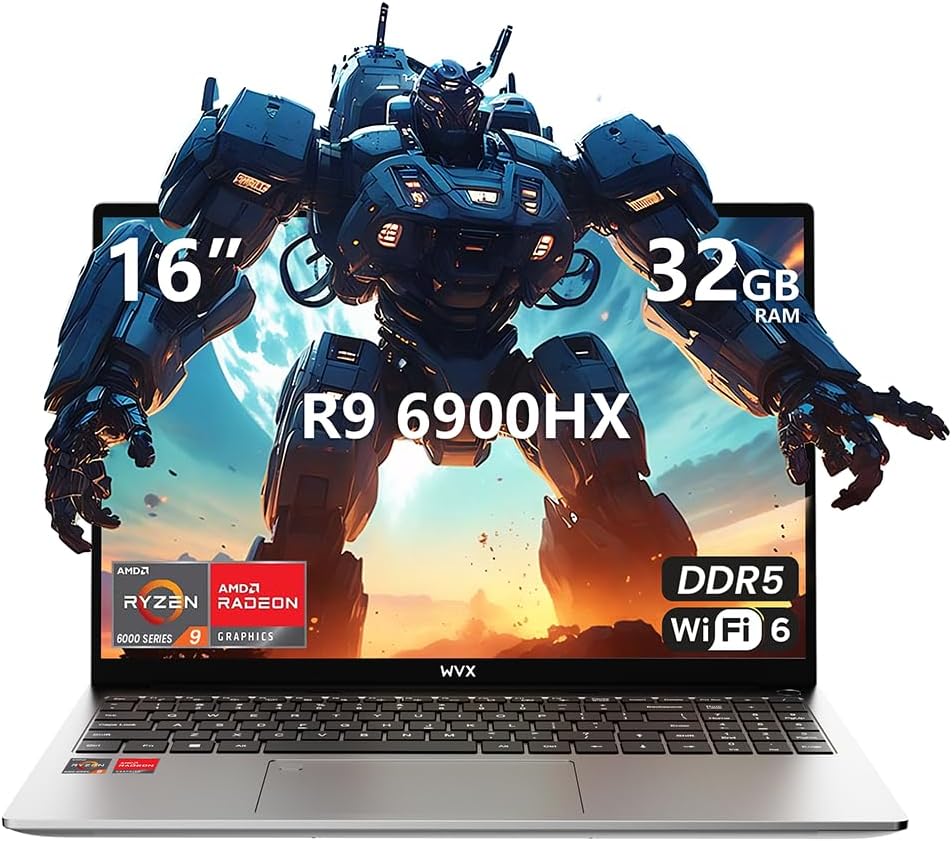
Image 1.1: WVX Gaming Laptop R9-6900HX
주요 특징:
- 고성능 CPU: AMD Ryzen 9 6900HX with 8 cores and 16 threads, up to 4.9 GHz.
- 통합 그래픽: AMD Radeon 680M, delivering strong visual performance.
- 빠른 메모리: 32GB DDR5 RAM, 최대 64GB까지 확장 가능.
- Amp파일 저장: 512GB SSD, 최대 2TB까지 확장 가능.
- 생생한 디스플레이: 16인치 풀 HD(1920x1200) 화면.
- 고급 연결성 : 와이파이 6 및 블루투스 5.2.
- 운영 체제: Windows 11 Pro가 사전 설치되어 있습니다.
2. 설정
2.1 언박싱 및 초기 검사
Carefully remove the laptop and its accessories from the packaging. Ensure all components listed in the 'What's in the Box' section are present and undamaged.
- R9-6900HX laptop
- PD100W adapter (charger)
2.2 전원 어댑터 연결
Connect the PD100W adapter to the laptop's power input port and then plug it into a power outlet. It is recommended to fully charge the laptop before its first use.
2.3 초기 부팅 및 Windows 설정
Press the power button located on the laptop. The system will guide you through the initial Windows 11 Pro setup process. Follow the on-screen instructions to configure your language, region, network, and user account.
3. 사용 설명서
3.1 키보드 및 터치패드
The laptop features a full-size keyboard with a numeric keypad and a responsive touchpad. The keyboard is backlit for comfortable use in low-light conditions. The touchpad supports multi-touch gestures for enhanced navigation.

Image 3.1: Laptop keyboard and touchpad layout.
3.2 디스플레이 및 그래픽
The 16-inch FHD display offers a resolution of 1920x1200 pixels, providing clear and vibrant visuals. The AMD Radeon 680M graphics processor handles demanding visual tasks efficiently.

Image 3.2: Display features including 300 nits brightness, IPS, and low blue light.
3.3 포트 및 연결
The laptop is equipped with various ports for external devices and connectivity:
- 4x USB 3.0 포트
- HDMI 포트
- Full-function Type-C Port (supports charging, data transfer, external 4K monitor)
- 3.5mm 이어폰 잭
- SD 카드 리더
For wireless connectivity, the laptop supports Wi-Fi 6 for high-speed internet and Bluetooth 5.2 for connecting peripherals.
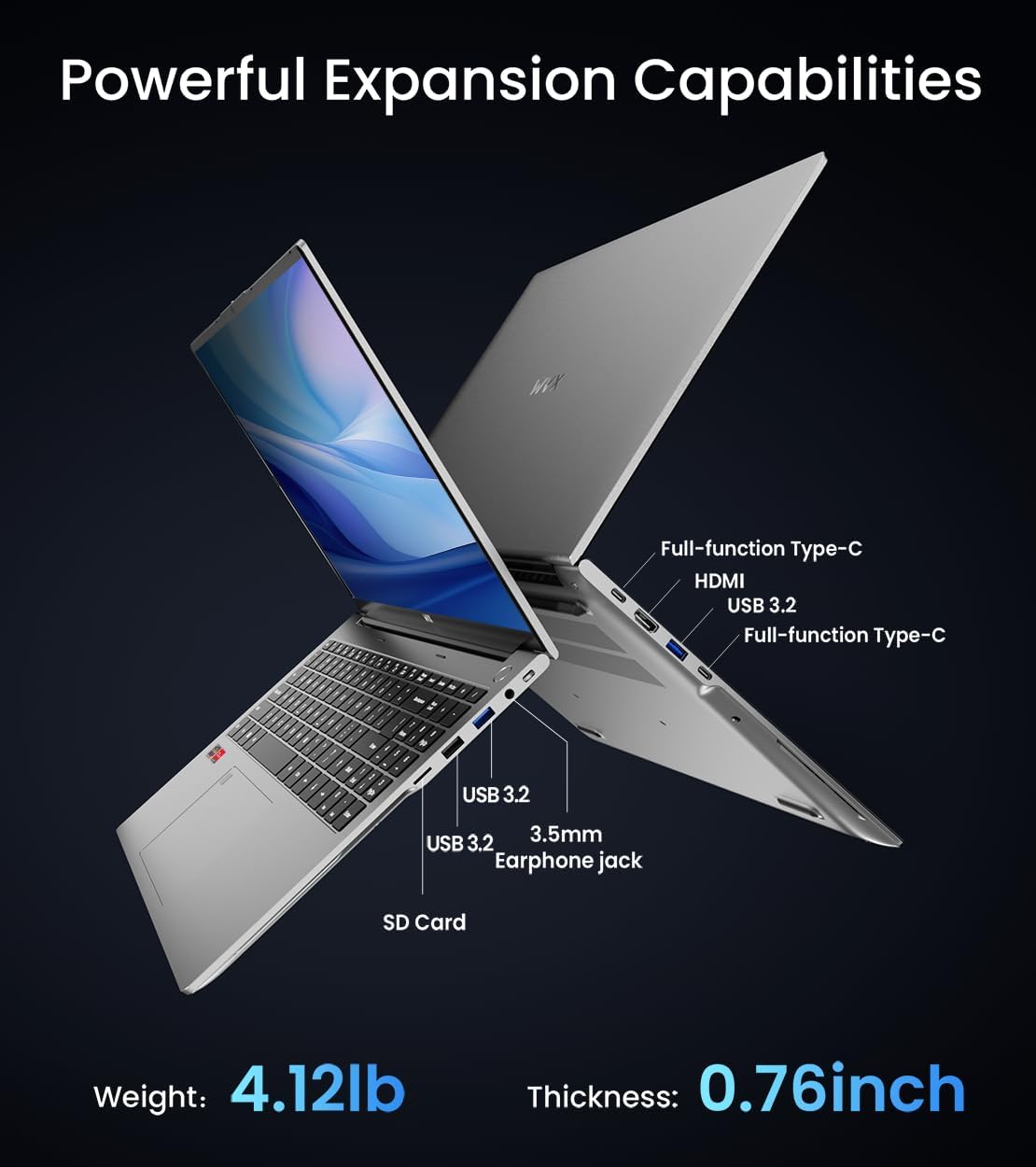
이미지 3.3: 이상view of available ports and physical dimensions.
4. 유지관리
4.1 청소
To maintain optimal performance and appearance, regularly clean your laptop. Use a soft, lint-free cloth for the screen and exterior. For stubborn smudges, a slightly dampened cloth with water or a specialized screen cleaner can be used. Avoid harsh chemicals.
4.2 소프트웨어 업데이트
Regularly update your Windows operating system and drivers to ensure system stability, security, and optimal performance. Windows Update can be accessed through the Settings menu.
4.3 저장 장치 및 메모리 업그레이드
The laptop's RAM can be upgraded to a maximum of 64GB, and the SSD storage can be expanded up to 2TB. Consult a qualified technician for hardware upgrades to avoid voiding your warranty.

Image 4.1: Illustration of memory and storage upgrade capabilities.
5. 문제 해결
5.1 전원 문제
- 노트북이 켜지지 않습니다: 전원 어댑터가 제대로 연결되어 있고 배터리가 충분히 충전되어 있는지 확인하세요. 다른 콘센트에 연결해 보세요.
- 배터리가 충전되지 않음: Verify the power adapter is functioning correctly. Check the charging port for any obstructions.
5.2 디스플레이 문제
- 빈 화면: 외부 모니터를 연결하여 노트북 디스플레이에 문제가 있는지 확인하십시오. 노트북을 재시작하십시오.
- 화면이 깜빡거림: 그래픽 드라이버를 업데이트하세요. Windows 설정에서 화면 주사율을 조정하세요.
5.3 성능 문제
- 느린 성능: 불필요한 애플리케이션을 닫으세요. 악성코드가 있는지 확인하세요. 충분한 저장 공간을 확보하세요.
- 과열: Ensure ventilation vents are clear. Consider using a cooling pad.

Image 5.1: Illustration of the laptop's cooling system with pure copper heat pipes and fan speed.
6. 사양
| 특징 | 사양 |
|---|---|
| 상표 | WVX |
| 모델명 | R9-6900HX (A02) |
| 프로세서 | AMD Ryzen 9 6900HX (4.9 GHz, 8 Cores, 16 Threads) |
| 그래픽 코프로세서 | AMD 라데온 680M |
| 숫양 | 32GB DDR5(최대 64GB) |
| 하드 드라이브 | 512 GB SSD (Max 2TB) |
| 화면 크기 | 16 인치 |
| 최대 화면 해상도 | 1920x1200 픽셀 |
| 운영 체제 | 윈도우 11 프로 |
| 무선형 | 802.11ax(와이파이 6) |
| 블루투스 | 5.2 |
| USB 3.0 포트 수 | 4 |
| 제품 치수 | 14 x 9.7 x 0.78 인치 |
| 품목 무게 | 5.89파운드 |
| 배터리 | 58Wh |
| 특별 기능 | Backlit Keyboard, Fingerprint Reader, HD Audio |
7. 보증 및 지원
WVX offers comprehensive support for your laptop:
- 기술 지원: Enjoy unlimited technical support.
- 수리 서비스: 12 months of repair service for all customers.
- 응답 시간: Online connection within 24 hours for inquiries.
For any questions or concerns, please reach out to the WVX support team.

이미지 7.1: 이상view of WVX customer support services.
8. 공식 제품 영상
비디오 8.1: 공식 비디오 쇼케이스asing the WVX R9 6900HX Laptop, highlighting its features and design.


