1. 서론
This manual provides detailed instructions for the setup, operation, maintenance, and troubleshooting of your SGIN 17.3 Inch Laptop Computer (Model M17S). Please read this manual thoroughly before using your laptop to ensure proper functionality and to maximize its lifespan. Keep this manual for future reference.

Figure 1.1: SGIN 17.3 Inch Laptop Computer Overview
The SGIN M17S laptop is designed for a wide range of applications, including study, work, entertainment, and internet browsing, offering a balance of performance and portability.
2. 패키지 내용
Verify that all items listed below are included in your package. If any items are missing or damaged, please contact SGIN customer support.
- SGIN 17.3 Inch Laptop Computer (M17S) x 1
- Power Adapter/Charger x 1
- 사용 설명서 x 1
3. 제품 특징view
3.1 디스플레이
The laptop features a 17.3-inch Full HD (1920x1080) IPS screen. This display technology provides sharp, clear text and vivid colors, along with wide view각도를 나타냅니다.

Figure 3.1: High-Definition IPS Display
3.2 프로세서
Equipped with an Intel Core i3-5005U processor, operating at 2.4GHz Turbo Boost. This dual-core, four-thread processor is designed for efficient multitasking and handling various workloads.

Figure 3.2: Intel Core i3-5005U Processor
3.3 메모리 및 저장
The laptop comes with 4GB DDR4 RAM and a 128GB SSD for fast boot times and application loading. Storage can be expanded with an additional SSD (up to 1TB) and a MicroSD card (up to 512GB).

그림 3.3: 메모리 및 저장 장치 구성
3.4 배터리
A 8000 mWh (60Wh) lithium-ion battery provides extended usage time, with an estimated 8 hours of typical use on a single charge.

Figure 3.4: Long-Lasting Battery
3.5 포트 및 연결
The laptop offers a variety of ports for versatile connectivity:
- USB 3.2 포트(x2)
- HDMI Port (for external monitors/projectors)
- Type-C 포트
- 3.5mm 헤드폰 잭
- 마이크로 카드 슬롯
- DC 전원 입력
Wireless connectivity includes 5G Wi-Fi (802.11ac) and Bluetooth 4.2.

그림 3.5: 사용 가능한 포트
3.6 오디오 및 Web캠
The laptop includes stereo speakers and a digital microphone for audio input and output. A 0.3MP webcam is integrated for video calls and conferencing.

그림 3.6: 오디오 및 Web캠 기능
4. Getting Started (Setup Guide)
4.1 풀기
Carefully remove the laptop and all accessories from the packaging. Retain the packaging materials for future transport or storage.
4.2 배터리 충전
Before first use, fully charge the laptop battery. Connect the power adapter to the DC-in port on the laptop and then plug the adapter into a power outlet. The charging indicator light will illuminate.
4.3 최초 전원 켜기 및 초기 설정
전원 버튼을 눌러 노트북을 켜세요. 시스템이 Windows 11 초기 설정 과정을 안내합니다. 이 과정에는 지역 및 언어 선택, Wi-Fi 네트워크 연결, 사용자 계정 설정 등이 포함됩니다.
5. 기본 동작
5.1 Power On/Off/Sleep
- 전원 켜기: 키보드 데크에 있는 전원 버튼을 누르세요.
- 전원 끄기 : 시작 버튼을 클릭한 다음 전원을 클릭하고 '종료'를 선택하세요.
- 수면 모드 : Click the Start button, then Power, and select 'Sleep', or close the laptop lid.
5.2 키보드 및 터치패드 사용
The laptop features a full-size keyboard with a numeric keypad and a multi-touch touchpad. Refer to Windows 11 settings for customizing touchpad gestures and keyboard shortcuts.
5.3 Wi-Fi에 연결하기
무선 네트워크에 연결하려면:
- 시스템 트레이(화면 오른쪽 하단)에 있는 Wi-Fi 아이콘을 클릭하세요.
- 목록에서 원하는 네트워크를 선택하세요.
- 메시지가 나타나면 네트워크 비밀번호를 입력한 후 '연결'을 클릭합니다.
5.4 Bluetooth 장치 연결
Bluetooth 장치를 페어링하려면:
- '설정' > '블루투스 및 기기'로 이동하세요.
- 블루투스가 켜져 있는지 확인하십시오.
- '기기 추가'를 클릭하고 '블루투스'를 선택하세요.
- Choose your device from the list and follow the on-screen pairing instructions.
5.5 Using External Displays (HDMI)
Connect an external monitor or projector to the laptop's HDMI port. Press 윈도우 키 + P 표시 모드를 선택합니다(예: 복제, 확장, 두 번째 화면만).
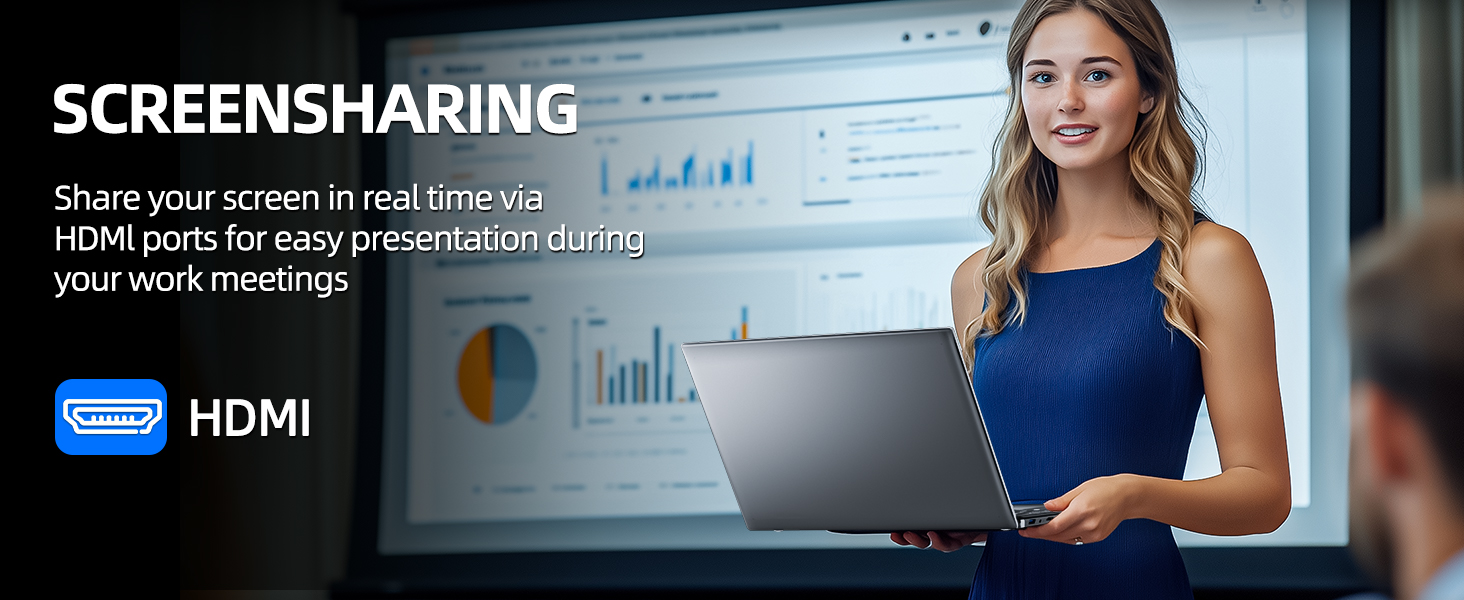
Figure 5.1: Screen Sharing via HDMI
5.6 USB 장치 사용
Connect USB devices such as external hard drives, keyboards, or mice to the available USB 3.2 ports. The laptop will automatically detect and install necessary drivers.
6. 저장 및 메모리 관리
6.1 스토리지 확장
Your SGIN laptop supports storage expansion:
- Additional SSD: An extra slot is available for installing an M.2 SSD, supporting up to 1TB. Consult a qualified technician for installation.
- MicroSD 카드: Insert a MicroSD card into the dedicated slot for up to 512GB of additional storage.
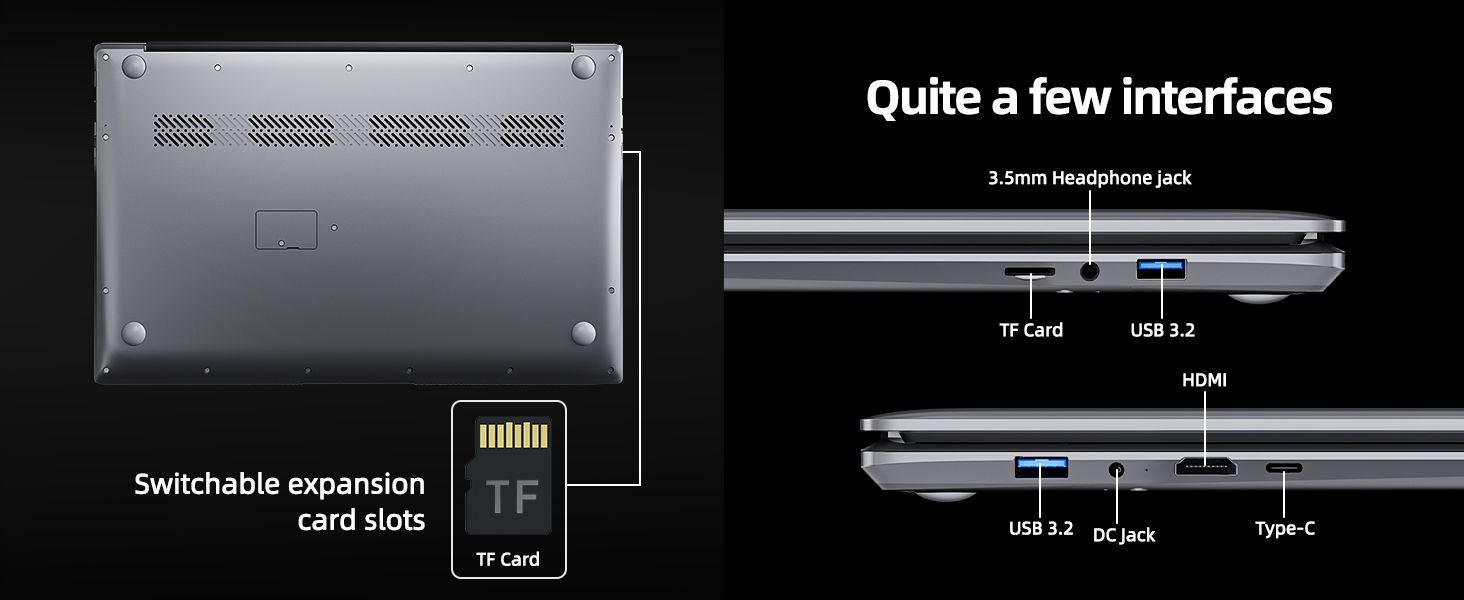
Figure 6.1: Expansion Card Slots
7. 배터리 관리
7.1 충전 지침
Always use the original SGIN power adapter provided with your laptop. Avoid using third-party chargers that may not meet the required specifications.
7.2 배터리 수명 최적화
배터리 수명을 연장하려면:
- 화면 밝기를 편안하지만 낮은 수준으로 조절하세요.
- 사용하지 않는 애플리케이션과 브라우저 탭을 닫으세요.
- 사용하지 않을 때는 외부 주변기기를 분리하십시오.
- Enable Windows Battery Saver mode.
- 극한의 온도를 피하세요.
8. 유지관리 및 관리
8.1 노트북 청소
부드럽고 털이 없는 천을 살짝 사용하세요.amp물이나 화면 세척제를 사용하여 디스플레이를 닦으세요. 키보드와 케이스는 부드럽고 마른 천을 사용하세요. 강한 화학 물질이나 연마재는 사용하지 마세요.
8.2 소프트웨어 업데이트
Regularly check for and install Windows updates to ensure system stability, security, and optimal performance. Go to 'Settings' > 'Windows Update'.
8.3 일반적인 취급
Handle your laptop with care. Avoid dropping it or exposing it to liquids, extreme temperatures, or direct sunlight. Do not place heavy objects on the laptop.
9. 문제 해결
This section addresses common issues you might encounter with your SGIN laptop.
| 문제 | 가능한 원인 | 해결책 |
|---|---|---|
| Laptop won't turn on | Low battery; Power adapter issue; Hardware malfunction | Ensure battery is charged. Check power adapter connection. Try a different outlet. If problem persists, contact support. |
| Wi-Fi가 연결되지 않음 | Wi-Fi disabled; Incorrect password; Router issue | Ensure Wi-Fi is enabled in settings. Verify password. Restart router and laptop. |
| 느린 성능 | Too many applications running; Low storage space; Malware | Close unnecessary programs. Free up disk space. Run a virus scan. Consider adding more RAM or upgrading SSD if frequently slow. |
| 소리가 나지 않습니다 | Volume muted; Incorrect audio output; Driver issue | Check volume levels and mute status. Ensure correct output device is selected. Update audio drivers. |
| Web카메라가 작동하지 않습니다 | Privacy settings; Driver issue; Application access | Check Windows privacy settings for camera access. Update webcam drivers. Ensure the application has permission to use the camera. |
10. 기술 사양
Detailed specifications for the SGIN M17S Laptop Computer:
| 특징 | 사양 |
|---|---|
| 모델명 | M17S |
| 스탠딩 스크린 디스플레이 크기 | 17.3 인치 |
| 화면 해상도 | 1920 x 1080 픽셀(Full HD IPS) |
| 프로세서 | 인텔 코어 i3-5005U (2.4GHz, 2코어, 4스레드) |
| 숫양 | 4GB DDR4 |
| 하드 드라이브 | 128GB SSD |
| 그래픽 코프로세서 | 통합 |
| 무선형 | 802.11ac (5G WiFi) |
| 블루투스 | 블루투스 4.2 |
| 운영 체제 | 윈도우 11 홈 |
| 품목 무게 | 5.89파운드 |
| 제품 치수 | 17.3 x 10 x 0.6 인치 |
| 배터리 | 8000 mWh Lithium Ion (60Wh) |
| 색상 | 검은색 |
| 특징 | Memory Card Slot (MicroSD) |
11. 보증 및 지원
Your SGIN laptop includes a 1-year comprehensive after-sales warranty covering essential components. For technical assistance, warranty claims, or any product-related inquiries, please contact SGIN customer service. Our professional customer service team aims to respond within 12 hours.
For more information and support, please visit the official SGIN web자세한 내용은 해당 사이트를 참조하거나 제품 포장과 함께 제공된 연락처 정보를 참조하세요.


