1. 서론
Thank you for choosing the ONIKUMA X31 Wired Gaming Headset. This manual provides essential information for the proper setup, operation, and maintenance of your new headset. Please read this manual thoroughly before use to ensure optimal performance and longevity of the product. The ONIKUMA X31 is designed to deliver an immersive audio experience for PC and Xbox gaming, featuring RGB lighting and surround sound capabilities.
2. 안전 정보
- 청력 손상을 예방하려면 높은 볼륨으로 장시간 듣는 것을 피하세요.
- 헤드셋을 극한의 온도, 습도 또는 직사광선에 노출시키지 마십시오.
- Keep the headset away from water and other liquids. It is not water-resistant.
- 헤드셋을 분해하거나 개조하지 마십시오. 보증이 무효화됩니다.
- Handle the cable with care to prevent damage.
- 어린이의 손이 닿지 않는 곳에 보관하세요.
3. 패키지 내용
패키지에 모든 품목이 들어 있는지 확인하세요.
- ONIKUMA X31 Wired Gaming Headset
- 사용자 설명서
- Audio Splitter Cable (if included, for separate mic/audio ports)
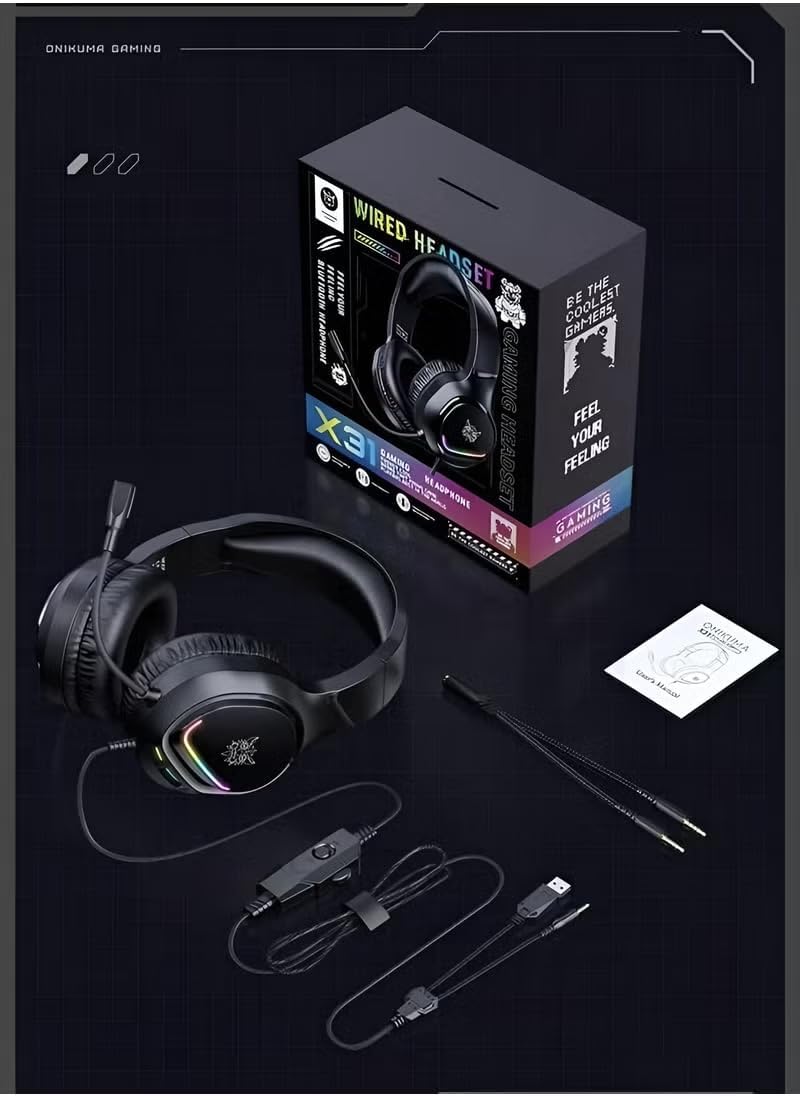
Image: Contents of the ONIKUMA X31 Gaming Headset package.
4. 제품 오버view
The ONIKUMA X31 Gaming Headset is engineered for an enhanced gaming experience. Key features include:
- 몰입형 사운드: Equipped with surround sound technology and high-quality 50mm audio drivers for detailed and engaging audio.
- 역동적인 RGB 조명: Features vibrant RGB lighting effects that add a visual flair to your gaming setup.
- 편안한 디자인: Padded headband and cushioned over-ear earcups ensure lasting comfort during extended gaming sessions.
- 유연한 마이크: A 360° rotatable and bendable microphone allows for clear in-game communication.
- 통합 컨트롤: Conveniently located controls for volume adjustment and microphone mute.
- 능동적 소음 제거: Provides noise control for focused audio.

Image: The headset's RGB colorful lighting.
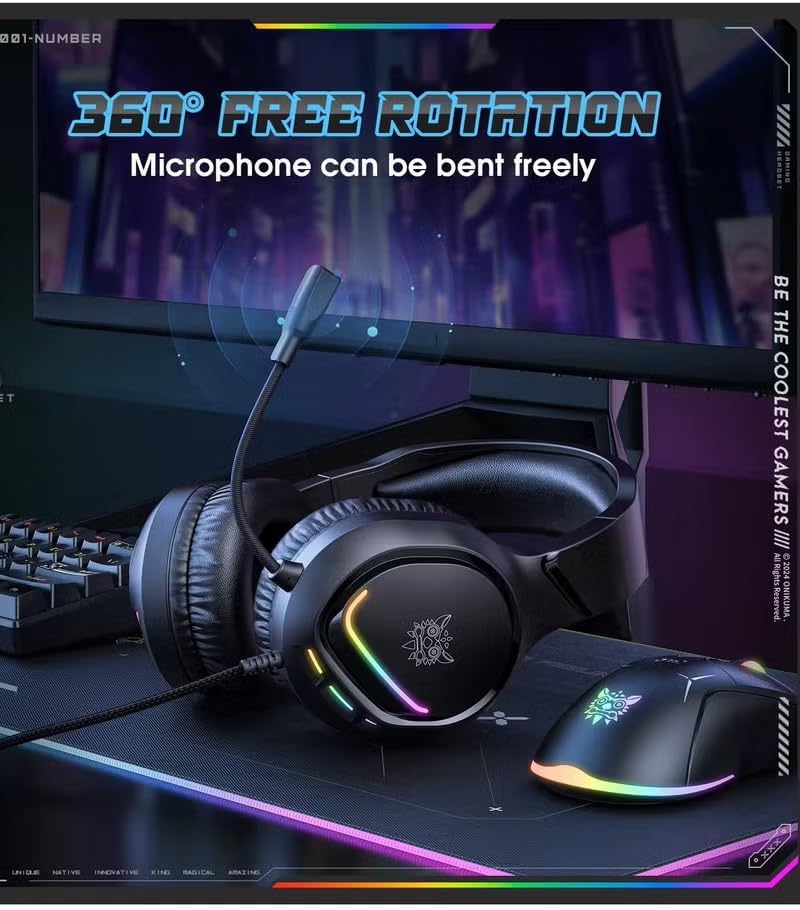
Image: The flexible, 360-degree rotatable microphone.

Image: Illustration of the 50mm large speaker for clear sound.

Image: The headset's comfortable fit for various ear shapes.
5. 설정
5.1 Connecting to PC/Xbox
The ONIKUMA X31 headset connects via a wired USB connection. For devices requiring separate audio and microphone jacks, use the included splitter cable.
- For PC (USB Audio): Plug the USB connector directly into an available USB port on your computer. The system should automatically detect and install the necessary drivers.
- For PC (3.5mm Audio/Mic with Splitter): If your PC has separate 3.5mm ports for audio and microphone, connect the headset's 3.5mm jack to the included splitter cable. Then, plug the green connector of the splitter into your PC's audio output jack and the red connector into the microphone input jack. The USB connector is for RGB lighting power.
- For Xbox: Connect the 3.5mm jack of the headset into the 3.5mm port on your Xbox controller. The USB connector is for RGB lighting power and may require a separate USB power source or adapter if the controller port does not provide sufficient power.
5.2 헤드셋 조정
- 머리에 편안하게 맞도록 헤드밴드를 조정합니다.
- Position the earcups so they fully cover your ears, ensuring a snug fit for optimal sound isolation and comfort.
- Bend and rotate the microphone boom to bring the microphone close to your mouth for clear voice pickup.
6. 사용 설명서
6.1 볼륨 조절
The headset features an integrated volume control wheel on the cable. Rotate the wheel up to increase volume and down to decrease volume.
6.2 마이크 사용
An integrated switch on the cable allows you to mute or unmute the microphone. Ensure the microphone is unmuted for voice communication. Adjust the microphone's position for optimal clarity.
6.3 RGB 조명
The RGB lighting on the earcups will illuminate automatically when the USB connector is powered. There are no user-adjustable controls for the lighting patterns; they are dynamic gradient lights.
7. 유지관리
- 청소: 부드럽고 마른 천을 사용하여 헤드셋을 닦으세요. 연마성 세제나 용제는 사용하지 마세요.
- 저장: Store the headset in a cool, dry place when not in use. Avoid placing heavy objects on it.
- 케이블 관리: Do not pull on the cable forcefully or wrap it too tightly, as this can damage the internal wires.
8. 문제 해결
| 문제 | 가능한 원인 | 해결책 |
|---|---|---|
| 헤드셋에서 소리가 나지 않습니다 |
|
|
| 마이크가 작동하지 않습니다 |
|
|
| RGB 조명이 작동하지 않습니다 |
|
|
| Sound quality is poor or low volume |
|
|
9. 사양
| 특징 | 세부 사항 |
|---|---|
| 모델명 | X31 (Item Model Number: B780) |
| 상표 | 오니쿠마 |
| 연결 기술 | 유선 (USB) |
| 헤드폰 잭 | USB (for RGB power and potentially audio) |
| 귀 위치 | 귀 위 |
| 헤드폰 폼 팩터 | 귀 위 |
| 호환 장치 | PC, Xbox |
| 제어 유형 | Integrated (Volume, Mic Mute) |
| 소음 제어 | 능동 소음 제거 |
| 감광도 | 108데시벨 |
| 케이블 기능 | RGB 조명 |
| 재료 | 플라스틱 |
| 품목 무게 | 1킬로그램 |
| 방수 레벨 | 방수가 되지 않음 |
| 색상 | 검은색 |
10. 보증 및 지원
보증 정보 및 기술 지원에 대해서는 ONIKUMA 공식 웹사이트를 참조하십시오. website or contact your retailer. Keep your purchase receipt as proof of purchase for any warranty claims. Specific warranty terms and conditions may vary by region and retailer.