1. 서론
Thank you for choosing the Daakro AK30 Mini Bluetooth Amplifier. This compact and powerful 2.0 channel audio amplifier is designed to deliver high-fidelity sound to your passive speakers. Featuring multiple input options including Bluetooth, AUX, USB, and Optical, it offers versatile connectivity for various audio devices. This manual provides detailed instructions for setup, operation, and maintenance to ensure you get the best performance from your amp리퍼.
2. 상자 안에 무엇이 들어있나요?
- 1 x AK30 Amp리퍼
- 1 x DC12V/5A 전원 어댑터
- 1 x USB 타입-C 케이블
- 1 x 3.5mm AUX 케이블
- 1 x RCA to 3.5mm AUX Cable
- 1 x Type-C-USB 어댑터
- 1 x 사용 설명서
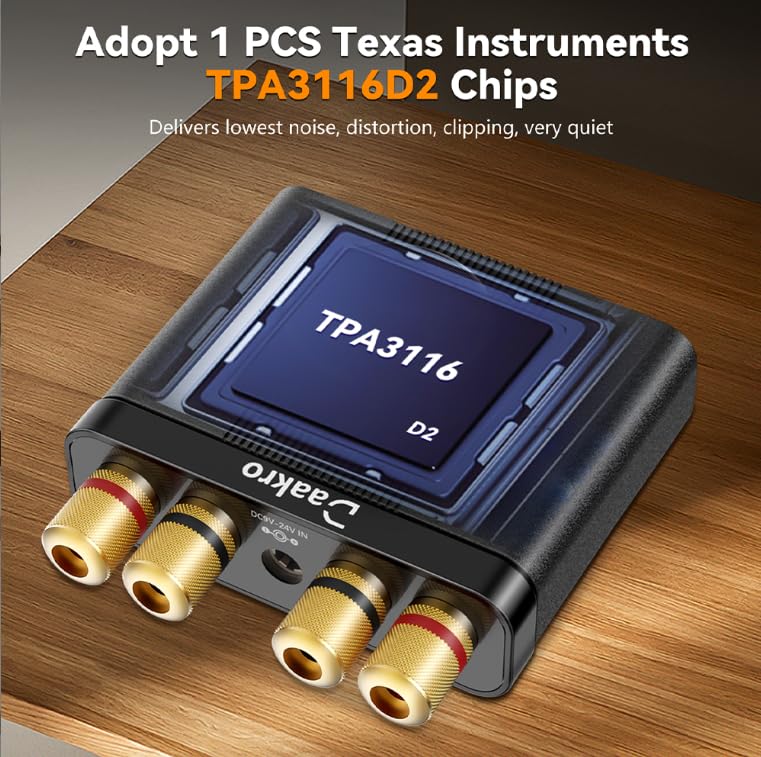
Image: All items included in the Daakro AK30 Mini Bluetooth Amp증폭기 패키지.
3. 제품 특징
- 고성능 오디오: Utilizes Texas Instruments TPA3116 chips for reliable performance, delivering 50W+50W maximum output power when paired with 4-ohm passive speakers. Achieves an SNR exceeding 92dB and THD below 0.04%, with a frequency range of 20Hz to 20kHz.
- 컴팩트하고 내구성 있는 디자인: Features a sturdy black alloy case with a minimalist design.
- Intuitive Single-Knob Control: All functions are integrated into one knob for easy operation:
- Press and release: Play/Pause music.
- Press and hold: Switch between input modes.
- 돌리기: 볼륨을 조절하세요.
- Multiple Input Methods: Supports Bluetooth, 3.5mm AUX, USB, and Optical (OPT) inputs for broad compatibility with devices like mobile phones, tablets, laptops, and MP3 players.
- 폭넓은 호환성: Compatible with various devices, though it does not support Amazon Echo, Alexa, or Bose speakers.

이미지: 내부 view highlighting the TPA3116D2 chip.

이미지: 내부 view highlighting the QCC3040 Bluetooth 5.0 chip.
4. 설정
4.1 스피커 연결하기
The AK30 amplifier supports passive speakers. Connect your speakers to the binding posts on the rear of the amplifier. You can use either banana plugs or bare speaker wire. Ensure correct polarity (positive to positive, negative to negative) for optimal sound quality.

Image: Speaker connection options for the AK30 amp리퍼.
4.2 전원 연결
Connect the provided DC12V/5A power adapter to the 'DC9V-24V IN' port on the rear of the amplifier, then plug the adapter into a power outlet. The amplifier is designed for reliable performance with the included power supply.
이미지: 전원 입력 단자를 포함한 후면 패널 연결 단자.
4.3 입력 소스 연결
The AK30 offers multiple input options:
- 블루투스: For wireless connection from your smartphone, tablet, or laptop.
- 보조: Use the 3.5mm AUX cable to connect devices like MP3 players or older audio sources.
- USB: Connect a USB drive or a computer via the USB-C port for digital audio playback.
- 고르다: Use an optical fiber cable for high-quality digital audio from TVs or other optical output devices.

Image: Front panel inputs and controls.
Video: Official Daakro AK30 Mini Audio Amp리퍼 오버view and setup guide. This video demonstrates the unboxing, connections, and basic operation of the amplifier with various input sources.
5. 사용 설명서
5.1 다기능 노브
The single knob on the front panel controls all primary functions:
- 좌회전/우회전: Increases/Decreases volume. A beep sound indicates minimum/maximum volume.
- Click (Press and Release): Play/Pause music (available in Bluetooth & USB modes).
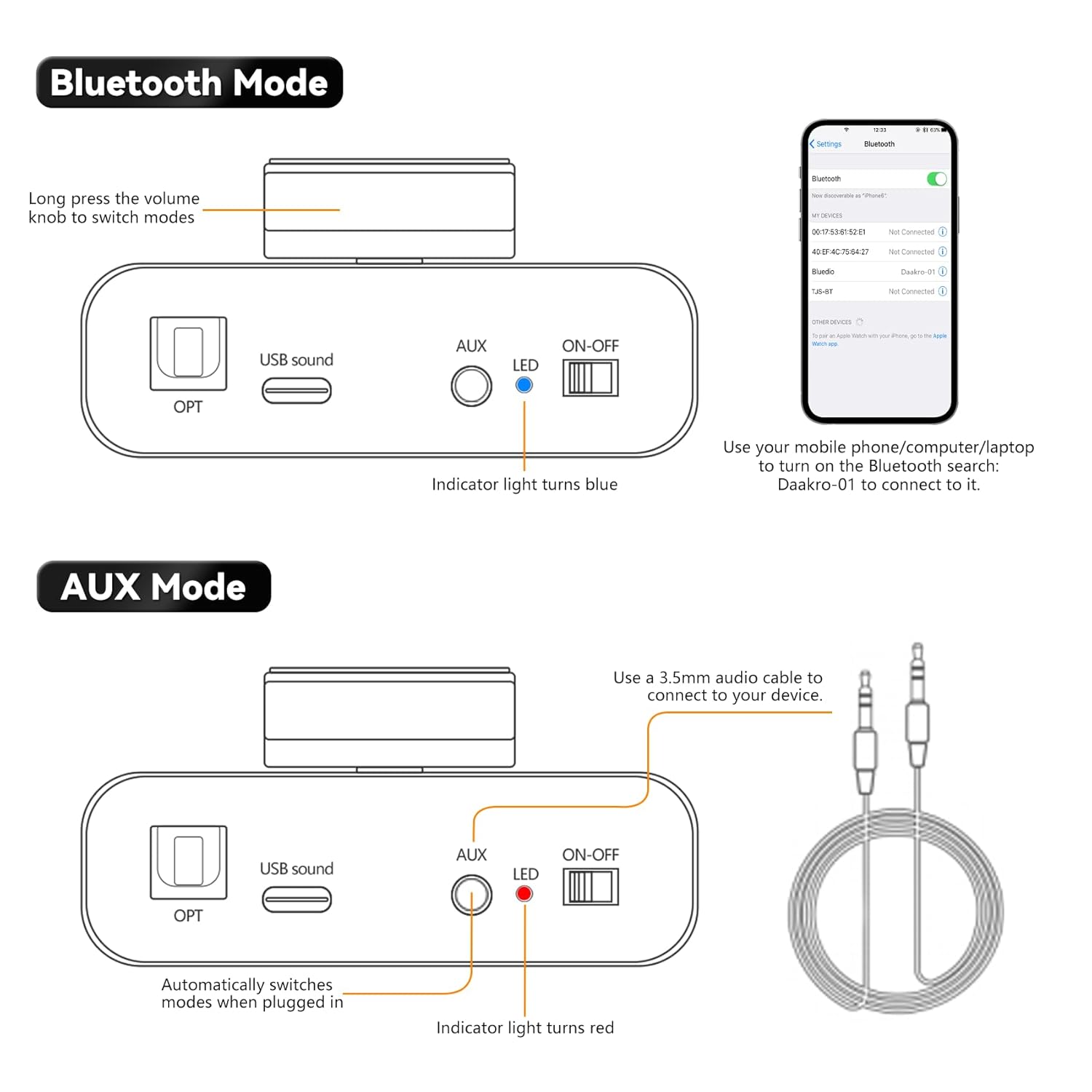
- Long Press (Press and Hold): Switch between input modes (Blue: Bluetooth, Red: AUX, Green: USB, Purple: OPT).

Image: Multifunctional knob controls.
5.2 블루투스 모드
Long press the volume knob to switch to Bluetooth mode (indicator light turns blue). On your device (phone, computer, laptop), search for "Daakro-01" in Bluetooth settings and connect.
5.3 AUX 모드
Plug a 3.5mm audio cable into the AUX input. The amplifier automatically switches to AUX mode (indicator light turns red) when a cable is detected.
5.4 USB 모드
Connect a USB stick directly or use the Type-C to USB adapter to connect a USB device to the USB Sound port. The amplifier automatically switches to USB mode (indicator light turns green).
5.5 OPT Mode
Press and hold the volume knob to switch to OPT mode (indicator light turns purple). Connect an optical fiber cable to the OPT input.

Image: USB and OPT mode connections.
6. 사양
| 특징 | 사양 |
|---|---|
| 상표 | 다크로 |
| 모델 번호 | AK30 |
| 채널 수 | 2 |
| 출력 전력 | 100 Watts (50W+50W @ 4Ω) |
| 권tage | 12볼트(DC) |
| 최대 공급량tage | 12볼트(DC) |
| 최소 공급량tage | 12볼트(DC) |
| 재료 | 합금 |
| 장착 유형 | 독립형 |
| 품목 무게 | 1.15파운드 |
| 패키지 크기 | 6.57 x 6.3 x 2.52 인치 |

Image: Power output table.
7. 문제 해결
- 소리 없음:
- 전원 어댑터가 제대로 연결되어 있는지 확인하십시오. amp리파이어가 켜져있습니다.
- Check all audio cables for secure connections and correct polarity.
- Verify the correct input mode is selected on the amplifier (indicated by LED color).
- 양쪽 모두 볼륨을 높이세요 amp앰프와 오디오 소스 장치.
- Ensure speakers are properly connected and functional.
- 블루투스 연결 문제:
- 확인하십시오 amplifier is in Bluetooth mode (blue LED).
- Keep your device within 32ft/10m of the amplifier (6.5ft/2m for PC devices) without obstructions.
- Forget "Daakro-01" from your device's Bluetooth list and try pairing again.
- 두 가지 모두 다시 시작하세요 amplifier와 Bluetooth 장치.
- 왜곡된 소리:
- 양쪽 모두 볼륨을 줄이세요 amp앰프와 오디오 소스.
- 스피커 연결부의 배선이 헐거워졌거나 극성이 잘못 연결되었는지 확인하십시오.
- 오디오 소스에서 과도하게 증폭된 신호가 전송되지 않는지 확인하십시오.
- 간헐적인 오디오:
- 느슨한 케이블 연결을 확인하십시오.
- For Bluetooth, ensure no interference from other wireless devices and maintain close proximity.
8. 유지관리
- 청소: 부드럽고 건조한 천을 사용하여 청소하십시오. amp증폭기 외부에는 액체 세척제나 용제를 사용하지 마십시오.
- 통풍: 확인하십시오 amplifier has adequate ventilation to prevent overheating. Do not block any vents.
- 저장: 장기간 사용하지 않을 경우 보관하세요 amp직사광선과 극한의 온도를 피해 시원하고 건조한 곳에 보관하세요.
- 손질: 물리적 손상을 방지하기 위해 제품을 조심스럽게 다루십시오.
9. 보증 및 지원
The Daakro AK30 Mini Bluetooth Amplifier는 30일 환불/교체 정책. For any product inquiries, technical assistance, or warranty claims, please contact Daakro customer support. Our team is dedicated to providing online customer service and ensuring 100% customer satisfaction.
추가 지원이 필요하면 다음을 방문하세요. Daakro Store.


