1. 서론
The Keychron K17 Max is a 96% layout ultra-slim wireless custom mechanical keyboard designed for versatility and performance. It supports multiple connectivity options including 2.4 GHz, Bluetooth 5.1, and wired USB connections. Featuring low-profile Gateron switches and QMK/Launcher programmability, this keyboard offers a customizable and ergonomic typing experience across various operating systems.

Figure 1.1: Keychron K17 Max Keyboard with Gateron Low-Profile Switch Detail.
2. 설정 및 연결
The K17 Max offers flexible connectivity options to suit your needs. Ensure the keyboard is charged before initial use.
2.1 연결 모드
The keyboard supports three primary connection modes:
- 2.4GHz 무선: For high-speed performance, especially suitable for gaming, offering a 1000 Hz polling rate.
- 블루투스 5.1 : Connects to up to three devices simultaneously, allowing seamless switching between your computer, phone, and tablet.
- 유선(USB): Provides a stable connection and charges the keyboard.

Figure 2.1: Available Connection Modes.
2.2 운영 체제 호환성
The K17 Max is designed for broad compatibility across different operating systems, including macOS, Windows, and Linux. It features a dedicated switch to toggle between Mac and Windows layouts, ensuring full multimedia and function key functionality.

Figure 2.2: Multi-OS Toggle Switches.
3. 운영
3.1 QMK/Launcher Programmability
The K17 Max utilizes open-source QMK firmware, allowing extensive customization of key remapping, macros, and shortcuts. You can easily customize each key using the Keychron Launcher web application to enhance productivity and gaming.

그림 3.1: 키크론 런처 Web App Interface.
3.2 RGB 백라이트
The keyboard features customizable RGB backlights. Refer to the Keychron Launcher software for detailed instructions on adjusting lighting effects, brightness, and colors.
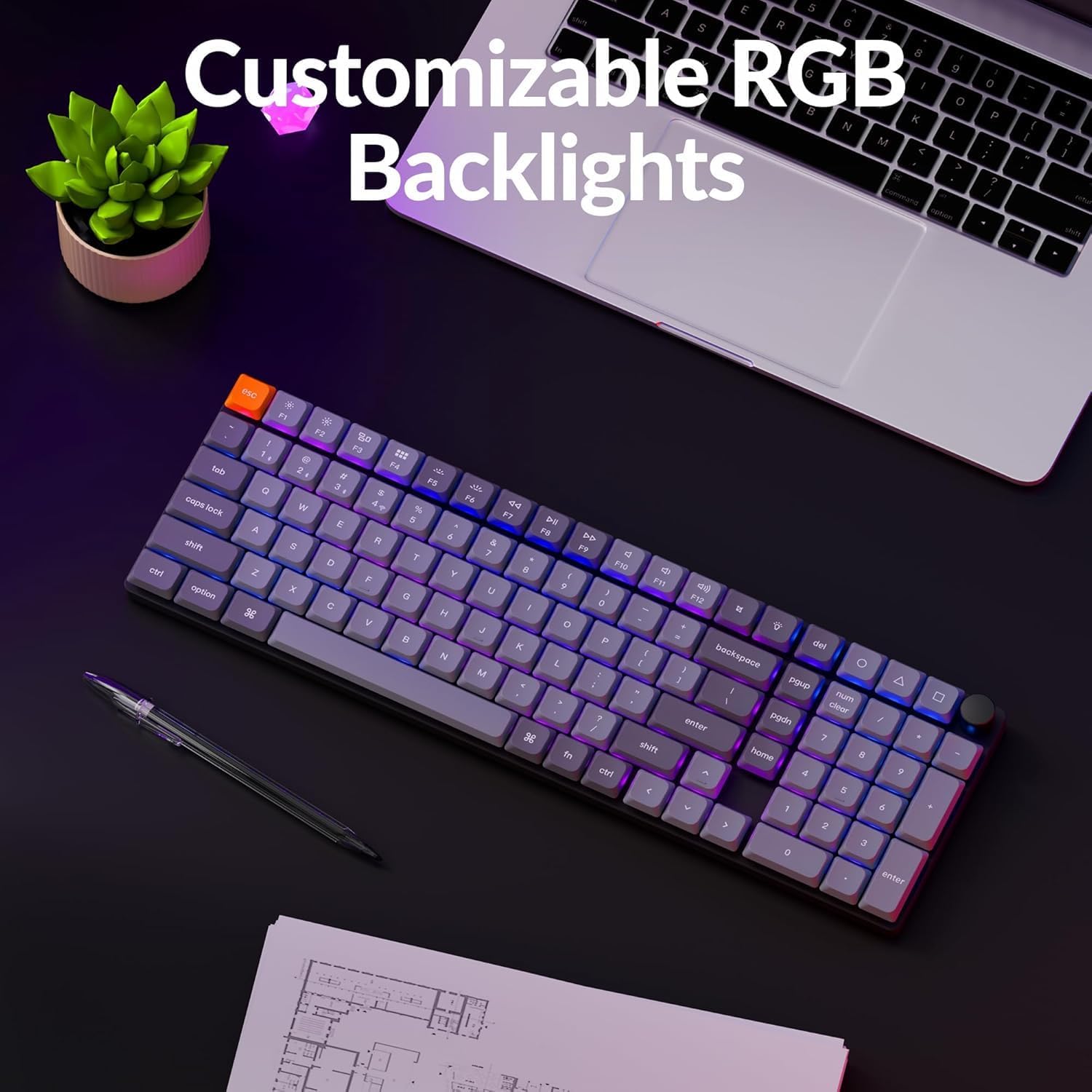
Figure 3.2: Customizable RGB Backlights in operation.
3.3 인체공학적 지원
The K17 Max is designed with three levels of adjustable typing angle to provide ergonomic wrist support during extended use.

Figure 3.3: Adjustable Typing Angles for Ergonomic Support.
4. 유지관리
To ensure the longevity and optimal performance of your Keychron K17 Max keyboard, follow these maintenance guidelines:
- 청소: Regularly clean the keycaps and keyboard body with a soft, lint-free cloth. For deeper cleaning, you may carefully remove keycaps using a keycap puller and use compressed air to clear debris from beneath.
- 배터리 관리 : Avoid fully discharging the battery frequently. For optimal battery health, charge the keyboard when the battery indicator suggests it. If storing the keyboard for an extended period, ensure it has a partial charge (around 50%) to prevent deep discharge.
- 저장: 키보드를 직사광선과 극한의 온도를 피해 건조하고 서늘한 곳에 보관하세요.
5. 문제 해결
If you encounter issues with your Keychron K17 Max, consider the following common troubleshooting steps:
- 연결 문제:
- Ensure the correct connection mode (2.4 GHz, Bluetooth, or Wired) is selected via the side switch.
- 블루투스 연결의 경우, 키보드가 페어링 모드인지, 기기의 블루투스가 활성화되어 있는지 확인하세요. 기기를 다시 페어링해 보세요.
- For 2.4 GHz, ensure the dongle is securely plugged into your device and within range.
- 유선 연결의 경우 다른 USB 포트나 케이블을 사용해 보세요.
- 키가 응답하지 않음:
- Check if the keyboard is properly connected and powered on.
- Ensure the correct OS layout switch (Mac/Windows) is selected.
- If specific keys are not working, check for debris under the keycap.
- Perform a factory reset if issues persist (refer to Keychron's official support for reset procedures).
- 백라이트 문제:
- Ensure backlighting is enabled and brightness is adjusted.
- Check Keychron Launcher settings for any custom lighting profiles that might be interfering.
For more detailed troubleshooting or persistent issues, please visit the official Keychron support web대지.
6. 사양
| 특징 | 설명 |
|---|---|
| 모델명 | K17M-B3 |
| 공들여 나열한 것 | 96% 레이아웃 |
| 연결 기술 | 2.4GHz 무선, 블루투스 5.1, USB 유선 |
| 스위치 | 로우프로file 가테론 브라운 스위치 |
| 키캡 | 로우프로file 더블샷 PBT 키캡 |
| 백라이트 | RGB 백라이트 |
| 프로그래밍 가능성 | QMK/Launcher Programmable |
| 호환 장치 | PC, Phone, Tablet (Mac, Win, Linux) |
| 재료 | 알루미늄 바디 |
| 품목 무게 | 1.65파운드 |
| 패키지 크기 | 16.3 x 6.65 x 1.5 인치 |
| 배터리 | 1개의 리튬 이온 배터리(포함) |
| 전원 | 강화 된 USB |
| 첫 번째 이용 가능 날짜 | 13년 2025월 XNUMX일 |
7. 보증 및 지원
보증 정보 및 기술 지원에 대해서는 키크론 공식 웹사이트를 참조하십시오. website or contact Keychron customer service directly. Details regarding protection plans may also be available at the point of purchase.
제조업체: 키크론


