제품 끝view
The ATTACK SHARK R5Ultra is a high-performance wireless gaming mouse designed for speed and precision. It features an ultra-lightweight carbon fiber composite construction, weighing only 39g, ensuring durability and comfort during extended use. Equipped with the advanced PixArt PAW3950 MAX sensor and Nordic 52840 MCU chip, it offers exceptional accuracy and a high polling rate for competitive gaming.
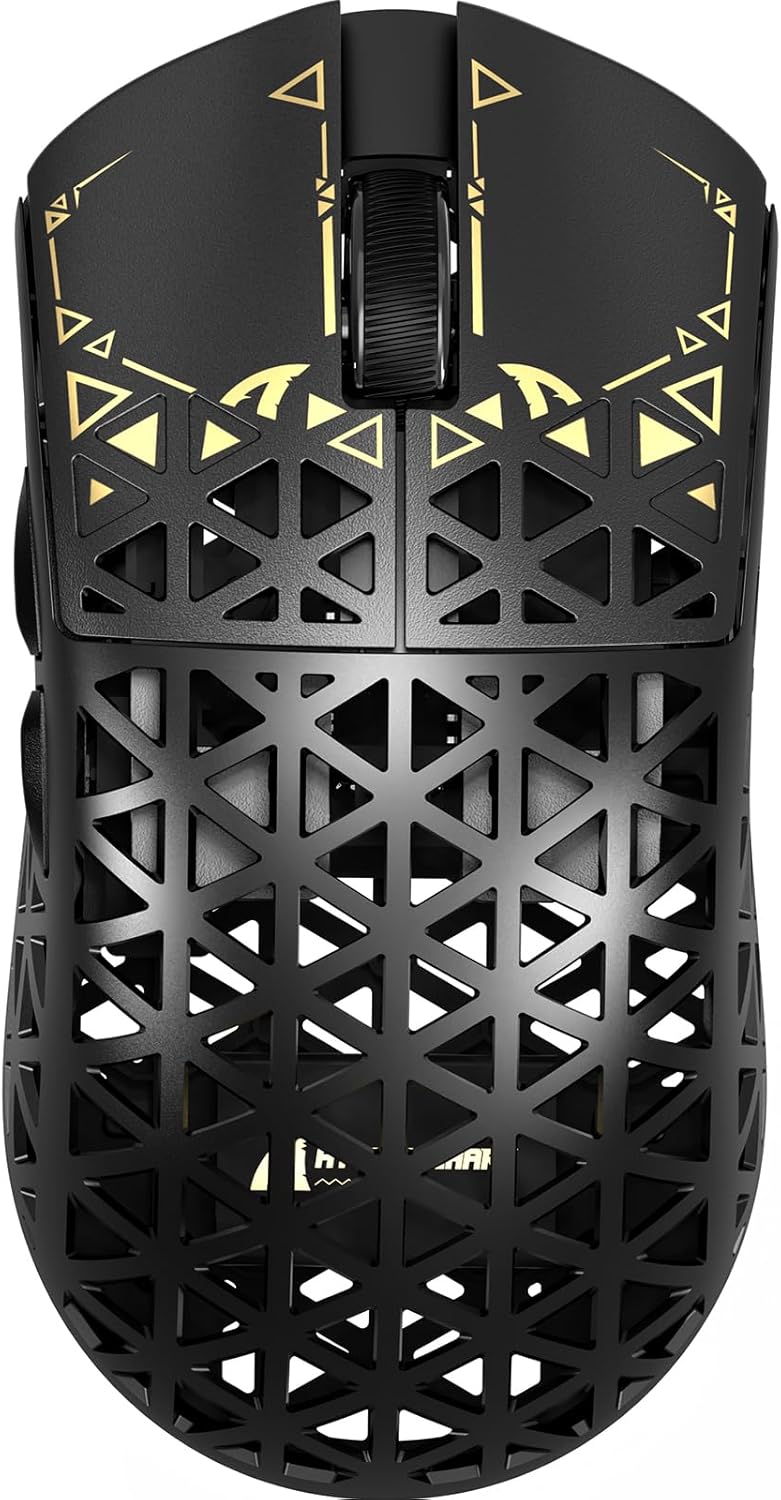
이미지: 상단 view of the ATTACK SHARK R5Ultra gaming mouse, showcasing its lightweight carbon fiber design and intricate patterns.
This mouse supports tri-mode connectivity, allowing seamless switching between 2.4GHz wireless, Bluetooth, and wired USB connections. Its programmable features are managed via an innovative cloud-driven webpage, eliminating the need for traditional software installations.
패키지 내용
- ATTACK SHARK R5Ultra Wireless Gaming Mouse
- USB-C 충전 케이블
- 8K Mini Receiver (USB Dongle)
- 사용 설명서 (본 문서)
- Additional PTFE feet (may be included)
설치 가이드
1. 초기 충전
처음 사용하기 전에 마우스를 완전히 충전하는 것이 좋습니다. 제공된 USB-C 케이블을 마우스의 충전 포트에 연결하고 다른 한쪽 끝을 USB 전원(예: 컴퓨터 USB 포트, USB 벽면 어댑터)에 연결하십시오.
2. 연결 모드
The R5Ultra mouse supports three connection modes: 2.4GHz Wireless, Bluetooth, and Wired USB. A switch on the back of the mouse allows you to select your preferred mode.

Image: Diagram illustrating the tri-mode connectivity options: 2.4G Wireless with receiver, Bluetooth, and USB-C wired connection, along with charging.
2.1. 2.4GHz 무선 모드
- Locate the 8K Mini Receiver (USB dongle) included in the package.
- USB 수신기를 컴퓨터의 사용 가능한 USB 포트에 연결합니다.
- 마우스 하단의 모드 선택기를 2.4GHz 무선 아이콘으로 전환하세요.
- 마우스가 자동으로 수신기에 연결되어야 합니다.
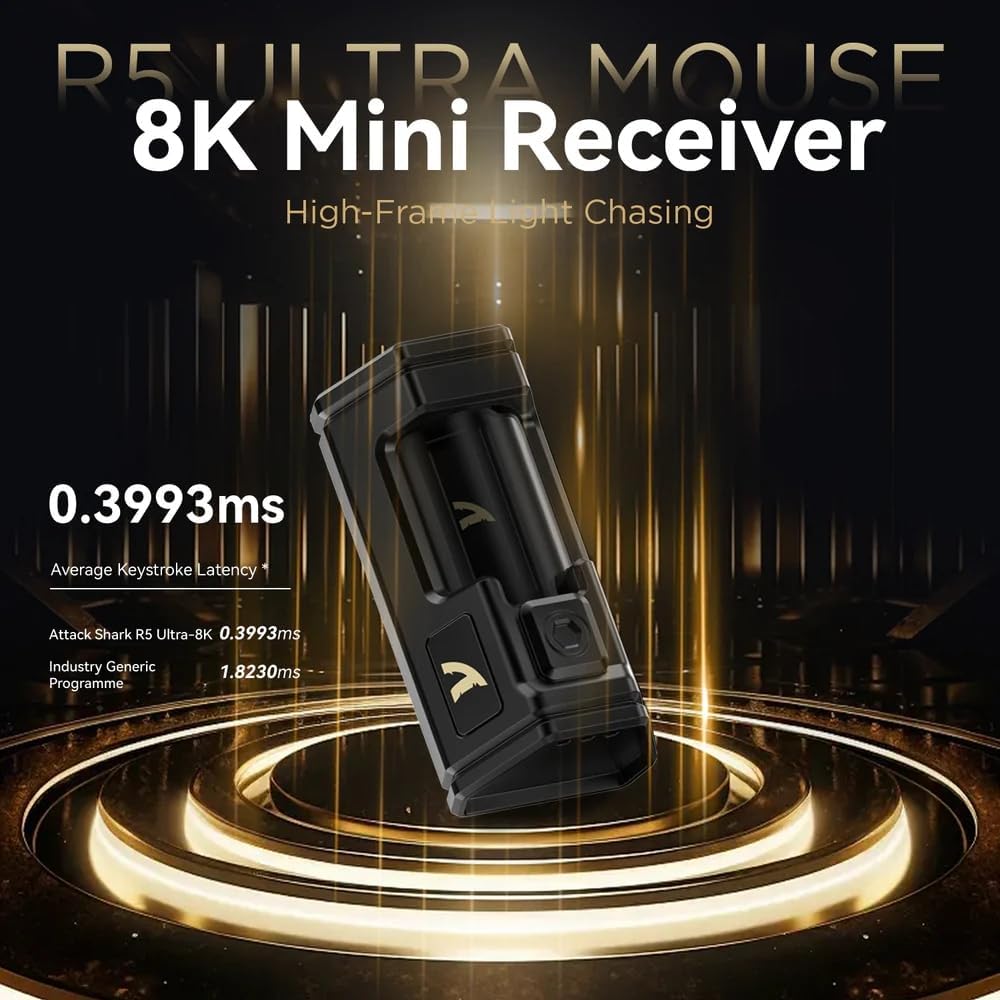
Image: Close-up of the compact 8K Mini Receiver, highlighting its low latency capabilities.
2.2. 블루투스 모드
- 마우스 하단의 모드 선택기를 블루투스 아이콘으로 전환하세요.
- 컴퓨터나 기기에서 Bluetooth 설정을 열고 새 기기를 검색하세요.
- Select "ATTACK SHARK R5Ultra" from the list of available devices to pair.
2.3. Wired USB Mode
- 제공된 USB-C 케이블의 다른 한쪽 끝을 마우스에 연결하고, 나머지 한쪽 끝을 컴퓨터의 USB 포트에 연결하십시오.
- 마우스가 자동으로 유선 모드로 전환되고 충전이 시작됩니다.
3. Driver and Customization
The R5Ultra utilizes an AI-designed cloud-driven webpage for customization, eliminating the need for traditional software downloads. Access the customization options by visiting the official ATTACK SHARK website and navigating to the R5Ultra product page or driver section. The webpage will automatically detect your system.
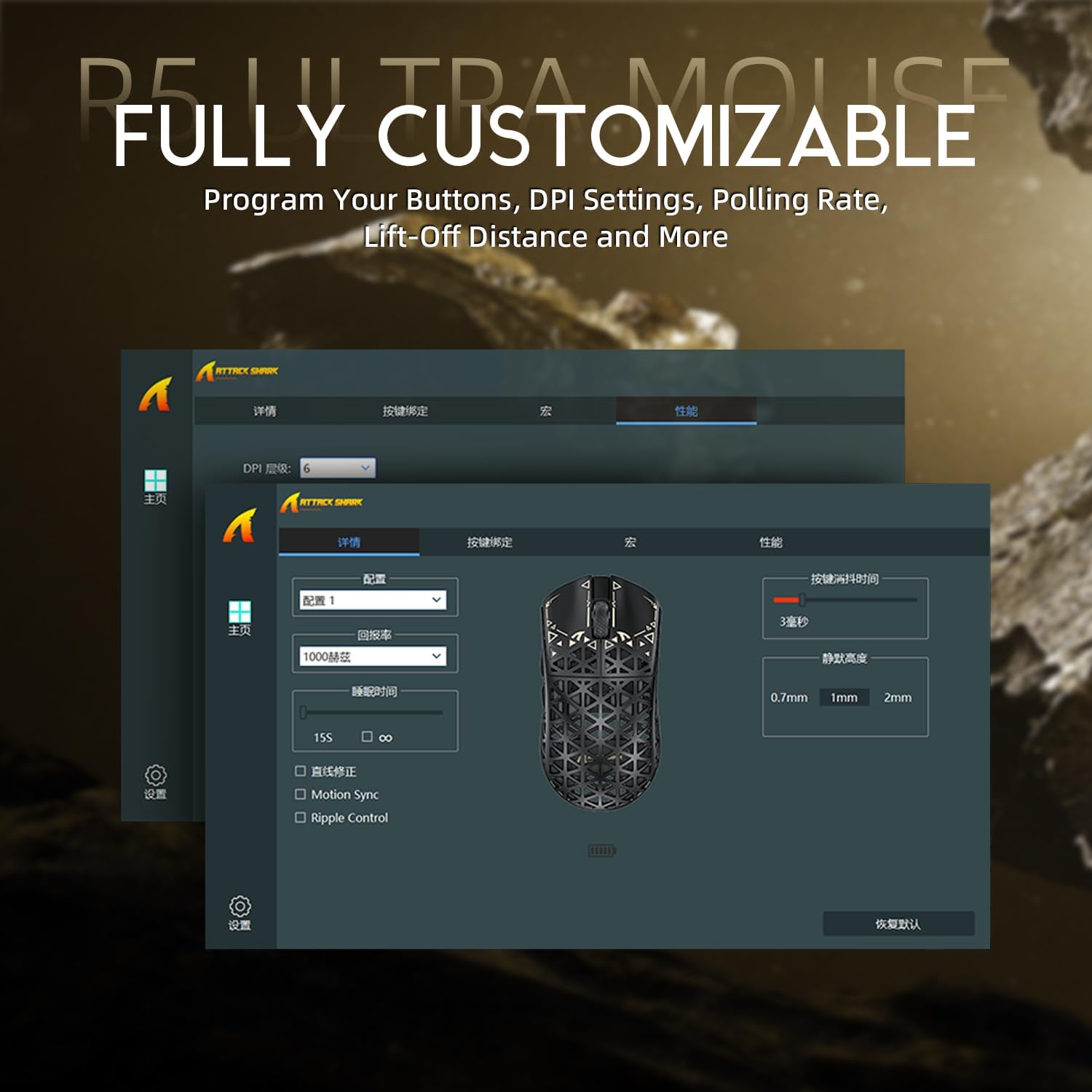
Image: Screenshot of the R5Ultra's web-based customization interface, showing options for DPI, polling rate, and button mapping.
작동 지침
DPI 조정
The R5Ultra mouse features a PixArt PAW3950 MAX sensor capable of up to 42,000 programmable DPI. DPI settings can be adjusted through the cloud-driven customization webpage. You can set multiple DPI stages and switch between them using a dedicated button on the mouse (if configured) or through the software.

이미지: 상세 view of the PixArt PAW3950 MAX sensor, highlighting its advanced capabilities for high DPI and acceleration.
폴링 속도
The mouse supports an 8KHz wireless polling rate, providing extremely low latency and fast data transmission. In wired mode, a 1KHz polling rate is maintained. Higher polling rates consume more battery power. You can adjust the polling rate via the customization webpage to balance performance and battery life.
프로그래밍 가능한 버튼
The R5Ultra features multiple programmable buttons. Through the cloud-driven customization web페이지에서 다음을 수행 할 수 있습니다.
- 버튼 기능을 다시 매핑합니다.
- 매크로를 만들고 할당합니다.
- Adjust lift-off distance.
- Configure competitive modes.
배터리 관리
To optimize battery life, consider adjusting the polling rate to a lower setting (e.g., 1KHz or 2KHz) when not engaged in competitive gaming. The mouse can be charged while in wired mode, allowing continuous use.
주요 특징
- 초경량 디자인: Weighing only 39g, constructed from injection-molded carbon fiber material with a hollow design for enhanced durability and reduced weight.

이미지: 다중 views of the R5Ultra mouse, showcasing its carbon fiber composite housing and lightweight structure.
- 고급 센서: Features the PixArt PAW3950 MAX sensor, offering up to 42,000 DPI, 750 IPS speed, and 50g acceleration for precise tracking.
- 높은 폴링률: Supports an 8KHz wireless polling rate for minimal latency and rapid response, crucial for competitive gaming.
- 3중 모드 연결: Seamlessly switch between 2.4GHz wireless, Bluetooth, and wired USB connections for versatile use across various devices and platforms.
- 내구성 있는 스위치: Equipped with OMRON microswitches, rated for over 100 million clicks, ensuring long-lasting performance and crisp feedback.
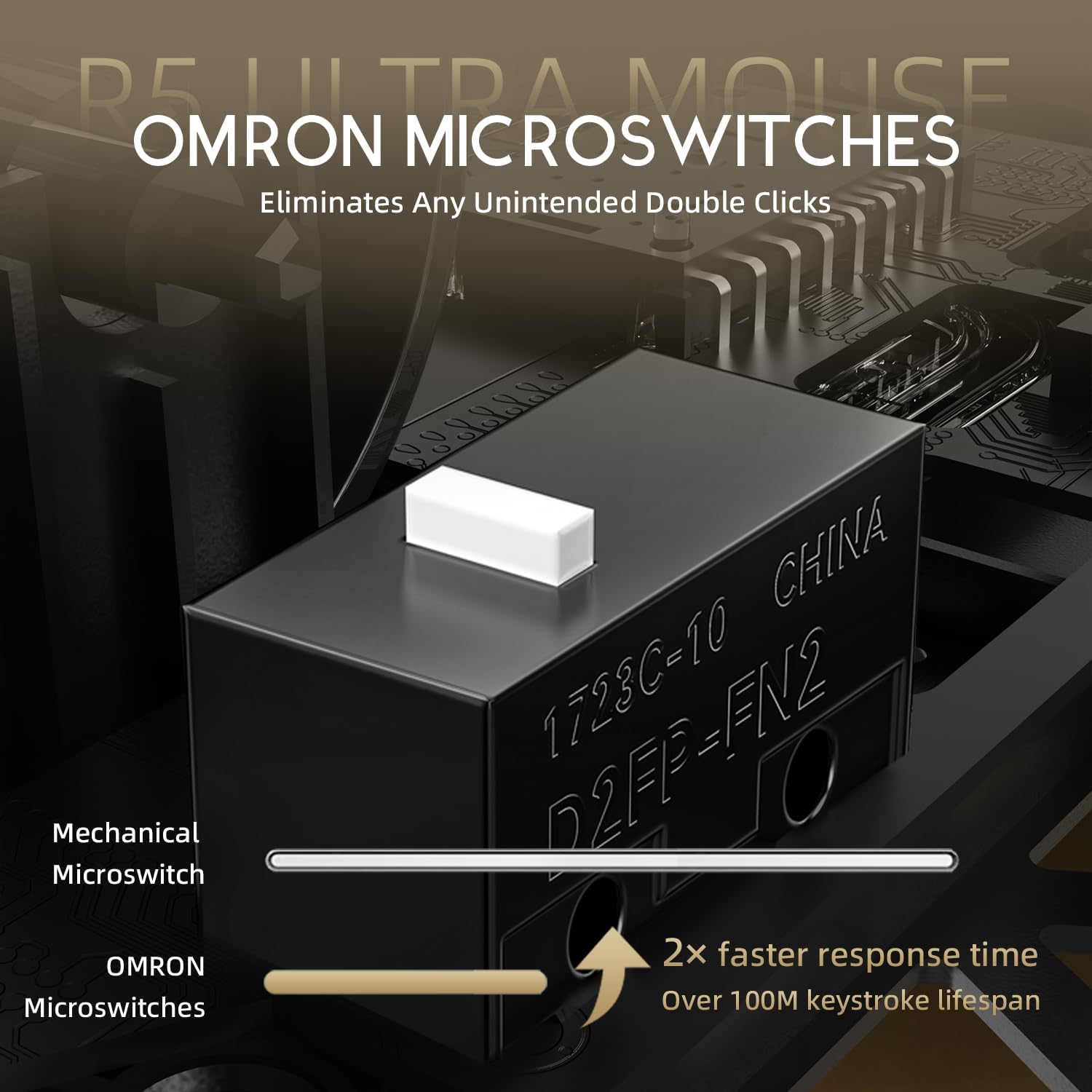
Image: Close-up of the OMRON microswitches, illustrating their mechanical design and durability for over 100 million clicks.
- Cloud-Based Driver: Innovative AI-designed driver accessible via a webpage, allowing for comprehensive customization without software installation.
- PTFE 피트: 100% Virgin Grade PTFE feet provide consistent and smooth glide for optimal mouse movement.
유지 보수 및 관리
- 청소: 부드럽고 마른 천을 사용하여 마우스 표면을 닦으세요. 잘 지워지지 않는 오염의 경우, 약간amp 천을 사용하여 마우스에 액체가 들어가지 않도록 하십시오. 강한 화학 물질이나 연마재는 사용하지 마십시오.
- 센서 유지 보수: Keep the optical sensor area on the bottom of the mouse clean and free from dust or debris to ensure accurate tracking.
- 저장: 마우스를 직사광선과 극한의 온도를 피해 시원하고 건조한 곳에 보관하세요.
- 배터리 관리 : Avoid fully discharging the battery frequently. For long-term storage, charge the mouse to about 50% to prolong battery life.
문제 해결
연결 문제
- 2.4GHz 무선: USB 수신기가 제대로 연결되어 있는지, 마우스가 2.4GHz 모드로 설정되어 있는지 확인하십시오. 수신기를 다른 USB 포트에 연결해 보십시오.
- 블루투스: Verify Bluetooth is enabled on your device and the mouse is in Bluetooth pairing mode. Remove previous pairings and re-pair if necessary.
- 열광한: Check the USB-C cable connection at both ends. Try a different USB port or cable if available.
추적 문제
- 마우스 바닥의 광학 센서를 청소하세요.
- 마우스를 사용할 때는 적절한 표면(예: 마우스 패드) 위에서 사용하십시오. 반사율이 높거나 고르지 않은 표면은 트래킹에 영향을 줄 수 있습니다.
- If experiencing issues at higher polling rates (e.g., 8KHz), try reducing the polling rate via the customization webpage to 1KHz, 2KHz, or 4KHz to see if performance improves.
- Check the mouse feet (PTFE skates) for wear or damage. Worn feet can affect glide and tracking consistency.
배터리가 빠르게 소모됨
- Higher polling rates (e.g., 8KHz) consume more power. Reduce the polling rate if extended battery life is desired.
- 마우스가 완전히 충전되었는지 확인하세요.
- 문제가 지속되면 고객 지원에 문의하십시오.
명세서
| 특징 | 세부 사항 |
|---|---|
| 모델 번호 | R5 |
| 연결성 | 2.4G 무선, 블루투스, USB 유선 |
| 감지기 | PixArt PAW3950 MAX Optical Sensor |
| DPI 범위 | Up to 42,000 DPI (Programmable) |
| 폴링 속도 | 8000Hz Wireless, 1000Hz Wired |
| 가속 | 50g |
| IPS 속도 | 750 IPS |
| 스위치 | OMRON Microswitches (100 Million Clicks Lifespan) |
| 무게 | Approximately 39g (Ultra-lightweight) |
| 재료 | 탄소섬유 복합소재 |
| 발 재질 | 100% 순수 등급 PTFE |
| 치수 | 6.85 x 4.21 x 2.8인치(패키지 크기) |
| 호환성 | Windows, macOS, PCs, Laptops, Mac, Tablet Devices, Consoles |
보증 및 지원
For warranty information, please refer to the warranty card included with your product or visit the official ATTACK SHARK website. If you encounter any issues not covered in this manual or require further assistance, please contact ATTACK SHARK customer support through their official web구매 시 제공된 사이트 또는 연락처 정보.
You can visit the ATTACK SHARK Store for more information and support: ATTACK SHARK 스토어 (아마존)


