소개
Thank you for choosing the Pro Breeze 25L Smart Dehumidifier. This appliance is designed to efficiently remove excess moisture from your indoor environment, helping to prevent mold, mildew, and dampness. Featuring smart Wi-Fi connectivity, a digital display, and multiple operating modes, this dehumidifier offers advanced control and convenience. Please read this manual thoroughly before operation to ensure safe and optimal performance.
중요 안전 지침
화재, 감전, 부상의 위험을 줄이려면 전기 제품을 사용할 때 항상 기본적인 안전 예방 조치를 따르세요.
- 전원 공급 장치가 볼륨과 일치하는지 확인하십시오.tag등급 라벨에 지정되어 있습니다.
- 손상된 코드나 플러그로 제습기를 작동하지 마세요.
- Keep the appliance at least 20 cm (8 inches) away from walls and other objects to ensure proper airflow.
- 장치, 전원 코드 또는 플러그를 물이나 다른 액체에 담그지 마십시오.
- 청소, 유지 보수 또는 사용하지 않을 때는 제습기의 전원을 뽑으십시오.
- 이 제품은 실내에서만 사용하세요.
- 공기 흡입구 또는 배출구를 막지 마십시오.
- 어린이를 감독하고 어린이가 기기로 놀지 않도록 주의하세요.
- 직접 수리하거나 개조하지 마십시오. 자격을 갖춘 서비스 담당자에게 문의하십시오.
제품 특징

Image: The Pro Breeze 25L Smart Dehumidifier, showcasing its compact design and highlighting features such as Wi-Fi compatibility, 25L extraction rate, energy efficiency, and laundry mode. Dimensions are also indicated.
- 강력한 제습: Extracts up to 25 liters of moisture per day, effectively combating persistent humidity, mold, and condensation in large rooms.
- 대형 물 탱크: Features a 5.5-liter water tank with automatic shut-off when full. A drainage hose is included for continuous operation.
- 에너지 효율성: Utilizes a high-performance compressor, 24-hour timer, and automatic stop system to reduce energy consumption.
- 조용한 작동: Designed with silent technology, making it suitable for use in bedrooms, living rooms, offices, and other quiet environments.
- 앱을 통한 스마트 제어: Manage all functions remotely using the free Pro Breeze app or voice commands with Alexa and Google Home (compatible with iPhone and Android).
- Digital Display & Humidity Sensor: An intuitive LED screen allows selection of fan speed and humidity levels between 30% and 80%. The smart sensor displays real-time humidity and automatically stops the dehumidifier once the target is reached.
- 다양한 작동 모드: Includes a 24-hour timer and 4 operating modes, including a dedicated 세탁물 건조 모드. Also features a 아동 잠금, Automatic Defrost Mode, 그리고 야간 디스플레이.

Image: The Pro Breeze dehumidifier positioned next to a large 25-liter water bottle, visually representing its daily moisture extraction capacity and the benefit of fewer tank emptying cycles.
패키지 내용
다음 항목에 대한 상자를 체크해 주세요.
- Pro Breeze 25L Smart Dehumidifier Unit
- 연속 배수 호스
- 사용자 설명서
설정
- 짐 풀기: 제습기를 포장에서 조심스럽게 꺼내세요. 나중에 보관하거나 운반할 때를 대비해 포장을 보관하세요.
- 놓기: Place the dehumidifier on a firm, level surface. Ensure there is at least 20 cm (8 inches) of clear space around the air inlet and outlet to allow for efficient airflow. Avoid placing it near heat sources or in direct sunlight.
- 전원 연결: 전원 코드를 접지된 콘센트에 꽂으세요. 볼륨을 확인하세요.tage는 해당 유닛의 요구 사항과 일치합니다.
- 물 탱크 설치: 물탱크가 본체에 올바르게 장착되었는지 확인하십시오. 물탱크가 제대로 장착되지 않았거나 물이 가득 차 있으면 제습기가 작동하지 않습니다.
- 연속 배수(선택 사항): For continuous operation without emptying the tank, connect the provided drainage hose to the continuous drainage port on the back of the unit. Route the hose to a suitable drain, ensuring it is sloped downwards to allow water to flow freely.
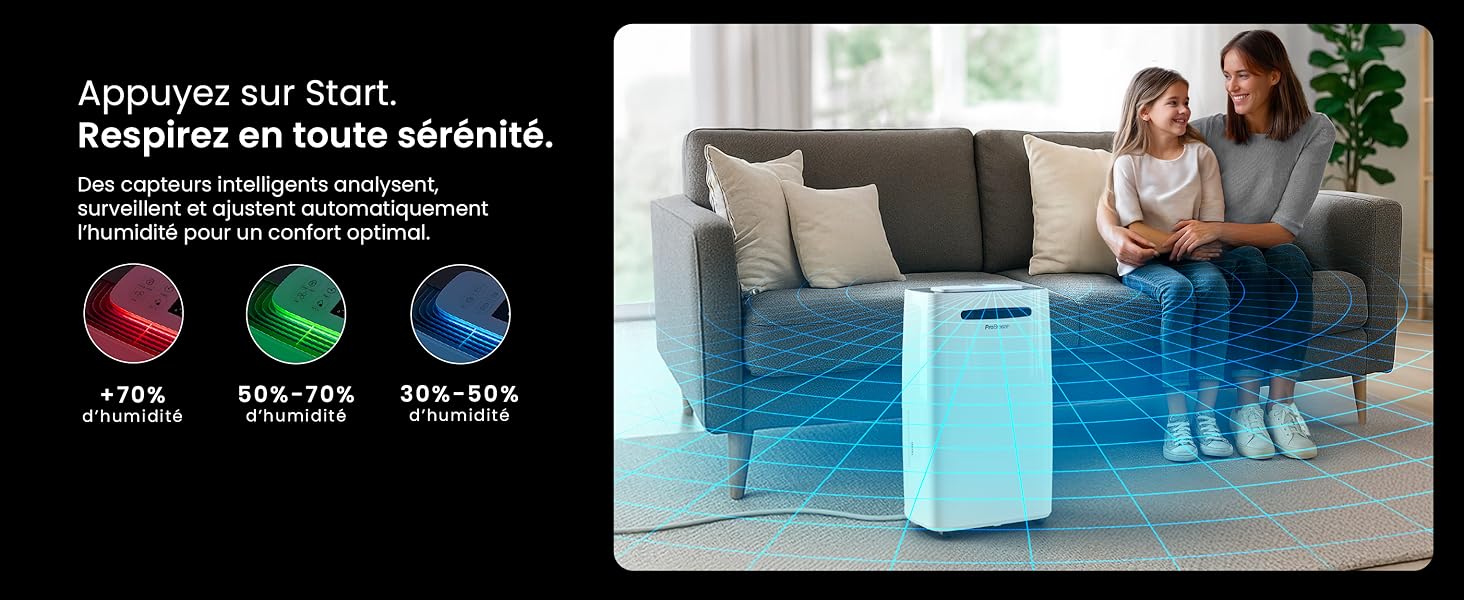
Image: The dehumidifier shown in different environments such as a garage, home office, and laundry room, illustrating its versatility and suitability for various spaces. Icons for continuous drainage and automatic defrost are also present.
작동 지침
제어판 이상view

이미지: 자세한 view of the dehumidifier's illuminated digital control panel, showing buttons for power, mode, fan speed, timer, child lock, and humidity settings, along with the LED display.
The intuitive LED display and touch controls allow for easy operation.
- 전원 버튼: 기기를 켜거나 끄려면 누릅니다.
- 모드 버튼: 사용 가능한 작동 모드를 순환합니다. 정상, Laundry Drying, 그리고 나이트 모드.
- 팬 속도 버튼: Adjust the fan speed between 낮은 그리고 높은.
- Humidity Setting (SET %): Use the up/down arrows to set your desired humidity level (30% - 80%). The unit will operate until this level is reached.
- 타이머 버튼: Set a 24-hour timer for automatic power ON or OFF.
- 어린이 잠금 버튼: 길게 눌러 자녀 보호 기능을 활성화/비활성화하면 설정이 실수로 변경되는 것을 방지할 수 있습니다.
- 디스플레이 버튼: Turn the LED display lights ON or OFF, useful for night mode.
Wi-Fi 및 앱 제어

Image: A user interacting with the Pro Breeze mobile application on a smartphone, demonstrating remote control capabilities for the dehumidifier. The app shows current humidity and temperature settings.
The Pro Breeze 25L Smart Dehumidifier can be controlled remotely via the Pro Breeze app. Download the app from your smartphone's app store and follow the in-app instructions to connect your device to your home Wi-Fi network. Once connected, you can control all functions, set schedules, and monitor humidity levels from anywhere.
The unit is also compatible with Amazon Alexa and Google Home for voice control. Refer to the app's help section for detailed instructions on integrating with these smart home platforms.
유지
물탱크 비우기
When the water tank is full, the dehumidifier will automatically shut off and an indicator light will illuminate. Carefully remove the water tank from the unit, empty the collected water, and reinsert the tank securely. The unit will resume operation.
에어 필터 청소
A clogged filter can reduce efficiency. It is recommended to clean the air filter every two weeks or more frequently depending on usage and air quality.
- 제습기를 끄고 전원 콘센트에서 플러그를 뽑으세요.
- 공기 필터를 찾아서 제거하십시오(일반적으로 기기 뒷면이나 측면에 있습니다).
- 필터를 진공청소기로 청소하거나 따뜻한 비눗물로 부드럽게 씻어주세요.
- 필터를 깨끗이 헹구고 완전히 건조시킨 후 기기에 다시 장착하십시오.
외부 청소
부드러운 천으로 제습기의 외부를 닦고 damp 천을 사용하십시오. 표면이 손상될 수 있으므로 독한 화학 약품, 연마성 세척제 또는 용제를 사용하지 마십시오.
저장
장기간 보관할 경우, 물탱크가 비어 있고 깨끗한지, 필터가 깨끗하고 건조한지 확인하십시오. 제습기는 서늘하고 건조한 곳에, 가급적 원래 포장 상태로 보관하십시오.
문제 해결
| 문제 | 가능한 원인 | 해결책 |
|---|---|---|
| 제습기가 켜지지 않습니다. | No power; water tank full or incorrectly inserted; ambient temperature too low. | Check power connection; empty and reinsert water tank; ensure room temperature is above 5°C (41°F). |
| 장치는 작동 중이지만 물이 수집되지 않습니다. | Humidity level too low; air filter clogged; room temperature too low; unit size too small for space. | Adjust desired humidity setting lower; clean air filter; ensure room temperature is adequate; consider if unit is appropriate for room size. |
| 이 장치는 시끄럽습니다. | 제품이 수평면에 놓여 있지 않음; 공기 필터가 막힘; 내부 부품이 진동함. | Place on a flat, stable surface; clean air filter; if noise persists, contact support. |
| Wi-Fi 연결 문제. | Incorrect Wi-Fi password; unit too far from router; router issues; app issues. | Verify Wi-Fi password; move unit closer to router; restart router; reinstall Pro Breeze app. |
| 코일에 서리가 나타납니다. | 낮은 주변 온도. | 본 제품에는 자동 제상 기능이 있습니다. 성에가 계속 발생하면 실내 온도를 높이십시오. |
명세서
| 사양 | 세부 사항 |
|---|---|
| 모델 번호 | PB-D-37W-W-EU |
| 상표 | 프로 브리즈 |
| Moisture Extraction Capacity | 25리터/일 |
| 물탱크 용량 | 5.5리터 |
| 치수(길이 x 너비 x 높이) | 38.6cm x 26cm x 50cm |
| 무게 | 15.1 킬로그램 |
| 팬 속도 | 2 |
| 특별 기능 | Adjustable Humidity Control, Night Mode, Continuous Drainage, Wi-Fi Connectivity, Digital Display, 24h Timer, Laundry Drying Mode, Child Lock, Automatic Defrost |
| 권장 바닥 면적 | 최대 322제곱피트(30제곱미터) |

Image: The Pro Breeze dehumidifier highlighting its elegant and discreet design, along with its dimensions (50cm H, 38.6cm L, 26cm P) and four easy-to-move caster wheels.
보증 및 지원
Pro Breeze products are manufactured to the highest standards. This product comes with a standard manufacturer's warranty. For specific warranty details, please refer to the warranty card included in your package or visit the official Pro Breeze web대지.
If you encounter any issues or have questions regarding your dehumidifier, please contact Pro Breeze customer support. Contact information can typically be found on the Pro Breeze web사이트 또는 제품 포장에 표시되어 있습니다.


