1. 서론
Welcome to the DOOGEE Tab A9 Pro user manual. This guide provides essential information to help you set up, operate, and maintain your new Android tablet. Please read this manual thoroughly before using the device to ensure proper functionality and safety.
2. 상자 안에 무엇이 들어있나요?
The DOOGEE Tab A9 Pro package includes the following items:
- DOOGEE Tab A9 Pro 태블릿 1개
- 1 x USB 타입-C 케이블
- 1 x 충전기
- 1 x SIM Ejector Pin
- 1 x 포장 상자
- 1 x 사용자 설명서
- 1 x 보증 카드
- 1 x 스크린 보호 장치 (사전 적용)
3. 제품 오버view
The DOOGEE Tab A9 Pro features a sleek design and powerful components for an optimal user experience.
주요 특징:
- 표시하다: 10.1-inch IPS HD Ultra-Clear Display (1280x800 pixels, 16.7 million colors, 16:10 aspect ratio, 1200:1 contrast, 2.5D cover glass).
- 프로세서: Unisoc T310 Quad-core, 2 GHz.
- 메모리 및 스토리지 : 20GB RAM (4GB base + 16GB virtual), 128GB ROM, expandable up to 2TB with microSD.
- 배터리: 6580 mAh Lithium battery for extended use.
- 카메라: 8MP Rear Camera, 5MP Front Camera.
- 운영 체제: 안드로이드 15.
- 연결성: Wi-Fi (2.4G/5G), Bluetooth 5.0.
- 오디오: Dual 1217 BOX Speakers, 3.5mm Audio Jack.
- 보안: 얼굴 인식 잠금 해제.
- 치수: 24.53 x 16.33 x 0.99 cm; 478 grams.
물리적 구성 요소:
Familiarize yourself with the tablet's physical layout.
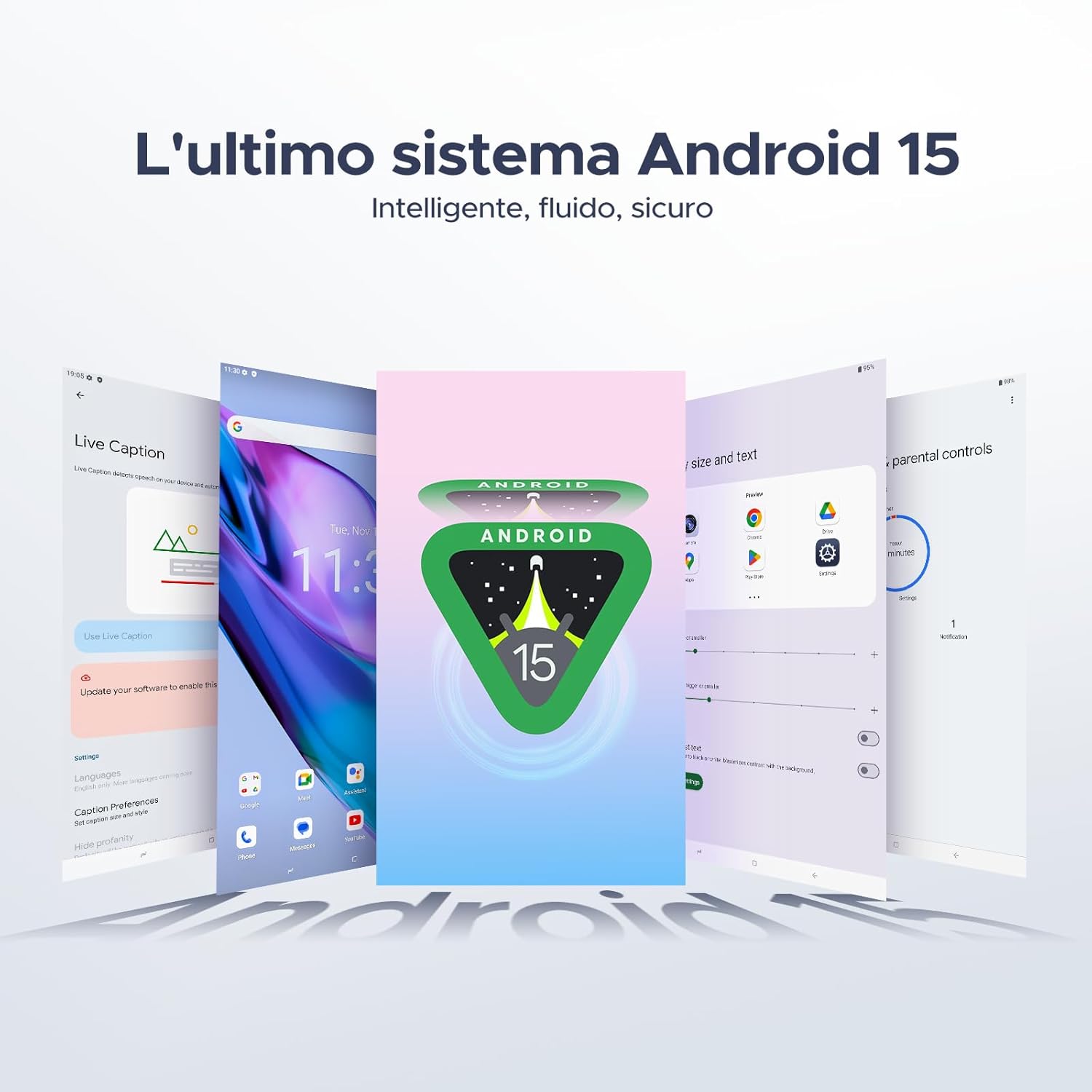
그림 3.1: 앞면과 뒷면 view of the DOOGEE Tab A9 Pro Tablet.

그림 3.2: 측면 view showing power button, volume controls, and ports.

Figure 3.3: Available color options for the DOOGEE Tab A9 Pro Tablet.
4. 설정
4.1 초기 전원 켜기
- 태블릿 측면에 있는 전원 버튼을 DOOGEE 로고가 나타날 때까지 길게 누르세요.
- 화면의 안내에 따라 언어를 선택하고, Wi-Fi 네트워크에 연결하고, Google 계정을 설정하세요.
4.2 배터리 충전
Before first use, fully charge the tablet's battery.
- USB Type-C 케이블을 태블릿의 충전 포트에 연결합니다.
- 케이블의 다른 쪽 끝을 제공된 충전기에 연결한 다음 충전기를 전원 콘센트에 꽂으십시오.
- 충전 표시등이 화면에 나타납니다.

Figure 4.1: Illustration of the 6580 mAh high-capacity battery.
4.3 MicroSD 카드 삽입
To expand storage, insert a microSD card (sold separately).
- 태블릿 측면에서 SIM/microSD 카드 트레이를 찾으세요.
- 트레이 옆의 작은 구멍에 SIM 카드 분리 핀을 넣어 트레이를 여세요.
- 트레이의 지정된 슬롯에 microSD 카드를 넣으세요.
- 트레이를 태블릿에 다시 살짝 밀어 넣어 딸깍 소리가 나면서 제자리에 고정되도록 합니다.

Figure 4.2: Storage capacity details, including expandable memory.
5. 사용 설명서
5.1 Android 15 탐색
Your tablet runs on the latest Android 15 system, offering an intelligent, fluid, and secure experience.

Figure 5.1: The Android 15 operating system interface.
5.2 디스플레이 기능
The 10.1-inch IPS HD display provides a wide visual field. Utilize features like Eye-Caring Mode and Dark Mode for enhanced view편안함을.

Figure 5.2: Details of the 10.1-inch IPS HD Ultra-Clear Display.

Figure 5.3: Eye-Caring Mode and Dark Mode for visual comfort.
5.3 카메라 사용
Capture moments with the 8MP main camera and take clear selfies or video calls with the 5MP front camera. The tablet also supports Beauty Mode and Google Smart Camera features.

Figure 5.4: The 8MP main camera for clear photos.

Figure 5.5: The 5MP front camera for selfies and video calls.

Figure 5.6: Beauty Mode for enhancing photos.

Figure 5.7: Google Smart Camera features for enhanced photography.
5.4 오디오 및 연결
Enjoy clear audio through the dual 1217 BOX speakers or connect headphones via the 3.5mm audio jack. The tablet supports Wi-Fi 5 (2.4G/5G) for stable and fast internet access.

Figure 5.8: Dual 1217 BOX speakers for crystal clear audio.

Figure 5.9: Standard 3.5mm audio jack for stable, distortion-free transmission.

Figure 5.10: Wi-Fi 5 for seamless connectivity.
5.5 보안 및 개인정보 보호
Unlock your tablet effortlessly using Face Unlock. Android 15 also provides enhanced privacy features, including precise permission control, robust data encryption, and proactive app screening.

Figure 5.11: Face recognition unlock for easy access.

Figure 5.12: Enhanced privacy shield features of Android 15.
5.6 생산성 기능
The tablet supports efficient split-screen multitasking and comes with WPS Office integrated for productivity on the go.

Figure 5.13: Efficient split-screen multitasking.

Figure 5.14: WPS Office integrated for PC-level productivity.
5.7 추가 기능
The tablet offers Sleep Mode, Multi-user System, and Parental Control features for a versatile user experience.

Figure 5.15: Discover more with Android 15 features.
5.8 제품 비디오
Watch these official videos for a visual guide to the DOOGEE Tab A9 Pro's features.
Video 5.1: DOOGEE Tab A9 Pro product overview (사전view).
Video 5.2: DOOGEE Tab A9 Pro features highlight (Preview).
Video 5.3: DOOGEE Tab A9 Pro design and performance (Preview).
6. 유지관리
6.1 태블릿 청소
- 부드럽고 보푸라기가 없는 천을 사용하여 태블릿의 화면과 본체를 닦으세요.
- 표면이 손상될 수 있으므로 강한 화학 물질이나 연마재를 사용하지 마십시오.
6.2 배터리 관리
- 태블릿을 극한 온도에 노출시키지 마세요.
- 최적의 배터리 수명을 위해 배터리를 자주 완전히 방전하지 마세요.
6.3 소프트웨어 업데이트
태블릿에 최신 기능과 보안 강화 기능을 적용하려면 정기적으로 소프트웨어 업데이트를 확인하고 설치하세요. 자세한 내용은 다음 링크를 참조하세요. 설정 > 시스템 > 시스템 업데이트 업데이트를 확인하세요.
7. 문제 해결
If you encounter issues with your DOOGEE Tab A9 Pro, refer to the following common solutions:
| 문제 | 해결책 |
|---|---|
| 태블릿이 켜지지 않습니다 | Ensure the battery is charged. Connect the charger and wait a few minutes before attempting to power on again. If it still doesn't turn on, press and hold the power button for 10-15 seconds to force a restart. |
| 화면이 반응하지 않습니다 | 태블릿을 재시작하세요. 문제가 지속되면 공장 초기화를 진행하세요(참고: 모든 데이터가 삭제됩니다). |
| Wi-Fi 연결 문제 | Wi-Fi 라우터와 태블릿을 다시 시작하세요. 태블릿 설정에서 네트워크를 삭제하고 다시 연결하세요. Wi-Fi 신호 범위 내에 있는지 확인하세요. |
| 앱이 충돌하거나 정지됨 | Clear the cache and data for the problematic app (Settings > Apps > [App Name] > Storage > Clear Cache/Clear Data). If the issue continues, uninstall and reinstall the app. Ensure your tablet's software is up to date. |
| 배터리가 빨리 소모됩니다 | Reduce screen brightness, close unused apps running in the background, disable Wi-Fi/Bluetooth when not in use, and check for power-intensive apps in battery usage settings. |
이러한 해결 방법으로 문제가 해결되지 않으면 고객 지원팀에 문의하십시오.
8. 사양
Detailed technical specifications for the DOOGEE Tab A9 Pro:
| 특징 | 사양 |
|---|---|
| 상표 | 두기 |
| 모델 번호 | 탭 A9 프로 |
| 운영 체제 | 안드로이드 15 |
| 프로세서 | Unisoc T310 Quad-core, 2 GHz |
| 숫양 | 20GB (기본 4GB + 가상 16GB) |
| 내부 저장소(ROM) | 128GB (XNUMX기가바이트) |
| 확장 가능한 스토리지 | microSD 카드(별매)를 통해 최대 2TB까지 확장 가능 |
| 화면 크기 | 10.1 인치 |
| 화면 해상도 | 1280 x 800 픽셀 |
| 후방 카메라 | 8 MP |
| 전면 카메라 | 5 MP |
| 연결성 | Wi-Fi (802.11ac, 2.4G/5G), Bluetooth 5.0 |
| 배터리 용량 | 6580밀리amp시간당 (mAh) |
| 제품 치수 | 24.53 x 16.33 x 0.99cm |
| 품목 무게 | 478그램 |
| 색상 | BLACK (also available in Glacier Blue, Meteorite Gray) |
9. 보증 및 지원
Your DOOGEE Tab A9 Pro comes with a manufacturer's warranty. Please refer to the included Warranty Card for details on coverage and terms. For technical support, troubleshooting assistance beyond this manual, or warranty claims, please contact DOOGEE customer service through their official web제품을 구매한 사이트 또는 소매업체.
자세한 내용은 다음을 방문하세요. 아마존에서 DOOGEE 스토어를 만나보세요.


