1. 서론
Thank you for choosing the suevery AMD Ryzen5 5600GT Gaming PC. This high-performance desktop computer is designed to provide a seamless experience for gaming, e-learning, video and audio streaming, home entertainment, business office tasks, video conferencing, photo and video editing, and daily trading. This manual provides essential information for setting up, operating, maintaining, and troubleshooting your new PC to ensure optimal performance and longevity.

이미지 1: 앞면 view of the suevery AMD Ryzen5 5600GT Gaming PC, showcasin투명한 측면 패널과 생동감 넘치는 RGB 팬이 특징입니다.
2. 안전 정보
Please read and follow these safety guidelines carefully to prevent damage to your PC and ensure personal safety:
- 전원 공급 장치: Use only the power supply unit provided with your PC. Ensure the power outlet is properly grounded.
- 통풍: Do not block any ventilation openings. Maintain adequate space around the PC for proper airflow to prevent overheating.
- 액체 및 수분: Keep the PC away from liquids, moisture, and extreme temperatures. Do not operate the PC with wet hands.
- 놓기: PC를 안정적이고 평평한 표면에 놓으십시오. 열원 근처나 직사광선이 비치는 곳에 두지 마십시오.
- 서비스: Do not attempt to service the PC yourself. Refer all servicing to qualified service personnel. Opening the PC case may void your warranty.
- 청소: 청소하기 전에 전원 코드를 분리하세요. 부드럽고 마른 천을 사용하세요. 액체 또는 에어로졸 세척제는 사용하지 마세요.
3. 패키지 내용
포장을 풀 때 다음 품목이 모두 포함되어 있는지 확인하세요.
- suevery AMD Ryzen5 5600GT Gaming PC (Model: SUSU-V900W)
- 전원 케이블
- 설명서 (빠른 시작 가이드, 보증 카드)
- RGB Lighting (Integrated feature)
If any items are missing or damaged, please contact your retailer or suevery customer support immediately.
4. 설정 가이드
Follow these steps to set up your suevery Gaming PC:
- PC 압축 풀기: Carefully remove the PC from its packaging. Retain all packaging materials for future transport or servicing.
- 주변기기 연결:
- 감시 장치: Connect your monitor to the PC using an HDMI or VGA cable. The PC features one HDMI port and one VGA port.
- 키보드 및 마우스: Connect your keyboard and mouse to the available USB ports. The PC has 4 USB 2.0 ports and 2 USB 3.0 ports.
- 다른 장치들: 스피커, 헤드폰 또는 외장 드라이브와 같은 다른 주변 장치를 연결하십시오.
- 전원에 연결: 전원 케이블을 PC의 전원 입력 단자에 꽂은 다음 접지된 콘센트에 꽂으십시오.
- 네트워크 연결 : The PC supports Wi-Fi 802.11ax for wireless internet connectivity. An Ethernet port is also available for a wired connection.

Image 2: Rear panel of the PC, illustrating the available USB, HDMI, VGA, and audio ports for connecting peripherals.

Image 3: Diagram detailing the PC's dimensions and the location of front and rear USB ports, along with signal interfaces.
5. 사용 설명서
This section outlines the basic operation of your suevery Gaming PC.
5.1 전원 켜기/끄기
- 전원을 켜려면: Press the power button located on the front of the PC. The system will boot up, and the operating system (Windows) will load.
- 전원을 끄려면: It is recommended to shut down the PC through the operating system's shutdown procedure (Start Menu > Power > Shut down). Avoid direct power disconnection unless absolutely necessary.
5.2 시스템 특징
- 프로세서: Equipped with an AMD Ryzen5-5600GT 6-core, 12-thread processor (3.6GHz base, up to 4.6GHz Turbo) for efficient multitasking and gaming.
- 메모리: 16GB of high-speed DDR4 RAM at 3200MHz ensures smooth performance across multiple applications and demanding games.
- 저장: A 512GB NVMe SSD provides ultra-fast boot times, rapid application loading, and amp당신을 위한 파일 저장 공간 file와 게임.
- 제도법: Integrated AMD Radeon RX Vega7 Graphics (1.9G) supports popular games and provides clear visuals for 1080P gaming and 4K content streaming.
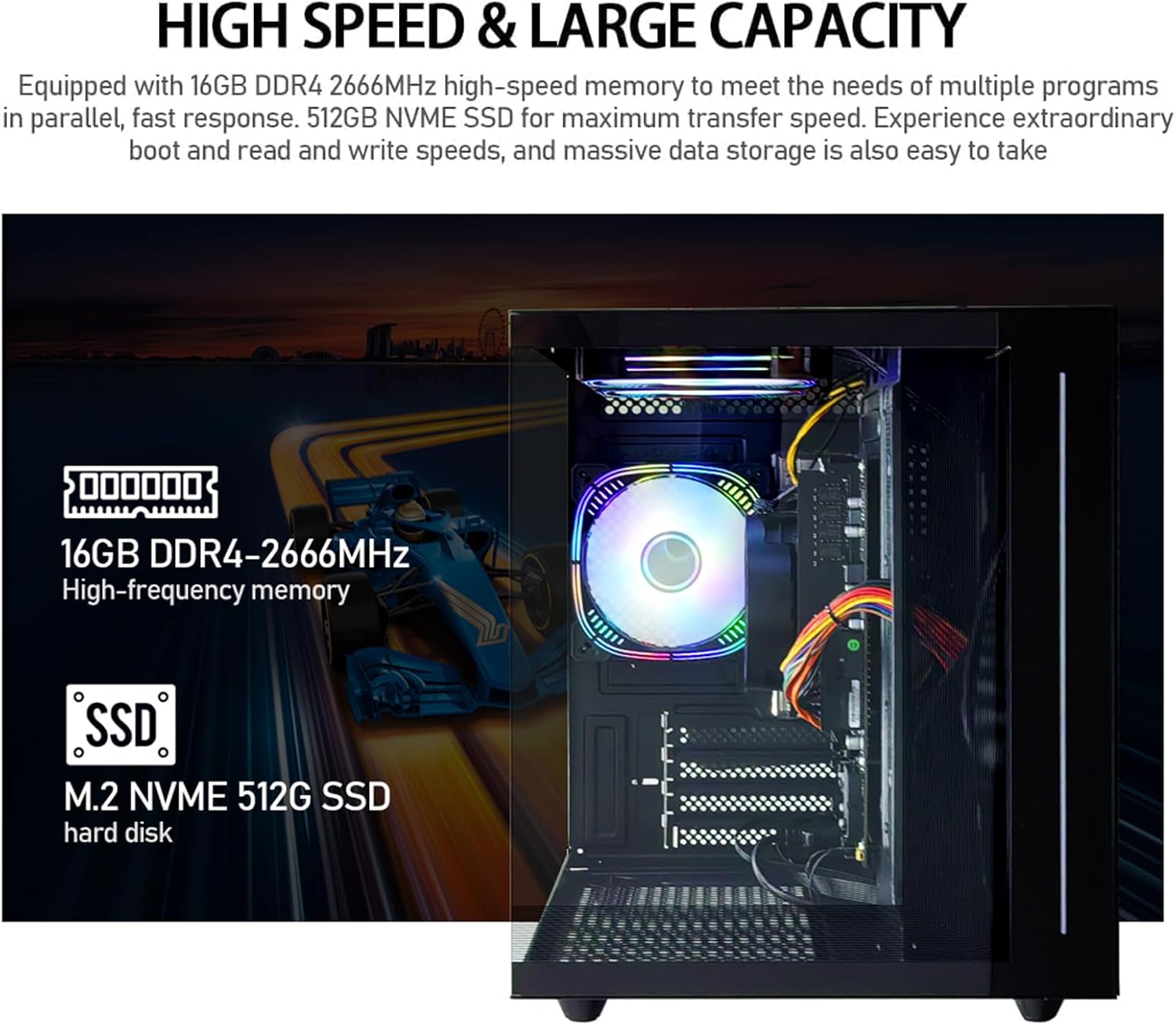
이미지 4: 내부 view of the PC, emphasizing the 16GB DDR4 high-frequency memory and the M.2 NVMe 512GB SSD for high-speed data transfer.

Image 5: Visual representation of the AMD Radeon Vega Graphics 7 capabilities, suitable for esports games, video clips, graphic design, and corporate office tasks.
6. 유지관리
Proper maintenance ensures the longevity and performance of your PC.
6.1 청소
- 외부: Use a soft, lint-free cloth to wipe the exterior surfaces. For stubborn marks, slightly damp천에 물을 적셔요.
- 통풍: Regularly check and clean the ventilation grilles to prevent dust buildup, which can impede airflow and cause overheating. Use compressed air to gently clear dust from fan blades and vents.
6.2 환기 및 냉방
The PC is equipped with three built-in 120mm chassis fans for rapid heat dissipation and cooling, ensuring stable performance during intensive use. Ensure these fans are not obstructed.

Image 6: Illustration of the PC's cooling system, highlighting the RGB-enabled fans designed for rapid and silent heat dissipation.
6.3 소프트웨어 업데이트
Keep your operating system, drivers, and applications updated to ensure security, stability, and optimal performance. Windows updates are managed through the operating system settings.
7. 문제 해결
이 섹션에서는 일반적으로 발생할 수 있는 문제에 대한 해결책을 제공합니다.
- 전원 없음:
- 전원 케이블이 PC와 전기 콘센트에 단단히 연결되어 있는지 확인하세요.
- 다른 장치를 연결하여 전원 콘센트가 작동하는지 확인하세요.
- Check the power switch on the back of the PC (if present) is in the 'On' position.
- 모니터에 표시되지 않음:
- Confirm the monitor is powered on and correctly connected to the PC's HDMI or VGA port.
- 모니터에서 올바른 입력 소스가 선택되었는지 확인하세요.
- Try connecting the monitor to a different port if available, or test with another monitor.
- 시스템 속도가 느리거나 응답하지 않습니다.
- 백그라운드에서 실행 중인 불필요한 애플리케이션을 닫으세요.
- SSD에 충분한 여유 공간이 있는지 확인하세요.
- 악성코드가 있는지 확인하려면 바이러스 검사를 실행하세요.
- 운영 체제와 드라이버가 최신 상태인지 확인하세요.
- 인터넷에 연결되지 않음:
- Wi-Fi의 경우, Wi-Fi 어댑터가 활성화되어 있고 올바른 비밀번호로 올바른 네트워크에 연결되어 있는지 확인하세요.
- For wired connection, ensure the Ethernet cable is securely connected to both the PC and the router/modem.
- 라우터/모뎀을 다시 시작하세요.
If you encounter issues not covered here, or if the problem persists, please contact suevery customer support.
8. 사양
| 요소 | 사양 |
|---|---|
| 모델 번호 | SUSU-V900W |
| 프로세서 | AMD Ryzen5-5600GT (6 Cores, 12 Threads, 3.6GHz up to 4.6GHz Turbo) |
| 프로세서 소켓 | 소켓 AM4 |
| 숫양 | 16GB DDR4 3200MHz (Max. 32GB) |
| 저장 | 512GB NVMe SSD (PCIE x 4 interface) |
| 제도법 | Integrated AMD Radeon RX Vega 7 Graphics (1.9G) |
| 운영 체제 | 윈도우 |
| 무선 연결 | 와이파이 802.11ax |
| USB 2.0 포트 | 4 |
| USB 3.0 포트 | 2 |
| HDMI 포트 | 1 |
| VGA 포트 | 1 |
| Chassis Fans | 3 x 120mm (Built-in) |
| 치수(길이 x 너비 x 높이) | 39.62 x 35.81 x 33.27cm |
| 무게 | 6.89kg |
9. 보증 및 지원
Your suevery AMD Ryzen5 5600GT Gaming PC comes with a standard manufacturer's warranty. Please refer to the warranty card included in your package for specific terms and conditions, including warranty duration and coverage details.
For technical support, service inquiries, or to report any issues, please contact suevery customer support through the contact information provided on your warranty card or the official suevery website. Please have your model number (SUSU-V900W) and purchase details ready when contacting support.
