소개
This manual provides detailed instructions for the installation, operation, and maintenance of your HBEZON Medicine Cabinet with LED Lights and Mirror. This product features a 48 x 32 inch design, suitable for both surface and recessed mounting, and includes a defogger, memory function, 3-color lighting modes, integrated outlet and USB ports, dimming capability, and adjustable storage shelves. Please read this manual thoroughly before installation and use to ensure proper function and safety.
안전 정보
경고: Electrical installation should be performed by a qualified electrician. Ensure power is disconnected at the circuit breaker before any installation or maintenance.
- 캐비닛을 과도한 습기나 직접적인 물 분사에 노출시키지 마십시오.
- 파손을 방지하기 위해 유리 부품을 조심스럽게 다루십시오.
- Ensure the mounting surface is structurally sound and can support the weight of the cabinet.
- 설치 장소에 어린이가 접근하지 못하도록 하십시오.
- Do not attempt to repair or modify the electrical components yourself. Contact qualified personnel.
제품 끝view
The HBEZON Medicine Cabinet is designed to enhance your bathroom with both functionality and modern aesthetics. Key features include:
- LED 조명: Integrated LED strips with 3 color modes (warm, natural, cold white) and dimmable brightness.
- 안개 제거기: Built-in anti-fog function for clear reflections.
- 메모리 기능: Remembers your last light setting.
- 전원 콘센트 및 USB 포트: Convenient charging for devices inside the cabinet.
- 조절식 선반: Tempered glass shelves for flexible storage.
- 부드럽게 닫히는 경첩: DTC rustproof hinges for quiet and smooth door operation.
- 장착 옵션: Can be surface-mounted or recessed into the wall.

이미지: 앞면 view of the HBEZON Medicine Cabinet, highlighting its illuminated mirror and modern appearance.
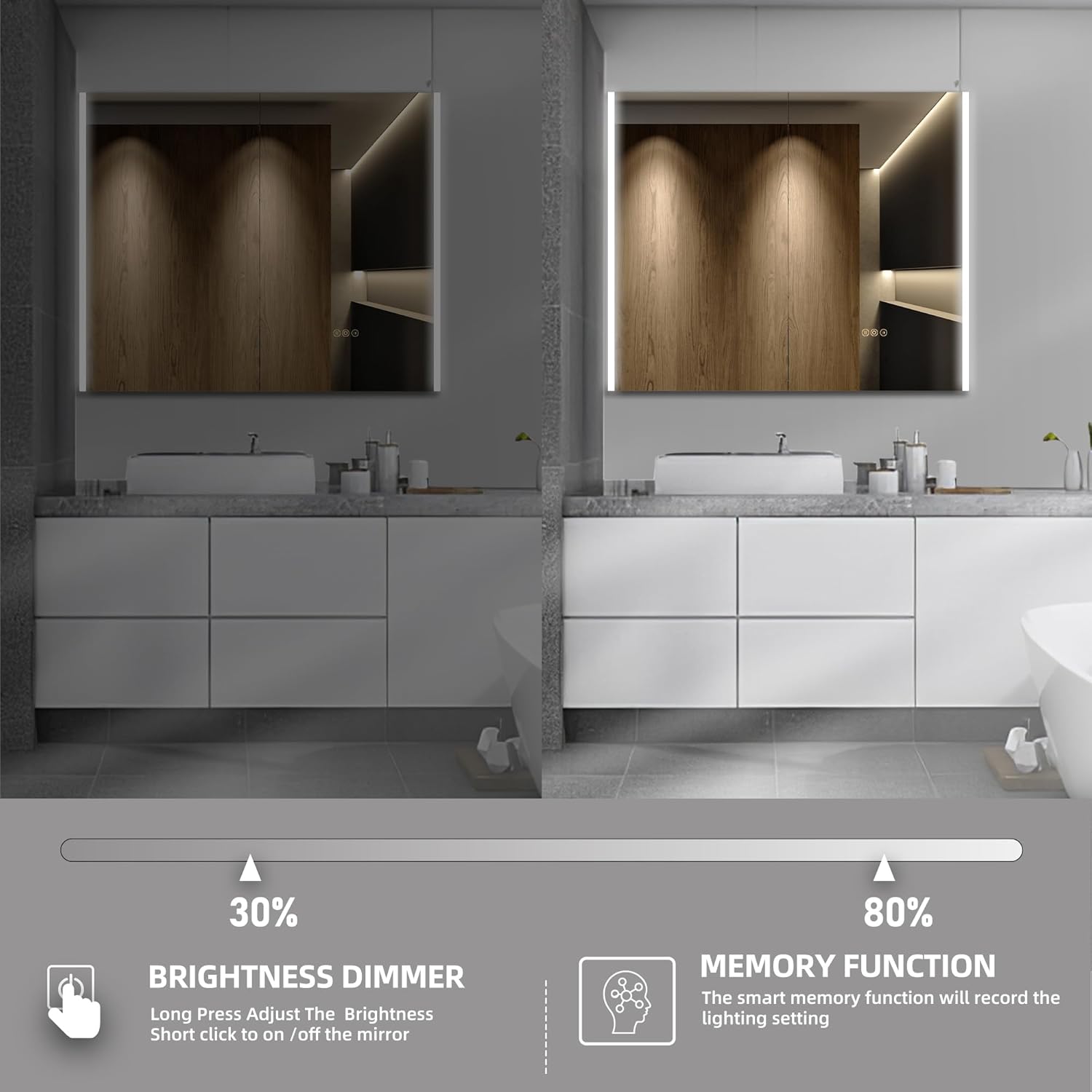
Image: Visual representation of the cabinet's main features, including lighting controls, anti-fog, and power options.
설정 및 설치
The HBEZON Medicine Cabinet offers both surface and recessed mounting options. Ensure you have the necessary tools and assistance before beginning installation.
Dimensions and Cutout (for Recessed Mounting)
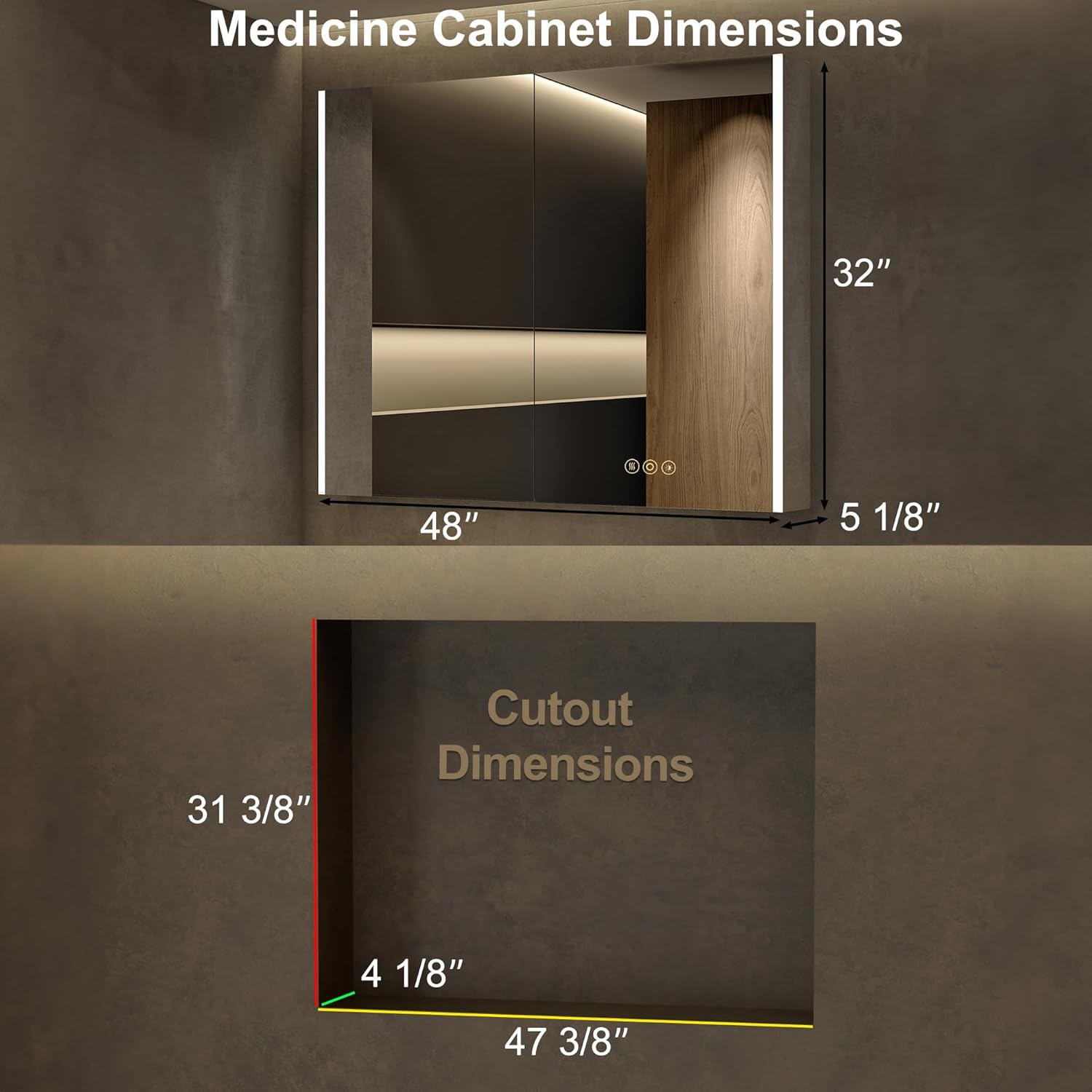
Image: Detailed dimensions for the cabinet and the required wall cutout for recessed installation.
장착 옵션

Image: Visual comparison of recessed mounting versus surface (wall) mounting.
일반 설치 단계:
- 준비: Turn off power at the main circuit breaker. Identify the desired mounting location and ensure it is free of pipes or electrical wires.
- 마킹: Mark the mounting points on the wall according to the cabinet's dimensions and mounting hardware.
- 장착 하드웨어: Install the provided mounting hardware securely into the wall. For recessed mounting, create the appropriate cutout in the wall.
- 배선: Connect the cabinet's electrical wiring to your home's electrical system. This step should be performed by a qualified electrician. Ensure all connections are secure and insulated.
- 캐비닛 설치: Carefully lift and secure the cabinet onto the installed mounting hardware. Ensure it is level and firmly attached.
- 선반 조정: Place the adjustable glass shelves inside the cabinet at your desired heights.
- 전원 켜기: 설치가 완료되고 모든 연결이 안전한 경우 회로 차단기에서 전원을 복구하세요.
작동 지침
LED 조명 제어

Image: Demonstrates how to change the LED light color temperature using the touch control.
- 전원 켜기/끄기: Short press the power icon on the mirror to turn the lights on or off.
- 색온도 조정: Short press the light icon to cycle through the three color modes: Warm (3000K), Natural (4000K), and Cold White (6000K).
- 밝기 조광기: Long press the light icon to adjust the brightness from 0% to 100%. Release when the desired brightness is reached.
- 메모리 기능: The cabinet will remember your last light setting (color mode and brightness) when turned off and on again.
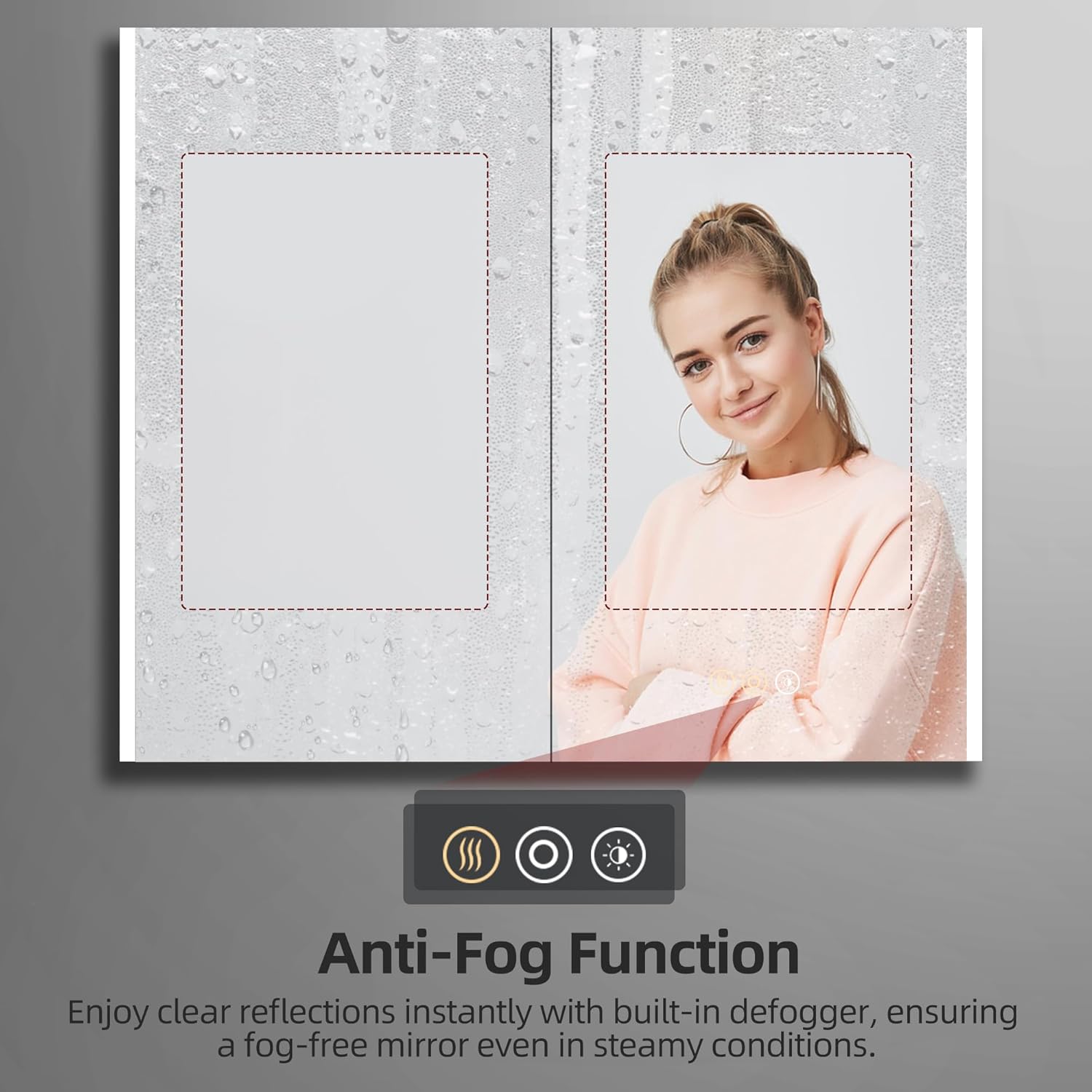
Image: Illustrates the dimming capability and the memory function of the LED lighting.
김서림 방지 기능

Image: Shows the effectiveness of the anti-fog function, keeping the mirror clear in steamy conditions.
- 김서림 방지 기능 활성화: Short press the defogger icon (looks like steam) on the mirror to activate the anti-fog function.
- Deactivate Defogger: Press the defogger icon again to turn it off. It is recommended to turn off the defogger when not needed for energy efficiency.
Using Electrical Outlets and USB Ports

이미지: 클로즈업 view of the integrated electrical outlet and USB ports within the cabinet.
- The internal electrical outlets and USB ports are active when the cabinet is connected to power.
- Use these ports to conveniently charge small electronic devices like electric toothbrushes, shavers, or smartphones.
- Do not overload the outlets. Refer to the specifications for maximum power output.
유지
- 거울 청소: 부드럽고 보풀 없는 천과 연마 성분이 없는 유리 세정제를 사용하세요. 세정제를 거울에 직접 뿌리지 말고 천에 뿌려서 닦으세요. 액체가 전기 부품에 스며드는 것을 방지할 수 있습니다.
- 캐비닛 내부 청소: Wipe down interior surfaces and shelves with a damp 천과 순한 세제. 완전히 말리세요.
- 힌지 관리: The DTC soft-close hinges are designed for durability. Avoid applying excessive force when opening or closing the doors. No special lubrication is typically required.
- 전기 부품: Ensure the cabinet is disconnected from power before cleaning near electrical outlets or wiring. Do not use wet cloths directly on electrical components.
문제 해결
| 문제 | 가능한 원인 | 해결책 |
|---|---|---|
| LED 조명이 켜지지 않습니다. | 전원 공급 불량; 배선 불량; 터치 센서 불량. | Check circuit breaker. Ensure all electrical connections are secure. Contact customer support if issue persists. |
| 안개 방지 기능이 작동하지 않습니다. | 김서림 방지 기능이 작동하지 않습니다. 전원 문제입니다. | Ensure the defogger icon is pressed. Check power supply. |
| Outlets/USB ports not working. | No power supply; internal wiring issue. | Verify main power to the cabinet. Avoid overloading. |
| Doors do not close smoothly. | 경첩이 어긋났거나 손상되었습니다. | Check hinge alignment. If damaged, contact customer support for replacement parts. |
명세서
| 특징 | 세부 사항 |
|---|---|
| 상표 | H베존 |
| 모델명 | AURA (Model 4832) |
| 제품 치수 | 5인치 깊이 x 48인치 너비 x 32인치 높이 |
| 색상 | 은 |
| 장착 유형 | Wall Mount or Recessed Mount |
| 특별 기능 | Smart Touch Control, Lighting Memory Function, Dimmable, 3 Color Lighting Modes, Defogger, Space-saving, Soft-close Hinges, Electrical Outlet & USB Port, Adjustable Shelves |
| 선반 수 | 3 (조절 가능한 강화 유리) |
| 프레임 소재 | 알류미늄 |
| 중량 제한 | 60 파운드 |
| 품목 무게 | 51 파운드 |
| 포함된 구성 요소 | Medicine cabinet with mirror, Mounting Hardware, Shelves |
보증 및 지원
For warranty information or technical support, please refer to the documentation included with your purchase or contact HBEZON customer service. You can also visit the official HBEZON store on Amazon for more details and contact options.
HBEZON Store: https://www.amazon.com/stores/HBEZON/page/8EF5340D-4FAE-42F2-92D1-7037F531B1CC
사용자 매뉴얼(PDF): https://manuals.plus/m/4cf1acaebfca3c9bdf07a18cfd87af63f19a9e62aa17364159a58723dd512d7d


