1. 서론
This manual provides detailed instructions for the Taiahiro BK820 Typewriter Mechanical Gaming Keyboard and Mouse Combo. Designed for both gaming and daily computing, this combo offers a unique retro aesthetic combined with modern mechanical performance and customizable RGB lighting. Please read this manual thoroughly to ensure proper setup, operation, and maintenance of your new device.
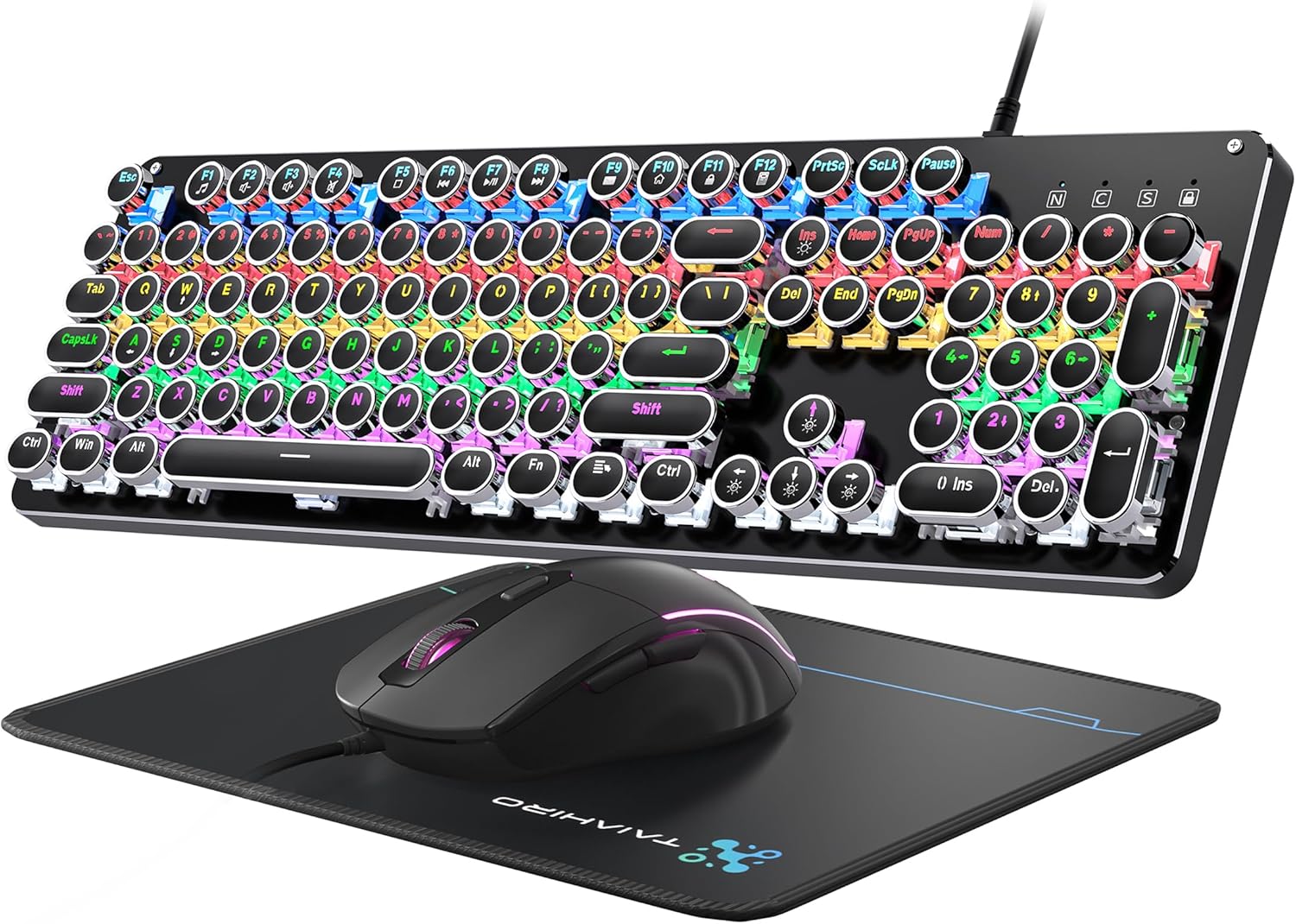
Figure 1: Taiahiro BK820 Typewriter Mechanical Gaming Keyboard and Mouse Combo.
2. 패키지 내용
The Taiahiro BK820 combo includes the following items:
- 타자기 기계식 키보드
- 유선 게임용 마우스
- 마우스 패드
3. 제품 특징
The Taiahiro BK820 combo is equipped with several features to enhance your user experience:
- Typewriter Mechanical Keyboard and Mouse Set: Features mechanical blue switches, durable round keycaps, and an adjustable DPI optical mouse. Offers speed, accuracy, and comfort with a crisp click sound and precise tactile feedback.
- Metal Panel & Top Quality: The mechanical gaming keyboard is constructed from top-grade aluminum alloy with a matte finish. Double-shot-molded ABS keycaps are wear-resistant, non-fading, and removable for easy cleaning.
- 7 Colors Breathing RGB Gaming Mouse: Wired gaming mouse with a high-precision optical sensor and super-fast game engine. Features 4 Adjustable DPI Levels (800/1600/2400/3200), RGB backlighting, an anti-skid scroll wheel, and 7-color lighting with breathing and cycling effects.
- 104-Key Anti-Ghost Ergonomic Keyboard: 104 anti-ghosting keys for fast response. Full-size keyboard includes 12 multimedia keys and a number pad. Ergonomically designed with a high-low key layout, suspended round keys, and adjustable double kickstand feet to reduce hand fatigue.
- 11 Modes RGB Backlighting: Keyboard features 4-color RGB backlighting with 11 different lighting modes. Double-shot injection molded keycaps ensure clear backlight and extreme durability. Brightness and breathing speed are adjustable.
- Wide Compatible: USB 2.0 plug-and-play connection. Compatible with PC, laptop, Mac, and other devices, supporting Windows, Linux, and Mac OS systems.
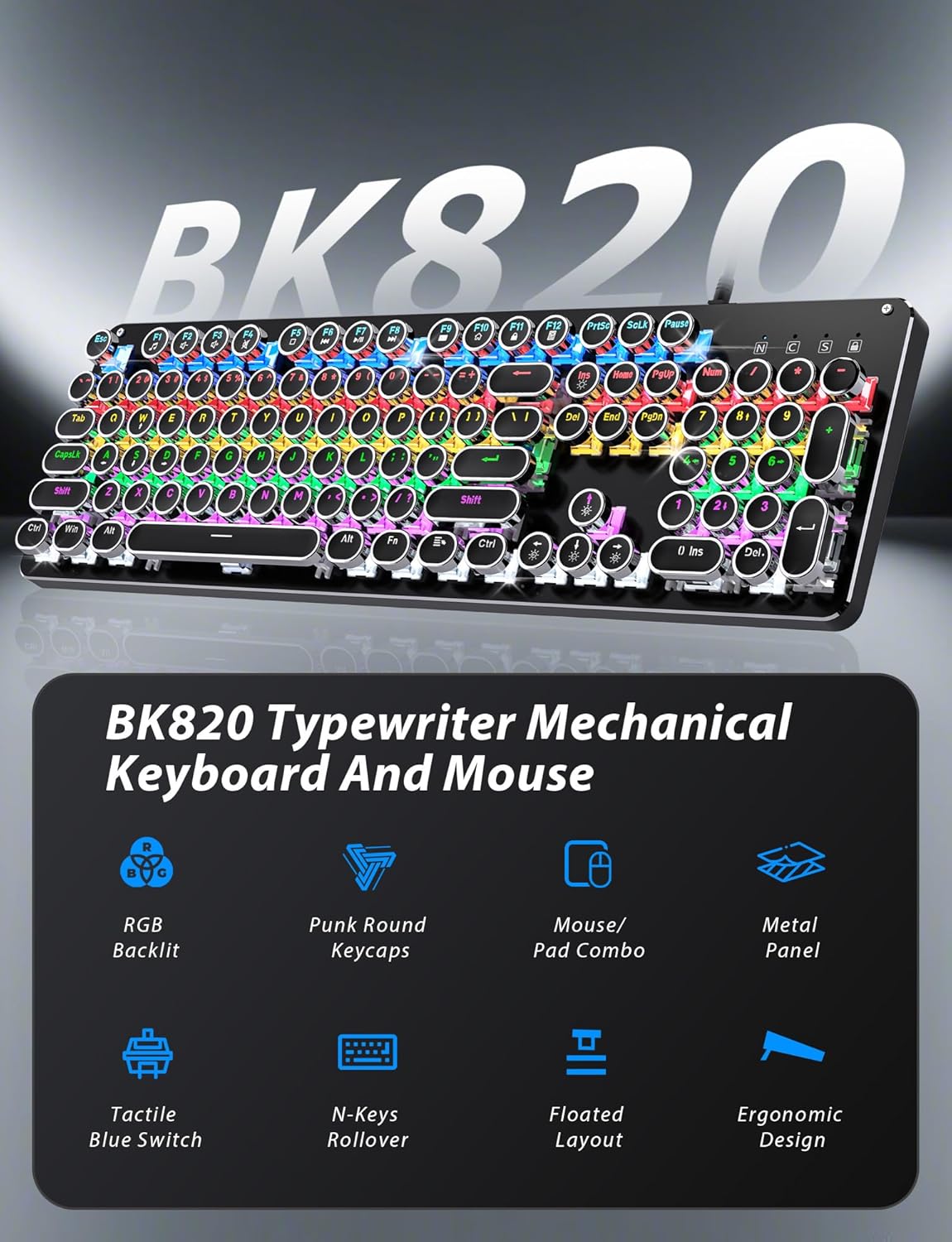
Figure 2: Key features of the Taiahiro BK820 combo.
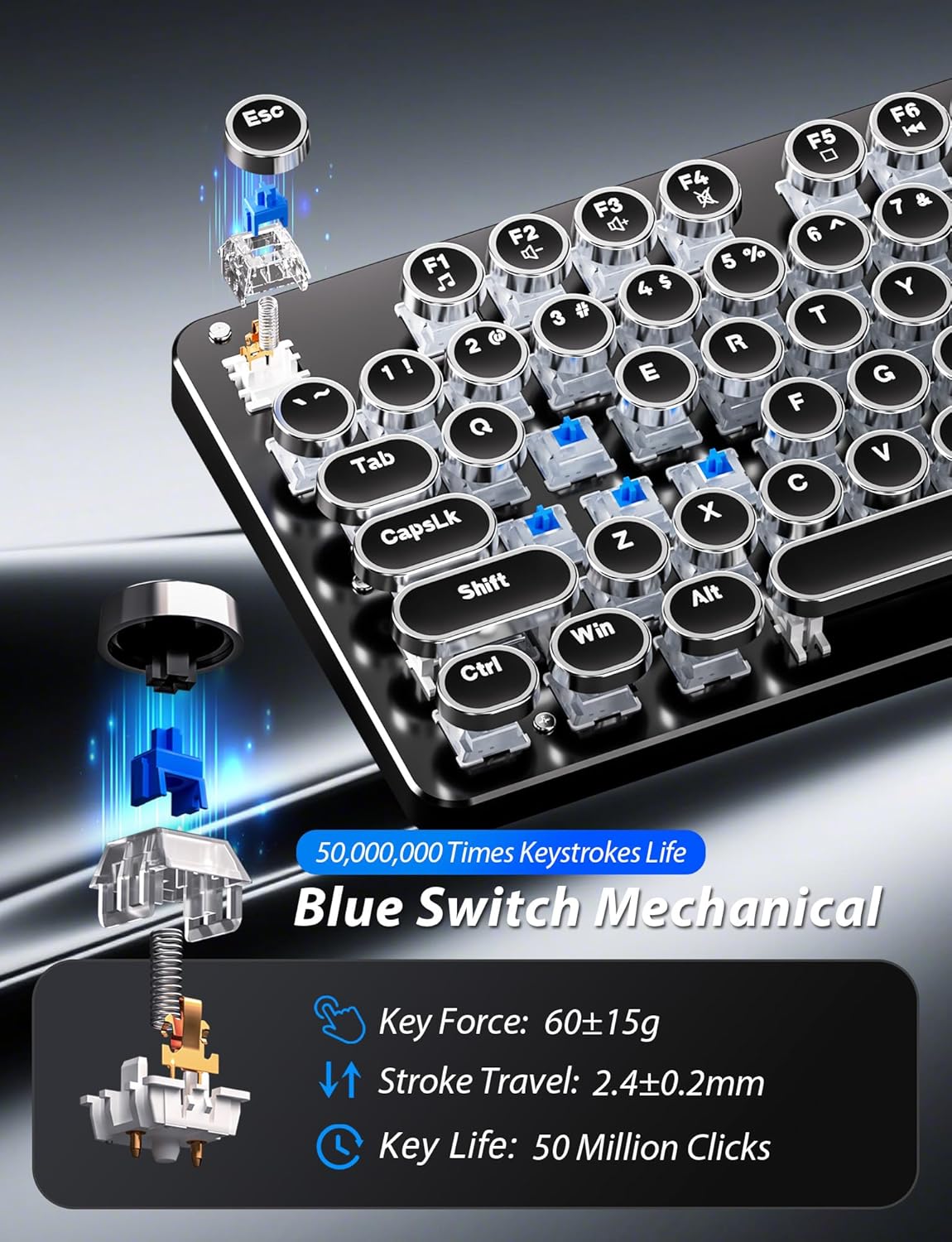
그림 3: 상세 view of the mechanical blue switches.
4. 설정 지침
- 키보드 연결: Plug the keyboard's USB cable into an available USB 2.0 port on your computer. The keyboard is plug-and-play and should be recognized automatically by your operating system.
- 마우스 연결: Plug the mouse's USB cable into another available USB 2.0 port on your computer. The mouse is also plug-and-play.
- 키보드 각도 조정: Flip the keyboard over. Extend the adjustable double kickstand feet located on the underside of the keyboard to achieve your preferred typing angle.
- 손목 받침대 부착 (선택 사항): The keyboard features a magnetic wrist rest. Align the wrist rest with the front edge of the keyboard until it snaps into place.
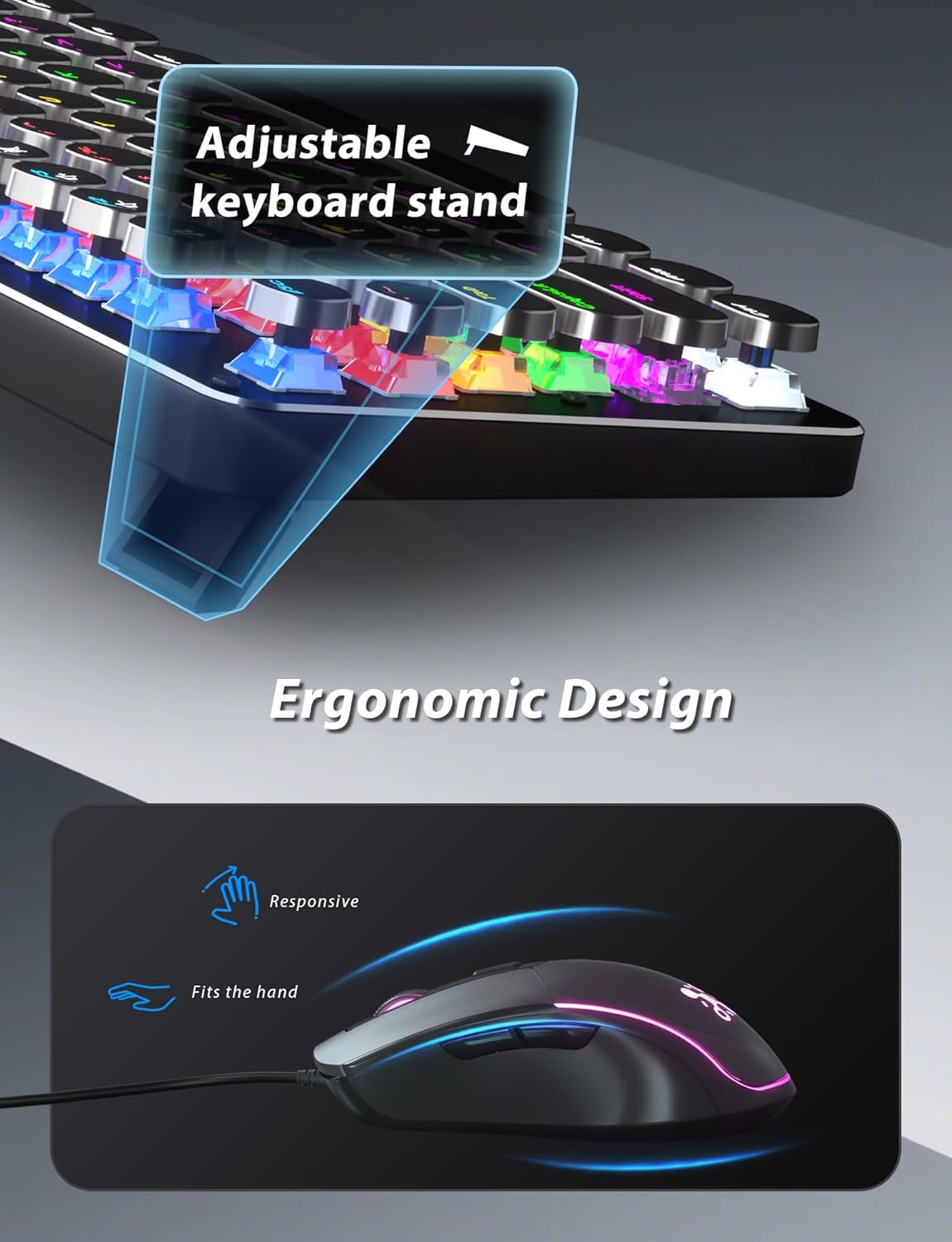
Figure 4: Adjustable keyboard stand for ergonomic comfort.
5. 사용 설명서
5.1 키보드 기능
- RGB 백라이트 모드: 누르다 Fn + INS 11가지 RGB 백라이트 모드를 순환하며 사용할 수 있습니다.
- 백라이트 밝기 조정: 누르다 Fn + ↑ (위쪽 화살표) 밝기를 높이거나 Fn + ↓ (아래쪽 화살표) 밝기를 낮추려면.
- 백라이트 속도 조정: 누르다 Fn + ← (왼쪽 화살표) to decrease animation speed or Fn + → (오른쪽 화살표) to increase animation speed for dynamic lighting modes.
- 게임 모드: The keyboard offers 6 preset gaming modes. Press FN + F1 ~을 통해 FN + F6 to activate specific key lighting for different game types.
- 멀티미디어 키: 사용하세요 Fn 키와 함께 F1-F12 keys for various multimedia controls (e.g., volume, play/pause, calculator).
- Windows 키 잠금: 누르다 Fn + Win 게임 중 실수로 눌리는 것을 방지하기 위해 Windows 키를 잠그거나 잠금 해제합니다.

Figure 5: Keyboard RGB backlight controls.
5.2 마우스 기능
- DPI 조정: Press the DPI button located on the top of the mouse to cycle through 4 adjustable DPI levels (800/1600/2400/3200).
- RGB 조명: The mouse features 7-color breathing and cycling RGB lighting that changes automatically.
- 앞으로/뒤로 버튼: 측면 버튼을 사용하여 빠르게 탐색하세요. web 브라우저나 다른 애플리케이션.

Figure 6: Taiahiro BK820 Gaming Mouse with RGB lighting and DPI button.
5.3 공식 제품 영상
비디오 1: 이 비디오는 다음을 제공합니다.view of the 104-Key Retro Typewriter Mechanical Gaming Keyboard and Mouse combo, showcasin디자인과 기능.
Video 2: This video demonstrates the unboxing experience of the BK820 Typewriter Mechanical Keyboard and Mouse, showing the contents as they are removed from the packaging.
Video 3: This video introduces the Typewriter Mechanical Keyboard and Mouse Combo, highlighting its design and functionality.
6. 유지관리
To ensure the longevity and optimal performance of your keyboard and mouse:
- 키캡 청소: The double-shot-molded ABS keycaps are removable. Gently pull them off to clean any dust or debris underneath. Use a soft, damp cloth to wipe the keycaps and the keyboard surface. Ensure all parts are dry before reattaching keycaps.
- Mouse Cleaning: Use a soft, dry cloth to clean the mouse surface. Avoid using harsh chemicals or abrasive materials.
7. 문제 해결
- 키보드 또는 마우스가 응답하지 않음: Ensure both the keyboard and mouse USB cables are securely plugged into your computer's USB ports. Try plugging them into different USB ports.
- 백라이트가 작동하지 않음/조정되지 않음: Verify that the keyboard is powered on. Use Fn + INS to cycle through modes. Adjust brightness with Fn + ↑/↓ and speed with Fn + ←/→.
- Windows Key Disabled: Windows 키가 작동하지 않으면 잠겨 있을 수 있습니다. 누르세요 Fn + Win 잠금 상태를 전환합니다.
- 마우스 DPI가 변경되지 않음: Press the dedicated DPI button on the mouse to cycle through the available sensitivity settings.
8. 사양
| 상표 | 타이아히로 |
| 모델 번호 | BK820 |
| 색상 | 검은색 |
| 연결 기술 | USB |
| 특징 | 백라이트 |
| 호환 장치 | PC, Laptop, Mac |
| 품목 무게 | 2.51파운드 |
| 패키지 크기 | 17.8 x 6.42 x 3.03 인치 |
9. 보증 및 지원
For warranty information, technical support, or any inquiries regarding your Taiahiro BK820 Typewriter Mechanical Gaming Keyboard and Mouse Combo, please refer to the manufacturer's official web사이트를 방문하거나 고객 서비스에 직접 문의하세요. 보증 청구를 위해 구매 영수증을 보관하세요.


