1. 서론
The ZGCINE PS-W126 Dual USB-C Charger Case Box is designed for efficient and safe charging of NP-W126 and NP-W126S camera batteries. This compact device also provides convenient storage for batteries and memory cards, making it an ideal accessory for photographers and videographers.
This manual provides detailed instructions on how to set up, operate, and maintain your charger, along with important safety information and troubleshooting tips.
2. 제품 특징
- Dual-Port PD Fast Charging: Equipped with two USB-C ports, each supporting up to 18W Power Delivery (PD) fast charging. This allows for a full charge of two NP-W126/NP-W126S batteries in approximately 2 hours, which is 50% faster than traditional chargers.
- 폭넓은 호환성: Compatible with Fuji NP-W126/NP-W126S batteries used in various camera models including Fuji XT30II, X100VI, X-M5, XS10, XT3, XT2, XT1, XT30, XT20, XT10, X100V, XT200, XT100, X100F, XA7, XE3, XPro3, XPro2, XPro1, XE1, XE2, XE2S.
- Compact Design with Smart Protection: The charger features a compact and lightweight design, easily fitting into a camera bag. It includes built-in overcharge protection, temperature control, short-circuit prevention, overvoltage protection, overpower protection, overdischarge protection, overcurrent protection, and recovery protection. It is FCC/CE certified for safety.
- 다양한 충전 옵션: Charge directly via USB-C using a power bank, laptop, or car charger, eliminating the need for an original charging dock.
- 통합 스토리지: Features dedicated slots for two SD cards, two TF cards, and one CFexpress Type-A card, providing convenient and secure storage alongside battery charging.
- 실시간 디스플레이: An OLED screen provides real-time monitoring of battery voltage 및 충전 상태.
3. 패키지 내용
패키지에 모든 품목이 들어 있는지 확인하세요.
- ZGCINE PS-W126 Charging Case x 1
- USB-C 충전 케이블 x 1
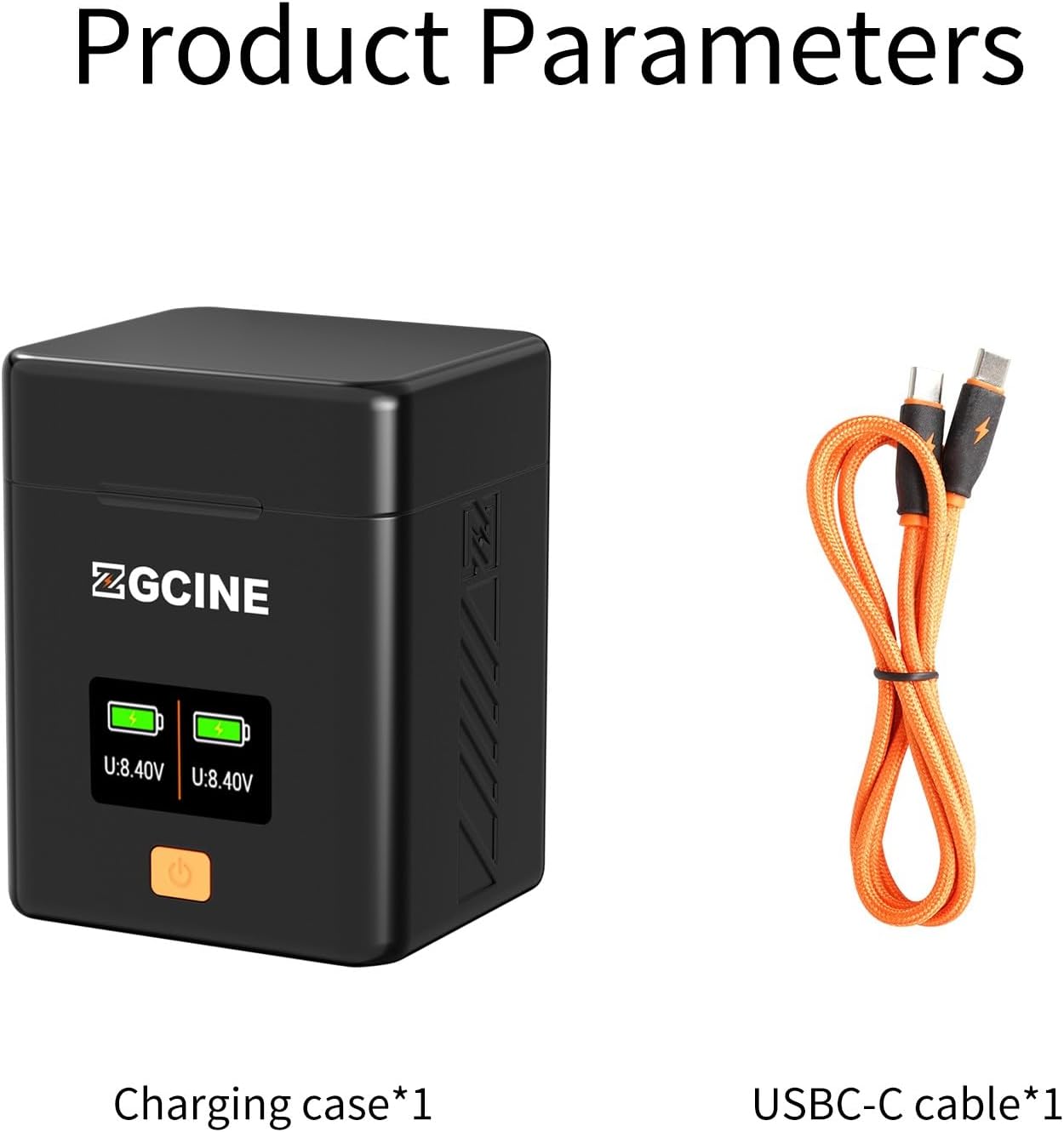
Image: The ZGCINE PS-W126 charging case shown alongside its included USB-C charging cable.
4. 제품 오버view

Image: An annotated diagram highlighting the key components of the ZGCINE PS-W126 charger, including its various card slots, battery compartments, display, and power button.
- USB-C PD 입력: For connecting the charging cable and power source.
- 배터리 슬롯(2개): For inserting NP-W126/NP-W126S batteries.
- SD Card Slots (x2): For storing SD memory cards.
- TF Card Slots (x2): For storing TF (MicroSD) memory cards.
- CFexpress Type-A Card Slot (x1): For storing a CFexpress Type-A memory card.
- 디스플레이 화면: 배터리 용량 표시tage 및 충전 상태.
- 전원 버튼: To activate the display or check battery status.
5. 설정 지침
5.1 전원 연결
- Locate the USB-C PD input port on the side of the ZGCINE PS-W126 charger.
- Connect one end of the provided USB-C charging cable to the charger's input port.
- Connect the other end of the USB-C cable to a compatible power source, such as a PD fast charger (5V/2A or 9V/2A), a power bank, a laptop, or a car charger.

Image: The charger's USB-C input port, supporting Power Delivery (PD) fast charging at 5V/2A or 9V/2A.
5.2 배터리 삽입
- Open the magnetic lid of the charger case.
- Carefully insert your NP-W126 or NP-W126S batteries into the designated battery slots. Ensure the battery is oriented correctly to make proper contact with the charger pins.
- The OLED display will activate, showing the current voltage and charging status of the inserted batteries.

Image: The ZGCINE PS-W126 charger with a Fuji NP-W126 battery correctly inserted into a slot.
5.3 Storing Memory Cards
The charger case includes dedicated slots for memory card storage:
- Two slots for SD cards.
- Two slots for TF (MicroSD) cards.
- One slot for a CFexpress Type-A card.
Insert your memory cards into the appropriate slots for secure transport and organization.
6. 사용 설명서
6.1 충전 프로세스
- Once batteries are correctly inserted and the charger is connected to a power source, charging will begin automatically.
- The OLED display will show the real-time voltage and a visual bar graph indicating the charge level for each battery.
- A full charge for two NP-W126/NP-W126S batteries typically takes approximately 2 hours with a compatible PD fast charger.
- The display will indicate when charging is complete.

Image: The OLED display screen providing real-time monitoring of battery voltage and charging status for each battery slot.
6.2 배터리 상태 확인
Even when not connected to a power source, you can check the charge status of inserted batteries by pressing the power button on the front of the charger. The display will briefly illuminate to show the current voltage와 전하 수준.
7. 호환성
The ZGCINE PS-W126 charger is compatible with Fuji NP-W126 and NP-W126S batteries. This includes batteries used in the following Fujifilm camera models:
- Fujifilm X-A7
- Fujifilm X-E1, X-E2, X-E2S, X-E3
- Fujifilm X-Pro1, X-Pro2, X-Pro3
- 후지필름 X-S10
- Fujifilm X-T1, X-T10, X-T100, X-T2, X-T20, X-T200, X-T3, X-T30, X-T30 II
- Fujifilm X100F, X100V, X100VI
8. 안전 정보 및 보호 조치
The ZGCINE PS-W126 charger is designed with multiple safety features to protect your batteries and the device itself:
- 과충전 보호 : 배터리 과충전을 방지하여 수명을 연장합니다.
- 온도 보호: Monitors and regulates the charging temperature to prevent overheating.
- 단락 방지: 단락으로 인한 손상을 방지합니다.
- 오버볼tage 보호: 과도한 볼륨에 대한 보호 장치tag전자 입력.
- 제압 보호: Prevents the charger from drawing too much power.
- 과방전 보호: Helps prevent batteries from being discharged too deeply.
- 과전류 보호: 과도한 전류 흐름을 방지합니다.
- 복구 보호: Ensures safe recovery from abnormal conditions.

이미지: 오버view of the comprehensive safety features, including overvoltage, short circuit, overpower, overdischarge, overcurrent, overcharge, temperature, and recovery protection.
9. 유지관리
- 충전기를 깨끗하게 유지하고 먼지나 이물질이 없도록 하세요. 청소 시에는 부드럽고 마른 천을 사용하세요.
- 충전기를 극한의 온도, 습도 또는 직사광선에 노출시키지 마세요.
- 충전기를 직접 분해하거나 수리하지 마십시오. 자격을 갖춘 서비스 담당자에게 문의하십시오.
- Ensure the contact pins are clean and free from corrosion for optimal charging performance.
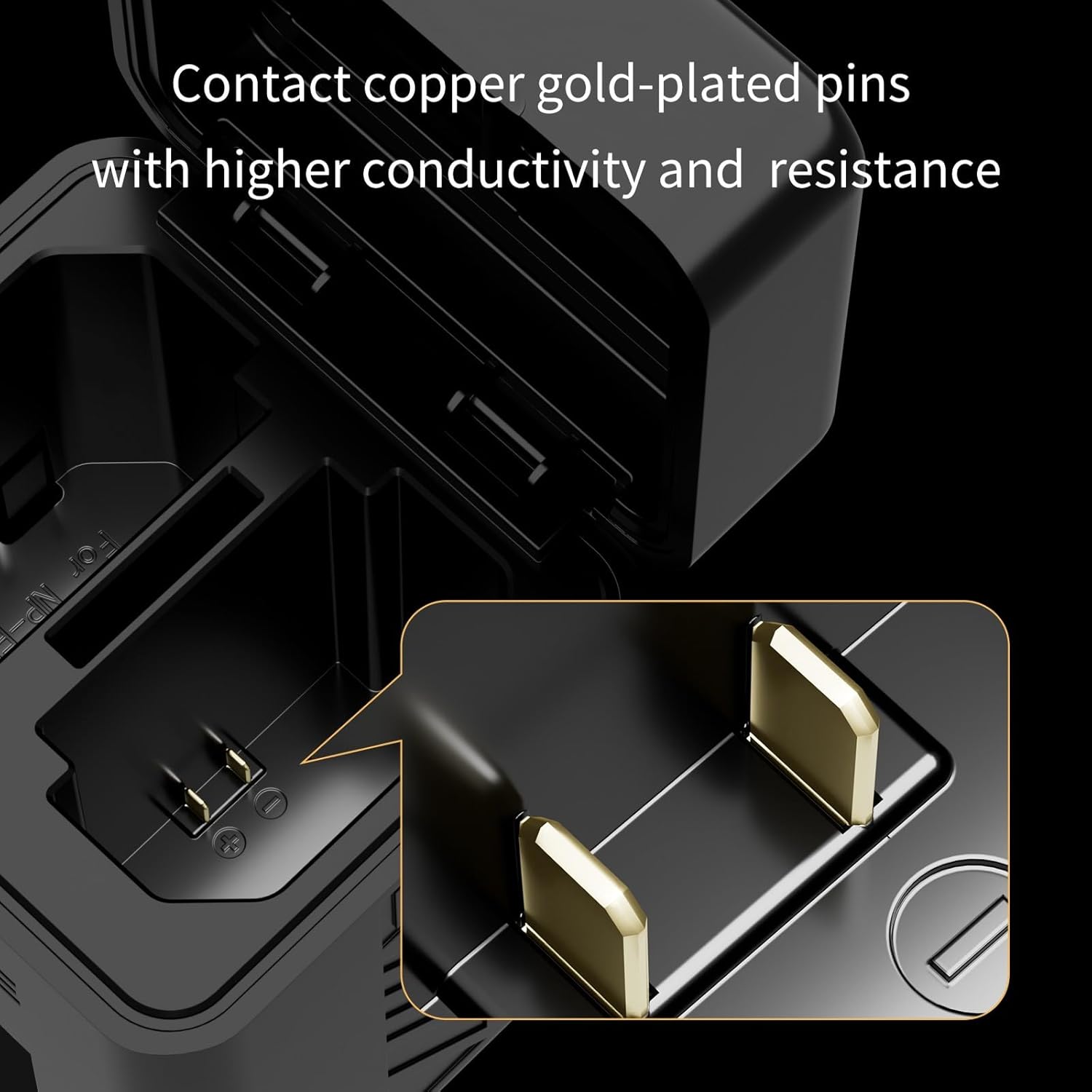
이미지: 클로즈업 view of the charger's gold-plated contact pins, designed for high conductivity.
10. 문제 해결
- Issue: Charger indicates charging when no battery is present or charges the wrong slot.
해결책: Ensure batteries are inserted correctly. NP-W126/NP-W126S batteries have a specific orientation. If issues persist, discontinue use and contact customer support. - Issue: High-pitched whining sound from the charger.
해결책: This may indicate a fault. Discontinue use immediately and contact customer support. - Issue: Display shows voltage (V) instead of percentag전자(%).
메모: The ZGCINE PS-W126 charger's display is designed to show real-time battery voltage and a bar graph for charge status, not a numerical percentage. This is normal operation. - Issue: Batteries are not charging.
해결책: Verify that the USB-C cable is securely connected to both the charger and a functional power source. Ensure the power source provides sufficient output (5V/2A or 9V/2A). Check that batteries are inserted correctly and making proper contact.
11. 사양
| 제품 치수 | 3.54 x 2.76 x 2.76 인치 |
| 품목 무게 | 6.3온스(0.18킬로그램) |
| 출력 볼륨tage | 7.2볼트(DC) |
| 충전 시간 | Approximately 2 Hours (for two NP-W126/NP-W126S batteries) |
| 입력 | USB-C PD 5V/2A, 9V/2A |
| 제조업체 | 지씨네 |
12. 공식 제품 영상
Video: This official product video provides a visual overview of the ZGCINE PS-W126 Charger Case Box, showcasing its design and features for NP-W126 and NP-W126S batteries.
13. 보증 및 지원
For any questions, concerns, or support regarding your ZGCINE PS-W126 charger, please refer to the following:
- Before Purchase: Click on the seller's profile and look for the "Have a question for HolaFoto?" section.
- After Purchase: Check your Amazon Order Page and click "problem with this order." The seller aims to reply within 24 hours during working days.
보증 청구를 위해 구매 증명서를 보관하십시오.