1. 서론
The RadioMaster RP1 V2 is a compact and high-performance 2.4GHz ExpressLRS (ELRS) Nano Receiver designed for remote control applications, particularly in FPV (First Person View) drones and other RC models. This receiver incorporates a Temperature Compensated Crystal Oscillator (TCXO) for enhanced signal stability and accuracy. It features an ESP8285 MCU and SX1280 RF chip, offering low-latency and high-refresh-rate communication. The RP1 V2 supports WiFi for convenient firmware updates and configuration via a web 인터페이스.
2. 제품 오버view
2.1 주요 특징
- Integrated TCXO (Temperature Compensated Crystal Oscillator) for reliable and stable signal reception.
- Open-source ExpressLRS based receiver with ESP8285 MCU and SX1280 RF chip.
- Built-in WiFi for convenient firmware upgrades and configuration via WebUI.
- UFL antenna socket for full-range antenna use.
- Optimized PCB design for improved heat dissipation.
- Upgraded rigid antenna for enhanced durability and performance.
- Improved solder pads for easier connection.
- Compatible with all 2.4GHz ExpressLRS modules and transmitters.
2.2 패키지 내용
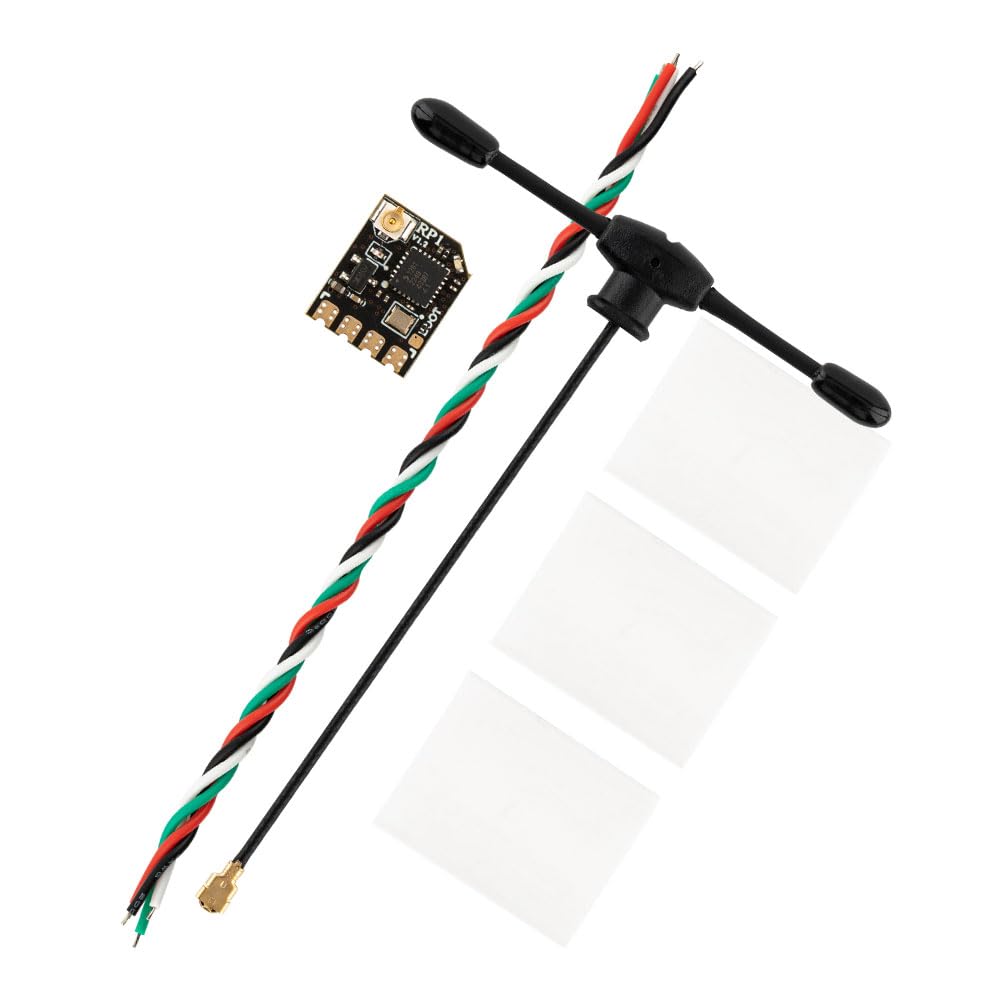
- 1 x RP1 V2 ExpressLRS 2.4GHz Nano Receiver
- 1 x 65mm UFL 2.4GHz T Antenna
- CRSF 와이어 1개
- 1 x 사용자 매뉴얼(이 문서)

The image shows the RadioMaster RP1 V2 Nano ExpressLRS Receiver with the included 65mm UFL 2.4GHz T Antenna connected. This antenna is essential for full-range operation.
3. 사양
| 목 | RP1 나노 익스프레스 LRS 2.4GHz 수신기 |
| 유형 | 주의 |
| MCU | ESP8285 |
| RF 칩 | 셈텍 SX1281 |
| 텔레메트리 RF 전력 | 10mW |
| 안테나 | 65mm 2.4GHz T Antenna |
| 주파수 범위 | 2.404 - 2.479GHz |
| 최대 수신 새로 고침률 | 500Hz / F1000Hz |
| 최소 수신기 새로 고침률 | 25Hz |
| 작업 볼륨tage | 5V |
| 무게 | 2.2g (Including antenna) |
| 차원 | 13mm x 11mm x 3mm |
| 펌웨어 버전 | ExpressLRS v2.4 사전 설치됨 |
| FW 타겟 | 라디오마스터 RP1/2 2400 RX |
| 버스 인터페이스 | CRSF |
This image displays the RadioMaster RP1 V2 Nano ExpressLRS Receiver, highlighting its compact dimensions of 13mm in length, 11mm in width, and 3mm in height. The image shows the UFL antenna connector and solder pads.
4. 설정
4.1 배선
Connect the RP1 V2 receiver to your flight controller or other compatible device using the provided CRSF wire or by soldering directly to the pads. Ensure correct polarity and data line connections.
- 5V : Connect to a 5V power source from your flight controller.
- GND : Connect to the ground (negative) terminal of your power source.
- TX(송신): Connect to the RX (Receive) pad on your flight controller's UART.
- RX(수신): Connect to the TX (Transmit) pad on your flight controller's UART.

자세한 view of the RadioMaster RP1 V2 receiver's solder pads, clearly labeled for 5V power input, TX (transmit), RX (receive) data lines, and GND (ground). These pads are used for connecting the receiver to a flight controller.
4.2 바인딩 절차
To establish a connection between your RP1 V2 receiver and your ExpressLRS transmitter module, follow these steps:
- Ensure your ExpressLRS transmitter module is powered on and set to binding mode.
- Power on your RP1 V2 receiver.
- Immediately power off the receiver.
- Repeat steps 2 and 3 two more times. After the third power cycle, the receiver's LED should begin a rapid double flash, indicating it is in binding mode.
- Once the receiver is in binding mode, activate the binding function on your ExpressLRS transmitter.
- A successful bind is indicated by a solid LED on the receiver. If the LED remains flashing, repeat the binding process.
5. 사용 설명서
5.1 Firmware Updates via WiFi
The RP1 V2 receiver features built-in WiFi, allowing for convenient firmware updates and configuration without needing a physical connection to a computer.
- Power on the receiver. If it is not connected to a transmitter, it will automatically enter WiFi hotspot mode after a short period.
- On your computer or mobile phone, search for available WiFi networks and connect to the network named "ExpressLRS RX" (or similar, depending on firmware version). The default password is "expresslrs".
- 열기 web 브라우저로 이동하여 탐색하세요 10.0.0.1이렇게 하면 ExpressLRS가 열립니다. WebUI.
- 에서 WebUI, you can update the receiver's firmware by uploading the appropriate .bin file or configure various settings.
- After updating or configuring, save your changes and reboot the receiver.
5.2 정상 작동
Once bound and configured, the RP1 V2 receiver will automatically connect to your transmitter upon power-up. The solid LED on the receiver indicates a successful connection. The low-latency and high-refresh-rate capabilities of ExpressLRS ensure precise and responsive control for your RC model.
6. 유지관리
To ensure the longevity and optimal performance of your RadioMaster RP1 V2 receiver, consider the following maintenance guidelines:
- 깨끗하게 유지하십시오: Regularly inspect the receiver for dust, dirt, or debris. Use a soft, dry brush or compressed air to gently clean the PCB and connectors.
- 요소로부터 보호: Avoid exposing the receiver to moisture, extreme temperatures, or direct sunlight. Consider using conformal coating or heat shrink for additional protection in harsh environments.
- 연결 검사: Periodically check all soldered connections and the UFL antenna connector for any signs of damage or looseness. Ensure the antenna is securely attached and positioned correctly.
- 펌웨어 업데이트: Keep the receiver's firmware updated to the latest stable version to benefit from performance improvements and bug fixes.
7. 문제 해결
If you encounter issues with your RP1 V2 receiver, refer to the following common troubleshooting steps:
- 수신자가 구속력이 없음:
- Ensure your transmitter module is also running the same ExpressLRS firmware version as the receiver.
- Verify the binding procedure (three power cycles) is performed correctly.
- Check that the transmitter is in binding mode and transmitting.
- Confirm the correct firmware target (RadioMaster RP1/2 2400 RX) was flashed to the receiver.
- No Telemetry/Control:
- Check all wiring connections (5V, GND, TX, RX) for correct polarity and secure soldering.
- Verify the UART settings on your flight controller are configured for CRSF protocol.
- Ensure the antenna is properly connected to the UFL port.
- Short Range/Signal Loss:
- Inspect the antenna for any damage or kinks.
- Ensure the antenna is mounted away from carbon fiber, batteries, or other conductive materials that can block the signal.
- Check the power output settings on your transmitter module.
- Consider environmental factors that might interfere with 2.4GHz signals.
- WiFi Hotspot Not Appearing:
- Ensure the receiver is powered on and not currently connected to a transmitter. It typically enters WiFi mode after a few seconds if no transmitter connection is found.
- Try power cycling the receiver again.
8. 안전 정보
Please refer to the instruction manual before use. Always operate RC equipment responsibly and in accordance with local laws and regulations. Ensure all connections are secure and correct before powering on your model. Improper installation or use can lead to damage to the product or other components.
9. 보증 및 지원
For warranty information and technical support, please contact your retailer or the manufacturer directly. You can find more information about RadioMaster products on their official store: RadioMaster Amazon Store.