1. 서론
This manual provides essential instructions for the safe operation, setup, maintenance, and troubleshooting of your ARRIS WPL C24-1 RC Rock Crawler. Please read this manual thoroughly before using the product to ensure proper function and longevity.

Image: The ARRIS WPL C24-1 RC Rock Crawler, showcasing its detailed design and robust tires.
2. 안전 정보
Always operate the RC vehicle in a safe and responsible manner. Failure to follow these safety guidelines may result in injury or damage to the product or property.
- 손, 머리카락, 헐렁한 옷 등을 움직이는 부품에 가까이 두지 마십시오.
- 사람, 애완동물 또는 장애물 근처에서 작동하지 마세요.
- Avoid operating in wet conditions or near water unless the product is specifically designed for it.
- 배터리가 올바르게 충전되었는지 확인하고 조심스럽게 다루십시오.
- 15세 미만 사용자의 경우 성인의 감독을 받는 것이 좋습니다.
3. 패키지 내용
아래 나열된 모든 품목이 패키지에 포함되어 있는지 확인하세요.
- ARRIS WPL C24-1 RC Rock Crawler (1 unit)
- Remote Control Transmitter (1 unit)
- Rechargeable Battery (1 unit, 7.4V 500mAh)
- 충전 케이블 (1개)
- 사용 설명서(본 문서)
4. 설정 가이드
4.1. 차량 배터리 충전
The vehicle battery (7.4V 500mAh) requires charging before first use. A full charge takes approximately 2 hours and provides about 30 minutes of operation.
- Locate the battery compartment on the underside of the RC crawler.
- Connect the rechargeable battery to the provided charging cable.
- Plug the charging cable into a suitable USB power source (e.g., computer USB port, USB wall adapter).
- The indicator light on the charging cable will show the charging status (refer to charger instructions for specific light patterns).
- Once fully charged, disconnect the battery from the charger and install it into the vehicle's battery compartment.
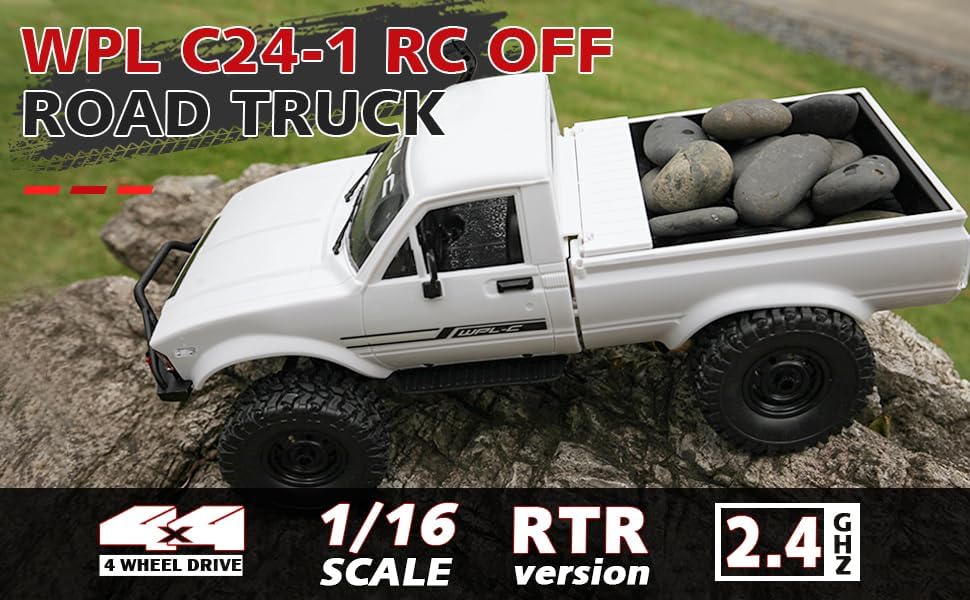
Image: Underside of the RC crawler, highlighting the battery and chassis components.
4.2. 리모컨 배터리 설치
The remote control requires 1 C battery (included). Ensure correct polarity when installing.
- 리모컨 뒷면의 배터리 커버를 엽니다.
- Insert the C battery according to the polarity markings (+/-).
- 배터리 덮개를 단단히 닫으세요.
4.3. 리모컨 페어링
The RC crawler and remote control are typically pre-paired. If re-pairing is necessary:
- Turn on the RC crawler using the switch located on the chassis.
- 리모콘을 켭니다.
- The indicator light on the remote control should stop flashing and remain solid, indicating a successful connection.
- If the connection fails, turn both devices off and repeat the process.
5. 사용 설명서
5.1. 기본 제어
- 스로틀 트리거: 당기면 앞으로 움직이고, 밀면 브레이크/후진합니다.
- 스티어링 휠 : 좌회전하려면 좌회전하고, 우회전하려면 우회전하세요.
- 트림 조정: Use the trim dials on the remote to fine-tune steering and throttle if the vehicle pulls to one side or moves without input.
5.2. 운전 요령
The ARRIS WPL C24-1 is designed for off-road crawling. Its 4WD system and independent suspension allow it to navigate various terrains.
- For optimal crawling, use slow and controlled throttle inputs.
- Experiment with steering angles to overcome obstacles.
- The vehicle features highlight LED lights for improved visibility in low-light conditions.

Image: The RC crawler navigating a challenging rocky path, demonstrating its off-road capabilities.

Image: The RC crawler traversing sandy terrain, showcasing its 4WD design.
6. 유지관리
6.1. 청소
After each use, especially in dusty or dirty conditions:
- Use a soft brush or compressed air to remove dirt and debris from the chassis, wheels, and suspension.
- 광고로 몸을 닦다amp 천. 독한 화학 물질을 사용하지 마십시오.
- Ensure no moisture enters electronic components.
6.2. 배터리 관리 및 보관
- 차량을 사용하지 않을 때는 항상 배터리를 차량에서 분리하십시오.
- 배터리는 직사광선과 극한의 온도를 피해 서늘하고 건조한 곳에 보관하세요.
- 배터리를 과충전하거나 과방전하지 마십시오.
6.3. 부품 검사
Regularly inspect the following components for wear or damage:
- Wheels and tires for damage or excessive wear.
- Suspension components (shocks, springs, linkages).
- Steering mechanism for smooth operation.
- All screws and fasteners for tightness.
7. 문제 해결
| 문제 | 가능한 원인 | 해결책 |
|---|---|---|
| Vehicle does not respond. | Low vehicle battery; Low remote control battery; Not paired. | Charge vehicle battery; Replace remote control battery; Re-pair remote control. |
| 차량의 움직임이 느리거나 불규칙적입니다. | Low vehicle battery; Obstruction in drivetrain; Motor issue. | Charge vehicle battery; Clear obstructions; Contact support if motor issue persists. |
| 조종이 불안정하거나 반응이 없습니다. | Steering trim incorrect; Damaged servo; Obstruction. | Adjust steering trim; Inspect servo for damage; Clear obstructions. |
| 작동 범위가 짧습니다. | Interference; Low remote control battery. | Move to an area with less interference; Replace remote control battery. |
8. 제품 사양
| 특징 | 세부 사항 |
|---|---|
| 모델 번호 | WPL C24-1 |
| 상표 | 모서리 |
| 규모 | 1시 16분 |
| 제품 치수 | 12.2 x 5.78 x 4.44 인치 |
| 품목 무게 | 2.4파운드 |
| 재료 | ABS + 금속 |
| 모터 | 180 브러시 모터 |
| 배터리(차량) | 7.4V 500mAh (포함) |
| 충전 시간 | 약 2시간 |
| 작동 시간 | 약 30분 |
| 원격 제어 주파수 | 2.4GHz |
| 제어 거리 | 35 미터 이상 |
| 최대 속도 | 20km/h |
| 추천연령 | 15세 이상 |
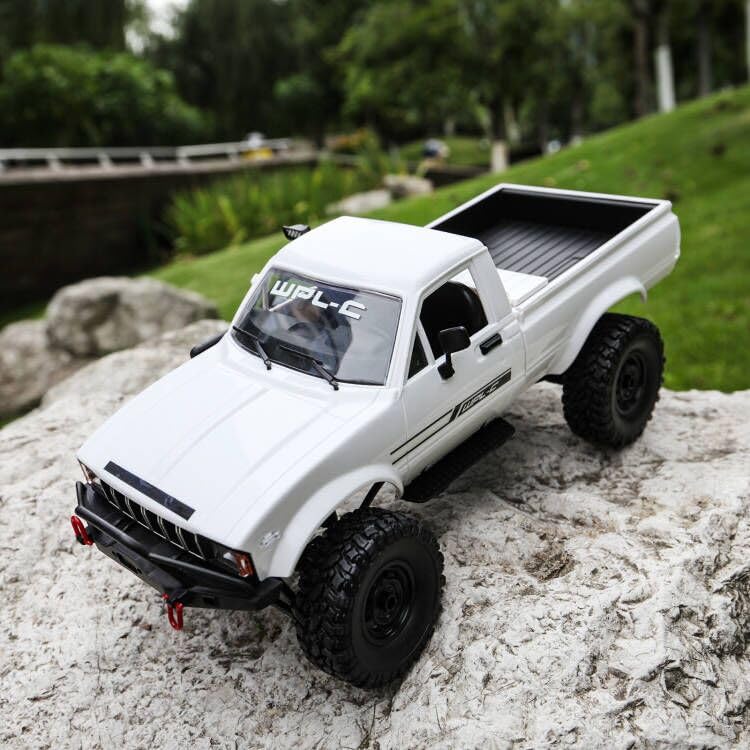
이미지: 측면 view of the RC crawler with key dimensions indicated.

이미지: 상세 view of the RC crawler's chassis, showing components like the motor, suspension, and drive shafts.
9. 보증 및 지원
ARRIS products are manufactured to high-quality standards. For warranty information or technical support, please refer to the official ARRIS web해당 웹사이트를 방문하거나 구매 플랫폼을 통해 고객 서비스에 문의하세요.
구매 영수증을 보관하여 보증 청구에 대비하세요.
추가 지원이 필요하면 다음을 방문하세요. 아마존에서 ARRIS 스토어를 만나보세요.


