1. 중요한 안전 정보
Please read all instructions carefully before using the DOYO 180° PC Racing Wheel. Retain this manual for future reference.
- 장치를 극한의 온도, 습도 또는 직사광선에 노출시키지 마십시오.
- 장치를 떨어뜨리거나 강한 충격을 가하지 마십시오.
- 기기를 분해하거나 개조하지 마십시오. 보증이 무효화됩니다.
- 장치를 물과 기타 액체에서 멀리하세요.
- 제공된 케이블과 액세서리만 사용하세요.
- 과열을 방지하기 위해 사용 중에는 적절한 환기를 보장하십시오.
2. 패키지 내용
패키지에 모든 품목이 들어 있는지 확인하세요.
- DOYO 180° PC Racing Wheel Unit
- 페달 유닛(가속 페달 및 브레이크 페달)
- USB 연결 케이블
- 사용자 설명서
3. 제품 오버view
3.1개의 구성요소
The DOYO 180° PC Racing Wheel system consists of the main steering wheel unit and a separate pedal unit.
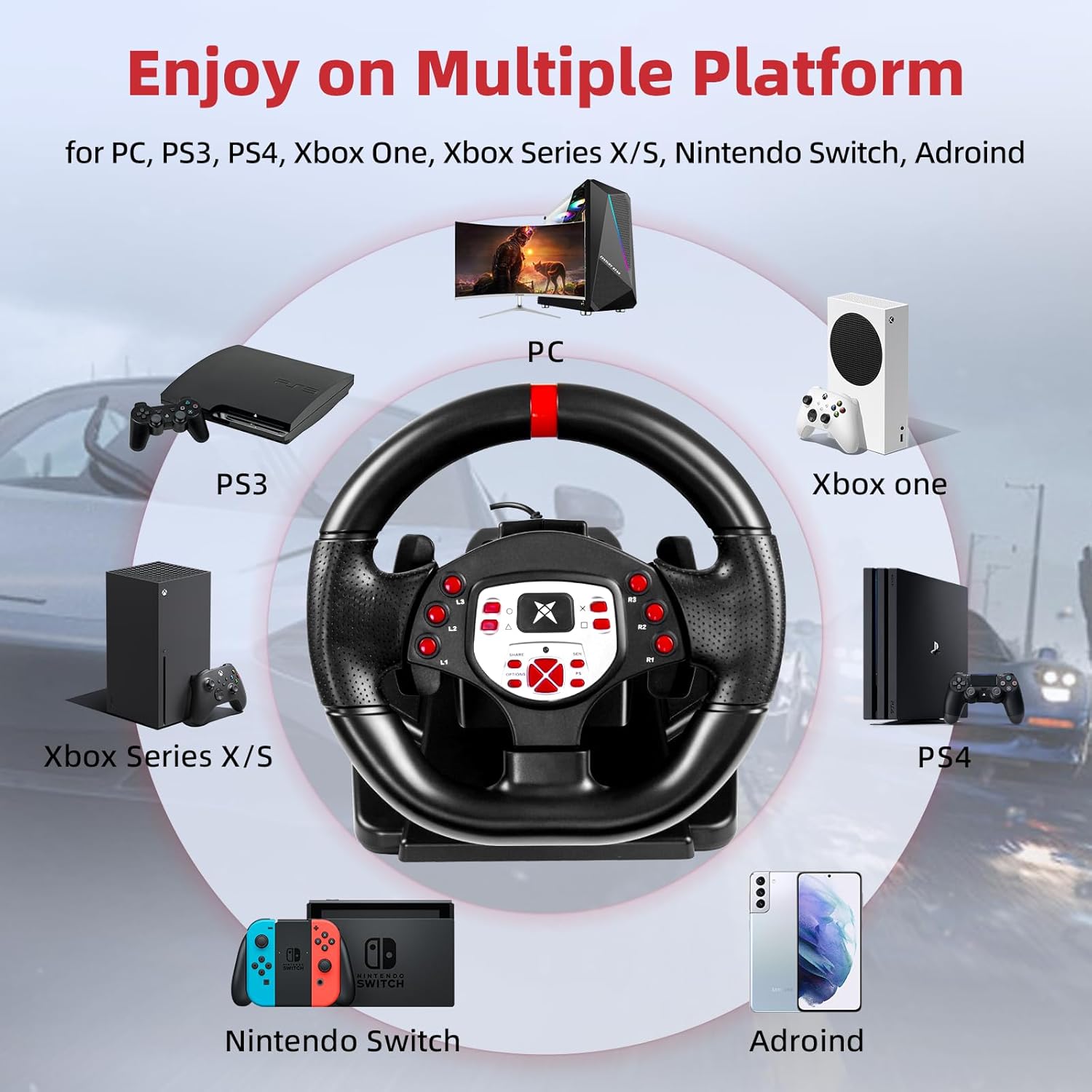
그림 3.1: 이상view of the DOYO 180° PC Racing Wheel and Pedal Unit.
3.2 주요 특징
- 폭넓은 호환성: Supports PC, PlayStation 4 (PS4), PlayStation 3 (PS3), and Nintendo Switch.
- 180° 회전: The steering wheel offers 180 degrees of rotation for realistic driving simulation.
- 듀얼 모터 진동: Built-in dual motors provide realistic vibration feedback based on in-game events.
- Adjustable Height & Tilt: The steering wheel's height and tilt can be adjusted to suit various user preferences and seating positions.
- 패들 시프터: Integrated paddle shifters allow for quick and responsive gear changes.
- Linear Pedal Design: The pedal unit features a linear design for precise control over acceleration and braking.
- Strong Fixation: Equipped with four large suction cups on the base for stable mounting on flat surfaces.
- Multi-level Sensitivity Adjustment: Allows users to fine-tune steering sensitivity for different games and driving styles.

그림 3.2: 상세 view of the racing wheel's controls and features.
4. 설정 지침
4.1 Connecting the Steering Wheel
The DOYO Racing Wheel is designed for plug-and-play functionality across supported platforms.

Figure 4.1: Multi-platform compatibility of the racing wheel.
4.1.1 PC 연결
- Connect the USB cable from the steering wheel unit to an available USB port on your PC.
- The system should automatically detect and install the necessary drivers. If not, manual driver installation may be required (refer to DOYO support web대지).
4.1.2 PS3/PS4 Connection
- Ensure your console is powered off.
- Connect the USB cable from the steering wheel unit to an available USB port on your PS3 or PS4 console.
- Power on your console. The wheel should be recognized as a controller.
4.1.3 닌텐도 스위치 연결
- Go to System Settings > Controllers and Sensors > Pro Controller Wired Communication and set it to 'On'.
- Connect the USB cable from the steering wheel unit to the Nintendo Switch dock's USB port.
- The wheel should be recognized and ready for use.
4.2 페달 유닛 연결하기
페달 유닛에서 나오는 케이블을 스티어링 휠 유닛 뒷면의 지정된 포트에 연결하십시오.

Figure 4.2: Connection point for the foot pedal unit.
4.3 스티어링 휠 장착
The steering wheel base is equipped with four large suction cups for secure mounting.
- Place the steering wheel unit on a clean, flat, and smooth surface (e.g., a desk or table).
- Press down firmly on the steering wheel base to engage the suction cups.
- Ensure the wheel is stable before use.
Video 4.3: Demonstration of the DOYO 180 Degree PC Racing Wheel and its features, including setup and usage.
5. 사용 설명서
5.1 핸들 회전
The steering wheel provides 180 degrees of rotation, allowing for 90 degrees to the left and 90 degrees to the right from the center position.

Figure 5.1: The steering wheel's 180-degree rotation range.
5.2 Height and Tilt Adjustment
To adjust the steering wheel's position for optimal comfort:
- Locate the adjustment knob or lever on the steering wheel base.
- Rotate the knob or release the lever to unlock the adjustment mechanism.
- Adjust the tilt angle and telescopic length (up to 5cm) to your desired position.
- Secure the adjustment by rotating the knob or engaging the lever.

Figure 5.2: Steering wheel height and tilt adjustment.
5.3 패들 시프터
Use the paddle shifters located behind the steering wheel for manual gear changes in compatible games. The left paddle typically shifts down, and the right paddle shifts up.

Figure 5.3: Dual paddle shifters for gear control.
5.4 페달 유닛 작동
The linear pedal unit provides progressive control for acceleration and braking. Press the right pedal for acceleration and the left pedal for braking.
5.5 진동 피드백
The dual motor vibration system provides immersive feedback, simulating road conditions, collisions, and other in-game effects.

Figure 5.4: Illustration of dual motor vibration feedback.
5.6 감도 조정
The steering wheel features a multi-level sensitivity adjustment. Refer to the on-screen display or indicator on the wheel to select your preferred sensitivity level (e.g., Grade 1-7).

Figure 5.5: Sensitivity adjustment dial on the steering wheel.
6. 유지관리
To ensure the longevity and optimal performance of your DOYO Racing Wheel:
- 청소: Use a soft, dry cloth to wipe down the steering wheel and pedal unit. Do not use abrasive cleaners or solvents.
- 저장: 사용하지 않을 때는 직사광선과 극한의 온도를 피해 시원하고 건조한 곳에 보관하세요.
- 케이블 관리: Avoid bending or twisting cables excessively.
7. 문제 해결
DOYO 레이싱 휠 사용 중 문제가 발생하면 다음의 일반적인 해결 방법을 참조하십시오.
| 문제 | 가능한 해결책 |
|---|---|
| 콘솔/PC에서 휠이 인식되지 않습니다 |
|
| 진동 피드백 없음 |
|
| 페달이 응답하지 않음 |
|
| Steering sensitivity too high/low |
|
If the problem persists, please contact DOYO customer support for further assistance.
8. 사양
- 모델 번호: R180C-PC
- ASIN: B0DXBNTWZG
- 회전 각도: 180도
- 호환성: PC, PS4, PS3, 닌텐도 스위치
- 진동: Dual Motor Feedback
- 정착: 흡입컵 4개
- 품목 무게: 약 7.24kg(3.28파운드)
- 패키지 크기: 13 x 11.5 x 10.5인치(33 x 29.2 x 26.7cm)
- 제조업체: 도요
9. 보증 및 지원
DOYO products come with a limited warranty. For detailed warranty information, product support, or to report any issues, please refer to the warranty card included with your product or visit the official DOYO website. Please have your model number (R180C-PC) and purchase information ready when contacting support.


