1. 서론
구매해주셔서 감사합니다asing the ELECOM LBT-ECOWS01MBK Open-Ear Bluetooth 5.4 Wireless Headphones. These headphones are designed to allow you to enjoy audio content while remaining aware of your surroundings. This manual provides essential information for the safe and effective use of your new device.

Image: The ELECOM LBT-ECOWS01MBK open-ear wireless headphones and their transparent charging case.
2. 패키지 내용
- ELECOM LBT-ECOWS01MBK Open-Ear Wireless Headphones (Left and Right)
- 충전 케이스
- USB 충전 케이블 (USB-A - USB Type-C™)
- 빠른 시작 가이드
3. 제품 특징
- 오픈 이어 디자인: Listen to music or videos while simultaneously hearing ambient sounds, ensuring awareness of your surroundings.
- 가볍고 편안함: Each earbud weighs approximately 9.8g, providing a comfortable fit for extended wear without pressure or stuffiness.
- 고품질 오디오: Equipped with a large 16mm diameter driver for clear sound and supports AAC codec for high-quality audio on compatible devices like iPhones.
- 음성 모드: Optimizes audio frequencies to make human voices clearer, ideal for radio, audiobooks, and conversations.
- 저지연 모드: Reduces audio-visual delay, enhancing the experience for videos and games.
- 확장 재생: 한 번 충전으로 최대 10시간, 충전 케이스 사용 시 최대 25시간 연속 재생이 가능합니다.
- 터치 센서 컨트롤: Conveniently manage music playback, volume, and calls directly from the earbuds.
- 음성 어시스턴트 지원: Siri 및 Google 어시스턴트와 호환되어 핸즈프리 제어가 가능합니다.
- 단일 이어버드 사용: 양쪽 이어버드를 독립적으로 사용할 수 있습니다.
- USB Type-C™ Charging: The charging case features a USB Type-C™ port for convenient charging.

Image: A man wearing the open-ear headphones, demonstrating the ability to hear ambient sounds while enjoying media.
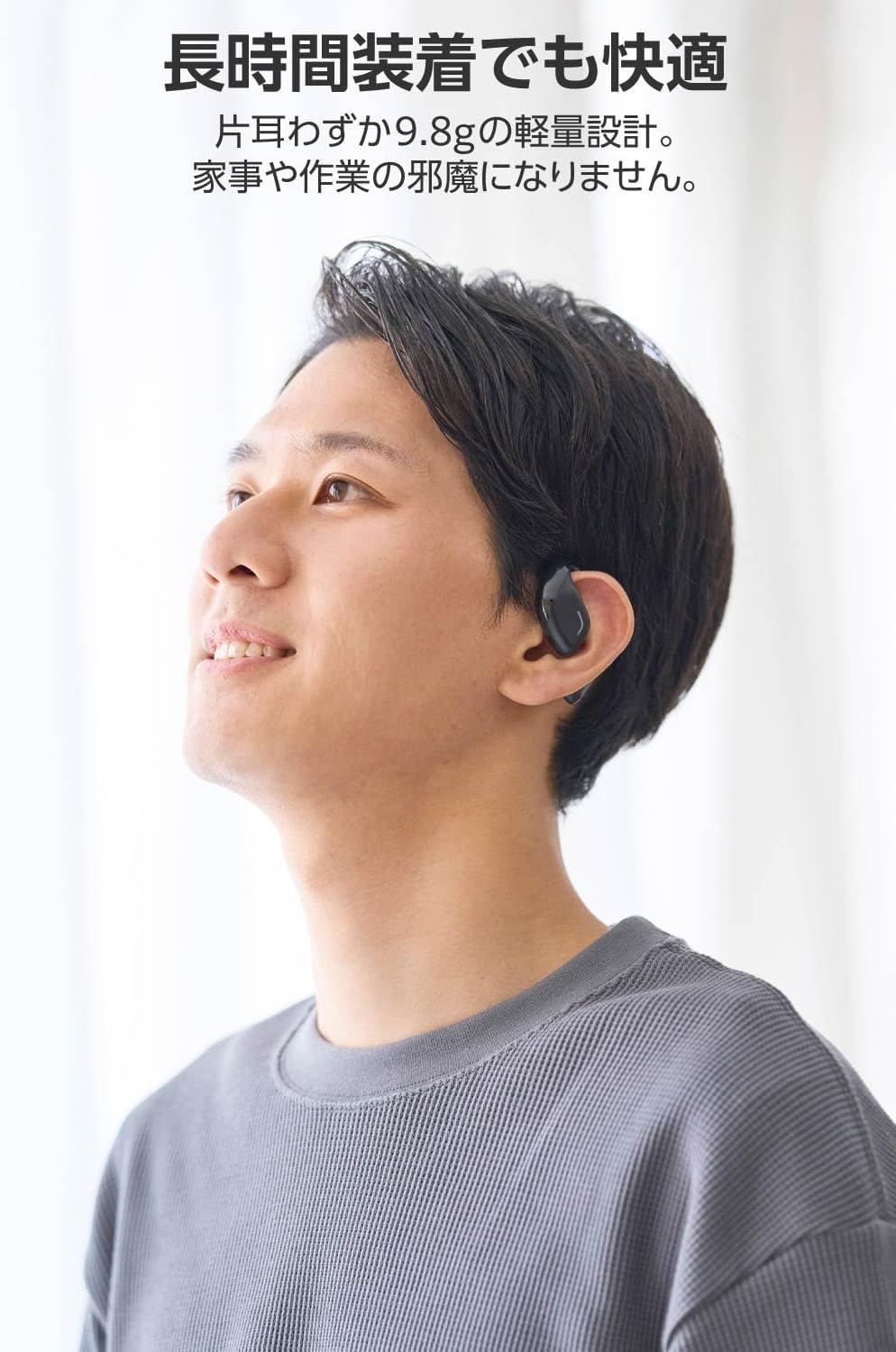
Image: A man wearing the lightweight open-ear headphones, highlighting their comfortable design for long-term use.
4. 설정
4.1. 헤드폰 및 케이스 충전
처음 사용하기 전에 헤드폰과 충전 케이스를 완전히 충전하세요.
- 양쪽 이어버드를 충전 케이스에 넣습니다.
- Connect the supplied USB Type-C™ cable to the charging port on the case and a USB power adapter (not included).
- 충전 케이스의 LED 표시등에 충전 상태가 표시됩니다.
충전 시간:
- Headphones: Approximately 1.5 hours
- 충전 케이스: 약 1.5시간

Image: Illustration of the charging process for the headphones and case, showing the USB-C port and LED indicators.
4.2. 블루투스 기기와 페어링하기
- 헤드폰이 충전되어 있는지 확인하십시오.
- Open the charging case. The headphones will automatically enter pairing mode. The LED indicator on the earbuds will flash.
- 사용하시는 기기(스마트폰, PC, 태블릿)에서 블루투스를 활성화하고 사용 가능한 기기를 검색하세요.
- Select "LBT-ECOWS01MBK" from the list of found devices.
- 연결되면 이어버드의 LED 표시등이 더 이상 깜박이지 않습니다.
- After initial pairing, the headphones will automatically connect to the last paired device when removed from the case.
4.3. 헤드폰 착용
The headphones are designed to hook over your ears.
- 왼쪽(L)과 오른쪽(R) 이어버드를 식별하세요.
- With the LED facing outwards, hook the earbud over the top of your ear.
- Adjust the earbud for a comfortable and secure fit.

Image: Step-by-step guide on correctly wearing the open-ear headphones.
5. 사용 설명서
5.1. 터치 센서 제어
The headphones feature touch sensors on each earbud for various functions.
| 기능 | 행동 | 이어버드 |
|---|---|---|
| 재생/일시정지 | 싱글 탭 | L 또는 R |
| 다음 트랙 | 더블 탭 | R |
| 이전 트랙 | 더블 탭 | L |
| 볼륨을 높이다 | 길게 누르기(약 2초) | R |
| 볼륨 낮추기 | 길게 누르기(약 2초) | L |
| 전화 받기/종료하기 | 싱글 탭 | L 또는 R |
| 전화 거부 | 길게 누르기 | L 또는 R |
| 음성 지원 활성화 | 트리플 탭 | L 또는 R |

Image: Visual representation of the touch sensor areas and corresponding music and volume controls.
5.2. Switching Audio Modes
The headphones offer three distinct audio modes:
- 일반 모드: Standard audio playback.
- 저지연 모드: Reduces audio-visual delay, suitable for watching videos or playing games.
- 음성 모드: Enhances human voice frequencies for clearer dialogue, ideal for audiobooks, podcasts, or calls.
To switch between modes, refer to the quick start guide or the official product page for specific touch gestures, as these can sometimes be customized.

이미지: 오버view of the three available audio modes and their recommended uses.
5.3. 단일 이어버드 사용
You can use either the left or right earbud independently. When using only one earbud, ensure the other earbud is powered off or stored in the charging case.
6. 유지관리
헤드폰의 수명과 최적의 성능을 보장하려면 다음 사항을 준수하십시오.
- 부드럽고 마른 천으로 이어버드와 충전 케이스를 정기적으로 청소하세요.
- 연마성 세척제나 용제를 사용하지 마십시오.
- 헤드폰을 극한의 온도, 습도 또는 직사광선에 노출시키지 마세요.
- 이어버드와 케이스 내부의 충전 접점을 깨끗하게 유지하고 이물질이 끼지 않도록 하십시오.
- 헤드폰을 사용하지 않을 때는 충전 케이스에 보관하여 보호하고 충전 상태를 유지하세요.
7. 문제 해결
헤드폰에 문제가 발생하면 다음의 일반적인 해결책을 참조하세요.
- 소리 없음:
- 헤드폰이 충전되어 있는지 확인하십시오.
- 헤드폰이 기기와 제대로 페어링되고 연결되었는지 확인하십시오.
- 헤드폰과 연결된 기기의 볼륨을 조절하세요.
- 페어링할 수 없습니다:
- 헤드폰이 페어링 모드인지 확인하십시오(LED가 깜빡임).
- 이전에 연결되었을 수 있는 주변의 다른 기기에서 블루투스를 끄십시오.
- 장치를 다시 시작하고 다시 페어링해 보세요.
- 간헐적인 연결:
- 헤드폰과 기기 사이에 장애물이 없는지 확인하십시오.
- Move closer to your device (maximum communication distance is approximately 10m).
- 전자기파 간섭이 심한 환경을 피하십시오.
- 터치 컨트롤이 응답하지 않음:
- 손가락이 깨끗하고 건조한지 확인하세요.
- Try restarting the headphones by placing them in the case and then taking them out again.
- Low Battery Voice Prompt: If you hear a repeated "Low Battery, please charge" prompt, place the earbuds in the charging case immediately.
If the issue persists, please refer to the official ELECOM support web추가 지원은 사이트를 참조하세요.
8. 사양
| 특징 | 사양 |
|---|---|
| 모델명 | LBT-ECOWS01MBK |
| 연결 기술 | Wireless (Bluetooth® Version 5.4) |
| 블루투스 프로files | A2DP, AVRCP, HFP |
| 지원되는 코덱 | AAC, SBC |
| Max Communication Distance | 약 10m (장애물 없을 경우) |
| Frequency Response (A2DP) | 20~20,000Hz |
| 연속 재생 시간 | 약 10시간 (충전 케이스 사용 시 약 25시간) |
| 충전 시간(헤드폰) | 약 1.5시간 |
| 충전 시간(케이스) | 약 1.5시간 |
| 마이크 유형 | MEMS 유형 |
| 드라이버 유닛 | φ16mm Full Range |
| 무게(이어버드당) | 약 9.8g |
| 무게(충전 케이스) | 약 59.0g |
| 색상 | 매트블랙 |
| 방수성 | 방수 불가 |
| 작동 온도 | 5℃ ~ 35℃ |
| 작동 습도 | 20% ~ 80% (비응축) |
9. 보증 및 지원
9.1. 보증 정보
이 제품에는 다음이 포함되어 있습니다. 1년 보증 구매일로부터 보증이 적용됩니다. 보증 청구를 위해 구매 증빙 자료를 보관해 주십시오. 보증은 제조상의 결함에 한해 적용되지만, 오용, 사고, 무단 개조 또는 정상적인 마모로 인한 손상은 보증 대상에서 제외됩니다.
9.2. 고객 지원
For further assistance, technical support, or detailed product information, please visit the official ELECOM web대지:
You may also find additional FAQs and troubleshooting tips on the product support pages.